Read the statement by Michael Teeuw here.
How do i setup Alexa for mirror.
-
Hi guys i need help with setting up mirror with alexa. My mirror is ready, I am using this module magic-mirror-avs but its not generating any auth. code. same way i am not even able to setup alexa direclty. Any one please help. thank you.
-
@nkchokshi only one I was able to. make work was MMM-awesomeAlexa
-
@sdetweil
i cant get the authentication code in the end. and either i cant install google assistant module.
the raspberrypi AlexaPi(getting 404 error),
GAssistPi not working https://github.com/shivasiddharth/GassistPi/issues/1026totally lost in Alexa and google.
-
@nkchokshi use MMM-GoogleAssistant (by bugsounet). forget that old junk.
what’s wrong w Alexa code?
-
@sdetweil I cant get refresh_token in Awesome Alexa. And same way if i AlexaPi i am getting 404 error. and in alexa-sample-app also same issue cant get authenticated. even updating multiple times the ip in security settings.
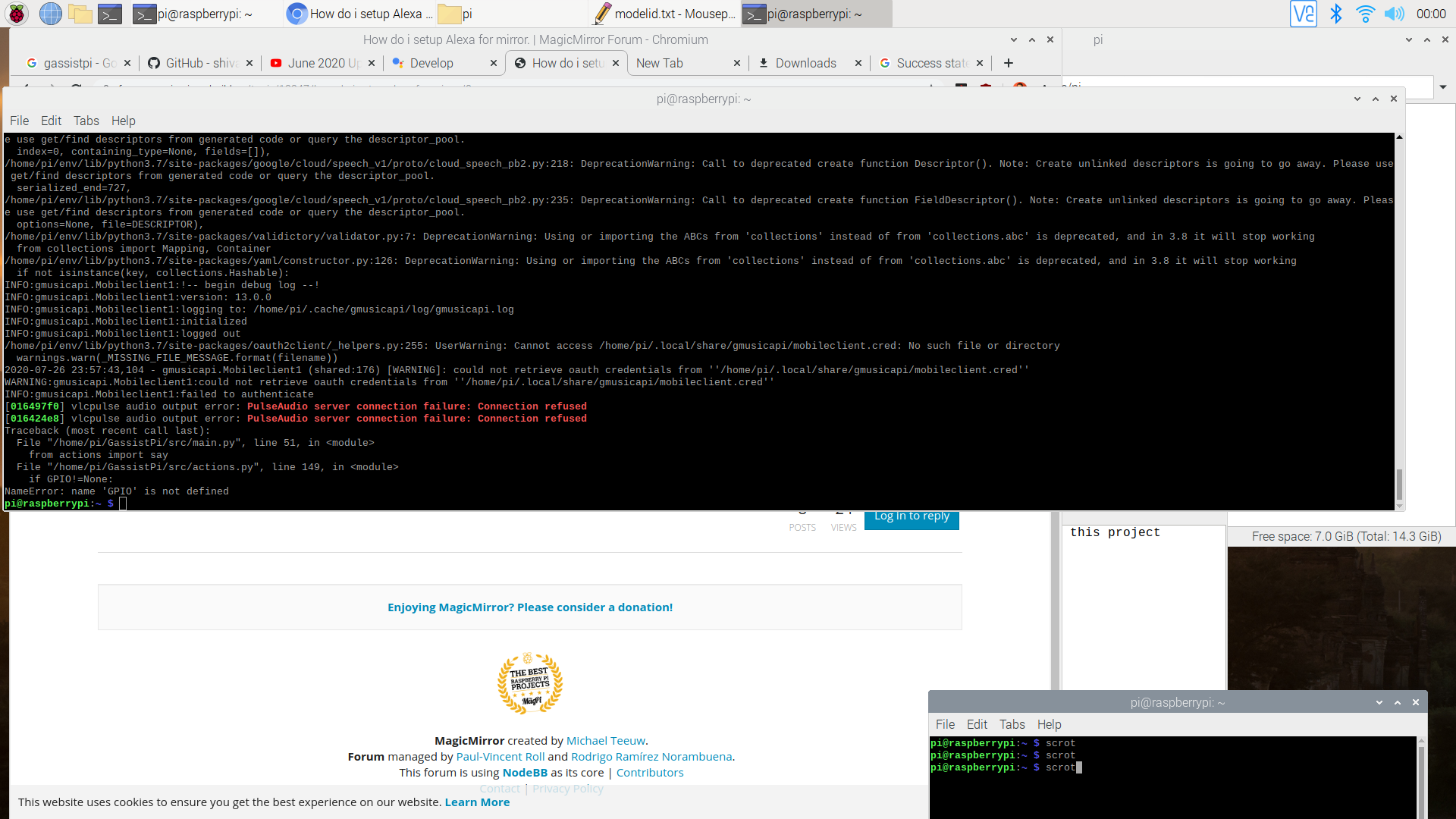
GAssistPi was looking new and updated on youtube so tried that, but in the very end i got error “name ‘GPIO’ is not defined”
and that one was looking perfect as it supports youtube,spotify and GPIO controls. thats why tried it. -
@nkchokshi Alexa, u run the little app, which asks for codes, device is, and generates a url for you to copy/paste, press enter.
click allow on the web page that comes up,
then get an error display, right?and u copy the refresh token from the address field on that error page. code=
right? -
@nkchokshi gpio, sounds like they forgot to include it in the dependencies
cd ~/MagicMirror/modules/GAssistPi npm install gpio --save -
@sdetweil MMM-GoogleAssistant also does YouTube and Spotify. have seen any reports of gpio, but it shouldn’t be that hard.
-
-
i have installed npm install gpio --save but still no luck
-
@nkchokshi some problem w python. folder missing,
sorry, don’t know.
-
@sdetweil hi thank you for all the help, one more query though, how do i authenticate in MMM-GoogleAssistant node auth_and_test.js? I am trying to run but its not opening in browser.
-
@nkchokshi u have a terminal window open, and go to ~/MagicMirror/modules/MMM-GoogleAssistant
u enter
node auth_and_test.js
and press enter
u provide some of the auth info from your step on the Google page at the prompts, and then it will open a web page window asking you to allow access -
@sdetweil thank you so much its working now. But just a question though, i tried to set an alarm but even after passing that time it didnt go on. The time, weather its reporting correctly, even started youtube playback. Anything i am missing?
Also anyway i can config GPIO with it?
the awesome-alexa still not working, it just doesnt generating code in the end.
-
@nkchokshi Alexa
you followed the configuration steps, right?https://awesome-alexa.js.org/#/installation?id=step-3-configuring-the-module
-
@nkchokshi @Bugsounet will have to help. on gpio and the alarm question
Hello! It looks like you're interested in this conversation, but you don't have an account yet.
Getting fed up of having to scroll through the same posts each visit? When you register for an account, you'll always come back to exactly where you were before, and choose to be notified of new replies (either via email, or push notification). You'll also be able to save bookmarks and upvote posts to show your appreciation to other community members.
With your input, this post could be even better 💗
Register Login