Read the statement by Michael Teeuw here.
Mirror showing not all modules on all devices
-
hello!
i am running magic mirror in a docker container (karsten13/magicmirror:v2.21.0) on my nas.
i am opening the site in my local network from different devices (mobile, notebook, pi with mirror os)the strange thing: when opening the site on my pi the default weather modules are not shown. on all other devices these two modules are shown as intended.
so, no error logs etc. because the modules are working.i´ve already tested, that the correct version gets called and nothing gets cached, by adding some other modules for testing purpose to see, if they show up - yes, other modules show up.
does someone has the same issue or any idea how to solve it?
{ module: "weather", position: "top_right", disabled: false, config: { type: "current", location: "XXX", locationID: "XXX", apiKey: "XXX" } }, { module: "weather", position: "top_right", disabled: false, header: "Weather Forecast", config: { type: "forecast", location: "XXX", locationID: "XXX", apiKey: "XXX" } }, -
@sangroma yes. that is one of the new es6 idioms. ?., the chaining operator
see
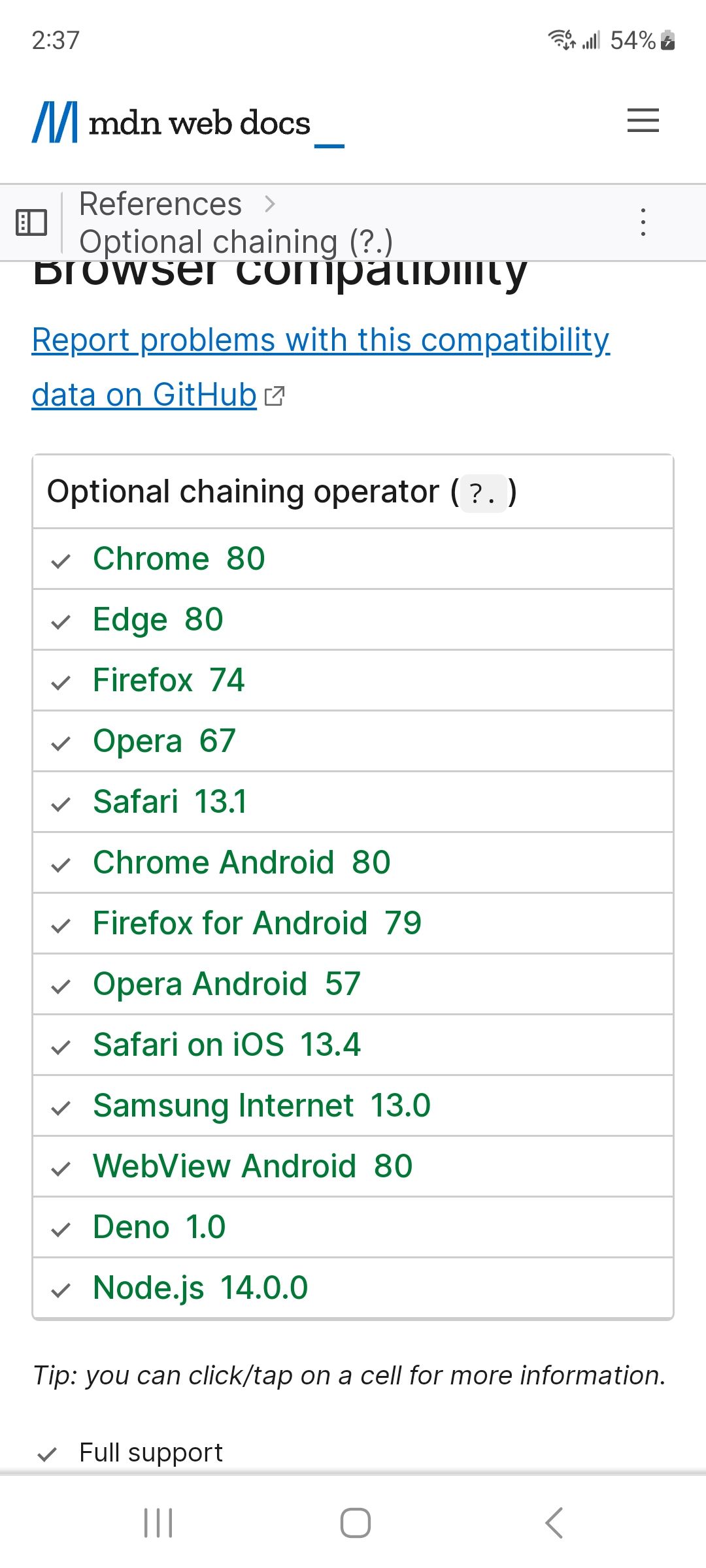
on
https://developer.mozilla.org/en-US/docs/Web/JavaScript/Reference/Operators/Optional_chainingchrome needs version 80, u have only v 72
-
@sangroma on the pi. can u open the developers window, ctrl-shift-i on the keyboard, select the console tab and enter wea in the filter field
-
@sdetweil thank you!
very strange.
afterLoad script: modules/default/weather/weather.jsi get the following error
Uncaught SyntaxError: Unexpected token . -
@sdetweil thank you!
Hmmm… on load up after the weather.js the foowing error occure only on the raspi. On all other clients i can call the script without errorsLoad script: modules/default/weather/weatger.jsUncaught SyntaxError: Unexpected token . -
@sangroma what version of node do you have installed,
node -v
but electron should have the right node version
what browser are you using?
the error is that the nodejs version is downlevel, not supporting the es6 idioms we are using
-
@sdetweil
currently running v16.19.0 of node
browser is chromium latest version 72.0.3626.121
Just installed latest version of firefox. Same issue -
@sangroma on the error line, what is the line number next to the name. weather.js:xxx
what os version are u running?
lsb_release -a
uname -a -
weather.js:159device where the magic mirror docker container is running on
Linux nas 6.0.0-0.deb11.6-amd64 #1 SMP PREEMPT_DYNAMIC Debian 6.0.12-1~bpo11+1 (2022-12-19) x86_64 GNU/Linuxdevice on which i am trying to call the mirror via chromium
Linux raspberrypi 4.19.66-v7+ #1253 SMP Thu Aug 15 11:49:46 BST 2019 armv7l GNU/Linux -
-
@sdetweil
magicmirror:v2.21.0
i dont know why, but in your file it is line 165
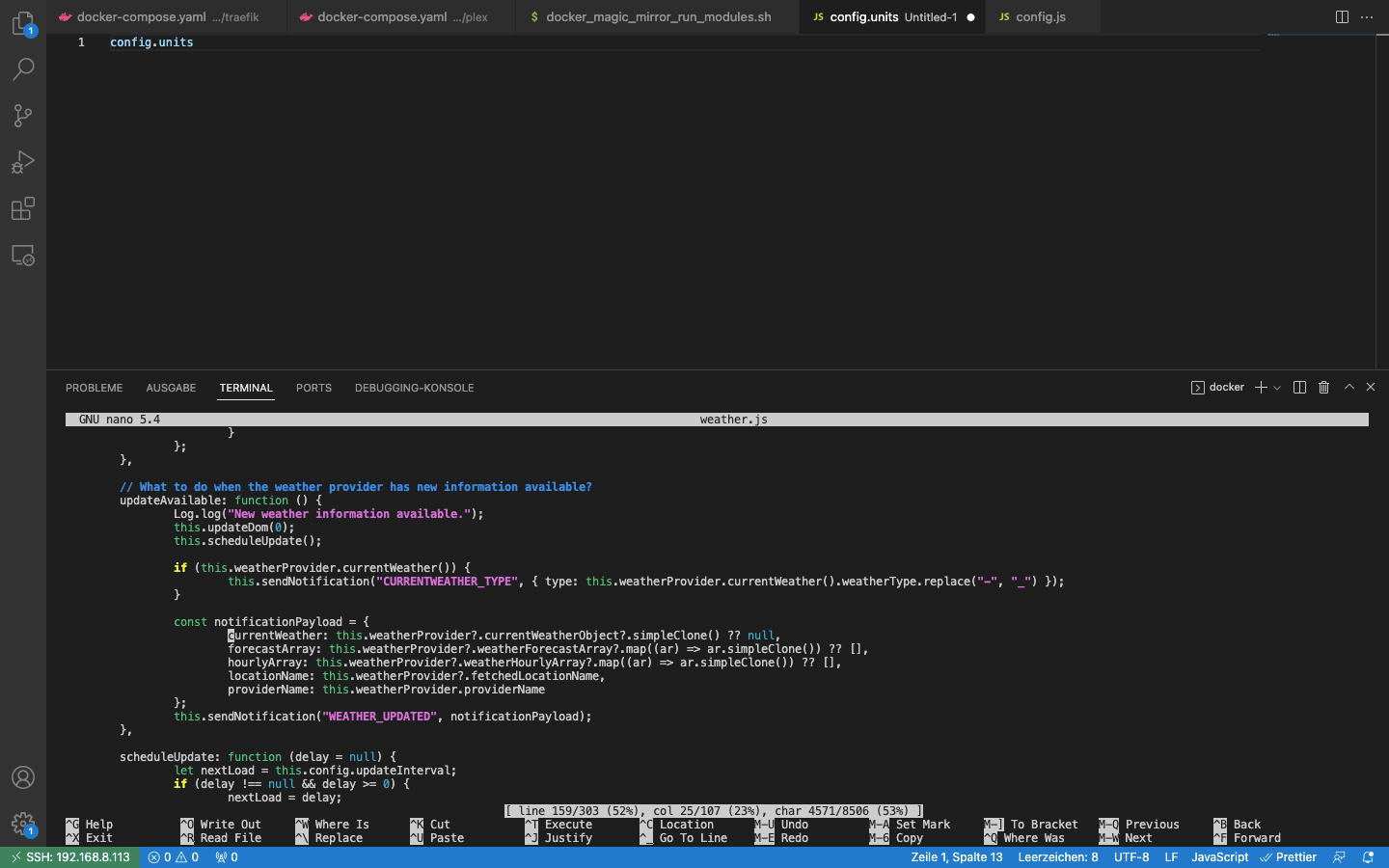
-
@sangroma yes. that is one of the new es6 idioms. ?., the chaining operator
see
on
https://developer.mozilla.org/en-US/docs/Web/JavaScript/Reference/Operators/Optional_chainingchrome needs version 80, u have only v 72
-
@sdetweil Oh wow. Many thanks!!
Will do this.Topic can be closed
-
@sangroma Out of curiosity: How come you used a browser version from 4 years ago?
-
@KristjanESPERANTO as far as i remember i installed some kind of raspbian light version because i dont need much on the device. just wanted to show the internal webpage of the docker.
as it got deprecated i couldnt update to a higher version. need to set up a complete fresh OS :D -
S sdetweil referenced this topic on
-
S sdetweil referenced this topic on
-
S sdetweil referenced this topic on

Hello! It looks like you're interested in this conversation, but you don't have an account yet.
Getting fed up of having to scroll through the same posts each visit? When you register for an account, you'll always come back to exactly where you were before, and choose to be notified of new replies (either via email, or push notification). You'll also be able to save bookmarks and upvote posts to show your appreciation to other community members.
With your input, this post could be even better 💗
Register Login