Read the statement by Michael Teeuw here.
Help please!!
-
Hello,
I want my mirror to display images that have been uploaded onto google photos.
I used the MMM-GooglePhotos module and I have configured it. However, the image does not show up instead it says “Loading…”It hasn’t loaded in a long time. Could you tell me what the issue can be?
This is the code in the config.sj{
module: “MMM-GooglePhotos”,
position: “middle_center”,
config: {
albums: [“DesignMirror”], // Set your album name. like [“My wedding”, “family share”, “Travle to Paris”]
updateInterval: 1000 * 60, // minimum 10 seconds.
sort: “new”, // “old”, “random”
uploadAlbum: null, // Only album created bycreate_uploadable_album.js.
condition: {
fromDate: null, // Or “2018-03”, RFC … format available
toDate: null, // Or “2019-12-25”,
minWidth: null, // Or 400
maxWidth: null, // Or 8000
minHeight: null, // Or 400
maxHeight: null, // Or 8000
minWHRatio: null,
maxWHRatio: null,
// WHRatio = Width/Height ratio ( ==1 : Squared Photo, < 1 : Portraited Photo, > 1 : Landscaped Photo)
},
showWidth: 800, // These values will be used for quality of downloaded photos to show. real size to show in your MagicMirror region is recommended.
showHeight: 600,
timeFormat: “YYYY/MM/DD HH:mm”, // Orrelativecan be used.
}
},Thank you! Would appreciate it a lot.
-
@innovation , why you not use MMM-ImagesPhotos? There you have a folder, “uploads”, where you can upload your photos.
-
@George Hello, yes I could but I want to be able to upload the images from my phone - so that it can be displayed onto the mirror. Is that possible?
-
@innovation I have a module that provides a QR code image that lets u upload pics from your phone to whatever source you choose.
I use imagesphotos as my photo display module
see
https://github.com/sdetweil/uploadPicsI need to debug the Google photos problem as I advised my brother in law to use that.
u did provide a credit card as part of the Google account setup, right? you must
-
Very interesting module. How do you configure exactly the config.js? I have e message on the mirror with undefined. Here is my config file :
{
module: ‘uploadPics’,
position: ‘bottom_left’,
config: {
dest: “/home/pi/MagicMirror/module/MMMM-ImagesPhotos/uploads”,
}
}, -
@barlouka did u run the npm install?
the doc says exactly for imagesphotos and it’s the default. so u don’t have to add the dest value
dest:'../modules/MMM-ImagesPhotos/uploads'there are two programs launched in the background…
qrcp
and
exiftrancan u try to run those in a terminal window
with --help as a parm
-
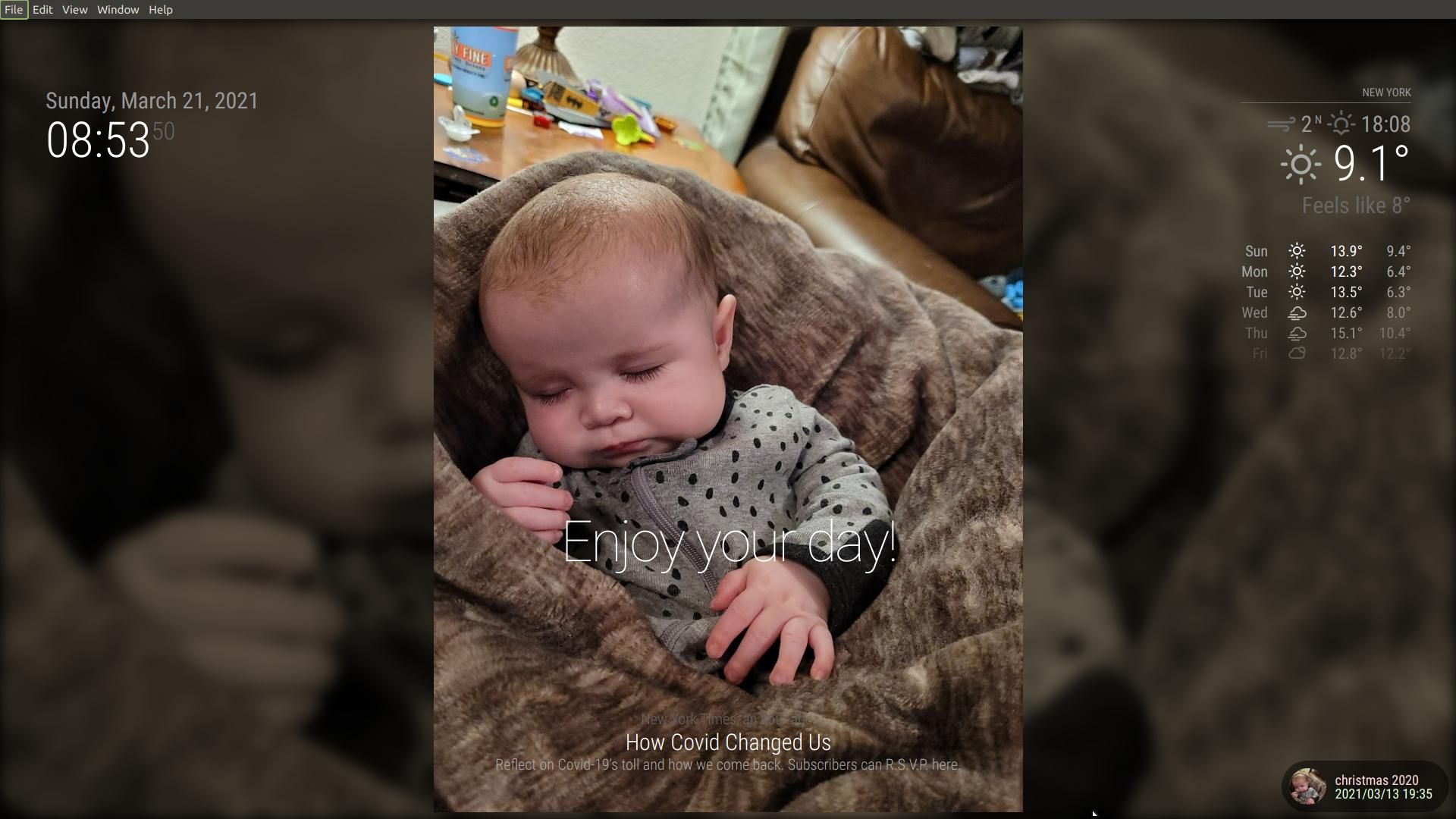
unrelated to my module, GP module works great (new gransdon)
-
my developers window console
Load script: modules/MMM-GooglePhotos/MMM-GooglePhotos.js module.js:516 Module registered: MMM-GooglePhotos loader.js:157 Bootstrapping module: MMM-GooglePhotos loader.js:162 Scripts loaded for: MMM-GooglePhotos loader.js:204 Load stylesheet: modules/MMM-GooglePhotos/MMM-GooglePhotos.css loader.js:164 Styles loaded for: MMM-GooglePhotos loader.js:166 Translations loaded for: MMM-GooglePhotos MMM-GooglePhotos.js:165 [GPHOTO] Image loaded: https://lh3.googleusercontent.com/lr/AFBm1_bZ6affCvFzH-wRT8AEZAoipqL8nwQ-p9dUdQL9zfSaQ0GecFooCneL3O5dn8Ii7TH6REVMYrvqiXkUas_Ig6gSIAeIzQ8CAs... -
@sdetweil Hey it is showing ‘Undefined’ for me too.
I did run the npm install.{
module: ‘uploadPics’,
position: ‘bottom_left’, //module position
config: {
dest: “…/module/MMMM-ImagesPhotos/uploads”,
}
}, -
there are two programs launched in the background…
qrcp
and
exiftrancan u try to run those in a terminal window
also, look in the terminal window where you do npm start
-
@sdetweil --help qrcp?
-
@innovation no…
qrcp --help
and
exiftran --help -
@sdetweil It says ‘command not found’
-
@innovation k… hang on
-
@sdetweil also command not found
-
@barlouka ok, go to the module folder and do git pull
then do npm install again
then test qrcp --help
-
@sdetweil It still shows command not found
-
@innovation yeh, crazy… how it ever worked before I don’t know
ONE more time git pull, npm install
-
@sdetweil Haha sure! Just to clarify in
‘-/MagicMirror/modules/uploadPics’ folder in the terminal right? -
@innovation but the module wants RELATIVE to it… NOT absolute
SO, …/MMM-ImagesPhotos/upload
… means back up one level
and, if you are using the MMM-ImagesPhotos module to display images, then the uploadPics dest: default is …/MMM-ImagesPhotos/upload
from the readme
	dest:  "..", // relative path to module showing images, place to put new images
            // for MMM-ImagesPhotos dest is (the default)
	//  ../modules/MMMM-ImagesPhotos/uploads
Hello! It looks like you're interested in this conversation, but you don't have an account yet.
Getting fed up of having to scroll through the same posts each visit? When you register for an account, you'll always come back to exactly where you were before, and choose to be notified of new replies (either via email, or push notification). You'll also be able to save bookmarks and upvote posts to show your appreciation to other community members.
With your input, this post could be even better 💗
Register Login