Read the statement by Michael Teeuw here.
MMM-CalendarExt3 and EventTransformer not transformering....
-
Hello and thanks in advance to anyone who can help as I am at the end of my rope on this.
I am a simple man, and i want to change the text in the google calendar i am pulling from to Blue for certain events based on the title.
The calendar however only defaults to the usual white text.
I have previously attempted to use the transform function with a custom css however that did not work either. I used the ctrl-shift-I to inspect the items, which…well showed they were white so maybe i didnt understand what to look for.
Here is a view of my config file - any help would be much appreciated
module: "MMM-CalendarExt3", position: "bottom_bar", eventTransformer: (ev) => { if (ev.title.search('Owen') > -1) ev.color = 'blue' return ev } }, -
Thanks so much - this documentation fell a little bit flat - it was only changing the symbol and not the font itself… however… at this link https://forum.magicmirror.builders/topic/18528/calendar-calendarext3-font-color-and-symbol/12?page=2 it outlined a font change option
now, im not great at all of this (clearly) however after some well thought out trial and error i was able to get this code to adjust for the font change, appreciate the help!!
Hopefully they add some updates to the documentationmodule: "MMM-CalendarExt3", position: "bottom_bar", config: { eventTransformer: (ev) => { if (ev.title.search('Owen') > -1) ev.color = 'blue' ev.title=ev.title.replace ('Owen','<font color=blue>Owen</font>') return ev } } },apologies for the formatting
-
that transformer has to be in the module config:{} section
everything outside the config section belongs to MagicMirror, inside belongs to the module
https://docs.magicmirror.builders/modules/configuration.html#animated
-
@sdetweil Thanks - this worked for the icon itself - Is there documentation for the eventtransformer? looking to change the text not so much the icon, but assumptions such as using color-text: ‘blue’ hasnt worked
i will say the example in the module around eventtransformer should likely be updated to include the config needs, although i appreciate the link to better understand when its needed
-
@justme2024 not my module but the doc lists the event fields
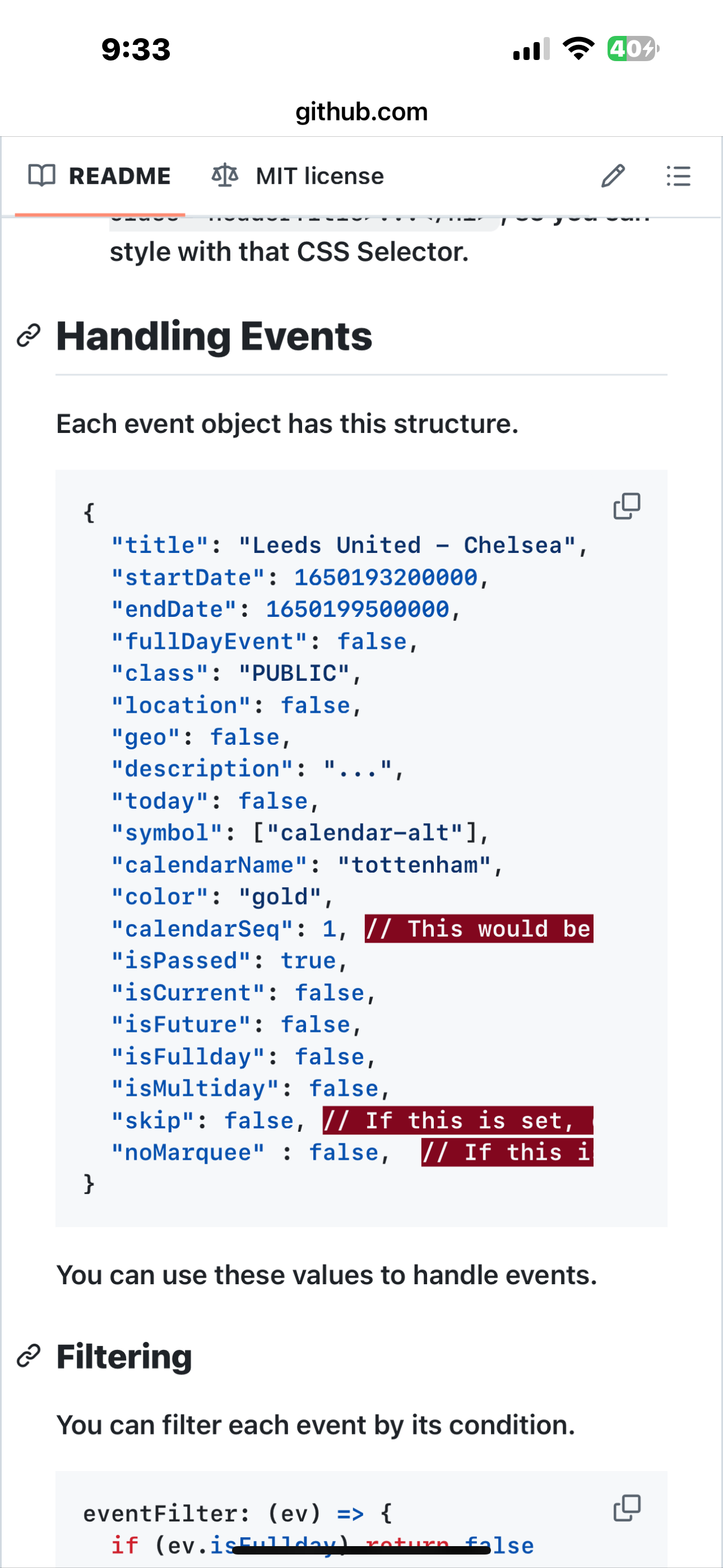
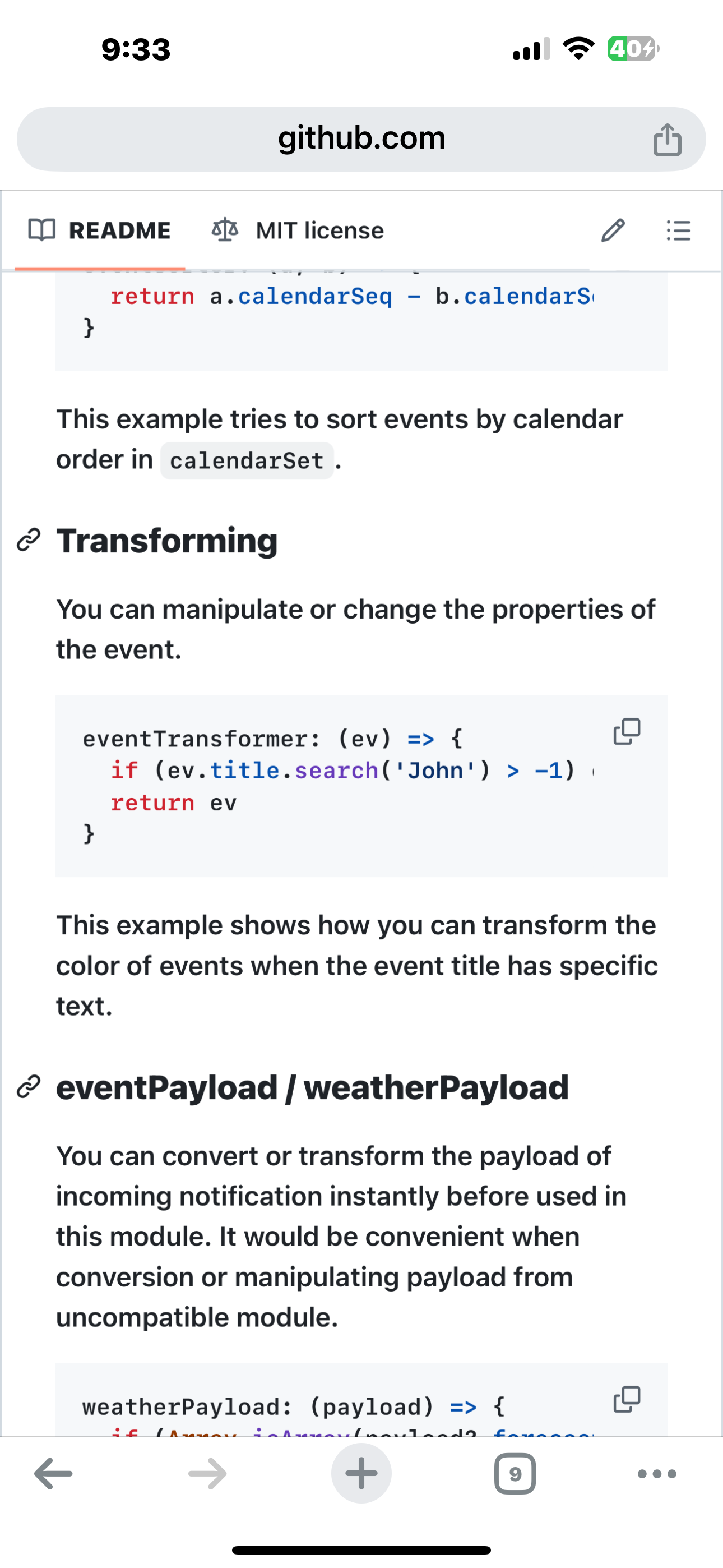
-
Thanks so much - this documentation fell a little bit flat - it was only changing the symbol and not the font itself… however… at this link https://forum.magicmirror.builders/topic/18528/calendar-calendarext3-font-color-and-symbol/12?page=2 it outlined a font change option
now, im not great at all of this (clearly) however after some well thought out trial and error i was able to get this code to adjust for the font change, appreciate the help!!
Hopefully they add some updates to the documentationmodule: "MMM-CalendarExt3", position: "bottom_bar", config: { eventTransformer: (ev) => { if (ev.title.search('Owen') > -1) ev.color = 'blue' ev.title=ev.title.replace ('Owen','<font color=blue>Owen</font>') return ev } } },apologies for the formatting
-
@justme2024 Documentation cannot cover every idea. (people don’t read them now anyhow, me included)
-
S sdetweil has marked this topic as solved on
Hello! It looks like you're interested in this conversation, but you don't have an account yet.
Getting fed up of having to scroll through the same posts each visit? When you register for an account, you'll always come back to exactly where you were before, and choose to be notified of new replies (either via email, or push notification). You'll also be able to save bookmarks and upvote posts to show your appreciation to other community members.
With your input, this post could be even better 💗
Register Login