MagicMirror Forum
    • Recent
    • Tags
    • Unsolved
    • Solved
    • MagicMirror² Repository
    • Documentation
    • 3rd-Party-Modules
    • Donate
    • Discord
    • Register
    • Login
    A New Chapter for MagicMirror: The Community Takes the Lead
    Read the statement by Michael Teeuw here.

    2 Mirrors and one Sensor ( MMM-PIR-Sensor )

    Scheduled Pinned Locked Moved Hardware
    11 Posts 3 Posters 4.5k Views 3 Watching
    Loading More Posts
    • Oldest to Newest
    • Newest to Oldest
    • Most Votes
    Reply
    • Reply as topic
    Log in to reply
    This topic has been deleted. Only users with topic management privileges can see it.
    • B Offline
      binia
      last edited by

      is it posible to add only one sensor to 2 Raspberry Pi?
      Regards

      1 Reply Last reply Reply Quote 0
      • B Offline
        binia
        last edited by

        noone?
        I have in 1 Mirror 2 Display and Pi and want to add a sensor.

        1 Reply Last reply Reply Quote 0
        • S Offline
          sdetweil
          last edited by

          sorry, do not understand question… typically one uses ONLY 1 PIR sensor…

          Sam

          How to add modules

          learning how to use browser developers window for css changes

          1 Reply Last reply Reply Quote 0
          • B Offline
            binia
            last edited by

            Sorry for my bad English.

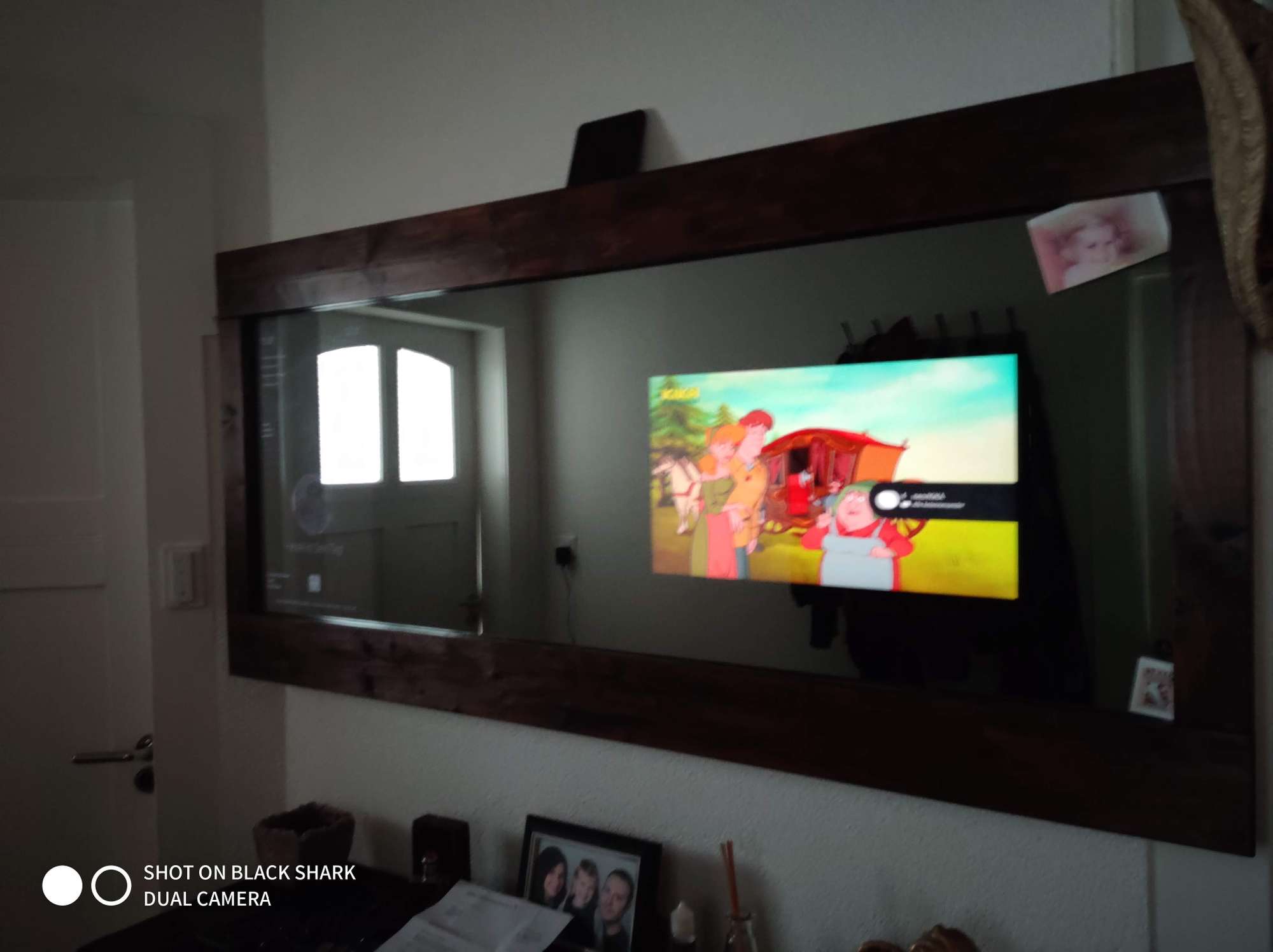
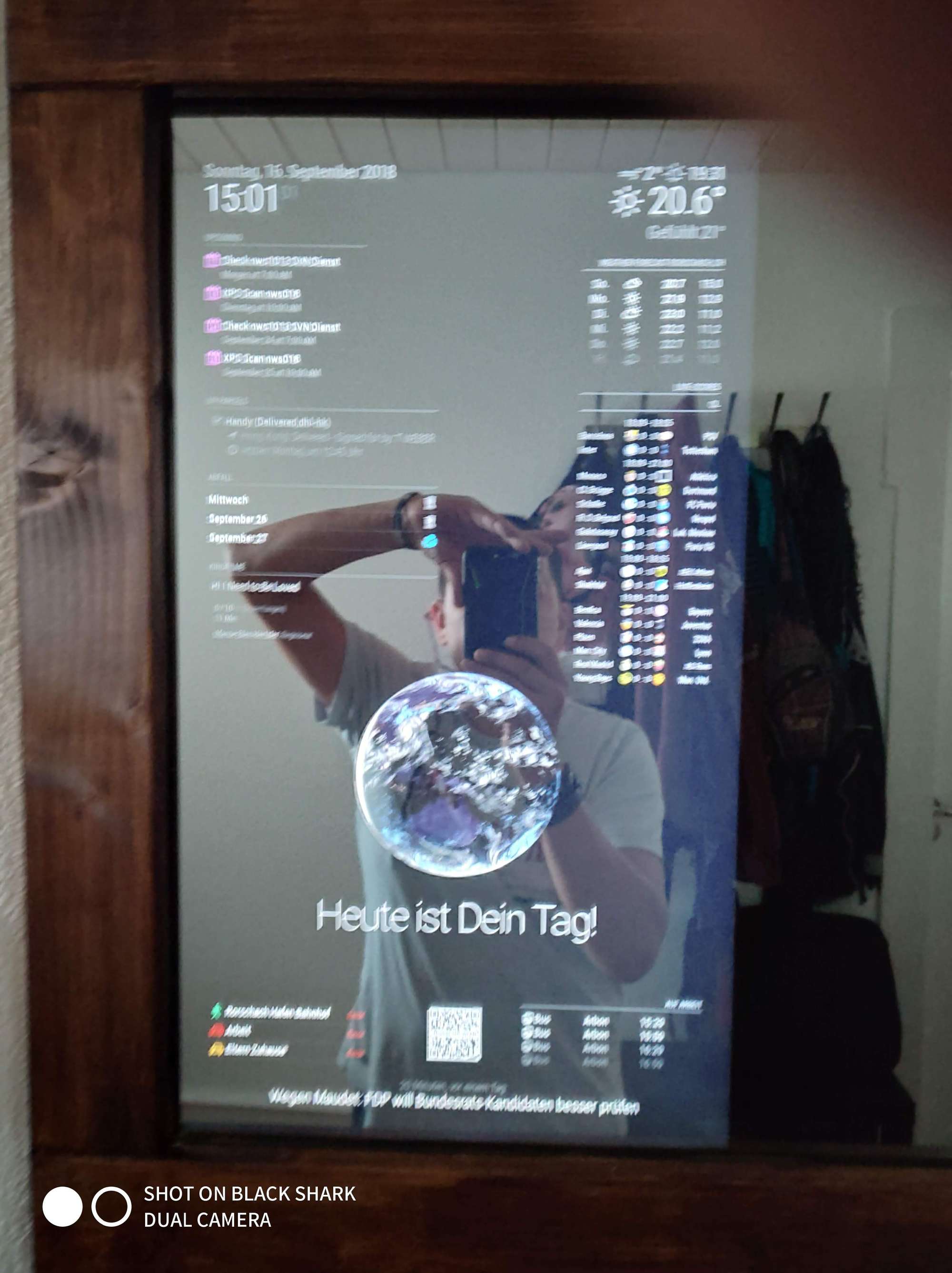
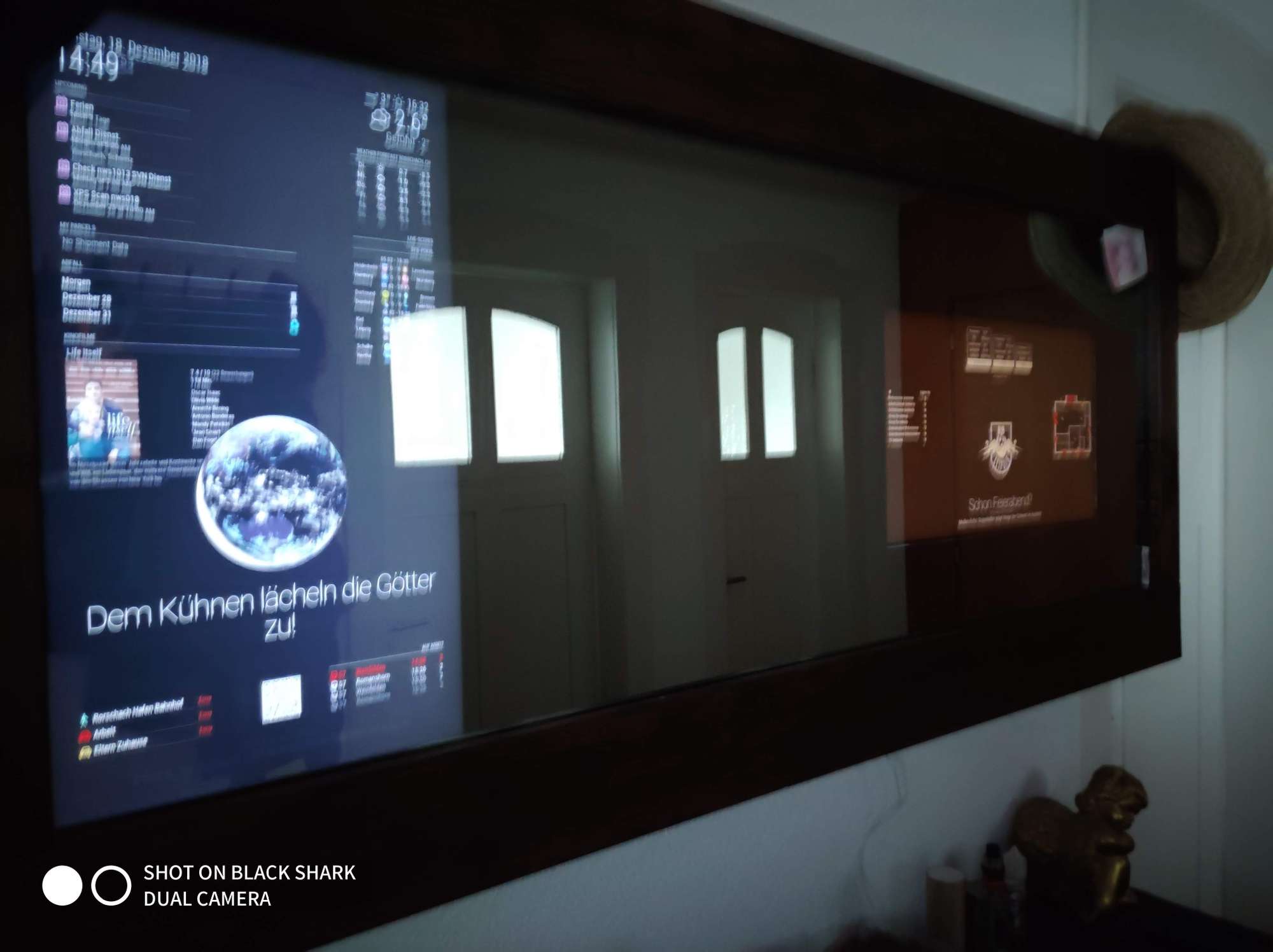
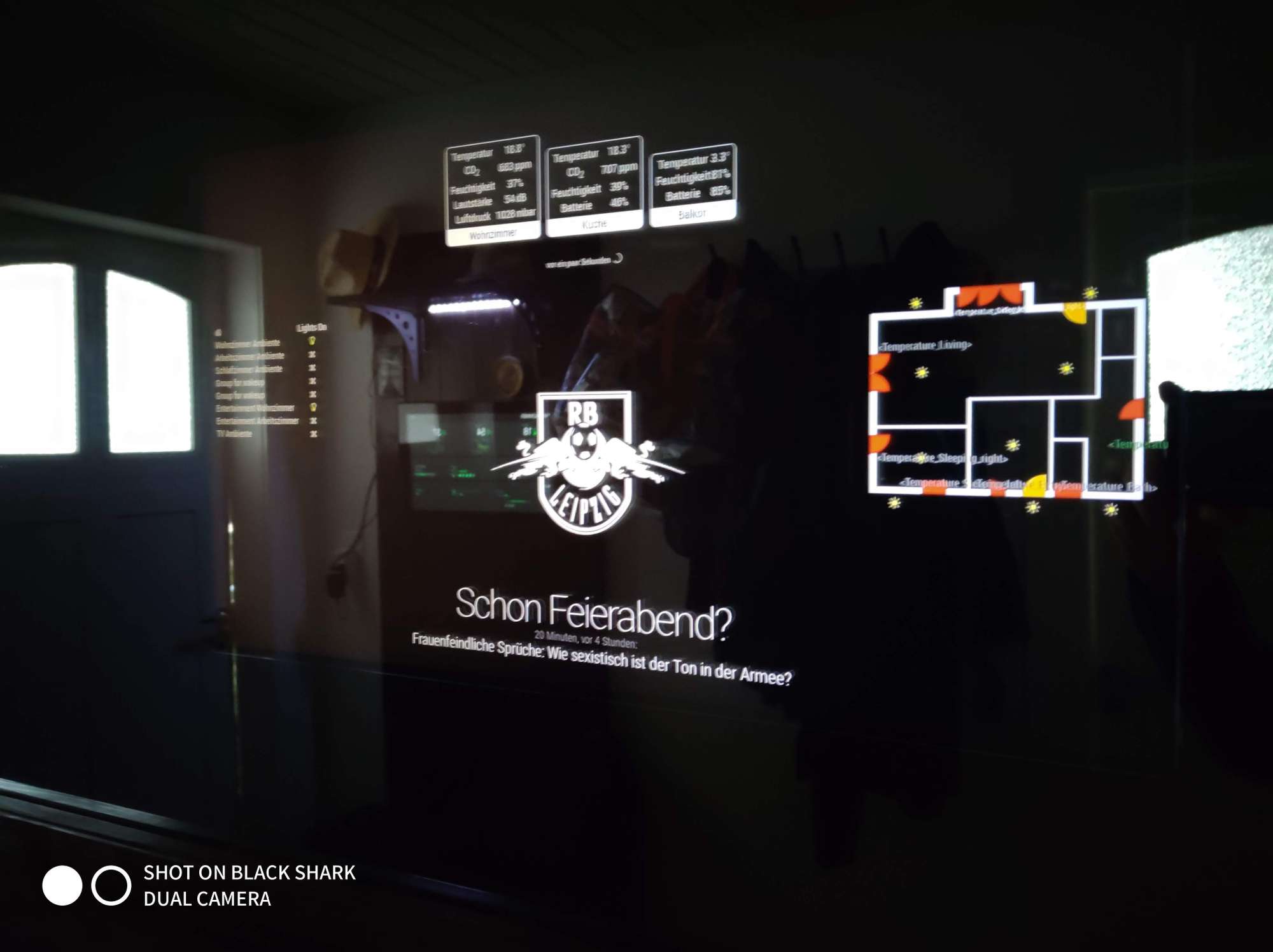
            I have 2 Magic.Mirrors in a mirror and just wanted to use 1 PIR module for both.

            Therefore the question if this is technically possible or if I have to use a module for each raspberry.

            S 1 Reply Last reply Reply Quote 0
            • S Offline
              sdetweil @binia
              last edited by

              @binia oh!.. you have two monitors inside your single mirror!.. wow…

              all u need is the signal pin of the PIR… and connect the grounds together on the two PI devices…

              otherwise you could have one PI send a MMM message to the other to wakeup…

              Sam

              How to add modules

              learning how to use browser developers window for css changes

              1 Reply Last reply Reply Quote 0
              • B Offline
                binia
                last edited by

                0_1551861410991_IMG_20180916_150055.jpg 0_1551861416010_IMG_20180916_150101.jpg 0_1551861420245_IMG_20181218_144954.jpg 0_1551861424435_IMG_20181218_145005.jpg

                S 1 Reply Last reply Reply Quote 0
                • B Offline
                  binia
                  last edited by

                  its 160cm x 65cm
                  One is a TV and one a Display

                  1 Reply Last reply Reply Quote 0
                  • ? Offline
                    A Former User
                    last edited by A Former User

                    You can install one PIR on one RPI(A).
                    Then, you can modify or build a module to send HTTPRequest to other RPI(B) on RPI(A) which has PIR sensor
                    Then, you can also modify or build a module to catch HTTPRequest on RPI(B) to use it as a signal for your job.

                    • MMM-PIR-Sensor (RPI(A)) : You can modify socektNotificationReceived() to emit your custom notification,
                      Or send HTTPRequest directly to RPI(B)
                    • MMM-NotificationTrigger (RPI(A)) : Or you can translate notification from MMM-PIR-Sensor to your custom notification for further relayed module,
                      Or you can execute directly external shell command/internal javascript for sending HTTPRequest when notification is coming from MMM-PIR-Sensor
                    • Or … you can build your own module for this job.

                    • MMM-Remote-Controller (RPI(B)) : You can get HTTPRequest from RPI(A) to do something
                    • MMM-NotificationTrigger(RPI(B)) : This module also can catch HTTPRequest and do something
                    • Or … you can build your module for this job.

                    • Or you can make scripts with javascript or python or any other language to communicate between two RPIs. It will be not so difficult to expert, but…
                    1 Reply Last reply Reply Quote 0
                    • B Offline
                      binia
                      last edited by

                      Thanks for your answer.
                      I will try it.

                      1 Reply Last reply Reply Quote 0
                      • ? Offline
                        A Former User
                        last edited by A Former User

                        Here is a simple example for using MMM-NotificationTrigger. Not tested, but you can catch the concept.

                        Assumption

                        • RPI_A
                          • MM IP : 192.168.178.101:8080
                          • PIR_SENSOR is installed
                          • This will emit notification "USER_PRESENCE" with payload true/false
                        • RPI_B
                          • MM IP : 192.168.178.102:8080
                          • PIR_SENSOR IS not installed.
                          • It needs payload value of USER_PRESENCE from RPI_A

                        RPI_A MMM-NotificationTrigger config

                        {
                          module: "MMM-NotificationTrigger",
                          config: {
                            triggers: [
                              {
                                trigger: "USER_PRESENCE",
                                triggerPayloadFilter: (payload) => {
                                  return payload
                                },
                                fires: [
                                  {
                                    fire: "DUMMY_NOTIFICATION",
                                    exec: `curl -d "notification=RELAYED_USER_PRESENCE&payload=true" http://192.168.178.102:8080/webhook`
                                  }
                                ]
                              },
                              {
                                trigger: "USER_PRESENCE",
                                triggerPayloadFilter: (payload) => {
                                  return !payload
                                },
                                fires: [
                                  {
                                    fire: "DUMMY_NOTIFICATION",
                                    exec: `curl -d "notification=RELAYED_USER_PRESENCE&payload=false" http://192.168.178.102:8080/webhook`
                                  }
                                ]
                              },
                            ]
                          }
                        },
                        

                        If USER_PRESENCE notification is emitted from MMM-PIR-Sensor, it will be translated to DUMMY_NOTIFICATION and curl shell command will be executed to transfer message(RELAYED_USER_PRESENCE) to RPI_B

                        RPI_B MMM-NotificationTrigger config

                        {
                          module: "MMM-NotificationTrigger",
                          config: {
                            useWebhook: true,
                            triggers: [
                              {
                                trigger: "RELAYED_USER_PRESENCE",
                                fires: [
                                  {
                                    fire: "DOING_MY_JOB",
                                    payload: (payload) => {
                                      return (payload == "true") ?  true : false
                                    }
                                  }
                                ]
                              }
                            ]
                          }
                        },
                        

                        By useWebhook:true it can listen message from RPI_A. When RELAYED_USER_PRESENCE is coming, DOING_MY_JOB (or whatever you want) notification will be emitted on RPI_B

                        1 Reply Last reply Reply Quote 0
                        • S Offline
                          sdetweil @binia
                          last edited by

                          @binia very cool implementation!

                          Sam

                          How to add modules

                          learning how to use browser developers window for css changes

                          1 Reply Last reply Reply Quote 0

                          Hello! It looks like you're interested in this conversation, but you don't have an account yet.

                          Getting fed up of having to scroll through the same posts each visit? When you register for an account, you'll always come back to exactly where you were before, and choose to be notified of new replies (either via email, or push notification). You'll also be able to save bookmarks and upvote posts to show your appreciation to other community members.

                          With your input, this post could be even better 💗

                          Register Login

                          • 1 / 1
                          • First post
                            Last post
                          Enjoying MagicMirror? Please consider a donation!
                          MagicMirror created by Michael Teeuw.
                          Forum managed by Sam, technical setup by Karsten.
                          This forum is using NodeBB as its core | Contributors
                          Contact | Privacy Policy