Read the statement by Michael Teeuw here.
Error MMM-Facial-Recognition
-
I tried to run MMM-Facial-Recognition, but it was blocked at this point.
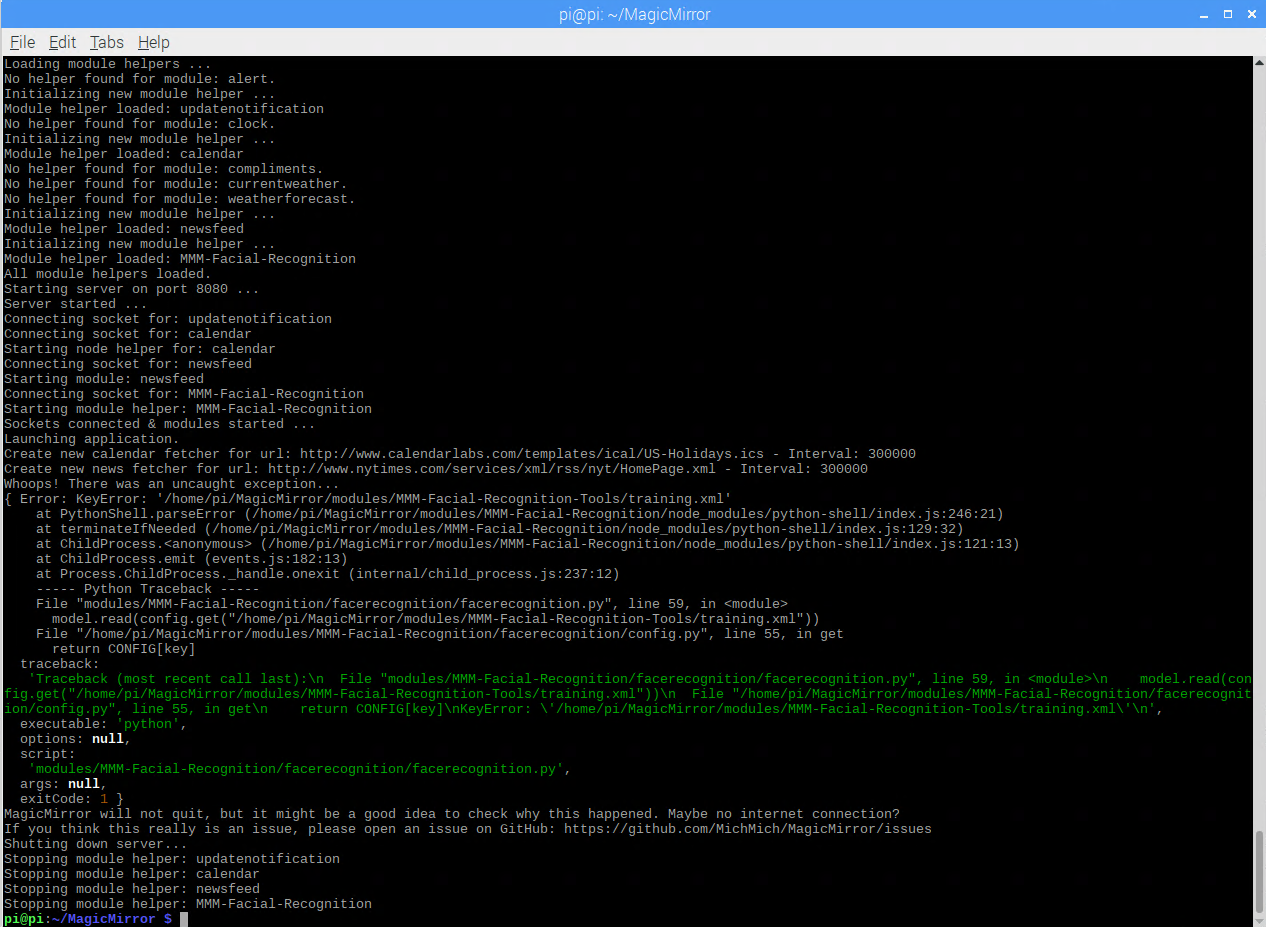
Whoops! There was an uncaught exception...
{ Error: KeyError: '/home/pi/MagicMirror/modules/MMM-Facial-Recognition-Tools/training.xml'
    at PythonShell.parseError (/home/pi/MagicMirror/modules/MMM-Facial-Recognition/node_modules/python-shell/index.js:246:21)
    at terminateIfNeeded (/home/pi/MagicMirror/modules/MMM-Facial-Recognition/node_modules/python-shell/index.js:129:32)
    at ChildProcess.<anonymous> (/home/pi/MagicMirror/modules/MMM-Facial-Recognition/node_modules/python-shell/index.js:121:13)
    at ChildProcess.emit (events.js:182:13)
    at Process.ChildProcess._handle.onexit (internal/child_process.js:237:12)
    ----- Python Traceback -----
    File "modules/MMM-Facial-Recognition/facerecognition/facerecognition.py", line 59, in <module>
      model.read(config.get("/home/pi/MagicMirror/modules/MMM-Facial-Recognition-Tools/training.xml"))
    File "/home/pi/MagicMirror/modules/MMM-Facial-Recognition/facerecognition/config.py", line 55, in get
      return CONFIG[key]
  traceback:
   'Traceback (most recent call last):\n  File "modules/MMM-Facial-Recognition/facerecognition/facerecognition.py", line 59, in <module>\n    model.read(config.get("/home/pi/MagicMirror/modules/MMM-Facial-Recognition-Tools/training.xml"))\n  File "/home/pi/MagicMirror/modules/MMM-Facial-Recognition/facerecognition/config.py", line 55, in get\n    return CONFIG[key]\nKeyError: \'/home/pi/MagicMirror/modules/MMM-Facial-Recognition-Tools/training.xml\'\n',
  executable: 'python',
  options: null,
  script:
   'modules/MMM-Facial-Recognition/facerecognition/facerecognition.py',
  args: null,
  exitCode: 1 }
MagicMirror will not quit, but it might be a good idea to check why this happened. Maybe no internet connection?
If you think this really is an issue, please open an issue on GitHub: https://github.com/MichMich/MagicMirror/issues
my facerecognition.py is
import sys
import json
import time
import face
import cv2
import config
import signal

def to_node(type, message):
    try:
        print(json.dumps({type: message}))
    except Exception:
        pass
    sys.stdout.flush()

to_node("status", "Facerecognition started...")

current_user = None
last_match = None
detection_active = True
login_timestamp = time.time()
same_user_detected_in_row = 0

to_node("status", 'Loading training data...')

if config.get("recognitionAlgorithm") == 1:
    to_node("status", "ALGORITHM: LBPH")
    model = cv2.face.LBPHFaceRecognizer_create(threshold=config.get("lbphThreshold"))
elif config.get("recognitionAlgorithm") == 2:
    to_node("status", "ALGORITHM: Fisher")
    model = cv2.createFisherFaceRecognizer(threshold=config.get("fisherThreshold"))
else:
    to_node("status", "ALGORITHM: Eigen")
    model = cv2.createEigenFaceRecognizer(threshold=config.get("eigenThreshold"))

# Load training file specified in config.js
model.read(config.get("/home/pi/MagicMirror/modules/MMM-Facial-Recognition-Tools/training.xml"))
to_node("status", 'Training data loaded!')

camera = config.get_camera()

def shutdown(self, signum):
    to_node("status", 'Shutdown: Cleaning up camera...')
    camera.stop()
    quit()

signal.signal(signal.SIGINT, shutdown)

time.sleep(1)

while True:
    time.sleep(config.get("interval"))
    if detection_active is True:
        image = camera.read()
        image = cv2.cvtColor(image, cv2.COLOR_RGB2GRAY)
        result = face.detect_single(image)
        if result is None:
            if (current_user is not None and time.time() - login_timestamp > config.get("logoutDelay")):
                to_node("logout", {"user": current_user})
                same_user_detected_in_row = 0
                current_user = None
            continue
        x, y, w, h = result
        if config.get("recognitionAlgorithm") == 1:
            crop = face.crop(image, x, y, w, h)
        else:
            crop = face.resize(face.crop(image, x, y, w, h))
        label, confidence = model.predict(crop)
        if (label != -1 and label != 0):
            login_timestamp = time.time()
            if (label == last_match and same_user_detected_in_row < 2):
                same_user_detected_in_row += 1
            if label != last_match:
                same_user_detected_in_row = 0
            if (label != current_user and same_user_detected_in_row > 1):
                current_user = label
                to_node("login", {"user": label, "confidence": str(confidence)})
            last_match = label
        elif (current_user != 0 and time.time() - login_timestamp > 5):
            login_timestamp = time.time()
            current_user = 0
            to_node("login", {"user": current_user, "confidence": None})
        else:
            continue
#Load training file specified in config.js
model.read(config.get(“/home/pi/MagicMirror/modules/MMM-Facial-Recognition-Tools/training.xml”))Is this the cause?
What should I do about this part?my config.js is
{
	module: "newsfeed",
	position: "bottom_bar",
	classes: 'minsoo',
	config: {
		feeds: [
			{
				title: "New York Times",
				url: "http://www.nytimes.com/services/xml/rss/nyt/HomePage.xml"
			}
		],
		showSourceTitle: true,
		showPublishDate: true
	}
},
{
	module: 'MMM-Facial-Recognition',
	config: {
		recognitionAlgorithm: 1,
		lbphThreshold: 50,
		fisherThreshold: 250,
		eigenThreshold: 3000,
		useUSBCam: true,
		trainingFile: 'modules/MMM-Facial-Recognition-Tools/training.xml',
		interval: 2,
		logoutDelay: 15,
		users: ['minsoo'],
		defaultClass: "default",
		everyoneClass: "everyone",
		welcomeMessage: true
		}
},
]

};

/*************** DO NOT EDIT THE LINE BELOW ***************/
if (typeof module !== "undefined") {module.exports = config;}
I am anxiously waiting for your help.
-
Same problem to me . Did you find a solution ?
-
the readme says
To train the needed model use the MMM-Facial-Recognition-Tools.wen you follow that link, it says
DEPRECIATED
This module is no longer supported. When it does work, the facial recognition methods used performed poorly.
there are a LOT of steps to execute to ‘train the model’
did u do that? (it creates the missing xml file)
-
to work on a user problem with one of my modules, I installed the https://github.com/nischi/MMM-Face-Reco-DNN module, and it was very complex and time consuming. (I installed in on my linux PC, not my pi)
-
what do you suggest ?
-
@merttcoo i don’t have a recommendation. I don’t use this function
so you can try the steps to create the model with the one you have partly installed,
or you can try the other one.
Hello! It looks like you're interested in this conversation, but you don't have an account yet.
Getting fed up of having to scroll through the same posts each visit? When you register for an account, you'll always come back to exactly where you were before, and choose to be notified of new replies (either via email, or push notification). You'll also be able to save bookmarks and upvote posts to show your appreciation to other community members.
With your input, this post could be even better 💗
Register Login