Read the statement by Michael Teeuw here.
MMM-Google Photo Border Frame Matte.
-
Hi, everything is working right and I do get my little slide show from google photos account.
But I wanted to have a kind of frame around my pictures, maybe through CSS, but I just don’t know how to accomplish that.
tks for your help
Seby -
@seby2 any help please?
-
@seby2
I don’t know what kind of frame you meant.
Anyway, some CSS could be a help.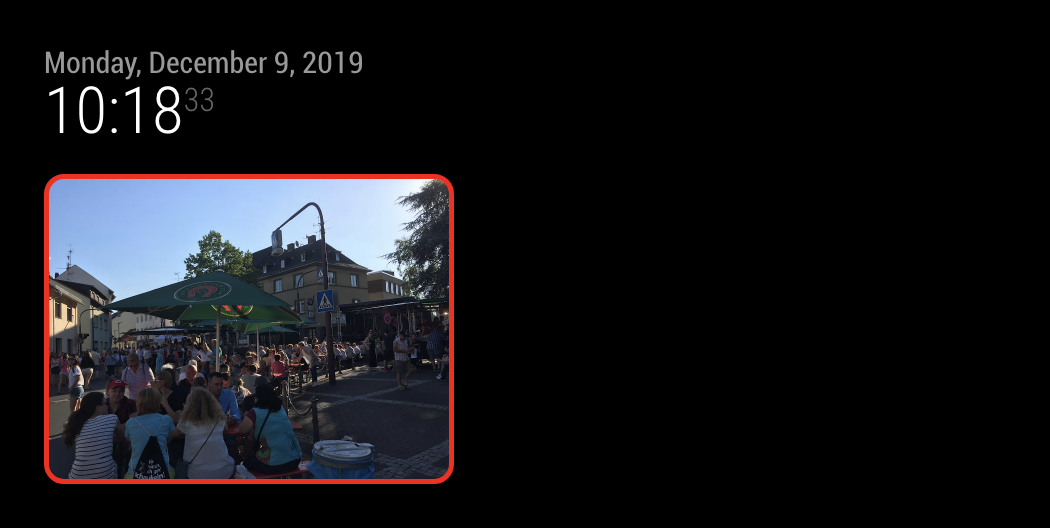
#GPHOTO { border:5px solid #F00; border-radius:20px; } -
@Sean tks Sean, probably I don’t do it correctly. But when I have a picture that is landscape, it seems to work, but when it goes to a portrait one, the the frame stay landscape.
But maybe I did not put it correctly in the CSS.
tks
Seby -
@seby2
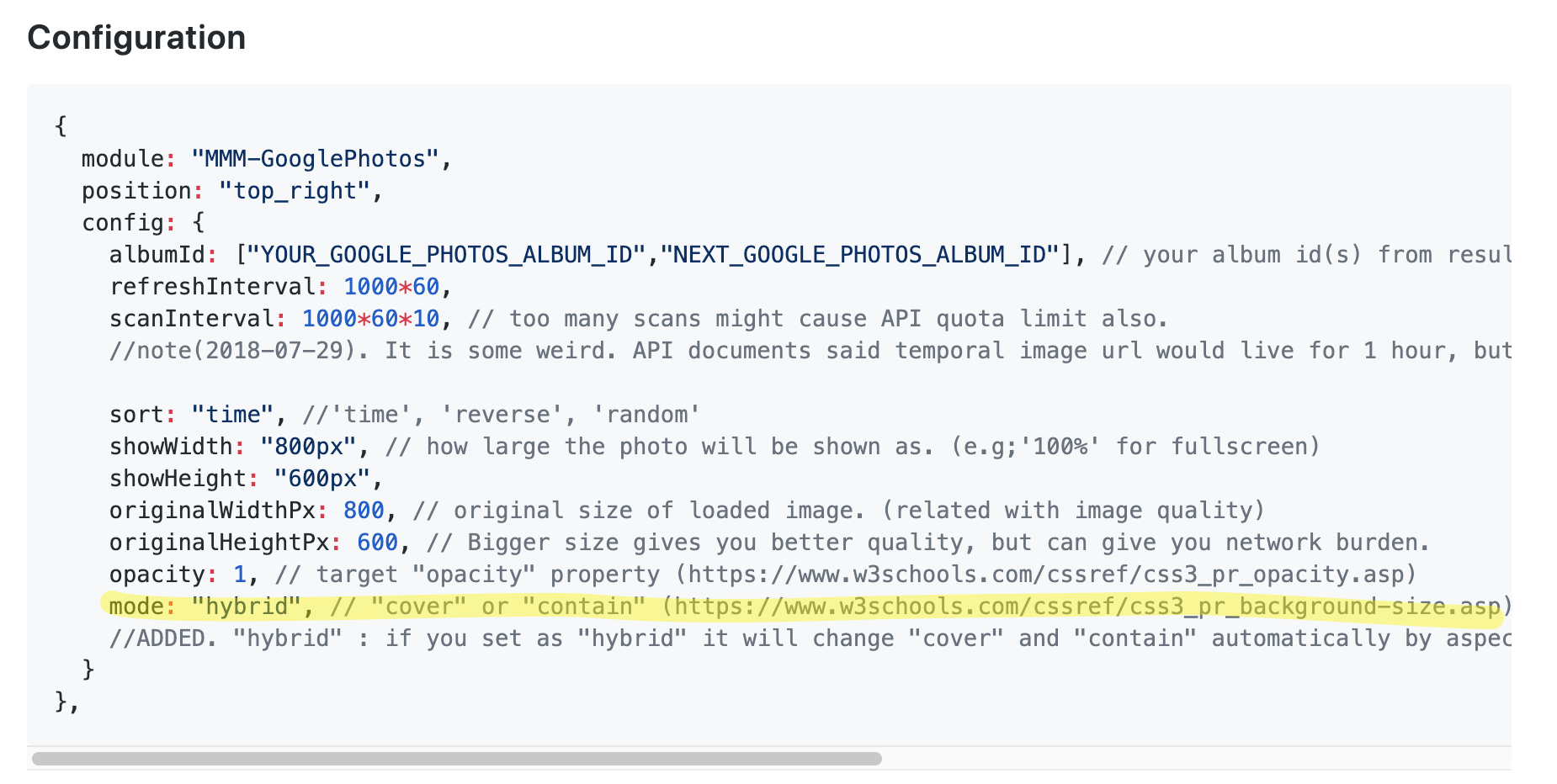
In that case, it is related tomode. That option makes your photo might have an extra space for filling image to your target area. -
@Sean said in MMM-Google Photo Border Frame Matte.:
@seby2
In that case, it is related tomode. That option makes your photo might have an extra space for filling image to your target area.Tks Sean, I think you lost me on that one, I don’t understand what you mean by mode and nither on how I could fix that lol. Sorry, I’m really new in that raspberry world.
-
modedirects how to fill the image in your target area(position).
https://cssreference.io/property/background-size/ -
@Sean Oh, I see.
If i’m in hybrid and I do have both landscape and portrait photos, what can I do?
Is there a work around that?
Tks
Seby -
@seby2
Hmmm. Frankly, it is somewhat difficult request.
You can add a border to theareabut not tophotodirectly. If you are usingcover, the image will cover the whole the area(but some edge will be cut), soareaandphotowill take the same space. But in other cases, still some margin will show.
Sorry, I think it could not be done without modifying the module.
Hello! It looks like you're interested in this conversation, but you don't have an account yet.
Getting fed up of having to scroll through the same posts each visit? When you register for an account, you'll always come back to exactly where you were before, and choose to be notified of new replies (either via email, or push notification). You'll also be able to save bookmarks and upvote posts to show your appreciation to other community members.
With your input, this post could be even better 💗
Register Login