Read the statement by Michael Teeuw here.
Are you tired of editing config.js, or have trouble doing it, see my new module
-
@MarcLandis got it… thx
-
Any chance this is still being worked on? Read through this entire thread in hopes I’d be able to solve my problem without bugging (see what I did there?) you, but alas, I did not.
Simply returning the “builder encountered a problem, see MagicMirror messages for info” when I navigate via the QR code.
Would appreciate any help you might be able to supply.
Thank you!
-
@SteakExpert yes , so you need to look in the output of npm start
-
@sdetweil The only feedback it produces is:
[WARN] You're using a full whitelist configuration allow for all IPs -
@SteakExpert are you using pm2?
if so, pm2 logs --lines=xxx
xxx is the most recent lines
there should be a lot more output
-
@SteakExpert this is my startup
(base) sam@sams:~/MagicMirror.old$ npm start

> magicmirror@2.31.0-develop start
> npm run start:x11


> magicmirror@2.31.0-develop start:x11
> DISPLAY="${DISPLAY:=:0}" ./node_modules/.bin/electron js/electron.js

[2025-01-03 17:46:17.197] [LOG]   Starting MagicMirror: v2.31.0-develop
[2025-01-03 17:46:17.209] [LOG]   Loading config ...
[2025-01-03 17:46:17.209] [LOG]   config template file not exists, no envsubst
[2025-01-03 17:46:17.348] [INFO]  Checking config file /home/sam/MagicMirror.old/config/config.js ...
[2025-01-03 17:46:17.382] [INFO]  Your configuration file doesn't contain syntax errors :)
[2025-01-03 17:46:17.382] [INFO]  Checking modules structure configuration ...
[2025-01-03 17:46:17.409] [INFO]  Your modules structure configuration doesn't contain errors :)
[2025-01-03 17:46:17.409] [LOG]   Loading module helpers ...
[2025-01-03 17:46:17.462] [LOG]   Initializing new module helper ...
[2025-01-03 17:46:17.463] [LOG]   Module helper loaded: MMM-Wallpaper
[2025-01-03 17:46:17.463] [LOG]   No helper found for module: clock.
[2025-01-03 17:46:17.463] [LOG]   Initializing new module helper ...
[2025-01-03 17:46:17.463] [LOG]   Module helper loaded: MMM-EmbedURL
[2025-01-03 17:46:17.527] [LOG]   Initializing new module helper ...
[2025-01-03 17:46:17.527] [LOG]   Module helper loaded: MMM-Config
[2025-01-03 17:46:17.534] [LOG]   Initializing new module helper ...
[2025-01-03 17:46:17.534] [LOG]   Module helper loaded: MMM-HomeAssistantDisplay
[2025-01-03 17:46:17.534] [LOG]   No helper found for module: MMM-CalendarExt3.
[2025-01-03 17:46:17.534] [LOG]   No helper found for module: MMM-page-indicator.
[2025-01-03 17:46:17.535] [LOG]   init module helper SampleModule
[2025-01-03 17:46:17.535] [LOG]   Module helper loaded: SampleModule
[2025-01-03 17:46:17.535] [LOG]   No helper found for module: MMM-pages.
[2025-01-03 17:46:17.572] [LOG]   Initializing new module helper ...
[2025-01-03 17:46:17.572] [LOG]   Module helper loaded: calendar
[2025-01-03 17:46:17.572] [LOG]   All module helpers loaded.
[2025-01-03 17:46:17.574] [LOG]   Starting server on port 8090 ...
[2025-01-03 17:46:17.575] [WARN]  You're using a full whitelist configuration to allow for all IPs
[2025-01-03 17:46:17.867] [LOG]   Server started ...
[2025-01-03 17:46:17.867] [LOG]   Connecting socket for: MMM-Wallpaper
[2025-01-03 17:46:17.867] [LOG]   Starting node helper for: MMM-Wallpaper
[2025-01-03 17:46:17.867] [LOG]   Connecting socket for: MMM-EmbedURL
[2025-01-03 17:46:17.867] [LOG]   Connecting socket for: MMM-Config
[2025-01-03 17:46:17.868] [INFO]  MMM-Config restart parm ='none'
[2025-01-03 17:46:17.868] [LOG]   command =/home/sam/MagicMirror.old/modules/MMM-Config/test_convert.sh override
[2025-01-03 17:46:17.868] [LOG]   Starting module helper:MMM-Config
[2025-01-03 17:46:17.868] [LOG]   execing /home/sam/MagicMirror.old/modules/MMM-Config/test_convert.sh override
[2025-01-03 17:46:17.875] [LOG]   Connecting socket for: MMM-HomeAssistantDisplay
[2025-01-03 17:46:17.875] [LOG]   Connecting socket for: SampleModule
[2025-01-03 17:46:17.875] [LOG]   Starting module helper:SampleModule
[2025-01-03 17:46:17.876] [LOG]   Connecting socket for: calendar
[2025-01-03 17:46:17.876] [LOG]   Starting node helper for: calendar
[2025-01-03 17:46:17.876] [LOG]   Sockets connected & modules started ...
[2025-01-03 17:46:17.876] [LOG]    got port=8300
[2025-01-03 17:46:18.047] [LOG]   Launching application.
[2025-01-03 17:46:18.224] [INFO]  System information:
### SYSTEM:   manufacturer: System manufacturer; model: System Product Name; virtual: false
### OS:       platform: linux; distro: Ubuntu; release: 22.04.5 LTS; arch: x64; kernel: 5.15.0-125-generic
### VERSIONS: electron: 32.2.7; used node: 20.18.1; installed node: 20.18.1; npm: 10.8.2; pm2: 5.4.3
### OTHER:    timeZone: America/Chicago; ELECTRON_ENABLE_GPU: undefined
[3484285:0103/174618.683913:ERROR:nss_util.cc(345)] After loading Root Certs, loaded==false: NSS error code: -8018
[2025-01-03 17:46:18.707] [ERROR] (node:3484285) electron: Failed to load URL: https://dummy:3000/temperaturen?orgId=2&from=1666840963687&to=1666862563687&panelId=6 with error: ERR_NAME_NOT_RESOLVED
(Use `electron --trace-warnings ...` to show where the warning was created)
[2025-01-03 17:46:18.708] [ERROR] (node:3484285) electron: Failed to load URL: https://dummy:3000/temperaturen?orgId=2&from=1666840776401&to=1666862376402&panelId=2 with error: ERR_NAME_NOT_RESOLVED
[2025-01-03 17:46:18.711] [ERROR] (node:3484285) electron: Failed to load URL: https://dummy:3000/temperaturen?orgId=2&from=1666840667772&to=1666862267772&panelId=4 with error: ERR_NAME_NOT_RESOLVED
[2025-01-03 17:46:18.799] [INFO]  [MMM-HomeAssistantDisplay] [ 'HomeAssistant connected for module_13_MMM-HomeAssistantDisplay' ]
[2025-01-03 17:46:18.830] [INFO]  [MMM-HomeAssistantDisplay] [ 'HomeAssistant connected for module_7_MMM-HomeAssistantDisplay' ]
[2025-01-03 17:46:18.833] [LOG]   Create new calendarfetcher for url: https://ics.calendarlabs.com/76/mm3137/US_Holidays.ics - Interval: 120000
[2025-01-03 17:46:18.834] [LOG]   Create new calendarfetcher for url: https://calendar.google.com/calendar/ical/sdetweil%40gmail.com/private-b01395933cda72021e36fae98c07a186/basic.ics - Interval: 120000
[2025-01-03 17:46:18.834] [LOG]   SampleModule received a socket notification: CONFIG - Payload: [object Object]
[2025-01-03 17:46:18.844] [ERROR] (node:3484285) electron: Failed to load URL: https://dummy:3000/temperaturen?orgId=2&from=1666840667772&to=1666862267772&panelId=4 with error: ERR_NAME_NOT_RESOLVED
[2025-01-03 17:46:18.862] [INFO]  [MMM-HomeAssistantDisplay] [
  'Conected to Home Assistant for module_13_MMM-HomeAssistantDisplay after 0 retries'
]
[2025-01-03 17:46:18.865] [INFO]  [MMM-HomeAssistantDisplay] [
  'Conected to Home Assistant for module_7_MMM-HomeAssistantDisplay after 0 retries'
]
[2025-01-03 17:46:18.873] [LOG]   connection started = connect
[2025-01-03 17:46:18.874] [LOG]   path=/home/sam/MagicMirror.old/modules/MMM-Config/schema3_16467085098090.json
[2025-01-03 17:46:19.102] [INFO]  Calendar-Fetcher: Broadcasting 25 events from https://ics.calendarlabs.com/76/mm3137/US_Holidays.ics.
[2025-01-03 17:46:19.635] [INFO]  Calendar-Fetcher: Broadcasting 156 events from https://calendar.google.com/calendar/ical/6/basic.ics.
[2025-01-03 17:46:20.749] [LOG]   stdout: completed
I have MMM-Config debug enabled
-
@SteakExpert said in Are you tired of editing config.js, or have trouble doing it, see my new module:
“builder encountered a problem, see MagicMirror messages for info”
yeh, that message was put there to tell you what to do instead of being dead
that means the error trap worked…
-
@sdetweil Just emailed you the log! Thanks, Sam.
-
@SteakExpert there is more after that that I need…
-
@SteakExpert we are looking for content in the MagicMirror runtime messages (from npm start ) that might look like this (forced an error just to get the content)
 [LOG]   stdout: --------------------MMM-Config
module MMM-Carousel has an error in the construction of its defaults section
the error line is     transitionTimeout: somevalue,
please change it to the literal value of the referenced defaults variable
and restart MagicMirror
--------------------MMM-Config
the browser message is the last part setup of the error handler
-
I am a noob at this, how do I set the port to use the browser and how do I show the QR code on my MM?
-
@DarkV the default port is 8080
you can edit in config.js and change the number, or change it in the form
and in the MMM-Config config set showQR to true
or change it in the form
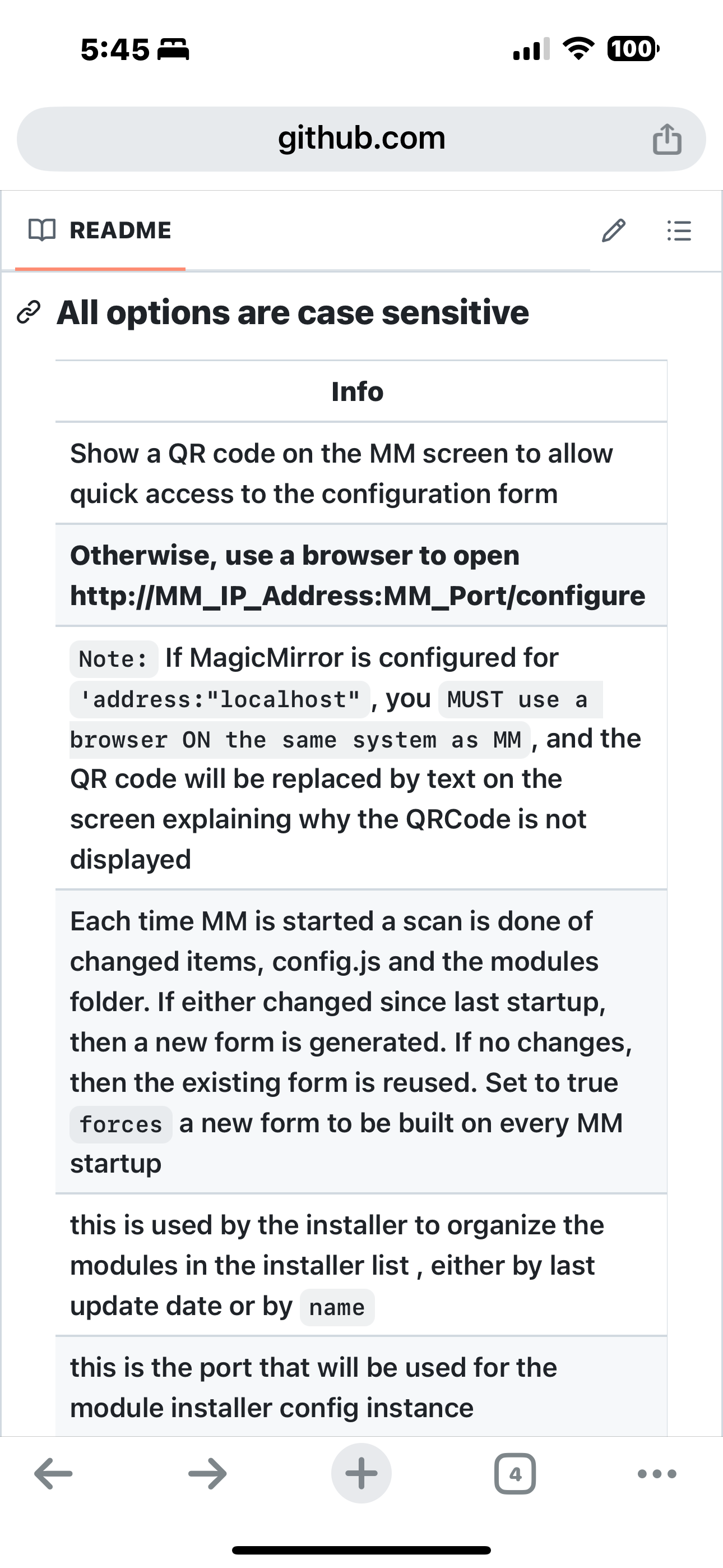
the doc mentions how to open the form directly in a browsernote on the QR you MUST change config.js to support outside MagicMirror system access, per the doc
-
@sdetweil said in Are you tired of editing config.js, or have trouble doing it, see my new module:
config set showQR
So, should I add “showQR = True” to the configj.s?
As I said earlier, I do not have the skill of the format. -
@DarkV
I get this error
-
-
@sdetweil Apologies for my lack of knowledge, but I didn’t fully understand your response about the URL. Please keep in mind that I’m not very experienced with coding.
-
@DarkV it takes a little bit of info
a url contains
a protocol type secure(https) or not (http)
a server name or address
a port
a path
and optionally some parametersfor MMM-Config
just protocol, server, port and path
on your local network, we dont need to build our everything for secure encrypted communications
if the machine you are opening the browser on is the same machine as MagicMirror is running, then you can use localhost
otherwise you need to know the MagicMirror server ip address or network namethe port value comes from the MagicMirror config.js, default is 8080
(if you dont see a port specified in a url, then the browser uses the default for the protocol, 80 or 443 not/secure, as appropriate)and then the path, for MMM-Config there are two :
for configuration
/configure
and for module installation
/installerhttp://ip:port/configure
on the same machine, using defaults
http://localhost:8080/configure -
Hello, Newbie here, how do you go about using this? What do I need to get started? Do I need Node.js? Have it installed, yet completely lost. How about a guide or video. Thanks
-
@IamWayne did you add the module to config.js?
and restart MagicMirror?if so then the url from the doc
http://ip:mm_port/configure
but by default the MagicMirror config only allows apps from inside the same system to connect, so you would have to minimize MagicMirror then launch a browser to
http://localhost:8080/configure
or for the module installer
-
Oh I think that I understand now. I have to add this to the MM installer in the correct folder, correct?
Hello! It looks like you're interested in this conversation, but you don't have an account yet.
Getting fed up of having to scroll through the same posts each visit? When you register for an account, you'll always come back to exactly where you were before, and choose to be notified of new replies (either via email, or push notification). You'll also be able to save bookmarks and upvote posts to show your appreciation to other community members.
With your input, this post could be even better 💗
Register Login