@sdetweil well that explains it. I thought the default calendar configs were available to the MMM-GoogleCalendar.
Sorry, i did not make it clearer. Everyone thanks for the assist in getting to the bottom of it.
@sdetweil well that explains it. I thought the default calendar configs were available to the MMM-GoogleCalendar.
Sorry, i did not make it clearer. Everyone thanks for the assist in getting to the bottom of it.
@sdetweil to remove as many variables as I can, I have created a reoccuring event called “Spotify” and I want to change it to “Music”

And I have tried the code below with single and double quotes with no success
{keyword: '.*', transform: { search: 'Spotify', replace: 'Music'}},
For something so simple this is driving me crazy.
Thanks for explaining this in a language I can understand. I got that to work.
In my calendar I have “amex” typed in lower case and I want the transform it to upper “AMEX” to show this works.
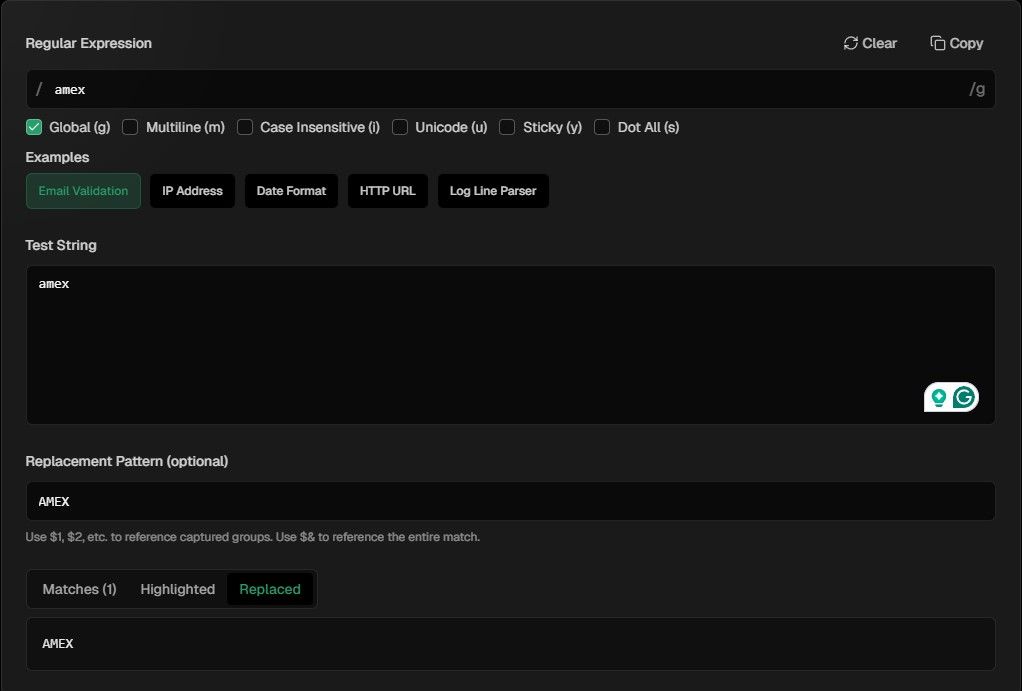
However when I use the below code on a calendar event that only has an event titled ‘amex’ in lower case does not work.
{keyword: 'amex', transform: { search: 'amex', replace: 'AMEX'}},
This simple thing is confusing me. I have removed all variables, and it still does not work.
Thanks again for everyone help.
Sorry for the delayed response. Work and life got in the way. I went to the regex tester and used the example from the calendar config for customEvents {keyword: ‘in Hamburg’, transform: { search: ’ in Hamburg$’ , replace: ‘’}} and I could not make it work as per the example in the documentation.
(https://fossa.com/resources/devops-tools/regex-tester/)
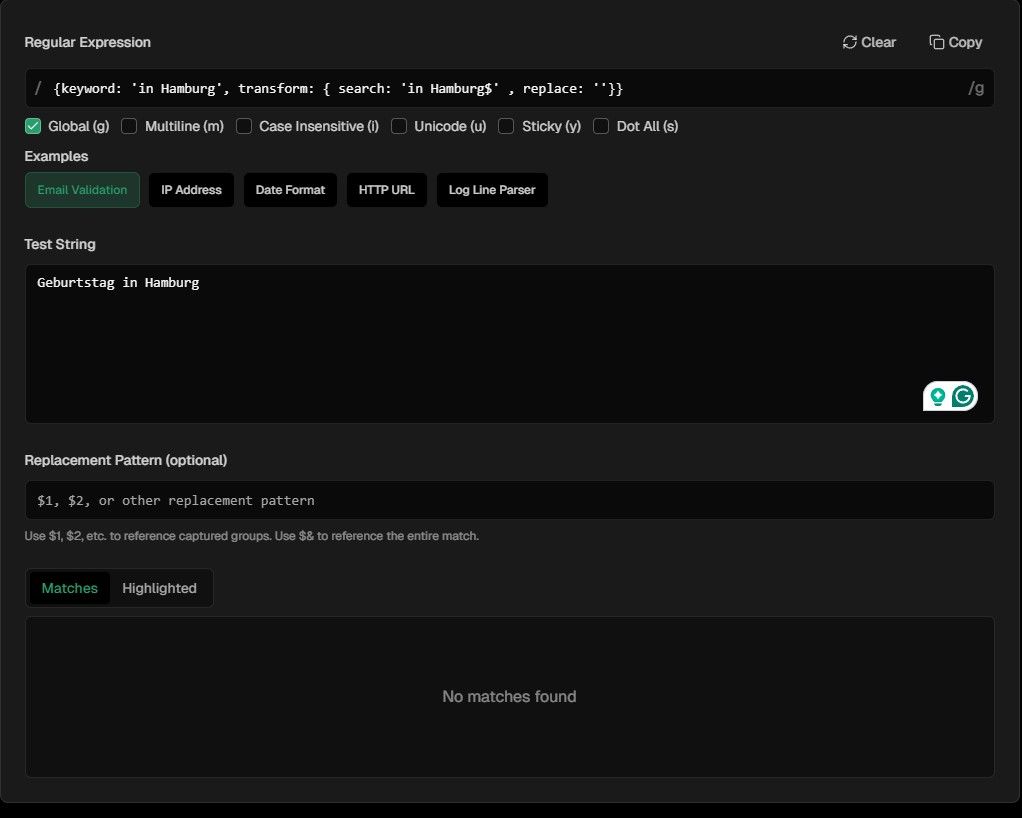
I also tried the other checker with a simplier transform.
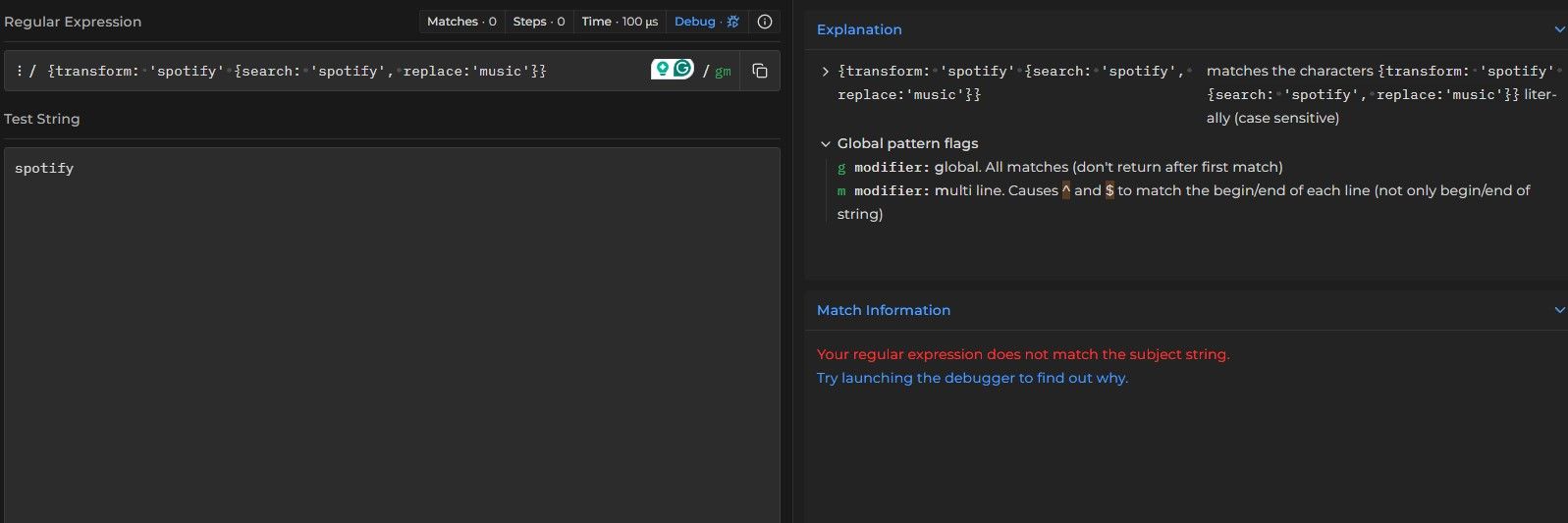
I am struggling to understand what I am doing wrong.
Your help is appreciated.
David
show me the calendar module config, xxx out any cal urls
Here is the full module config, everything else works. I cannot figure this out. Thanks for the assist.
	{
			module: 'MMM-GoogleCalendar',
			header: "David's Calendar",
			position: "top_left",
			classes: "clalendar-full",
			disabled: false,
			config: {
				colored: true,
				maximumNumberOfDays: 10,
				maximumEntries: 30,
				maxTitleLength: 35,
				displayRepeatingCountTitle: true,
				defaultRepeatingCountTitle: "",
				getRelative: 12,
				fade: false,
				fadePoint: 0.00,

*/

			customEvents: [
						{keyword: 'Spotify', transform: { search: '(?i)Spotify\\s*$', replace: 'Music'}},
                                                {keyword: 'Canterbury-Bankstown Bulldogs', transform: { search: 'Canterbury-Bankstown Bulldogs', replace: 'Bulldogs'},
						{keyword: 'Photo', symbol: 'camera', color: 'Silver'},
						{keyword: 'Benji', symbol: 'paw', color: 'LightGoldenrodYellow'},
						{keyword: 'Doctor', symbol: 'staff-snake', color: '#0048ba'},
						{keyword: 'Dr ', symbol: 'staff-snake', color: '##58B1CD'},
						{keyword: 'Dentist', symbol: 'tooth'},
						{keyword: 'Orthodontist', symbol: 'teeth'},
						{keyword: 'Party', symbol: 'gift'},
						{keyword: 'Christmas', symbol: 'sleigh'},
						{keyword: 'BMC', symbol: 'staff-snake', color: '##58B1CD'},
						{keyword: 'Anzac Day', symbol: 'monument'},
						{keyword: 'Big w', symbol: 'building'},
						{keyword: 'Recycling', symbol: 'recycle'},
						{keyword: 'Rubbish', symbol: 'trash-can'},
						{keyword: 'tennis', symbol:'table-tennis-paddle-ball', color:'#ff7518'}  // Pumkin
			  ],
			calendars: [
						{
							symbol: "calendar", //Main Calendar
							color: "#89cff0",  //Baby Blue
							calendarID: "XXXXXXX@gmail.com"
						},
						{
							symbol: "calendar-week", //bills
							color: "#e95c4b",  //Fire Opal
							calendarID: "XXXXXXX@group.calendar.google.com"
						},
						{
							symbol: "birthday-cake",
							color: "#87a96b",  //Asparagus
							calendarID: ""
						},
						{
							symbol: "briefcase",	//work
							color: "#7fffd4",  //Aquamarine
							calendarID: "XXXXXXX@group.calendar.google.com"
						},
						{
							symbol: "football",   //NRL
							color: "#458b74",  //Aquamarine4
							calendarID: "XXXXXXX@group.calendar.google.com"
						},
						{
							symbol: "calendar",  //Public Holidays
							color: "#f767d8",  //pink
							calendarID: "en-gb.australian#holiday@group.v.calendar.google.com"
						},

							// add another calendar HERE if needed          // To add more calendars, replicate the above entry within this array with the respective ID
						],
					},
			},
Hi,
I am trying to update the text in the customEvents section of the default calendar using a transform, but I am unable to make it work. Any thoughts on what I am doing wrong?
{keyword: 'Canterbury-Bankstown Bulldogs', transform: { search: 'Canterbury-Bankstown Bulldogs', replace: 'Bulldogs'},
{keyword: 'Spotify', transform: { search: 'Spotify', replace: 'Music'}},
Thanks
David
@sdetweil not sure what happened, you were correct it was showing a mismatch error in the URL. I rotated the secret a couple of time and it worked. Not sure why. Thanks again for the assist.
Correct, but it brings up the same page that I was just on. Which is why I am confused.
Hi,
I’m stuck, and I’m sure it’s something simple that I’m missing. I have installed the app and have followed the instruction on the developer dashboard, entered the client ID and secret, and I am stuck at step 3 where it says “waiting for Authorization”. Do I need to authorise it somewhere?
Thanks
David
@sdetweil thanks for looking into it
Re: MMM-WeatherGraph - new module using OpenWeatherMap
First of all love the app.
Is there a way to force the alignment of the bar graph when the perspiration for a particular day is missing.
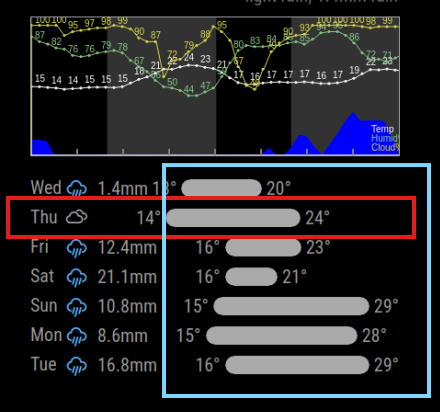
In the case above, when there is one day without rain the bar graph is out of alignment with the rest of the week.
Thoughts on how I could fix this?
Thanks
David
Not sure if this is the correct place to not @sdetweil around a couple of issues I have found:
-MMM-pilehole-stats, the API is missing from the config page. After saving, the API remains in the config.js file. 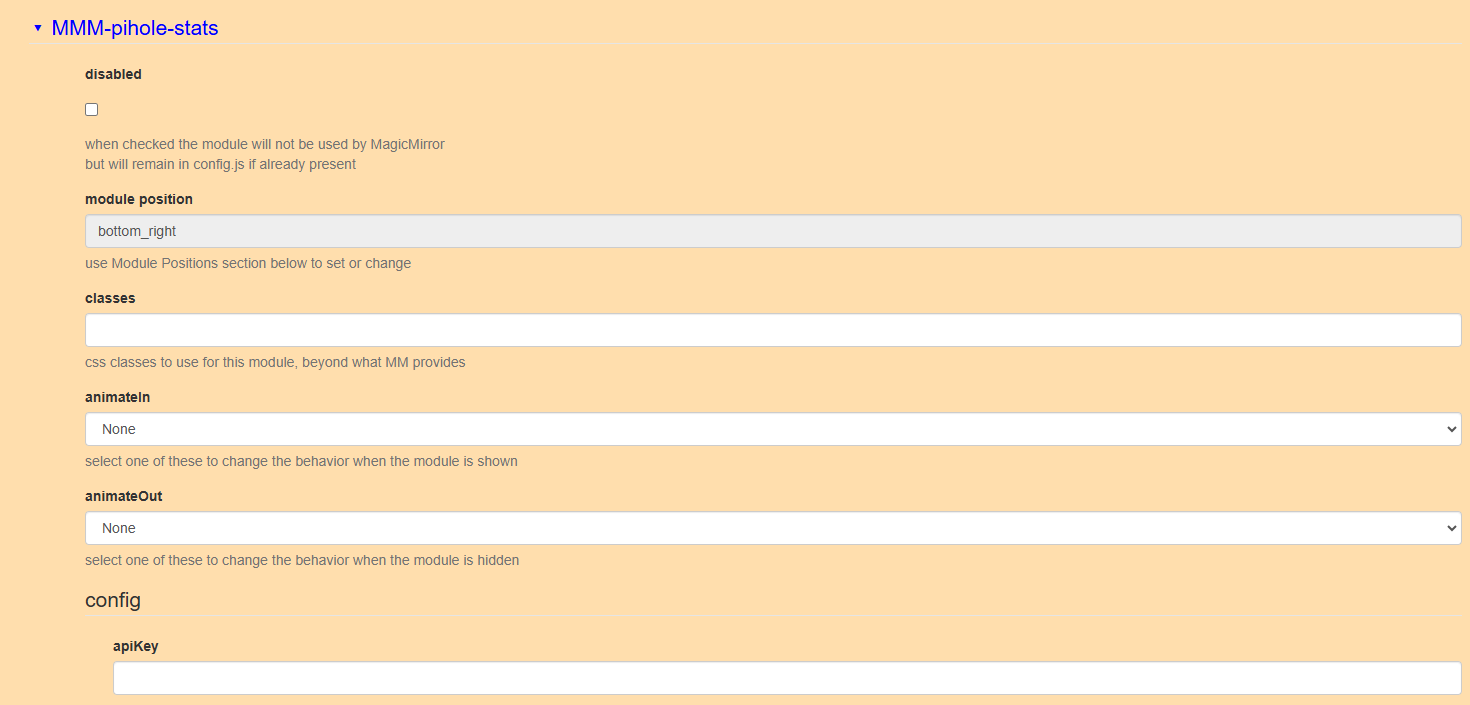
-MMM-Remote-Control, the API is missing from the config page. After saving, the API remains in the config.js file. 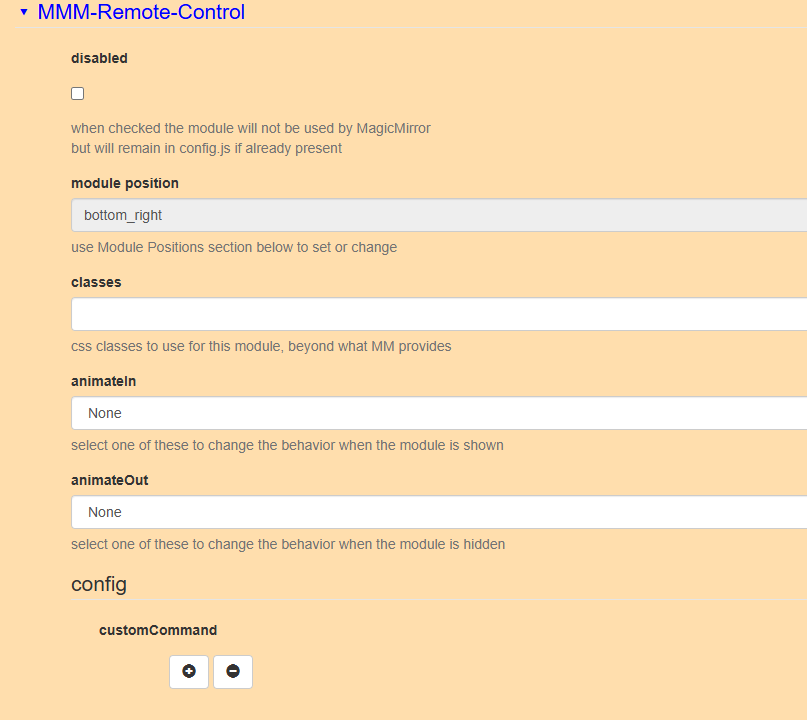
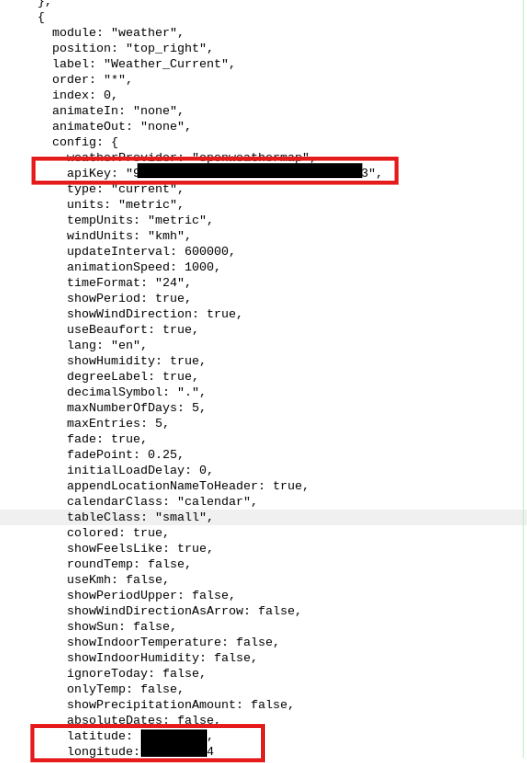
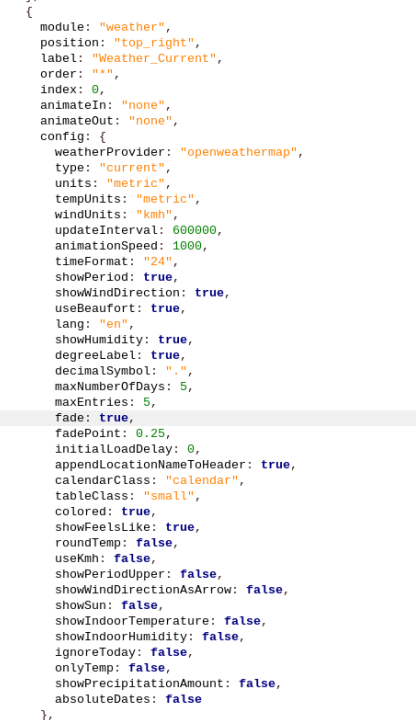
Thanks
David
Hi, I have made 2 magic mirrors, one for myself and one for my daughter and we are both avid readers. I was wondering if anyone has made a Goodreads module that shows what you and your friends are currently reading.
Thanks
David