Read the statement by Michael Teeuw here.
Hello-Lucy + RaspPi Bullseye + MM v2.18 + USB Mic
-
Hello Forum… I wonder if someone could smack me in the head to make me see where I am going wrong.
I have been running MM v2.15 on RaspPi Buster for quite awhile, and part of that build is using Hello-Lucy with a PS Eye USB mic. This works just fine for me.
I decided to do a full rebuild of my system on RaspPi Bullseye and MM v2.18. Everything on this build works fine except Hello-Lucy. Basically, Hello-Lucy is having trouble opening the PS Eye mic. Here are some details:
- I can see the mic device as card 1, device 0:
pi@InfoWall4:~ $ arecord -l **** List of CAPTURE Hardware Devices **** card 1: CameraB409241 [USB Camera-B4.09.24.1], device 0: USB Audio [USB Audio] Subdevices: 1/1 Subdevice #0: subdevice #0- I can record to a wav and it plays back fine:
pi@InfoWall4:~ $ arecord --device=plughw:1,0 --format cd --duration 10 --channels 1 testmic.wav Recording WAVE 'testmic.wav' : Signed 16 bit Little Endian, Rate 44100 Hz, Mono-
I installed Hello-Lucy as per instructions, with 1 change. In dependcies.sh, I changed python-dev and python-pip references to python3-dev and python3-pip
-
My config.js file has the following parms:
{ disabled: false, module: "Hello-Lucy", position: "bottom_left", config: { keyword: 'OKAY JARVIS', // keyword to activate listening for a command/sentence timeout: 10, // timeout listening for a command/sentence defaultOnStartup: null, debug: true, standByMethod: 'PI', // 'DPMS' = anything else than RPi or 'PI' microphone: "1,0", // run "arecord -l" card # and device # mine is "0,0" sounds: ["silence.mp3"], // welcome sound at startup. Add several for a random greetings confirmationSound: "null.mp3", // name and extension of sound file soundPath: 'modules/Infowall/Sounds', micOn: 'SpeechOn.wav', micOff: 'SpeechOff.wav', startHideAll: true, // All modules start as hidden EXCEPT PAGE ONE pageOneModules: ["MMM-BackgroundSlideshow", "weather", "Hello-Lucy"], // default to show on page1 start } },- When I start up MM, Hello-Lucy shows:
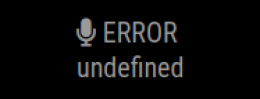
- There are no issues showing in the PM2 logs. However, the Hello-Lucy error.log shows just 1 while debug.log shows an error:
Error opening audio device plughw:1,0 for capture: Invalid argument
FATAL: "continuous.c", line 245: Failed to open audio device
So it seems like Hello-Lucy cannot grab hold of the mic device, even though I can access the mic just find from CMD.
Any thoughts anyone?? Perhaps referencing python3 in the Hello-Lucy dependencies.sh script is not advisable?
Thanks…
-
@crazylegs under the covers, Lucy uses pocketsphinx-continuous, which builds some files. it MIGHT use python to do that. I don’t know
-
@sdetweil Thank you. Yes, I was thinking about the same thing and trying to avoid digging into the pocketsphinx code :) But I think that’s where I will head next.
-
@crazylegs I helped fix this code (and the Psc lib) long ago cause of the underlying library connecting to the mic
in node_helper
		this.ps = new Psc({
			setId: this.name,
			verbose: true,
			microphone: this.config.microphone
		});
is where it connects to the mic
and lmtool is the thing I think is in python

Hello! It looks like you're interested in this conversation, but you don't have an account yet.
Getting fed up of having to scroll through the same posts each visit? When you register for an account, you'll always come back to exactly where you were before, and choose to be notified of new replies (either via email, or push notification). You'll also be able to save bookmarks and upvote posts to show your appreciation to other community members.
With your input, this post could be even better 💗
Register Login