Read the statement by Michael Teeuw here.
MMM-GooglePhotos display help
-
Hello. I’m brand new to magic mirror and not a programmer by any means. I have installed Magic Mirror and the Google Photos module on a 7" touch screen display with a raspberry pi 4 that I have on my work desk (also have MMM-Jast stock ticker working on the bottom of the screen). I’m having trouble getting the pictures to display properly…more centered on the screen and zoomed out. Any help is much appreciated.
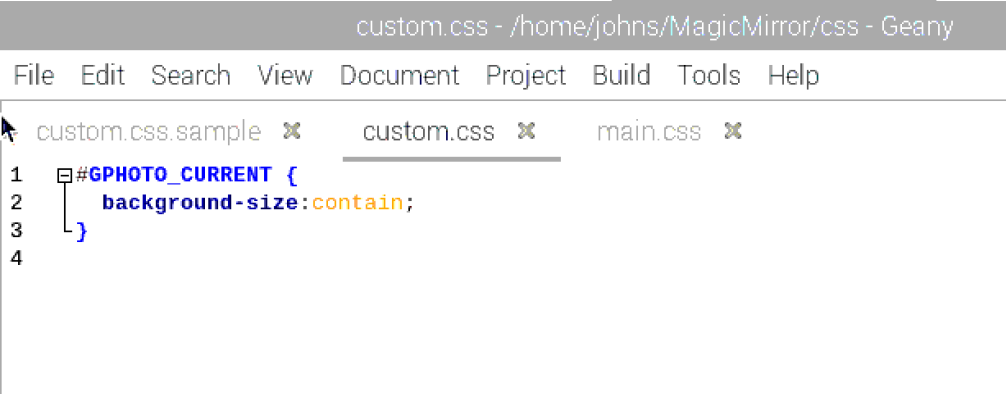
Below is a screenshot of my custom.css file
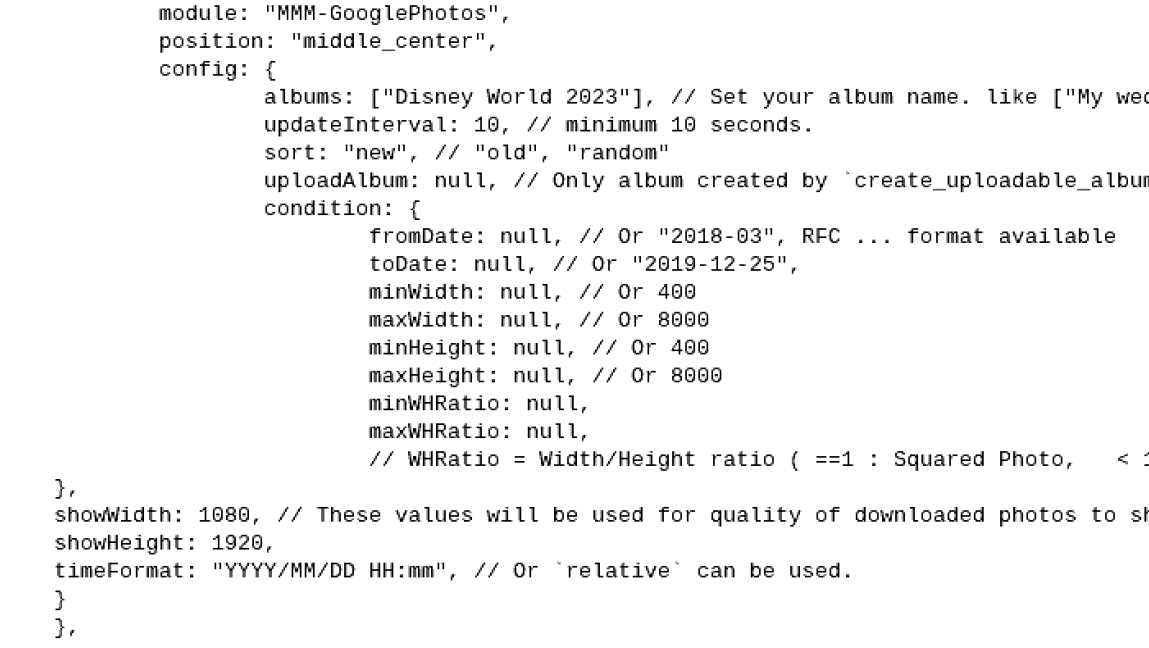
Below is a screenshot of the portion of the module in my config.js
-
@DCSooner middle-center is NOT constrained to middle center on the screen
see this
https://forum.magicmirror.builders/topic/286/regions?_=1699456444852it STARTS in middle center, BUT if the content is bigger, then it flows over right and bottom,
unless you force it to be truncated.. with css ( overflow: hidden;)AND the config says make the image 1080x1920 (width and height , as if the screen is in vertical/portrait mode)
but the middle-center isn’t that size…
SO…
-
@sdetweil Thanks for the insight! What should I change “middle_center” to be?
-
@DCSooner so, I use images as a background, so I set fullscreen-below
but then you can size it smaller
Hello! It looks like you're interested in this conversation, but you don't have an account yet.
Getting fed up of having to scroll through the same posts each visit? When you register for an account, you'll always come back to exactly where you were before, and choose to be notified of new replies (either via email, or push notification). You'll also be able to save bookmarks and upvote posts to show your appreciation to other community members.
With your input, this post could be even better 💗
Register Login