Read the statement by Michael Teeuw here.
custom css for module question
-
is it possible to float the header of a module above it like in this image?
as if “Palette Colors” said “New York CIty” for the weather
I tried using the developer feature in the browser to find it but it’s not specific, it just says “.module.header”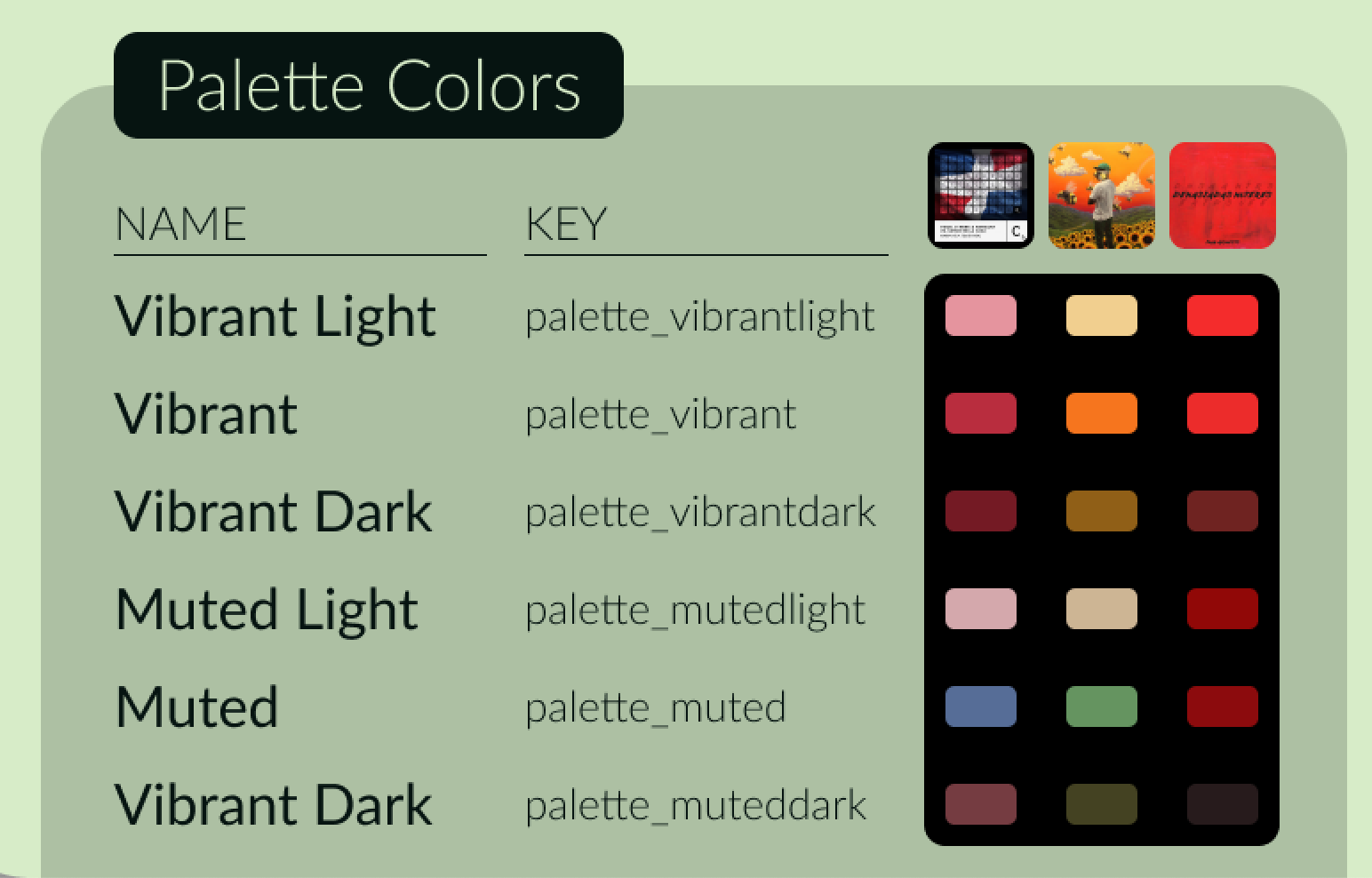
-
@greedyvegan
Like this?
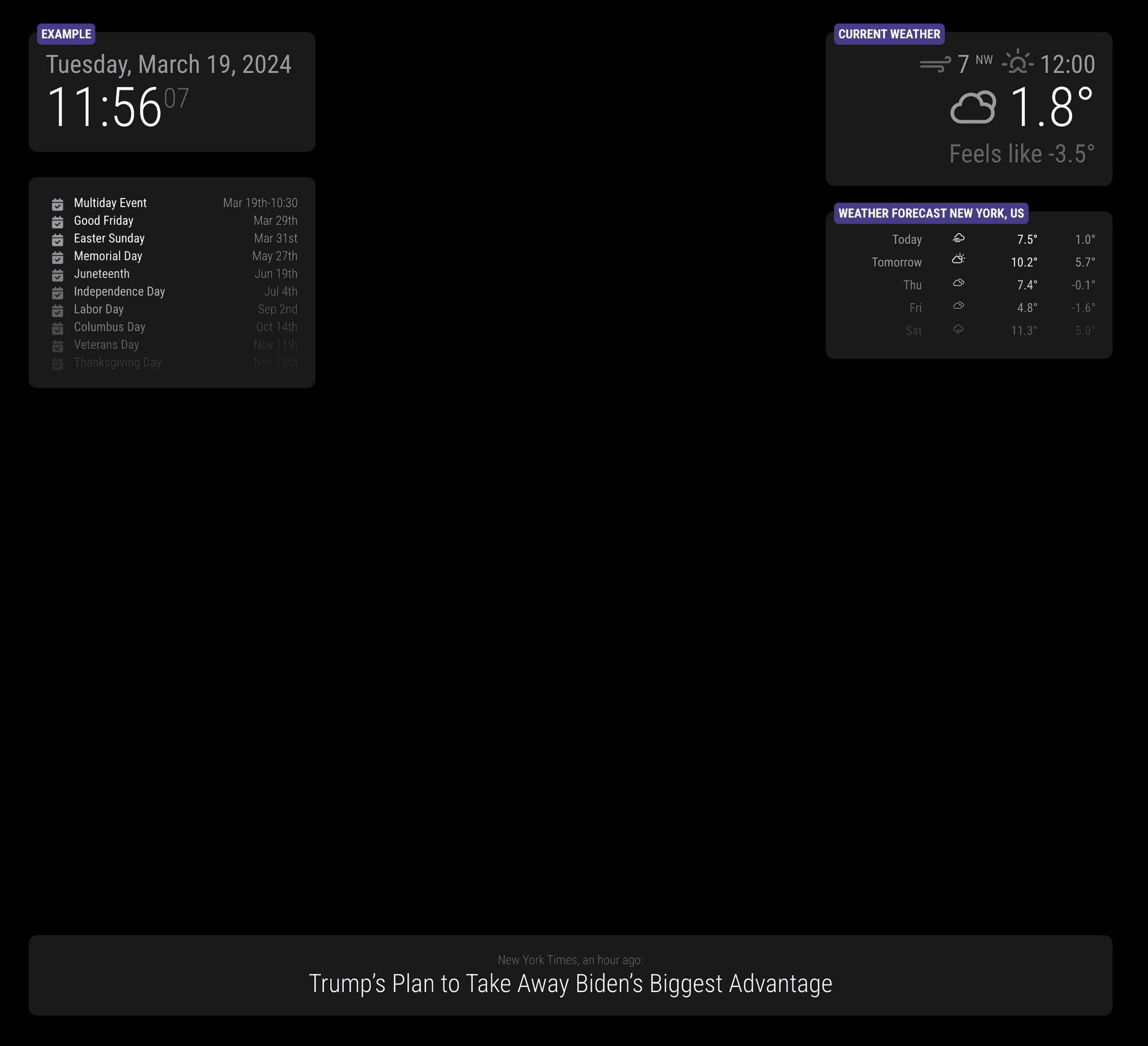
/* css/custom.css */ .region .container .module { padding: 20px; border-radius: 10px; background-color: rgba(255 255 255 / 10%); min-width: 300px; position: relative; } .module-header { position: absolute; top: -10px; left: 10px; background-color: darkslateblue; color: white; font-weight: bold; border: none; padding: 5px; border-radius: 5px; } -
ahhhh region container
yes, thank you -
last series of questions (for today)
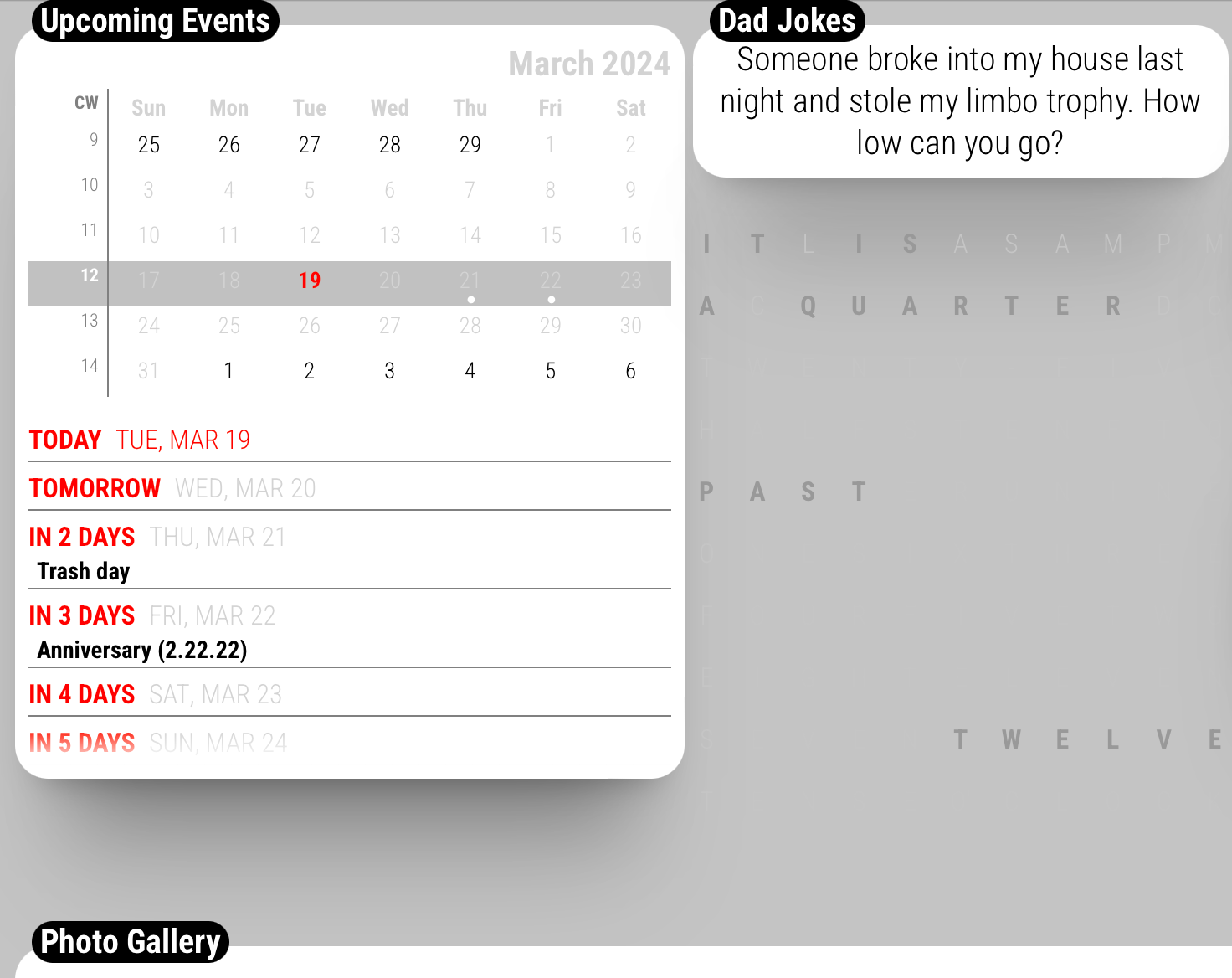
are these options available?
- move TUE, MAR 19 to the far right
- OR eliminate “Today, tomorrow, in five days” and leave the date or vice versa
- move event(s) like “Trash day” all the way to the right to make the row narrow
- add an element to the bright or dimmed class
.CX3A .dateParts literal seq_2 unit_none {text-align:right} isn’t working for me
please and thank you
-
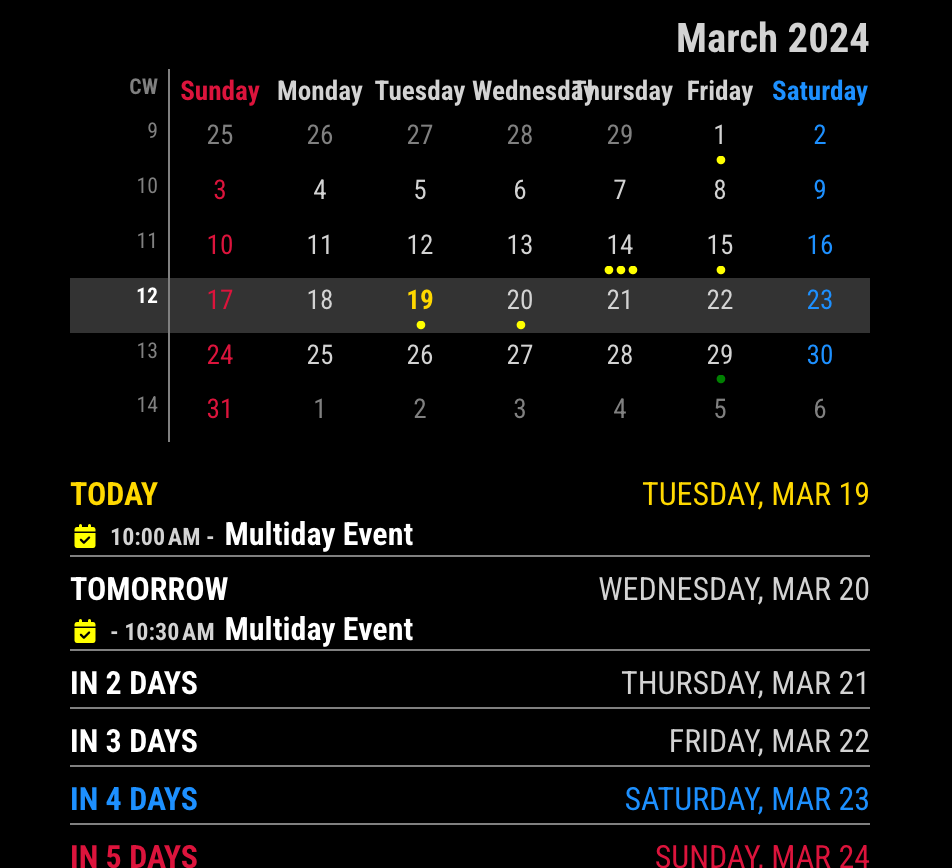
- move TUE, MAR 19 to the far right
/* css/custom.css */
.CX3A .cellHeaderSub {
  display: none;
}

.CX3A .cellHeaderMain {
  display: flex;
  justify-content: space-between;
  width: 100%;
}
- OR eliminate “Today, tomorrow, in five days” and leave the date or vice versa
/* css/custom.css */
/* Select one of below */

/* To remove `relative day` identifier. */
.CX3A  .cellHeaderMain .relativeDay {
  display: none;
}

/* OR */

/* To remove date of the cell */
.CX3A  .cellHeaderMain .cellDate {
  display: none;
}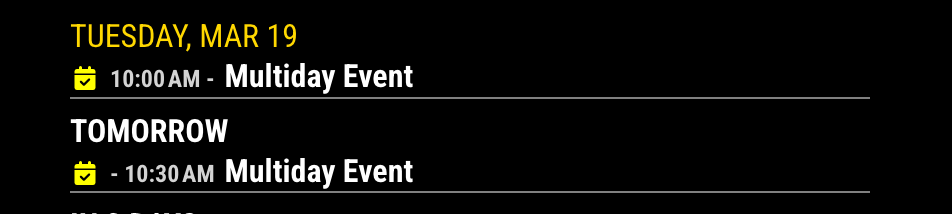
Of course, you can use more extended selectors like these;.CX3A .cell:not(.today) .cellHeaderMain .cellDate { ... .CX3A .cell.thisMonth .cellHeaderMain .relativeDay { ...- move event(s) like “Trash day” all the way to the right to make the row narrow
- add an element to the bright or dimmed class
I can’t understand what those mean. Have you any example or sketch?
-
@MMRIZE said
- move event(s) like “Trash day” all the way to the right to make the row narrow
- add an element to the bright or dimmed class
I can’t understand what those mean. Have you any example or sketch?
1 - multi-day or single event, can I move that to the right
to make the row narrower ? “Tuesday, March 19th” is a little redundant because the mini month tells me that.
I understand IF a day happens to have multiple events it would create multiple rows.2 - this is related but unrelated to the calendar, some modules don’t have the simple {font-size: 12px;color red;} they use classes of bright and dimmed and or use “1em” for the size or “var(–color-text)”
forgive me, I’m slowly learning CSS and command/terminal with error, repetition and trial.
-
I wanted to shrink the rows (blue paint)
by taking the (green) event and moving it to the right.
using this will give me space- .CX3A .cellHeaderMain .cellDate {display: none;}
with the red paint, I’ve tried
- border-radius:15px;
but it doesn’t work
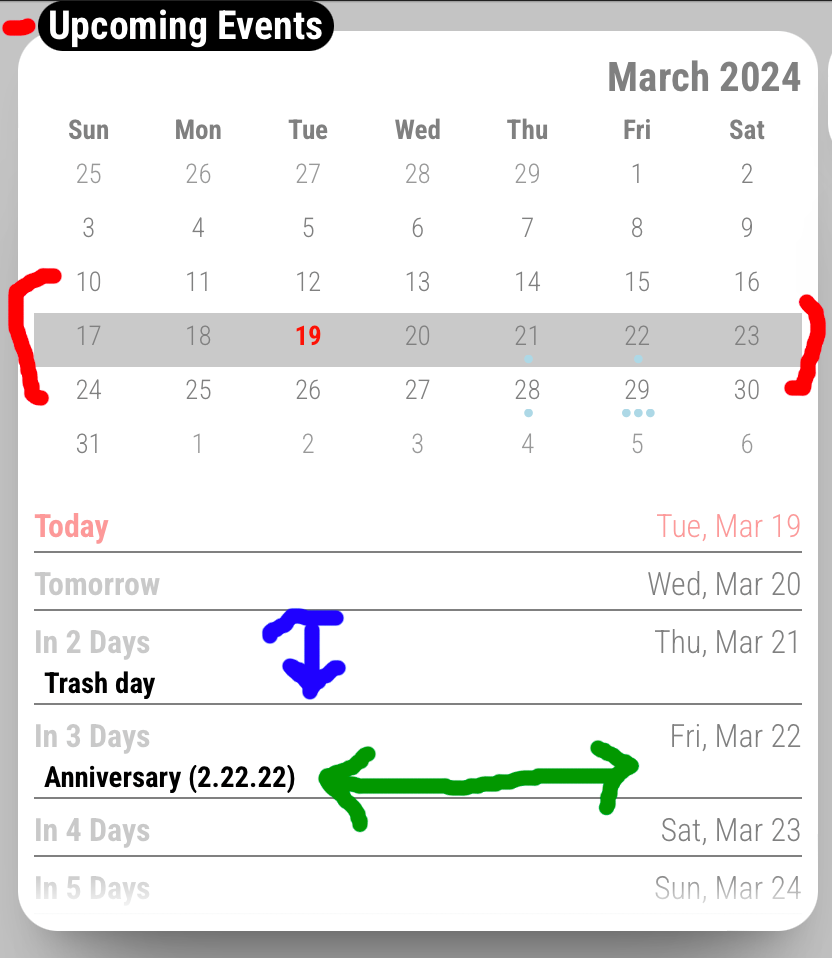
- .CX3A .cellHeaderMain .cellDate {display: none;}
-
@greedyvegan said in custom css for module question:
1 - multi-day or single event, can I move that to the right
to make the row narrower ? “Tuesday, March 19th” is a little redundant because the mini month tells me that.
I understand IF a day happens to have multiple events it would create multiple rows.As you know already, Events could be more than one. So what you want is; if there is only one event, it should be one-liner with the date(or with relative day identifier), but if there are N events, makes multi-rows.
Maybe if it is possible, it will not be so pretty. And the look would be similar to the default calendar module. If so, use the default calendar module instead.2 - this is related but unrelated to the calendar, some modules don’t have the simple {font-size: 12px;color red;} they use classes of bright and dimmed and or use “1em” for the size or “var(–color-text)”
There is no standard style guide for modules, so every module has it’s own look & feel. You have to override each style by yourself.
Anyway, some modules respects the style of the default modules. They might use the values those are defined incss/main.css
You can override some of the default styles incss/custom.csslike below;/* css/custom.css */ :root { --color-text: darkorange; --color-text-dimmed: darkgreen; --color-text-bright: crimson; --font-size: 16px; --font-size-small: 12px; }original
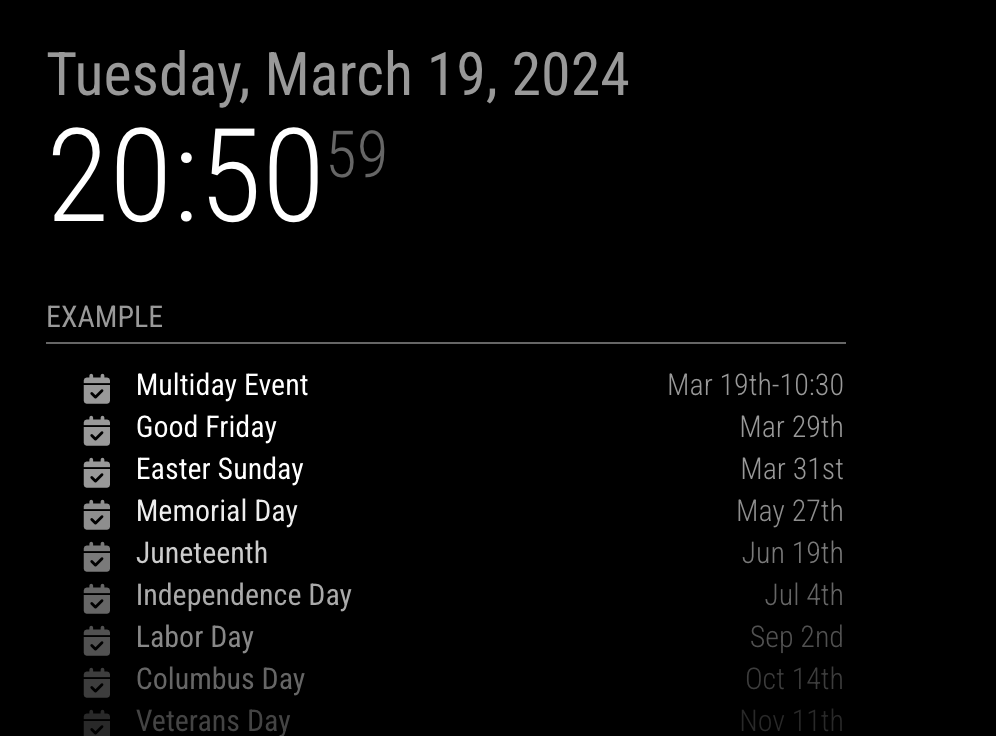
transformed
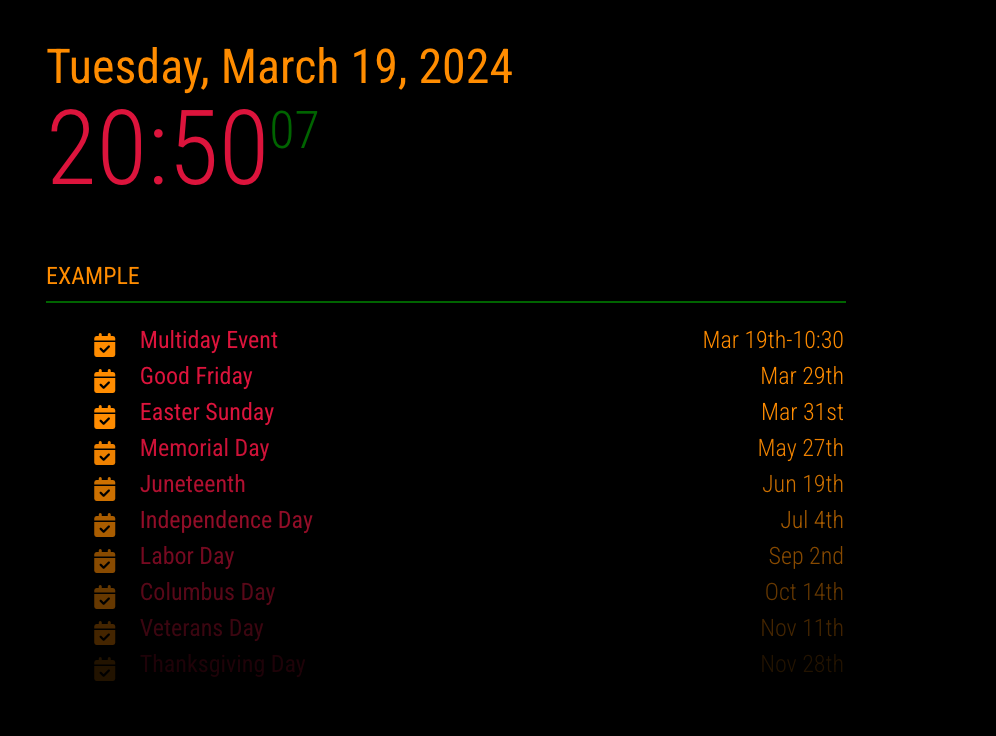
-
@greedyvegan said in custom css for module question:
with the red paint, I’ve tried
border-radius:15px;
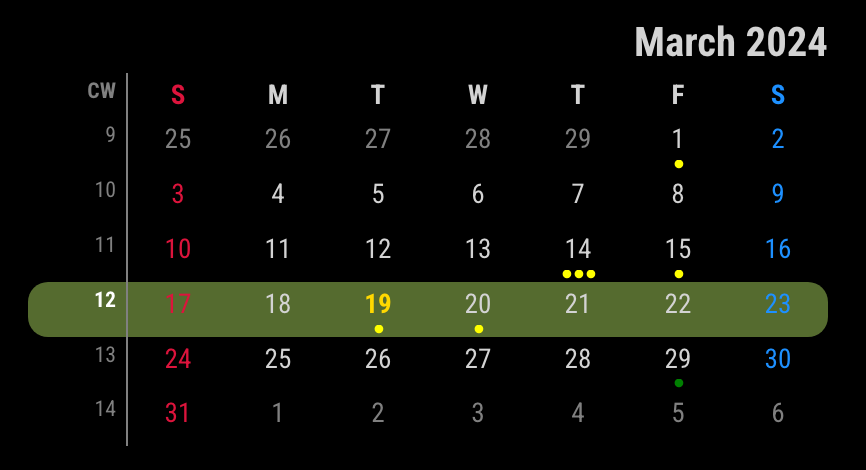
It needs some tricks. ;)
/* css/custom.css */
.CX3A .miniMonth .weeks.thisWeek {
  background-color: darkolivegreen; /* I've put the color to show clearly */
}

.CX3A .miniMonth .weeks.thisWeek td:first-child {
  /* left border round */
  border-radius: 10px 0 0 10px;
}

.CX3A .miniMonth .weeks.thisWeek td:last-child {
  /* right border round */
  border-radius: 0 10px 10px 0;
}
For your blue/red directions. If it is possible or not, this module has not been designed for this. So I can’t help about it.
I recommend hiding empty cells to save some unnecessary (empty) lines./* css/custom.css */ .CX3A .cell[data-events-counts="0"] { display: none; }original
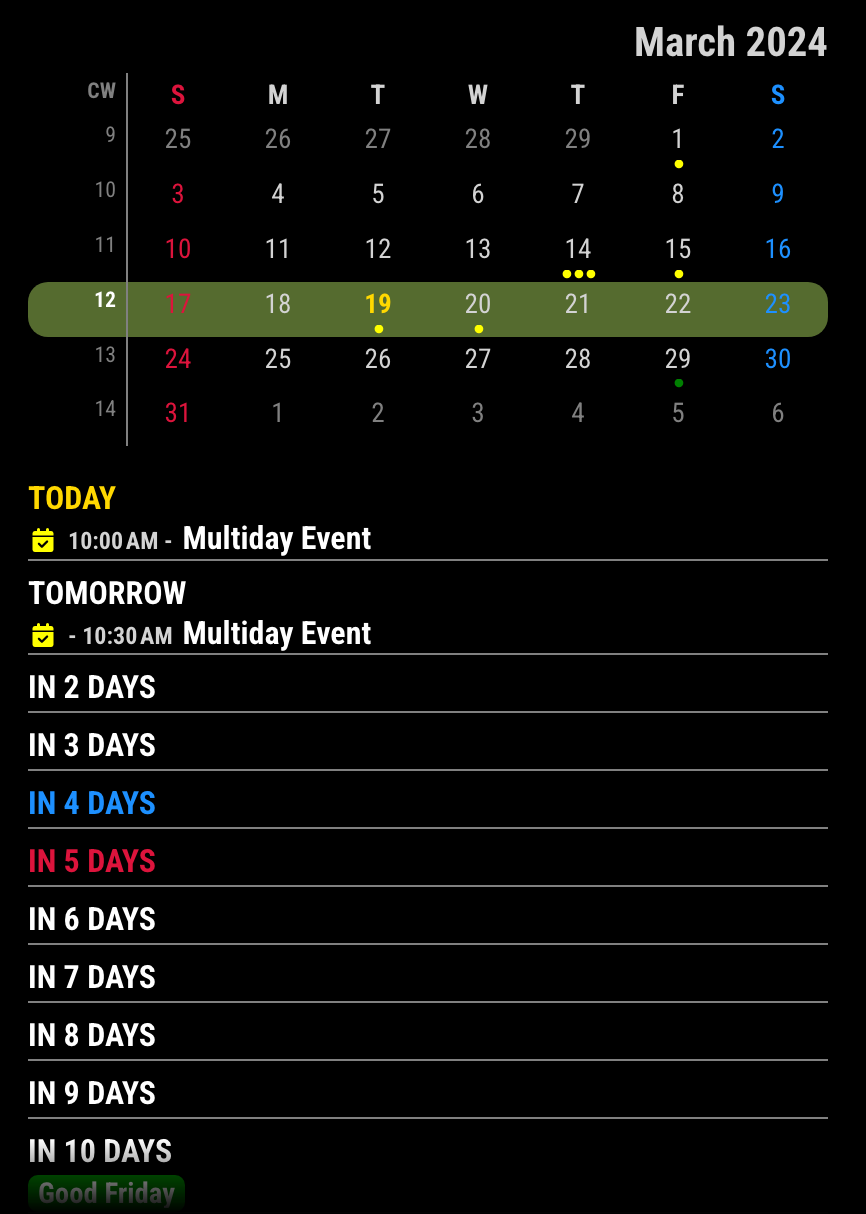
transformed
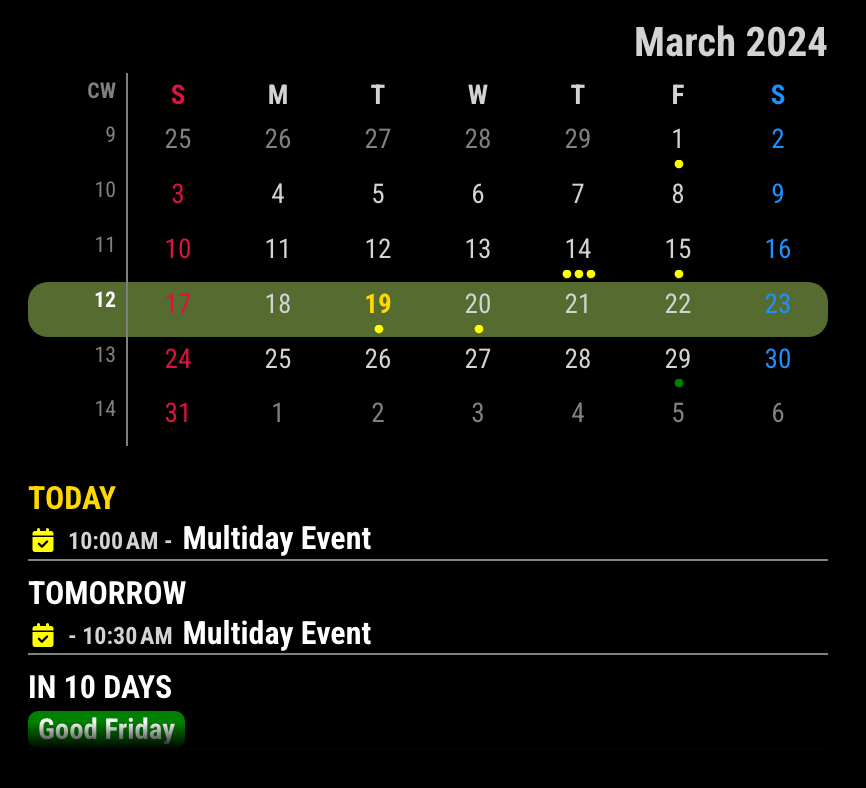
-
@greedyvegan
Anyway I just show whether it is possible. (Yes, everything is possible… even though I hate this kind of looks…)
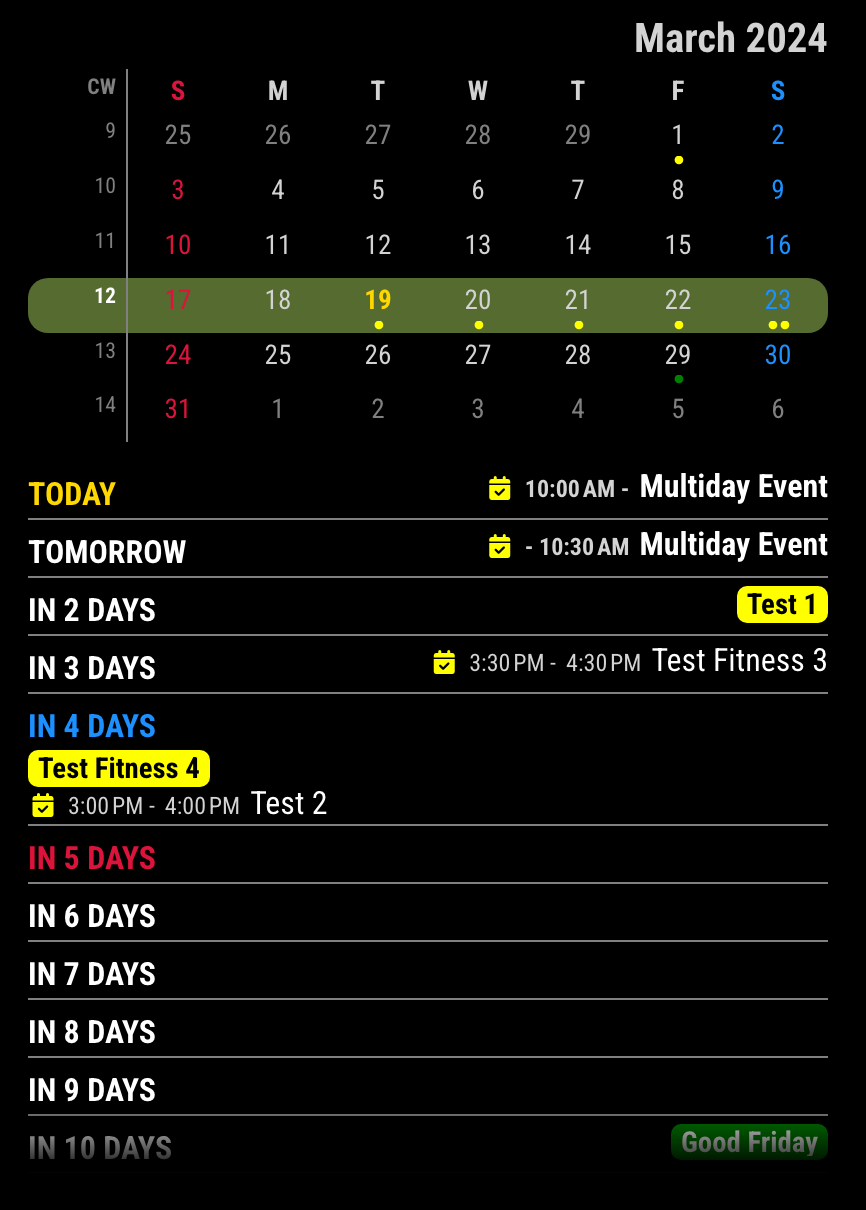
But… Is it really useful or pretty?
/* css/custom.css */ .CX3A .cellHeader { width: fit-content; } .CX3A .cellFooter { display: none; } .CX3A .cell[data-events-counts="1"] { display: flex; justify-content: space-between; } .CX3A .cell[data-events-counts="1"] .cellBody .fullday .event { max-width: 100%; } -
@MMRIZE said
It needs some tricks. ;)
thank you :raising_hands:
this module has not been designed for this. So I can’t help about it.
I recommend hiding empty cells to save some unnecessary (empty) lines.understood
even though I hate this kind of looks…
But… Is it really useful or pretty?boom!
what my wife wants, my wife gets lol
(happy wife = happy lifeAnyway Yes, everything is possible…
I’m satisfied!
I appreciate your assistance… you’ve inspired me to learn more
Hello! It looks like you're interested in this conversation, but you don't have an account yet.
Getting fed up of having to scroll through the same posts each visit? When you register for an account, you'll always come back to exactly where you were before, and choose to be notified of new replies (either via email, or push notification). You'll also be able to save bookmarks and upvote posts to show your appreciation to other community members.
With your input, this post could be even better 💗
Register Login