Read the statement by Michael Teeuw here.
Default Calendar customEvents color
-
Hi all,
I am a complete newbie to MM, Linux and JS, but have really enjoyed and learning creating a family dashboard. I have picked up most things reading up the guides and the forums.I am using the customEvent on the default calendar module to highlight birthdays and bin days. The symbol part works, but the colour does not change.
I am not sure what I am doing wrong so that this is not working? Am I missing something here?
Apologies if this is a really silly question.
{ //CALENDAR module: "calendar", header: "", position: "top_center", config: { maximumEntries: 3, maximumNumberOfDays: 90, limitDays: 0, customEvents: [ {keyword: "birthday", symbol: "cake-candles", color: "gray"}, {keyword: "black bin", symbol: "trash", color: "gold"}], calendars: [ { fetchInterval: 30000, symbol: "none", url: ~"<<ICAL>>" } ] } }, -
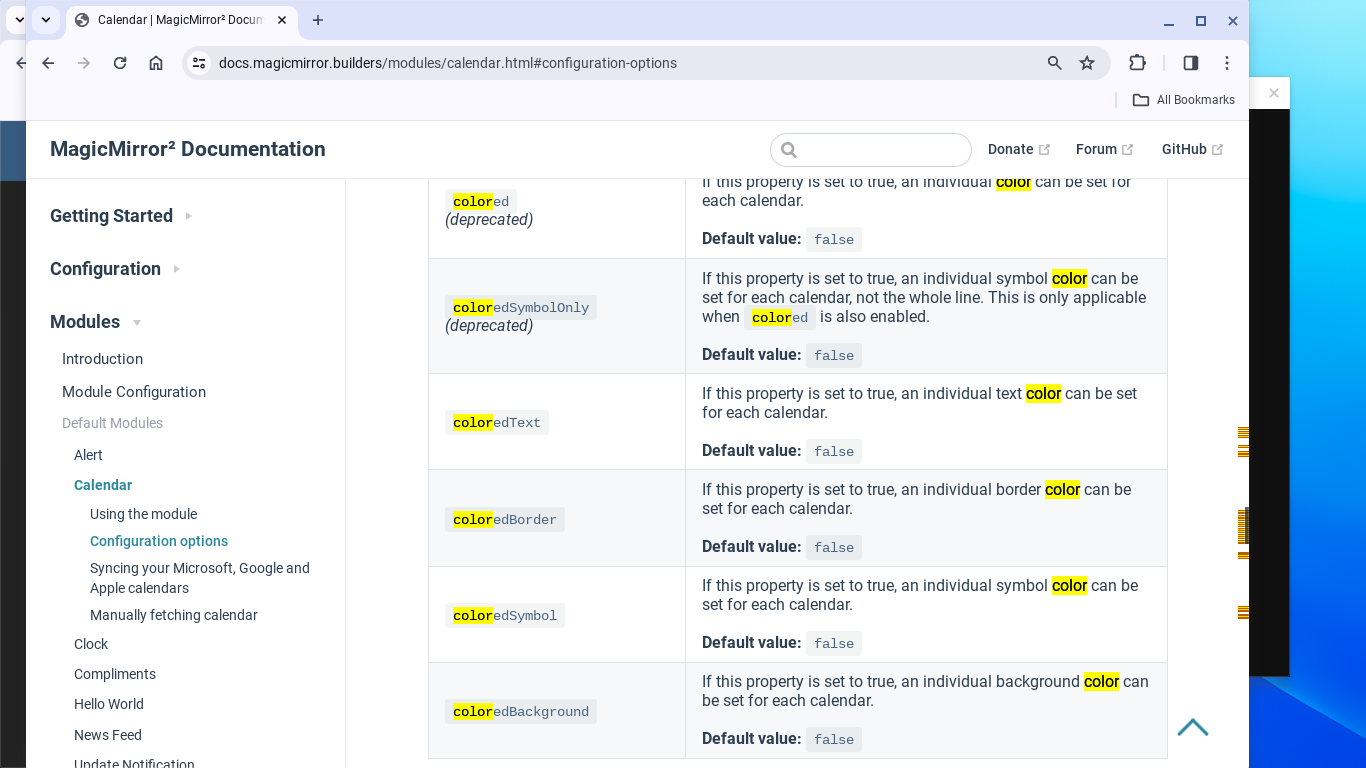
@jonnyollet have to enable colored: true… check the doc.
-
-
Is it possible to give certain entries a different symbol, color?
-
@Sebi76-0 did you enabled colored:true
-
Yes,
``` coloredText: true, colored:true, url: "adresse.....', customEvents: [{keyword: 'GelberSack', symbol: 'recycle', color: 'Yellow'}, {keyword: 'Blaue Tonne', symbol: 'trash', color: 'Blue'}, {keyword: 'Bio Tonne', symbol: 'trash', color: 'Green'}, {keyword: 'Graue Tonne', symbol: 'trash', color: 'Gray'}, {keyword: 'Flur', symbol: 'broom', color: 'Blue'}], }, -
@Sebi76-0 of the properties you showed only url is inside
a calendar object
Hello! It looks like you're interested in this conversation, but you don't have an account yet.
Getting fed up of having to scroll through the same posts each visit? When you register for an account, you'll always come back to exactly where you were before, and choose to be notified of new replies (either via email, or push notification). You'll also be able to save bookmarks and upvote posts to show your appreciation to other community members.
With your input, this post could be even better 💗
Register Login