Read the statement by Michael Teeuw here.
Problem with Alert Module
-
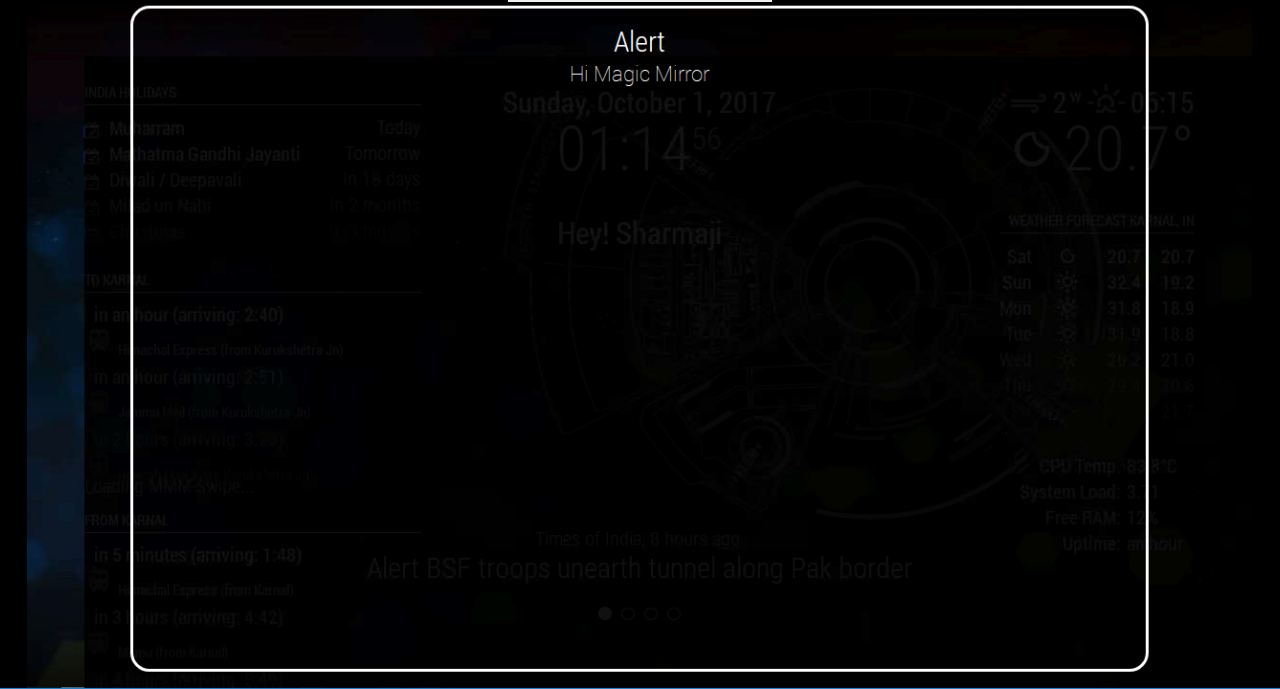
I have a problem with Alert module, I’m using a module for background image. Now whenever I have alert on my magic mirror, I partially covers the screen
How to cop with it??
-
I would add this to your
custom.css-file and play with the width and color settings..alert .ns-box { background: #fff; padding: 17px; line-height: 1.4; margin-bottom: 10px; z-index: 1; color: black; font-size: 70%; position: relative; display: table; word-wrap: break-word; max-width: 100%; border-radius: 5px; } .alert .ns-alert { border-style: solid; border-color: #fff; padding: 17px; line-height: 1.4; margin-bottom: 10px; z-index: 3; color: white; font-size: 70%; position: fixed; text-align: center; right: 0; left: 0; margin-right: auto; margin-left: auto; top: 40%; width: 40%; height: auto; word-wrap: break-word; border-radius: 20px; } .alert .black_overlay { position: fixed; z-index: 2; background-color: rgba(0, 0, 0, 0.93); // the last 0.93 is the transparency of the black background width: 100%; height: 100%; } -
@broberg I added following code to my custom css
body { margin-top: 20px; margin-left: 8px; margin-right: 8px; } -
@yours.mukul okey
when changing the body margins you should also adress the body height and width
body { margin-top: 20px; margin-left: 8px; margin-right: 8px; height: calc(100% - 80px); width: calc(100% - 16px); } -
@broberg Actually the problem is something else. Because when I decrease the light intensity from MMM-Remote Module, the left portion remains untouched
-
The Alert modules black overlay background is set to 93% transparency, the overlay takes it’s dimensions from the body height and width (i.e 100% of the bodys width and height, ) if you don’t change the height and width together with the margin changes you did, the alert module will not fill the entire screen.
-
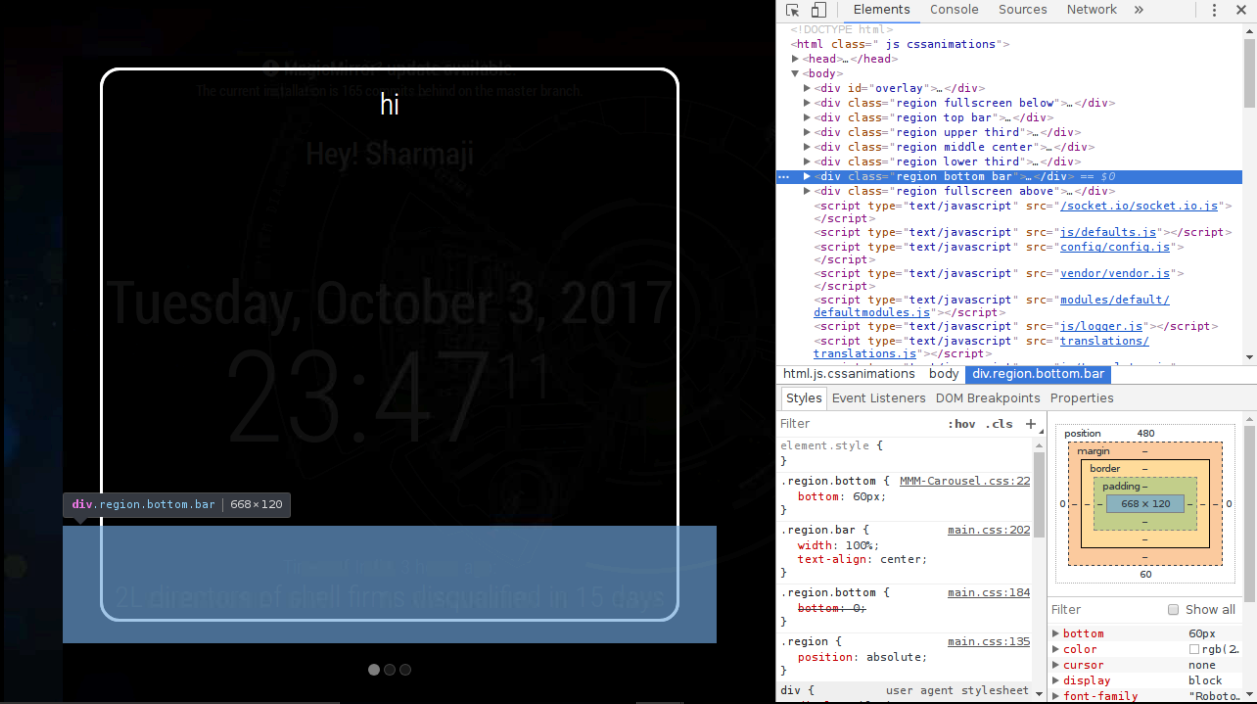
See the inspecting of elements, can anyone help me ??
Hello! It looks like you're interested in this conversation, but you don't have an account yet.
Getting fed up of having to scroll through the same posts each visit? When you register for an account, you'll always come back to exactly where you were before, and choose to be notified of new replies (either via email, or push notification). You'll also be able to save bookmarks and upvote posts to show your appreciation to other community members.
With your input, this post could be even better 💗
Register Login