Read the statement by Michael Teeuw here.
MMM-UkNationalRail - stops updating on mirror
-
@nwootton Mainly going with defaults, but here is what I’m using.
{ module: 'MMM-UKNationalRail', position: 'top_left', config: { stationCode: '[My 3 letter station code]', // CRS code for station app_id: '[My ID]', // TransportAPI App ID app_key: '[My api key]', // TransportAPI App Key maxResults: 4, //Optional - Maximum results to display. showOrigin: false //Optional - Show the origin of the train in the table } }, -
@randomnoise Can you tell me the station code? I can’t try to replicate or even figure out if it’s the provider without it.
-
OK, I’ve had my test environment running for a couple of days running both my station and your config with the provided station ID.
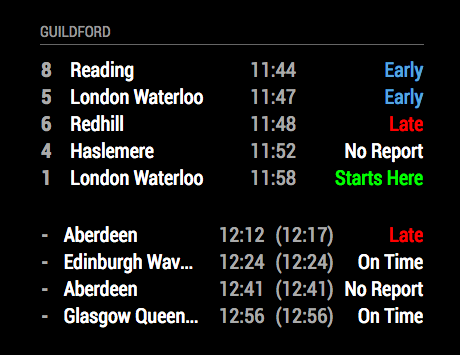
So far I’ve not seen the module fail to update, although the mirror itself has frozen on 1 occasion. I’ll keep trying it, but it’s quite difficult to debug without actually figuring out how to replicate it.
-
@nwootton Hmm, that’s weird. I guess it could be an issue specific to my mirror. What os do you use? Have you also upgraded to 2.1.3 of mm as well?
I might try a rebuild & see if that improves it.
Is there any way to add in debug logging to text file? Perhaps when it updates the data from transport api & refreshes the screen.
What I found strange was that even while it’s stopped updating on my actual mirror, it will work fine in a browser on another machine on my network (does this actually run another version of node helper etc or is the mirror still fetching the data?)
-
I used to run the mirror 2.1.2 on a RPi3, but that PI got repurposed for another project and is unlikely to make it back. For dev work I run it in either server or dev mode on a Mac. I’m running v2.1.3 on Node v8.7.0/npm v5.5.1 on the dev machine.
As it the mirror is a client-server architecture, it makes sense that the server part would be still receiving info from the Transport API. This seems to point to either Electron (UI) or Sockets.io failure rather than data ingest.
What version of Node & npm is running on your mirror? Are you running it as an all-in-one or are you running it in a different way (server only, docker)?
There is a simple “debug” : true setting you can add to the module config, but that mostly just gives the params & url that would be used by the module to contact the TransportAPI. The only other way is to launch the mirror using:
npm start devwhich will start Electron and also display a debug console on the right hand side of the screen.
-
@nwootton not sure what version of node I’m running atm (I’m away for work)… I’ll try the npm start dev when I’m back & see if anything stands out.
I run the mirror standalone so, yes I guess it could be an issue with something in the pi browser, but it is a fairly standard mm build installed following the instructions from mm git page.
I’ll report back once I’ve tried the dev start.
-
BTW does the npm dev start give any detail beyond what is logged to the mm_error_log file seen when running using pm2?
-
So still running without issues.
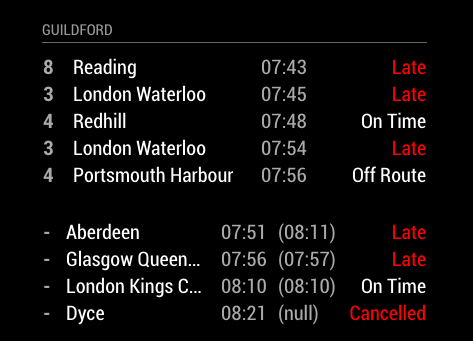
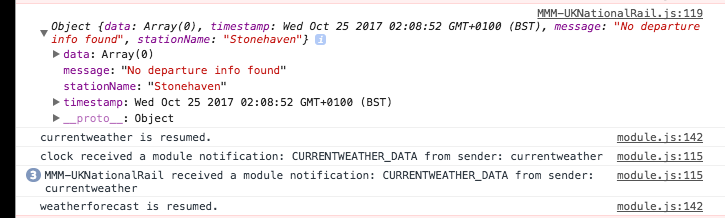
Got all the expected “No departure info” errors in the console for the overnight period where trains don’t actually run.
Have you updated the module itself?
-
@randomnoise The mm_error_log file is not something I’ve come across, I assume it is the failure report generated by PM2 that lists all the times it has had to restart a service.
npm start dev displays the mirror, but also has a full JS console output running down the side of the screen. The “No departure info” message in my previous post is an example of that output.
-
Still running without issue this morning, although I’m now getting emails about hitting my daily API usage allowance from the Transport API.
The only errors I’m getting are ones that the module generates when it doesn’t get the expected train info from Transport API - generally around 02:00 when no passenger trains are actually running.
Sorry to say that without being able to replicate the issue, there is very little more I can do.
-
@nwootton no worries, I’ll be home again on Sun so will try the dev console & see if anything stands out. As you say it may be electron related so I might just do a full pi + mm rebuild / reinstall.
Thanks for having a look in to it.
-
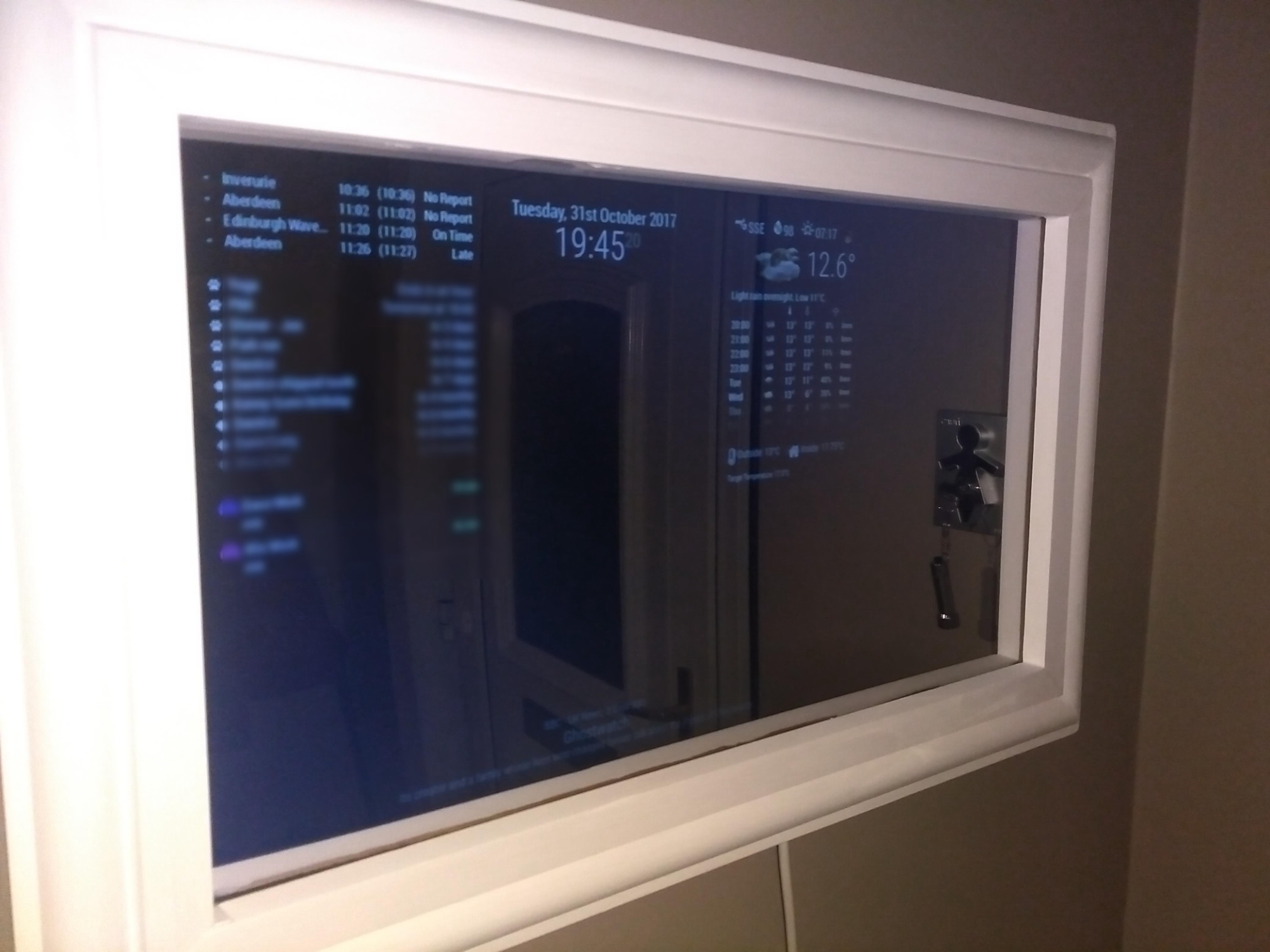
@nwootton after running since Sunday with no errors & console open, today train times finally crashed around 10:30am… then the entire mirror seems to have fallen over tonight just before I came home… the clock had stopped, all modules not updating and even the dev console was gone!
Hard reset of mirror, but of course nothing to see in pm2 logs as I didn’t start it with pm2…
unless the dev console also logs to a file somewhere then this exercise was in vain.
I think I’ll just try a full reinstall at the weekend & see if it behaves itself. I wish I’d taken a note of all the other tweaks I added to get the pi running as I liked.
-
@nwootton, Well after a full rebuild I still have never been able to get to the bottom of why it locks up. Still does it on occasion (Although it seems to be less frequent these days).
I have a new weird bug with the train times for you now though! Recently (may have been since the clocks changed, although I only noticed it the other day as I was checking time on a train I was going to catch) I seem to be showing times an hour behind! It’s bizarre as I don’t think there are any settings anywhere in the mirror for adjusting times other than the PI config settings (mine is showing correct time & UTC if I run a ‘date’ command in putty).
Any thoughts on what this could be?

-
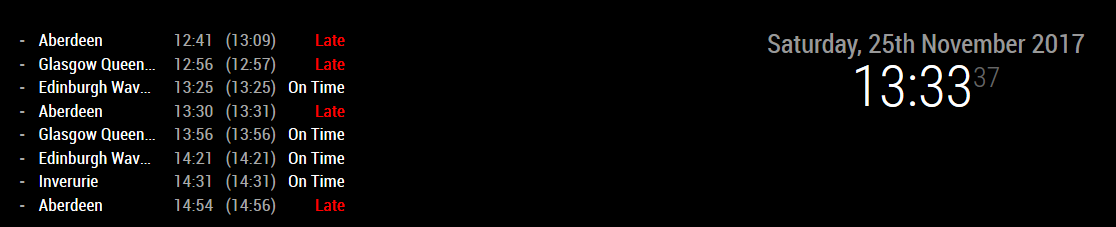
I’ve expanded to show 8 results here as well…
-
Hmm, weirdly York station works ok.
Maybe something is up with the api data for STN.

-
It’s definitely not just that those trains being late in my earlier example either-

-
Ok, think I’ve figured this one out by manually loading the api json in my browser. The earlier train which is late is showing as being over 1 hour late (even though that’s not what it shows on the estimated departure time).
This means that the trains following are still in the list even though they have departed.
Either this has been happening every day atm, or there’s something screwy in the transport api database.
0 mode "train" service "23540003" train_uid "G81206" platform null operator "SR" operator_name "Scotrail" aimed_departure_time "12:56" aimed_arrival_time "12:56" aimed_pass_time null origin_name "Aberdeen" source "Network Rail" destination_name "Glasgow Queen Street" category "XX" service_timetable status "LATE" expected_arrival_time "12:58" expected_departure_time "12:58" best_arrival_estimate_mins -54 best_departure_estimate_mins -54 1 mode "train" service "23541003" train_uid "G80279" platform null operator "SR" operator_name "Scotrail" aimed_departure_time "13:25" aimed_arrival_time "13:24" aimed_pass_time null origin_name "Aberdeen" source "Network Rail" destination_name "Edinburgh Waverley" category "XX" -
I suggest your best bet is to log an issue with TransportAPI as they might be able to identify if the issue lies with them or with the info coming through from the train operator.
-
@nwootton - Haven’t heard back from the dev support… I suspect I’m not a big enough user of the service. It’s very strange it only seems to happen for my station though (I’ve only tried a few other stations from the list admittedly).
I have been able to kind of sort it by hacking your .js though. Apologies for crudeness of code…
//With data returned
        if (this.trains.data.length > 0) {
            for (var t in this.trains.data) {
                var myTrain = this.trains.data[t];
				//Check current time vs. departure & don't show it if it's past departure
				var nowtime = new Date();
				nowtime = ("0" + nowtime.getHours()).slice(-2) + ":" +
				("0" + nowtime.getMinutes()).slice(-2) + ":" +
				("0" + nowtime.getSeconds()).slice(-2);
				if (myTrain.actualDeparture < nowtime)
				{
					//Do nothing
				}
				else{
                //Create row for data item
Its a purely string based comparison so works while time is in 24 hour format (and will bork around midnight, but I don’t get any trains later than that…) Also as its just not displaying the earlier ones I’d need to take that in to account in the loop counter (otherwise max results is also off)… Kind of at least proves it works.
I’ll need to figure out a bit more about js programming to maybe make this work better. If I can do that & figure out how to use git more than just to clone would you be willing to have a config option for something like ‘trim departed trains from results’?
-
I got a reply from transport api- seems this issue is not just limited to my station:
"
Since last week we have been investigating an issue with live data for many Scottish trains stations being off by one hour. This is not effecting all stations in Scotland. In fact we had thought the issue was concentrated around Glasgow, so it’s useful to have this report of this example.In any case it seems likely to be an issue with the underlying data feed in these areas. We are working to pin down exactly what is going wrong, so that we can report it to the data suppliers. We shall let you know what we find."
So in that event I’ve pressed on with modifying the module to avoid this data.
I’ve moved my time check code to the processtrains function… It mostly works, except whenever I try to increment the counter once Ive skipped a row (so that the total values displayed should match the ‘max results’ parameter it stops working. Any ideas where I could be going wrong?
for (var i = 0; i < counter; i++) {

                            var thisTrain = data.departures.all[i];

							//Check current time vs. departure & don't show it if it's past departure
							var nowtime = new Date();
							nowtime = ("0" + nowtime.getHours()).slice(-2) + ":" +
							("0" + nowtime.getMinutes()).slice(-2) + ":" +
							("0" + nowtime.getSeconds()).slice(-2);
							if (thisTrain.expected_departure_time < nowtime)
							{
							//Train already departed so we need to increment counter
							counter++;

							} else {
							//additional check to see if counter now exceeds length of data
							if (counter > data.departures.all.length){
								window.alert("counter exceeds data length");
							}
							else{
								//push data
                            this.trains.data.push({
                                plannedDeparture: thisTrain.aimed_departure_time,
                                actualDeparture: thisTrain.expected_departure_time,
                                status: thisTrain.status,
                                origin: thisTrain.origin_name,
                                destination: thisTrain.destination_name,
                                leavesIn: thisTrain.best_arrival_estimate_mins,
                                platform: thisTrain.platform
                            });
							}

							}
                        }
I threw in the alert to see when the if was proving as true, but if my counter value is over the limit it just throws the pop up straight away rather than sending through the data. Am I wrong in thinking it should at least be pushing the lines through up until the condition is met?


Hello! It looks like you're interested in this conversation, but you don't have an account yet.
Getting fed up of having to scroll through the same posts each visit? When you register for an account, you'll always come back to exactly where you were before, and choose to be notified of new replies (either via email, or push notification). You'll also be able to save bookmarks and upvote posts to show your appreciation to other community members.
With your input, this post could be even better 💗
Register Login