Read the statement by Michael Teeuw here.
New to building modules. plz help
-
I am trying to build a module that displays information about a specific folding@home client. The information is being pulled from https://stats.foldingathome.org/api. I just don’t know what I have to do to integrate the URL API. This is the sample code that I got from https://github.com/roramirez/MagicMirror-Module-Template. please help.
:grinning_face_with_smiling_eyes:/* global Module */ /* Magic Mirror * Module: MMM-Folding@home * * By * MIT Licensed. */ Module.register("MMM-Folding@home", { defaults: { updateInterval: 60000, retryDelay: 5000, }, requiresVersion: "2.1.0", // Required version of MagicMirror start: function() { var self = this; var dataRequest = null; var dataNotification = null; //Flag for check if module is loaded this.loaded = false; // Schedule update timer. this.getData(); setInterval(function() { self.updateDom(); }, this.config.updateInterval); }, /* * getData * function example return data and show it in the module wrapper * get a URL request * */ getData: function() { var self = this; var urlApi = "https://jsonplaceholder.typicode.com/posts/1"; var retry = true; var dataRequest = new XMLHttpRequest(); dataRequest.open("GET", urlApi, true); dataRequest.onreadystatechange = function() { console.log(this.readyState); if (this.readyState === 4) { console.log(this.status); if (this.status === 200) { self.processData(JSON.parse(this.response)); } else if (this.status === 401) { self.updateDom(self.config.animationSpeed); Log.error(self.name, this.status); retry = false; } else { Log.error(self.name, "Could not load data."); } if (retry) { self.scheduleUpdate((self.loaded) ? -1 : self.config.retryDelay); } } }; dataRequest.send(); }, /* scheduleUpdate() * Schedule next update. * * argument delay number - Milliseconds before next update. * If empty, this.config.updateInterval is used. */ scheduleUpdate: function(delay) { var nextLoad = this.config.updateInterval; if (typeof delay !== "undefined" && delay >= 0) { nextLoad = delay; } nextLoad = nextLoad ; var self = this; setTimeout(function() { self.getData(); }, nextLoad); }, getDom: function() { var self = this; // create element wrapper for show into the module var wrapper = document.createElement("div"); // If this.dataRequest is not empty if (this.dataRequest) { var wrapperDataRequest = document.createElement("div"); // check format https://jsonplaceholder.typicode.com/posts/1 wrapperDataRequest.innerHTML = this.dataRequest.title; var labelDataRequest = document.createElement("label"); // Use translate function // this id defined in translations files labelDataRequest.innerHTML = this.translate("TITLE"); wrapper.appendChild(labelDataRequest); wrapper.appendChild(wrapperDataRequest); } // Data from helper if (this.dataNotification) { var wrapperDataNotification = document.createElement("div"); // translations + datanotification wrapperDataNotification.innerHTML = this.translate("UPDATE") + ": " + this.dataNotification.date; wrapper.appendChild(wrapperDataNotification); } return wrapper; }, getScripts: function() { return []; }, getStyles: function () { return [ "MMM-Folding@home.css", ]; }, // Load translations files getTranslations: function() { //FIXME: This can be load a one file javascript definition return { en: "translations/en.json", es: "translations/es.json" }; }, processData: function(data) { var self = this; this.dataRequest = data; if (this.loaded === false) { self.updateDom(self.config.animationSpeed) ; } this.loaded = true; // the data if load // send notification to helper this.sendSocketNotification("MMM-Folding@home-NOTIFICATION_TEST", data); }, // socketNotificationReceived from helper socketNotificationReceived: function (notification, payload) { if(notification === "MMM-Folding@home-NOTIFICATION_TEST") { // set dataNotification this.dataNotification = payload; this.updateDom(); } }, }); -
@Djninja926 said in New to building modules. plz help:
var urlApi = "https://jsonplaceholder.typicode.com/posts/1";replace that line with your url.
-
This post is deleted! -
well, that link works, so the data comes back, THEN you have to DO something with it
because this is in the module, you will have to use the developers window
npm start dev
or
npm start
ctrl-shift-i on the keyboardthen
there are two tabs on the dev window
console where messages are displayed (like console.log and Log.log from the code in the original post)
and the sources tab, where you can step thru the code, line by line as it executes
once on the sources tab, you have to find you code in the left nav tree, expand modules, …etc…to put a stop in the code, on the line
var urlApi =click the number in the left side of the dev display, it will turn blue, meaning active stop.
hit f5, refresh, and the page will reload and it will stop there, and u can examine the code and data
and step ( the top half of an o shape), or right arrow, continue til next stop, if any -
@sdetweil I used this link https://stats.foldingathome.org/api/donor/Apia_Okorafor but after I replaced that link it doesn’t work.
-
yeh, there is some difficult cors (cross site scripting security) problem
-
@Djninja926 to get the api request to work, I had to add a proxy handler
var urlApi = "https://stats.foldingathome.org/api/donor/Apia_Okorafor"; var proxyUrl = 'https://cors-anywhere.herokuapp.com/' fetch(proxyUrl+urlApi, -
@sdetweil where do I add the code
var urlApi = "https://stats.foldingathome.org/api/donor/Apia_Okorafor"; var proxyUrl = 'https://cors-anywhere.herokuapp.com/' fetch(proxyUrl+urlApi, -
@Djninja926 sorry, I was trying different things, forgot that I changed the request function,
back to the original sourcevar urlApi = "https://stats.foldingathome.org/api/donor/Apia_Okorafor" var proxyUrl = 'https://cors-anywhere.herokuapp.com/' // added var retry = true; var dataRequest = new XMLHttpRequest(); dataRequest.open("GET", proxyUrl+urlApi, true); // changed -
@sdetweil I did all that and this was the output
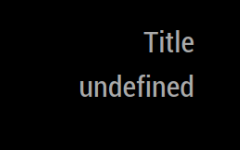
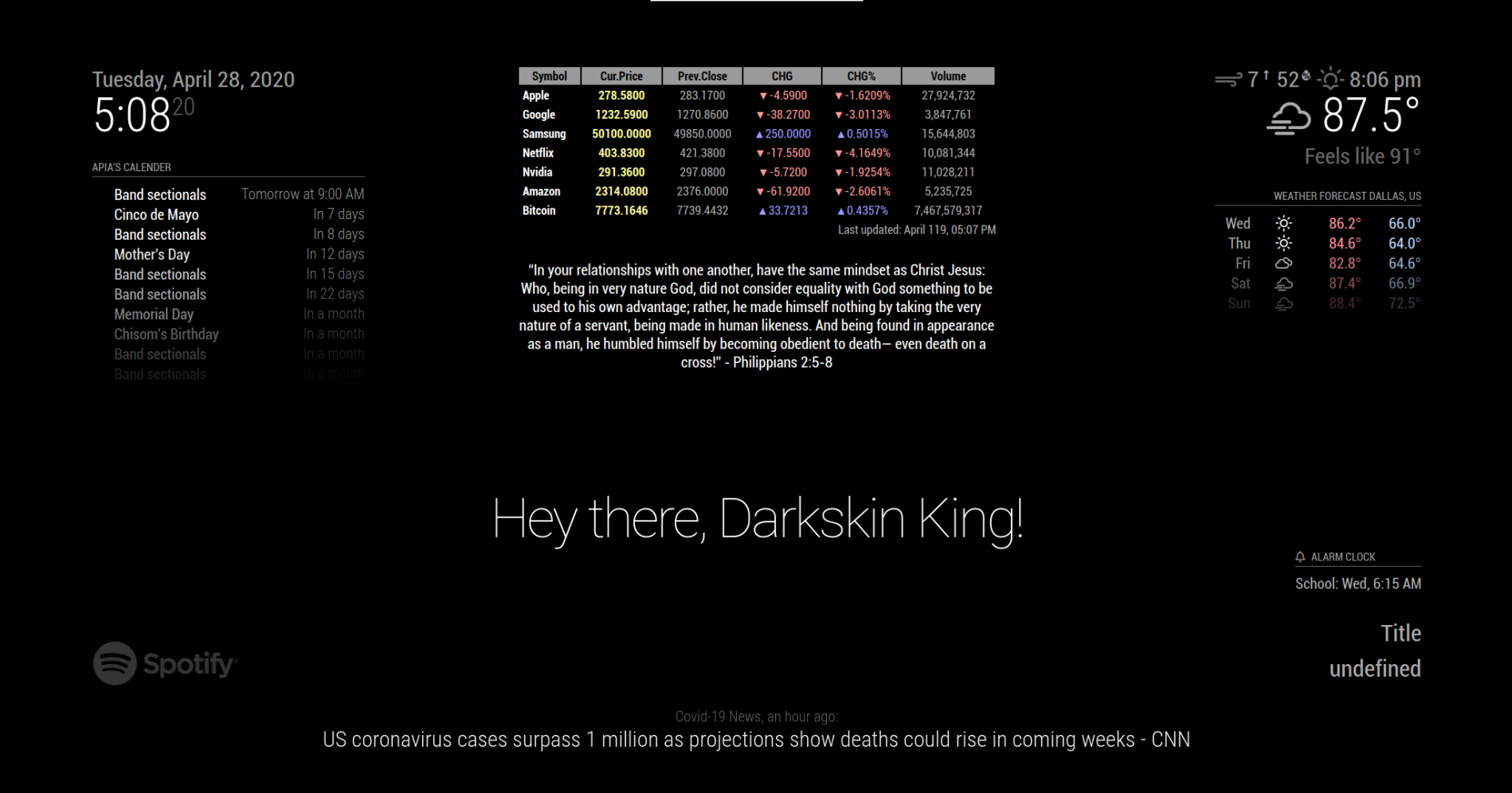
I think It is working so what do i do know. -
@Djninja926 figure out the data differences from the 1st api used to the new one, and how you have to fix the output format
-
@sdetweil I dont get what you mean
-
@Djninja926 the code u changed had some expected data format back from the service it called.
it used that data format in the code to make the visual part of the outputthe new api (that url ) provides data in a different format.
as an example of the type of thing I am talking about,
1 has a spreadsheet with 4 columns, and 1 has a spreadsheet with 8 columns and none of the column names are the same.
the code expected to find 4 columns with specific names. they aren’t therehow do you reconcile that?
=====> but these apis return json data not excel spreadsheets, it is just an example of the work you need to do
-
@sdetweil how do I make it JSON format
-
@sdetweil or how do I make the module take whatever format the urlApi is
-
@Djninja926 >how do I make it JSON format
the data is already in json format (old and new) JSON is just a structure, like a spreadsheet, it doesn’t control the actual content
how do I make the module take whatever format the urlApi is
good luck with that… i don’t know of any software learning that would be capable of that
old data{ "userId": 1, "id": 1, "title": "sunt aut facere repellat provident occaecati excepturi optio reprehenderit", "body": "quia et suscipit\nsuscipit recusandae consequuntur expedita et cum\nreprehenderit molestiae ut ut quas totam\nnostrum rerum est autem sunt rem eveniet architecto" }new data
{"wus": 18, "rank": 0, "total_users": 2656615, "active_50": 1, "path": "donor/Apia_Okorafor", "wus_cert": "https://apps.foldingathome.org/awards?user=72700656&type=wus", "id": 72700656, "credit_cert": "https://apps.foldingathome.org/awards?user=72700656&type=score", "last": "2020-04-28 02:35:06", "name": "Apia_Okorafor", "teams": [{"wus": 18, "last": "2020-04-28 02:35:06", "uid": 72700656, "active_50": 1, "active_7": 1, "credit": 31157, "team": 223518, "name": "LinusTechTips_Team"}], "active_7": 1, "credit": 31157}the code only used the title field from the data, but there is no title field at all in the new data
if (this.dataRequest) { var wrapperDataRequest = document.createElement("div"); // check format https://jsonplaceholder.typicode.com/posts/1 wrapperDataRequest.innerHTML = this.dataRequest.title; var labelDataRequest = document.createElement("label"); // Use translate function // this id defined in translations files labelDataRequest.innerHTML = this.translate("TITLE"); wrapper.appendChild(labelDataRequest); wrapper.appendChild(wrapperDataRequest); } -
@sdetweil I got it working. thank you for your help
-
@Djninja926 cool…
Hello! It looks like you're interested in this conversation, but you don't have an account yet.
Getting fed up of having to scroll through the same posts each visit? When you register for an account, you'll always come back to exactly where you were before, and choose to be notified of new replies (either via email, or push notification). You'll also be able to save bookmarks and upvote posts to show your appreciation to other community members.
With your input, this post could be even better 💗
Register Login