MagicMirror Forum
    • Recent
    • Tags
    • Unsolved
    • Solved
    • MagicMirror² Repository
    • Documentation
    • 3rd-Party-Modules
    • Donate
    • Discord
    • Register
    • Login
    A New Chapter for MagicMirror: The Community Takes the Lead
    Read the statement by Michael Teeuw here.

    Modulo MM-QRCode.

    Scheduled Pinned Locked Moved Troubleshooting
    10 Posts 2 Posters 1.4k Views 2 Watching
    Loading More Posts
    • Oldest to Newest
    • Newest to Oldest
    • Most Votes
    Reply
    • Reply as topic
    Log in to reply
    This topic has been deleted. Only users with topic management privileges can see it.
    • J Offline
      Jeffervc
      last edited by

      Boa Tarde.

      Sou novo aqui no forum.

      Eu já realizei a instalação do Modulo, correu tudo bem.

      Ele aparece a imagem na tela mais quando vou scanear o QR, não escanei.

      Gostaria de saber como faço para gerar um QRCode a partir de uma imagem ou atraves de um link.

      Gostaria de saber como o modulo gerar o QRCode?

      Muito Obrigado e aguardo uma ajuda.

      S 1 Reply Last reply Reply Quote 0
      • S Do not disturb
        sdetweil @Jeffervc
        last edited by

        @Jeffervc oi … feliz que você se juntou. parece que o autor usa a biblioteca javascript daqui
        https://github.com/davidshimjs/qrcodejs
        para gerar a imagem do código qr.

        talvez esse texto possa ser um URL.

        Sam

        How to add modules

        learning how to use browser developers window for css changes

        1 Reply Last reply Reply Quote 0
        • J Offline
          Jeffervc
          last edited by Jeffervc

          Vou explicar melhor.

          Eu instalei o repositório MMM-QRCode.

          A imagem QRCode já esta aparecendo na tela.

          Mas eu queria colocar uma URL dentro do programa para que gerasse a imagem

          Mas onde eu coloca as linhas de programação?

          Eu não sei ajustar esta configuração.

          Eu somente que colocar uma URL, para que gere o QRCode na tela e a pessoa consiga ler e ser direcionado para um site.

          Obrigado e no aguardo.

          S 1 Reply Last reply Reply Quote 0
          • S Do not disturb
            sdetweil @Jeffervc
            last edited by

            @Jeffervc Ok, eu entendo. olhando o código, o autor não documentou mais um parâmetro de configuração, o texto a codificar.
            tão

            {
                module: 'MMM-QRCode',
                config: {
                      text:'http://someurl'
                }
            }
            

            onde o que você deseja codificar, texto, URL, ambos estão no parâmetro ‘text’

            Sam

            How to add modules

            learning how to use browser developers window for css changes

            1 Reply Last reply Reply Quote 0
            • J Offline
              Jeffervc
              last edited by

              Quero uma URL, mas quando vou scannear com smarphone na Tela não faz a leitura da Imagem, ele não funciona.

              Estranho

              S 1 Reply Last reply Reply Quote 0
              • S Do not disturb
                sdetweil @Jeffervc
                last edited by sdetweil

                @Jeffervc hm… when I added
                text:‘http://cnn.com’ and scanned with my phone, i got this
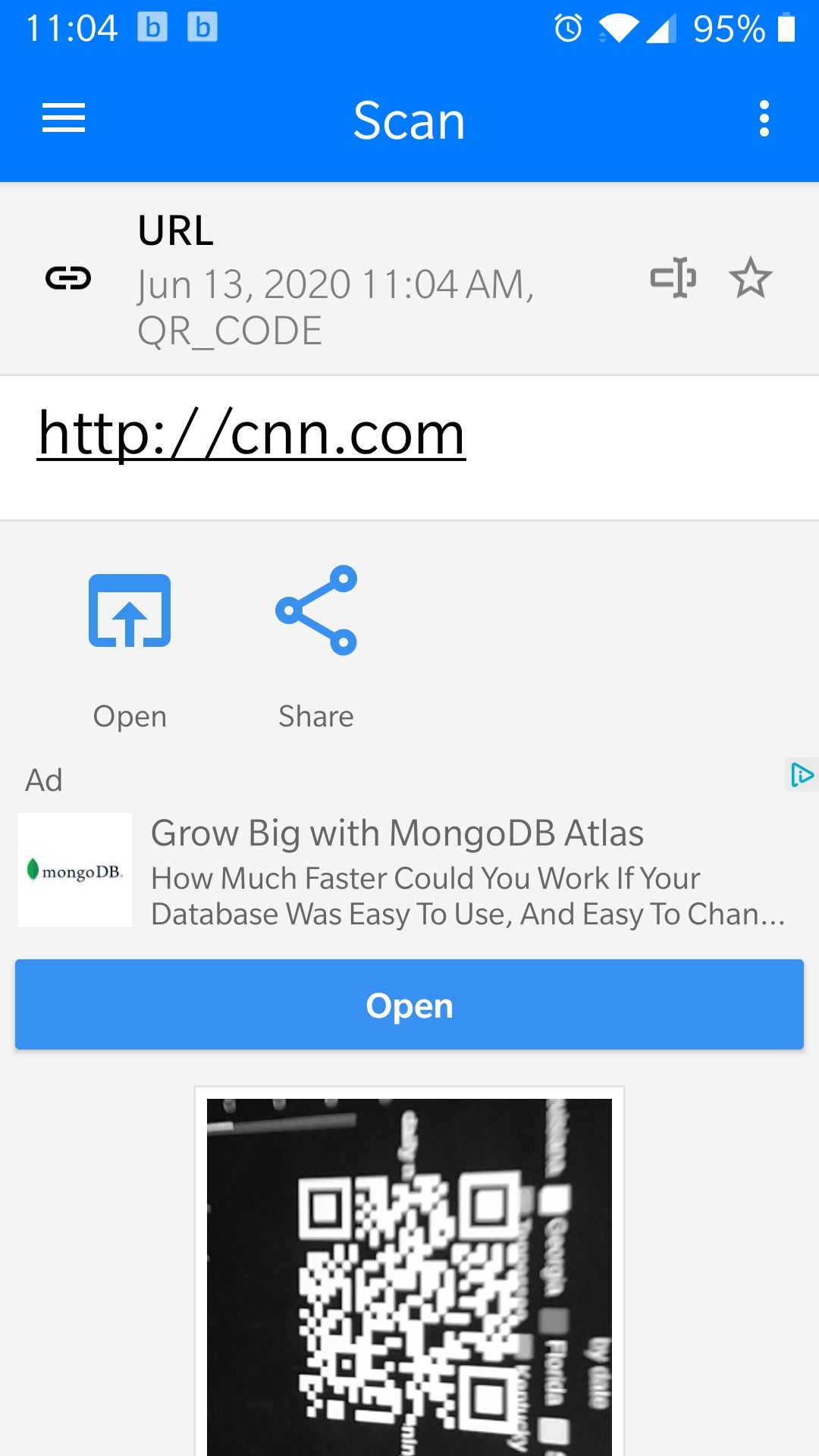
                Screenshot_20200613-110438.jpg

                e quando habilitei os links da web abertos automaticamente no scanner qrcode, ele abriu o URL sem problemas

                Sam

                How to add modules

                learning how to use browser developers window for css changes

                1 Reply Last reply Reply Quote 0
                • J Offline
                  Jeffervc
                  last edited by

                  Poderia, por favor, enviar suas configuração por aqui?

                  Pode ser que eu esteja fazendo algo de errado, porque não esta lendo de jeito nehum.

                  Obrigado.

                  S 1 Reply Last reply Reply Quote 0
                  • S Do not disturb
                    sdetweil @Jeffervc
                    last edited by

                    @Jeffervc quais configurações?
                    no Magic Mirror, fica assim

                    {
                          module: "MMM-QRCode",
                          position: "middle",
                          config: {
                               text: "http://cnn.com"
                          }
                    }
                    

                    Estou usando um telefone Android com o aplicativo de scanner de QR e código de barras

                    Sam

                    How to add modules

                    learning how to use browser developers window for css changes

                    1 Reply Last reply Reply Quote 0
                    • J Offline
                      Jeffervc
                      last edited by

                      Muito obrigado @sdetweil deu certo.

                      Abraço.

                      S 1 Reply Last reply Reply Quote 0
                      • S Do not disturb
                        sdetweil @Jeffervc
                        last edited by

                        @Jeffervc impressionante! Obrigado pelo feedback

                        Sam

                        How to add modules

                        learning how to use browser developers window for css changes

                        1 Reply Last reply Reply Quote 0

                        Hello! It looks like you're interested in this conversation, but you don't have an account yet.

                        Getting fed up of having to scroll through the same posts each visit? When you register for an account, you'll always come back to exactly where you were before, and choose to be notified of new replies (either via email, or push notification). You'll also be able to save bookmarks and upvote posts to show your appreciation to other community members.

                        With your input, this post could be even better 💗

                        Register Login

                        • 1 / 1
                        • First post
                          Last post
                        Enjoying MagicMirror? Please consider a donation!
                        MagicMirror created by Michael Teeuw.
                        Forum managed by Sam, technical setup by Karsten.
                        This forum is using NodeBB as its core | Contributors
                        Contact | Privacy Policy