Read the statement by Michael Teeuw here.
I need your help
-
I want to add a small picture - 11 by 5cm onto my display. I want it to be at the bottom left of the display. I have configured the MMM-GooglePhotos module. However the image isn’t showing up - instead there is a “Loading…” button. I waited for an entire day to see if it loads but it did not. Here is my config.js code. Please help me resolve this:
{ module: "MMM-GooglePhotos", position: "bottom_right", config: { albums: ["SmartMirror"], // Set your album name. like ["My wedding", "family share", "Travle to Paris"] updateInterval: 1000 * 60, // minimum 10 seconds. sort: "random", // "old", "random" uploadAlbum: null, // Only album created by `create_uploadable_album.js`. condition: { fromDate: null, // Or "2018-03", RFC ... format available toDate: null, // Or "2019-12-25", minWidth: 400, // Or 400 maxWidth: 80000, // Or 8000 minHeight: 400, // Or 400 maxHeight: 8000, // Or 8000 minWHRatio: "> 1", maxWHRatio: "> 1", // WHRatio = Width/Height ratio ( ==1 : Squared Photo, < 1 : Portraited Photo, > 1 : Landscaped Photo) }, showWidth: 640, // These values will be used for quality of downloaded photos to show. real size to show in your MagicMirror region is recommended. showHeight: 380, timeFormat: "YYYY/MM/DD HH:mm", // Or `relative` can be used. } -
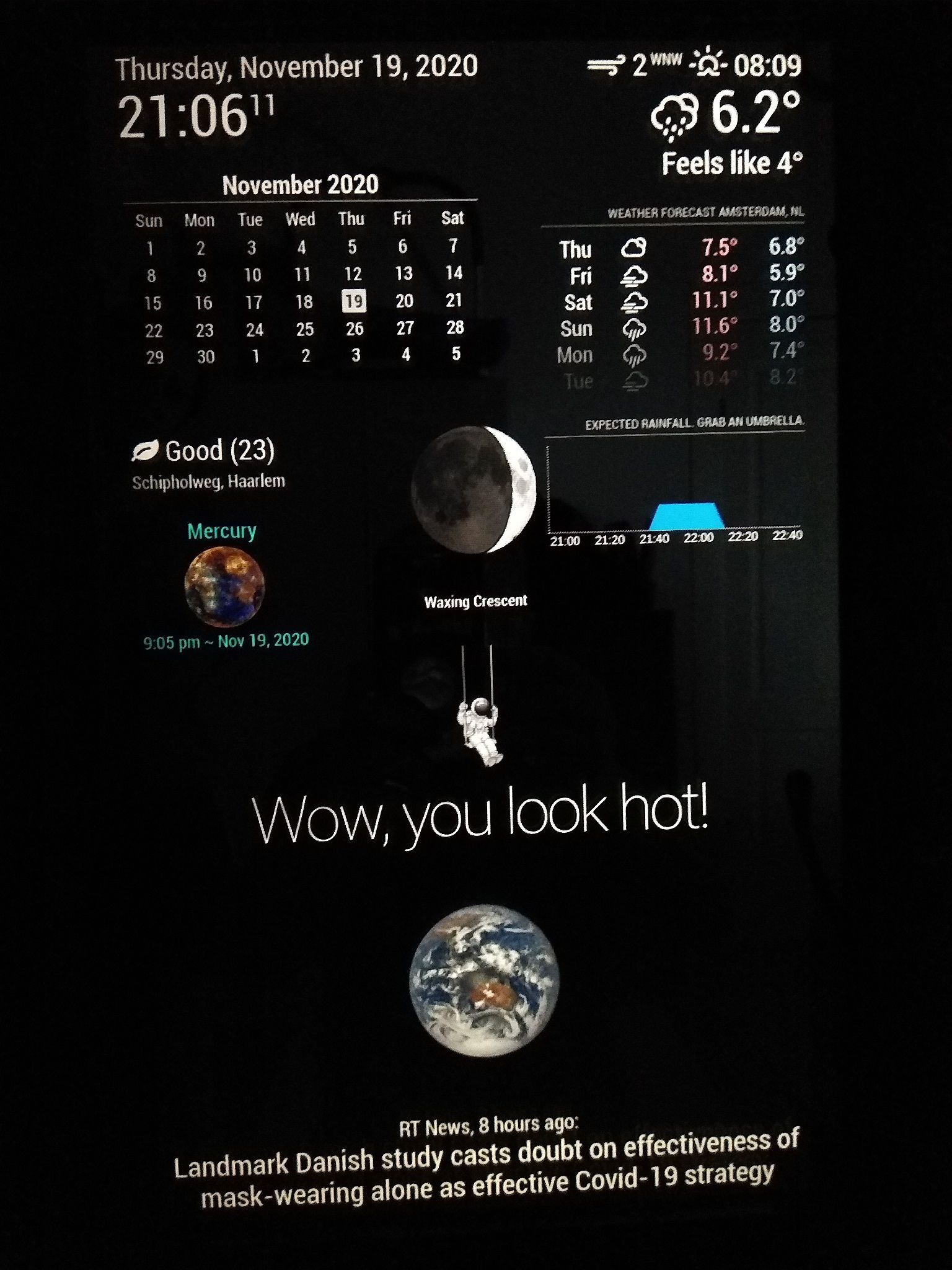
I added the image of the cosmonaut hanging from the Moon using “MMM-ImagesPhotos”. I uploaded the photo in the “uploads” folder that you will find in the module. -
@George yes it works! Thank you so much!
-
@innovation, 36 / 5000
I’m glad I was able to help you!
Hello! It looks like you're interested in this conversation, but you don't have an account yet.
Getting fed up of having to scroll through the same posts each visit? When you register for an account, you'll always come back to exactly where you were before, and choose to be notified of new replies (either via email, or push notification). You'll also be able to save bookmarks and upvote posts to show your appreciation to other community members.
With your input, this post could be even better 💗
Register Login