MagicMirror Forum
    • Recent
    • Tags
    • Unsolved
    • Solved
    • MagicMirror² Repository
    • Documentation
    • 3rd-Party-Modules
    • Donate
    • Discord
    • Register
    • Login
    A New Chapter for MagicMirror: The Community Takes the Lead
    Read the statement by Michael Teeuw here.

    MM only server version working due to issues with config file

    Scheduled Pinned Locked Moved Troubleshooting
    33 Posts 3 Posters 11.4k Views 3 Watching
    Loading More Posts
    • Oldest to Newest
    • Newest to Oldest
    • Most Votes
    Reply
    • Reply as topic
    Log in to reply
    This topic has been deleted. Only users with topic management privileges can see it.
    • S Offline
      sdetweil @legan
      last edited by

      @legan eh? take a pic?

      Sam

      How to add modules

      learning how to use browser developers window for css changes

      L 2 Replies Last reply Reply Quote 0
      • L Offline
        legan @sdetweil
        last edited by

        This post is deleted!
        1 Reply Last reply Reply Quote 0
        • L Offline
          legan @sdetweil
          last edited by

          This post is deleted!
          S 1 Reply Last reply Reply Quote 0
          • S Offline
            sdetweil @legan
            last edited by

            @legan pic the icon with the sun over the mountain, folded upper right corner

            Sam

            How to add modules

            learning how to use browser developers window for css changes

            L 1 Reply Last reply Reply Quote 0
            • L Offline
              legan @sdetweil
              last edited by

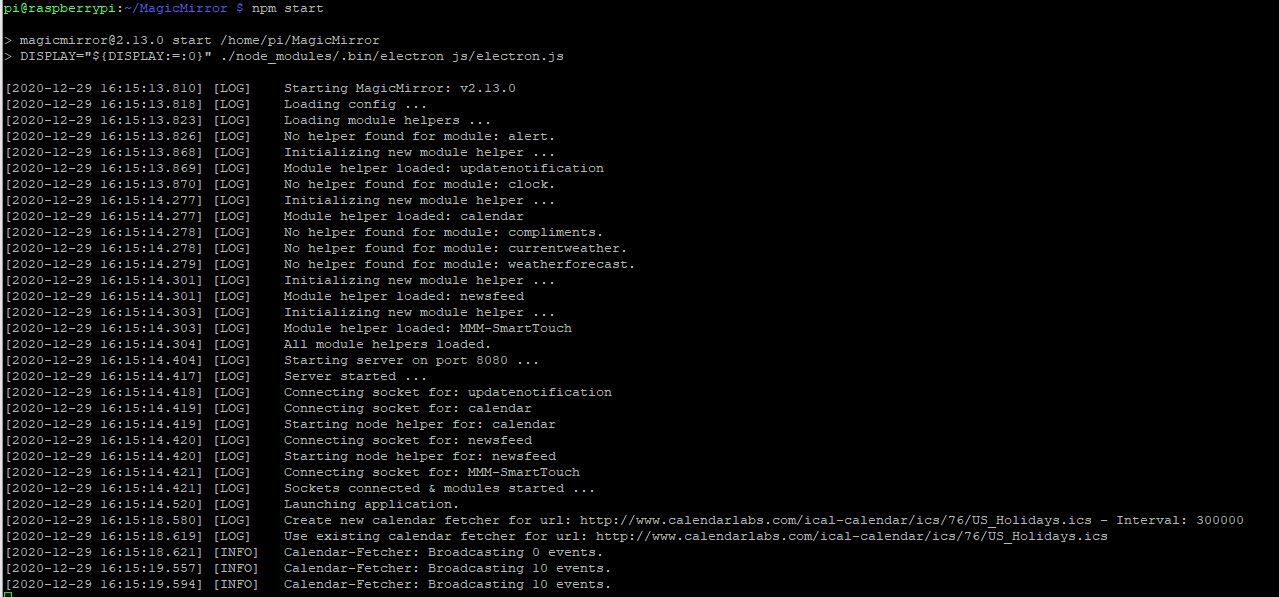
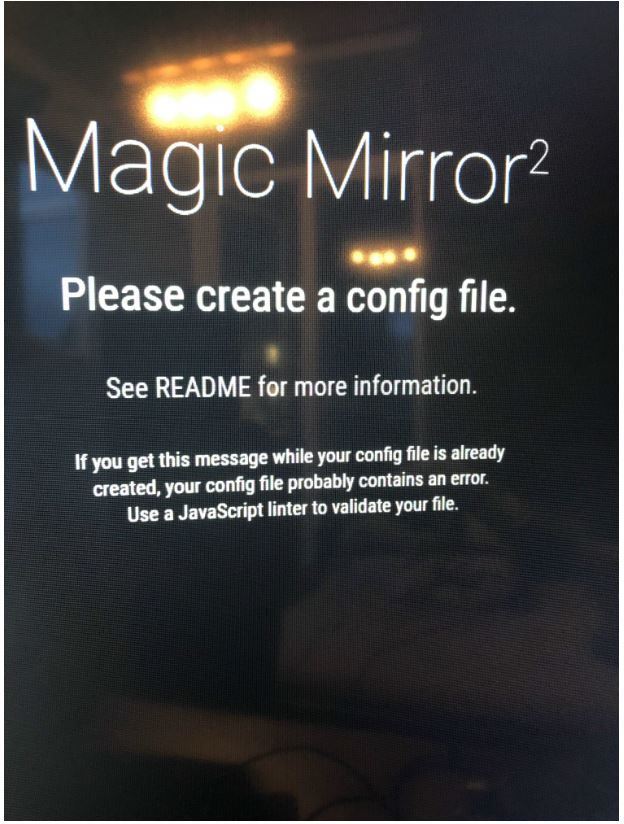
              @sdetweil Config Error Screenshot.JPG

              S 1 Reply Last reply Reply Quote 0
              • S Offline
                sdetweil @legan
                last edited by

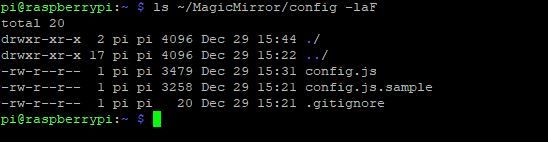
                @legan weird, can u show results of

                ls ~/MagicMirror/config -laF

                Sam

                How to add modules

                learning how to use browser developers window for css changes

                L 1 Reply Last reply Reply Quote 0
                • L Offline
                  legan @sdetweil
                  last edited by

                  @sdetweil 1.JPG

                  Of course, here you are :)

                  S 1 Reply Last reply Reply Quote 0
                  • S Offline
                    sdetweil @legan
                    last edited by sdetweil

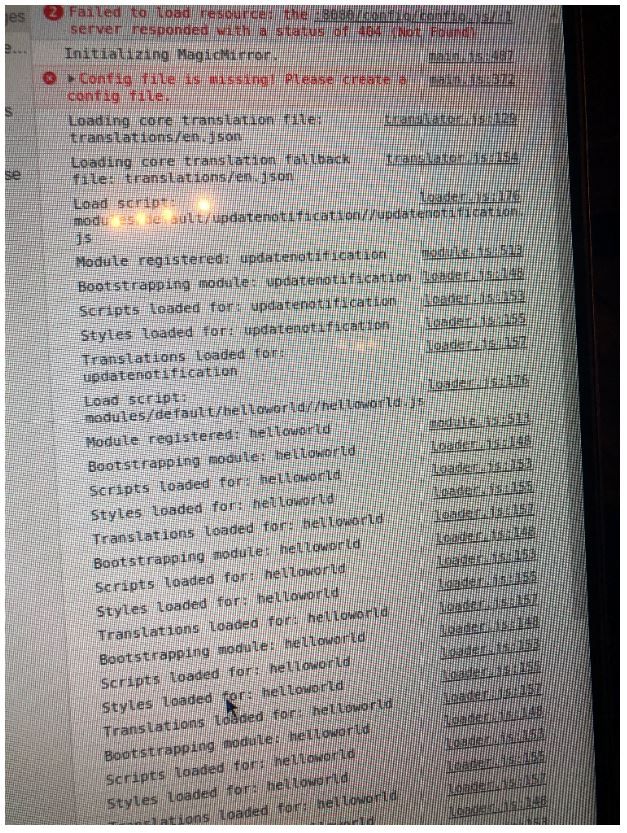
                    @legan ok, on that error screen, ctrl-shift-i to open the developers window, then select the console tab and scroll up there should be an error at the top…
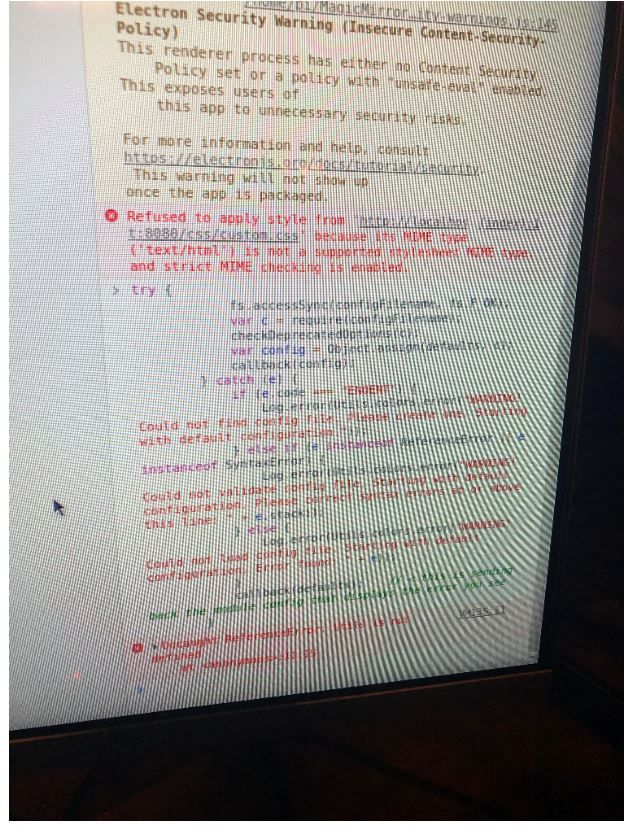
                    the code does

                    try {
                    			fs.accessSync(configFilename, fs.F_OK);  // make sure we have permission to access file
                    			var c = require(configFilename);    // load and parse config 
                    			checkDeprecatedOptions(c);   
                    			var config = Object.assign(defaults, c);   // overlay defaults with config
                    			callback(config);   // send back the loaded config 
                    		} catch (e) {  // some error above
                    			if (e.code === "ENOENT") {    // if file not found
                    				Log.error(Utils.colors.error("WARNING! Could not find config file. Please create one. Starting with default configuration."));
                    			} else if (e instanceof ReferenceError || e instanceof SyntaxError) {  // got a syntax error
                    				Log.error(Utils.colors.error("WARNING! Could not validate config file. Starting with default configuration. Please correct syntax errors at or above this line: " + e.stack));
                    			} else {  // everything else
                    				Log.error(Utils.colors.error("WARNING! Could not load config file. Starting with default configuration. Error found: " + e));    
                    			}
                    			callback(defaults);    // < this is sending back the module config that displays the error you see
                    		}
                    

                    Sam

                    How to add modules

                    learning how to use browser developers window for css changes

                    1 Reply Last reply Reply Quote 0
                    • L Offline
                      legan
                      last edited by

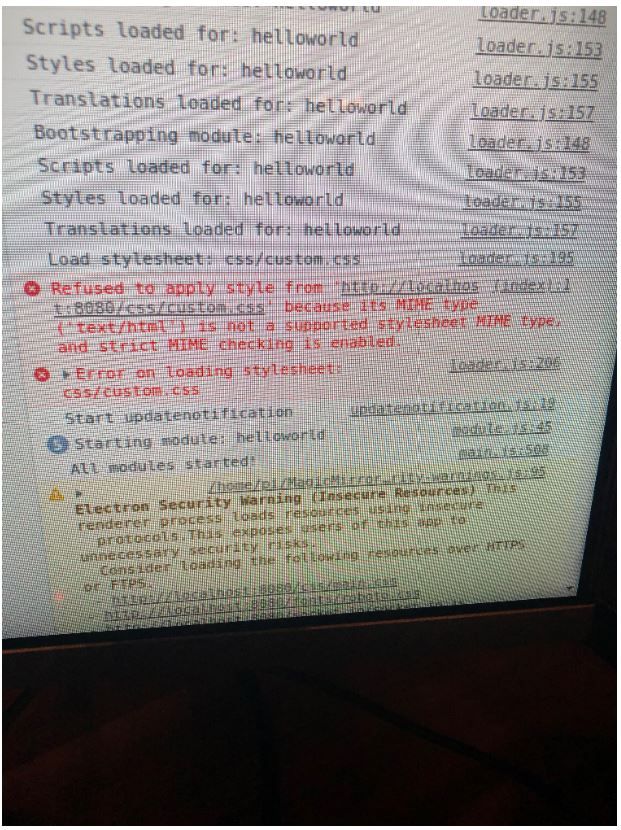
                      @sdetweil thanks you very much! Ok, I opened the developer window as you suggested and attached the screenshots of the errors. Where exactly should I paste your code snippet?2.JPG 3.JPG 4.JPG

                      S 1 Reply Last reply Reply Quote 0
                      • S Offline
                        sdetweil @legan
                        last edited by

                        @legan I was just showing what the code DOES…

                        custom.css error is because its not there by default…

                        Sam

                        How to add modules

                        learning how to use browser developers window for css changes

                        L 1 Reply Last reply Reply Quote 0
                        • L Offline
                          legan @sdetweil
                          last edited by

                          @sdetweil ok sorry, I am not very familiar with java script yet…

                          1 Reply Last reply Reply Quote 0
                          • S Offline
                            sdetweil
                            last edited by

                            very weird… lets do this

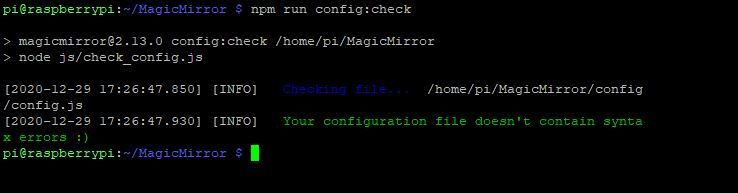
                            cd ~/MagicMirror
                            npm run config:check 
                            

                            Sam

                            How to add modules

                            learning how to use browser developers window for css changes

                            L 1 Reply Last reply Reply Quote 0
                            • L Offline
                              legan @sdetweil
                              last edited by

                              @sdetweil no syntax errors…

                              5.JPG

                              S 1 Reply Last reply Reply Quote 0
                              • S Offline
                                sdetweil @legan
                                last edited by

                                @legan said in MM only server version working due to issues with config file:

                                @sdetweil no syntax errors…

                                5.JPG

                                thx… as expected…

                                can u check the filename , rename config.js and make sure no leading/trailing space

                                also can u try with a browser on pi to open

                                file:///home/pi/MagicMirror/config/config.js
                                Sam

                                How to add modules

                                learning how to use browser developers window for css changes

                                1 Reply Last reply Reply Quote 0
                                • L Offline
                                  legan
                                  last edited by

                                  Yes, I checked the filename several times, its fine. The config file is also accessible via file:///home/pi/MagicMirror/config/config.js
                                  S 1 Reply Last reply Reply Quote 0
                                  • S Offline
                                    sdetweil @legan
                                    last edited by

                                    @legan can I see the address: and ipWhitelist: settings from config.js

                                    Sam

                                    How to add modules

                                    learning how to use browser developers window for css changes

                                    1 Reply Last reply Reply Quote 0
                                    • S Offline
                                      sdetweil
                                      last edited by

                                      make them

                                      address:"0.0.0.0",
                                      ipWhitelist:[],
                                      

                                      Sam

                                      How to add modules

                                      learning how to use browser developers window for css changes

                                      L 1 Reply Last reply Reply Quote 0
                                      • L Offline
                                        legan @sdetweil
                                        last edited by

                                        @sdetweil I extended the whitelist and enabled all IP addresses. But still not working

                                        S 1 Reply Last reply Reply Quote 0
                                        • S Offline
                                          sdetweil @legan
                                          last edited by

                                          @legan if u set it to [] that is all

                                          Sam

                                          How to add modules

                                          learning how to use browser developers window for css changes

                                          L 1 Reply Last reply Reply Quote 0
                                          • L Offline
                                            legan @sdetweil
                                            last edited by

                                            @sdetweil said in MM only server version working due to issues with config file:

                                            all

                                            exactly, that’s what I did

                                            S 1 Reply Last reply Reply Quote 0

                                            Hello! It looks like you're interested in this conversation, but you don't have an account yet.

                                            Getting fed up of having to scroll through the same posts each visit? When you register for an account, you'll always come back to exactly where you were before, and choose to be notified of new replies (either via email, or push notification). You'll also be able to save bookmarks and upvote posts to show your appreciation to other community members.

                                            With your input, this post could be even better 💗

                                            Register Login

                                            • 1
                                            • 2
                                            • 1 / 2
                                            • First post
                                              Last post
                                            Enjoying MagicMirror? Please consider a donation!
                                            MagicMirror created by Michael Teeuw.
                                            Forum managed by Sam, technical setup by Karsten.
                                            This forum is using NodeBB as its core | Contributors
                                            Contact | Privacy Policy