Read the statement by Michael Teeuw here.
magicmirror is displayed too big /large
-
Hello,
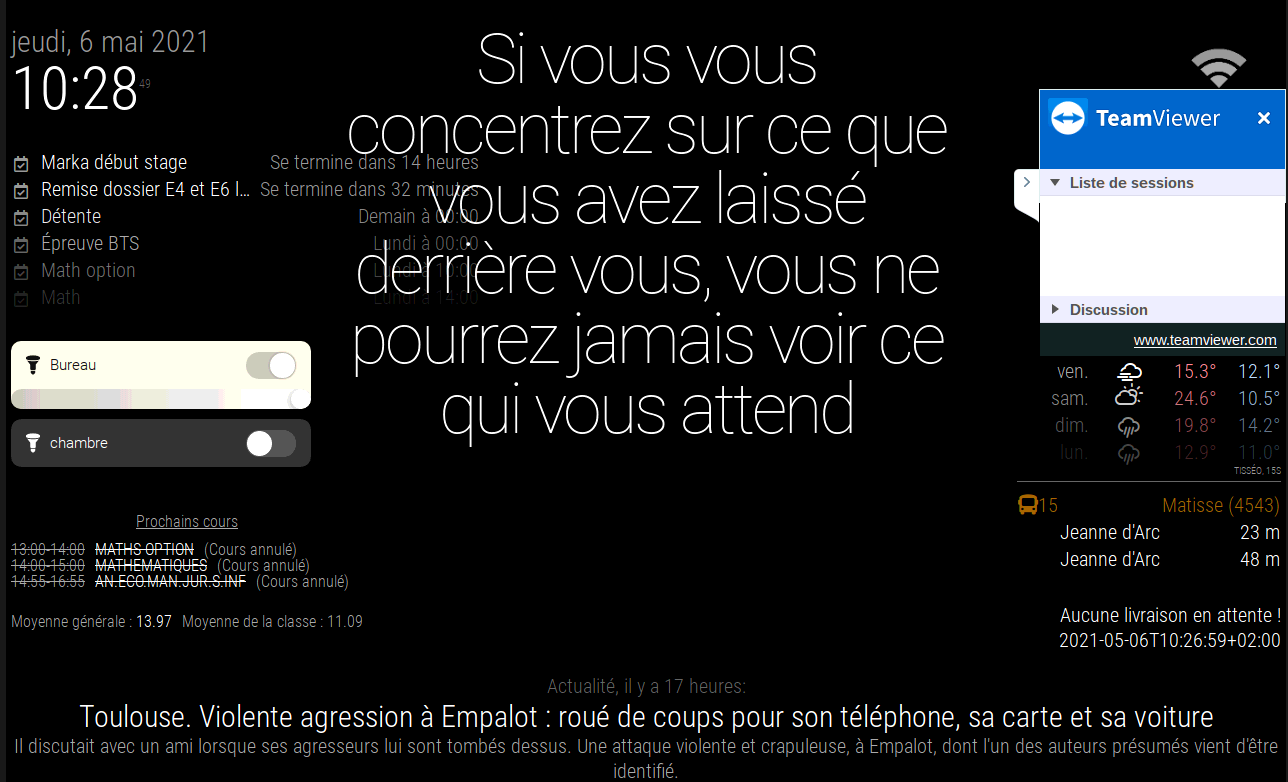
All my magicmirror, is displayed too big /largeHow it is displayed :
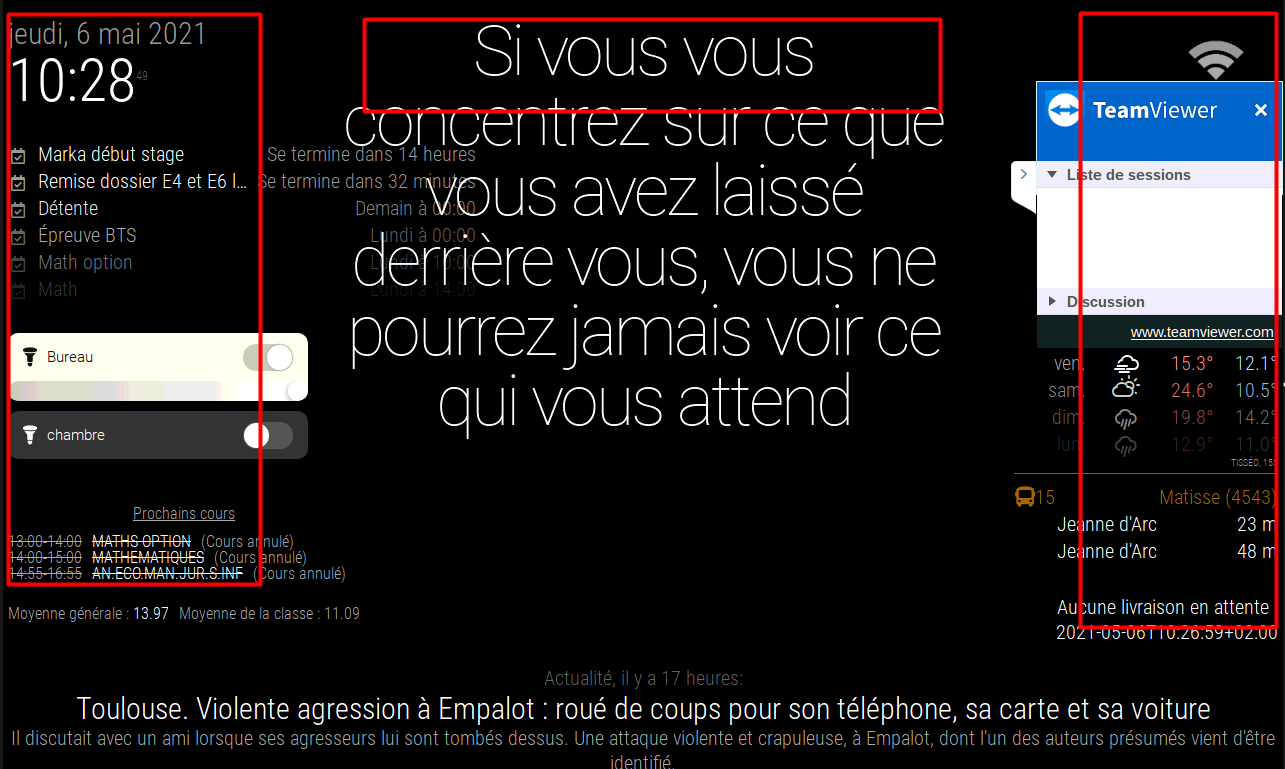
How I would like it to appear :
Screen résolution :
1280x800 pixels (339x212 millimetter)My custom css :
html {
  cursor: none;
  overflow: hidden;
  background: #000;
}

::-webkit-scrollbar {
  display: none;
}


body {
  margin: 5px;
  position: absolute;
  height: calc(100% - 10px);
  width: calc(100% - 10px);
  background: #000;
  color: #aaa;
  font-family: "Roboto Condensed", sans-serif;
  font-weight: 300;
  font-size: 0.5em;
  line-height: 0.5em;
  -webkit-font-smoothing: antialiased;
}
/**
 * font-size: 2em;
 */


/**
 * Default styles.
 */

.dimmed {
  color: #666;
}

.normal {
  color: #999;
}

.bright {
  color: #fff;
}

.xsmall {
  font-size: 15px;
  line-height: 20px;
}

.small {
  font-size: 20px;
  line-height: 25px;
}

.medium {
  font-size: 30px;
  line-height: 35px;
}

.large {
  font-size: 60px;
  line-height: 60px;
}

.xlarge {
  font-size: 70px;
  line-height: 70px;
  letter-spacing: -3px;
}

.thin {
  font-family: Roboto, sans-serif;
  font-weight: 100;
}

.light {
  font-family: "Roboto Condensed", sans-serif;
  font-weight: 300;
}

.regular {
  font-family: "Roboto Condensed", sans-serif;
  font-weight: 400;
}

.bold {
  font-family: "Roboto Condensed", sans-serif;
  font-weight: 700;
}

.align-right {
  text-align: right;
}

.align-left {
  text-align: left;
}

header {
  text-transform: uppercase;
  font-size: 10px;
  font-family: "Roboto Condensed", Arial, Helvetica, sans-serif;
  font-weight: 350;
  border-bottom: 1px solid #666;
  line-height: 10px;
  padding-bottom: 5px;
  margin-bottom: 10px;
  color: #999;
}

sup {
  font-size: 20%;
  line-height: 20%;
}

/**
 * Module styles.
 */

.module {
  margin-bottom: 30px;
}

.region.bottom .module {
  margin-top: 30px;
  margin-bottom: 0;
}

.no-wrap {
  white-space: nowrap;
  overflow: hidden;
  text-overflow: ellipsis;
}

.pre-line {
  white-space: pre-line;
}

/**
 * Region Definitions.
 */

.region {
  position: absolute;
}

.region.fullscreen {
  position: absolute;
  top: -60px;
  left: -60px;
  right: -60px;
  bottom: -60px;
  pointer-events: none;
}

.region.fullscreen * {
  pointer-events: auto;
}

.region.right {
  right: 0;
  text-align: right;
}

.region.top {
  top: 0;
}

.region.top .container {
  margin-bottom: 25px;
}

.region.bottom .container {
  margin-top: 25px;
}

.region.top .container:empty {
  margin-bottom: 0;
}

.region.top.center,
.region.bottom.center {
  left: 50%;
  transform: translateX(-50%);
}

.region.top.right,
.region.top.left,
.region.top.center {
  top: 100%;
}

.region.bottom {
  bottom: 0;
}

.region.bottom .container:empty {
  margin-top: 0;
}

.region.bottom.right,
.region.bottom.center,
.region.bottom.left {
  bottom: 100%;
}

.region.bar {
  width: 100%;
  text-align: center;
}

.region.third,
.region.middle.center {
  width: 100%;
  text-align: center;
  transform: translateY(-50%);
}

.region.upper.third {
  top: 33%;
}

.region.middle.center {
  top: 50%;
}

.region.lower.third {
  top: 66%;
}

.region.left {
  text-align: left;
}

.region table {
  width: 100%;
  border-spacing: 0;
  border-collapse: separate;
}


.MMM-PiTemp{

  display: inline-block;
  height: auto;

  width: auto;
  margin-top: 0;
  margin-bottom: 0;

}


.MMM-network-signal {
  display: inline-block;
  height: auto;

  width: auto;
  margin-top: 0;
  margin-bottom: 0;

}

.weather {
  display: inline-block;
  height: auto;

  width: auto;
  margin-top: 0;
  margin-bottom: 0;
}

.weatherforecast {
  display: inline-block;
  height: auto;

  width: auto;
  margin-top: 0;
  margin-bottom: 0;
}

.weatherforecast .module-header {
 display: none;
 visibility: hidden;
}


.MMM-GoogleCast .module-header {
 display: none;
 visibility: hidden;
}


.calendar .time {
  padding-left: 10px !important;
}
Thank you very much
-
@aboatdev try zooming out
ctrl-- minus key 2 left of backspace.
most keypad minus key doesn’t workthe style sheets are designed for 1920x1080
and do not auto scale to different screen sizes -
@sdetweil said in magicmirror is displayed too big /large:
@aboatdev try zooming out
ctrl-- minus key 2 left of backspace.
most keypad minus key doesn’t workthe style sheets are designed for 1920x1080
and do not auto scale to different screen sizesCTRL + 0 and CTRL+“-” CTRL± and CTRL + 2 doesn’t work
I found another, less clean way :
body {
zoom: 75%;
}https://github.com/MichMich/MagicMirror/issues/914
Thank you very much!
-
@aboatdev finding the right keystroke is a pain… glad u got it working
Hello! It looks like you're interested in this conversation, but you don't have an account yet.
Getting fed up of having to scroll through the same posts each visit? When you register for an account, you'll always come back to exactly where you were before, and choose to be notified of new replies (either via email, or push notification). You'll also be able to save bookmarks and upvote posts to show your appreciation to other community members.
With your input, this post could be even better 💗
Register Login