Read the statement by Michael Teeuw here.
How I got my Magic Mirror working on a Raspberry Pi 0 (zero)
-
I used the image that was posted a few comments back. I can NOT for the life of me get the wireless to connect. I have followed every guide I can find and it will not connect. I have tried DHCP and static. I’m out of ideas.
-
@justindp2006 Had the same issue. Couldnt find the fix anywhere
-
@justindp2006 so you followed the guide and entered you ssid and password?
You could try the terminal commandsudo raspi-configAnd set up wifi via the on screen menu.
Failing that u could set up a wpa supplicant file and insert it in your sd card
https://howchoo.com/g/ndy1zte2yjn/how-to-set-up-wifi-on-your-raspberry-pi-without-ethernetHope this helps
-
@greenwaydev sorry that post was kinda screwed as I made it on my phone the command was
sudo raspi-config -
@Mikgabo said in How I got my Magic Mirror working on a Raspberry Pi 0 (zero):
wed as I made it o
I understood :) I tried that earlier and again and there is no networking options under it?
-
-
Tried. Think it’s time to toss in the towel. Hours lost to this project. It would be one thing if I was new to all of this or ignorant to programming or pis in general. I just don’t understand and there are no clues. Thanks for the replies.
-
OK, so I haven’t confirmed it on this package but was having the SAME EXACT issue with an octoprint setup for my printer. Anyhow I ran
sudo iwlist wlan0 scanand it sees my network. Here is the kicker though. My network shows up like "MyNetworkHere ". There is a space between MyNetworkHere and the ". I added the space, saved and rebooted and it immediately connected. Hope this helps someone. -
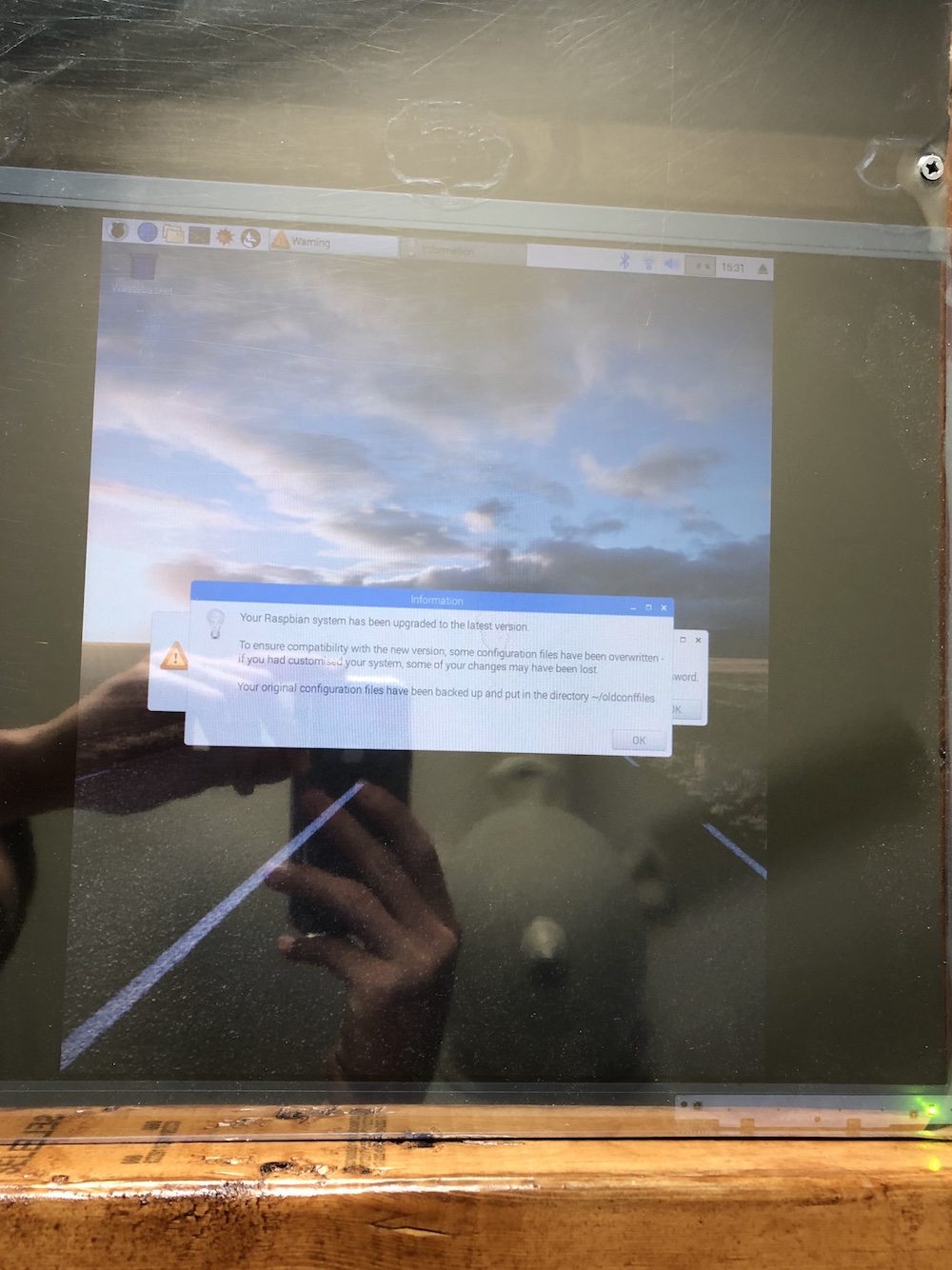
I can’t get Magic Mirror to launch. Is this a problem with the scripts?
-
“How I didn’t got my Magic Mirror working on a Raspberry Pi 0 (zero) w”
tl;dr: My findings are that latest MM doesn't work on ARM 6 (Pi 0/1).Hi all, I’m a Pi noob and I wanted to use my RPi 0w to put the magic in my mirror. I followed this guide but despite everything ‘apparently’ working, I only ever got a blank screen.
- I followed this guide line by line (keeping same, out of date versions) I got warnings when installing MM but it installed however when Midori launched I only got a blank screen.
- I followed this guide using Jessie lite but the latest l6 node version. Blank screen.
- I tried on Stretch Lite with the latest l6 node… same problem. I even tried numerous browsers on Stretch as I read Midori had issues on Stretch. Blank screen.
- I tested all the above by launching Midori with Google and that worked each time, the blank screen was only with MM.
I used SebTota’s image (link p9) and also had issues connecting to the internet. After bit of investigation I realised for me this wasn’t a WiFi issue (as others reported) but a Gateway issue even though it was set correctly in /etc/dhcpcd.conf
For those struggling with internet access, and if you can ping the LAN but not the internet, try this:
$ route -nIf the Gateway entry is 0.0.0.0 you have the same issue I did, correct it with:
$ sudo route add default gw 10.0.0.1*(change the IP to your own router IP) then you should be able to reach the outside world.
This worked!!! However… SebTota’s image is now old and as soon as I connected to the internet, MM complains it’s out of date. As soon as you update MM, I got the same blank screen issue.
After hours of investigating and trying and trying again, I can only surmise that the issue is with the latest MM build
and that it’s just not designed for ARM6 architecture. It does however work just fine on my PRi 3B+ so there is definitely not an issue with MM!! It’s just a shame I can’t use the ultra small 0w to drive the mirror.I’m no expert and this could be just me but I just thought I might share my findings in case it helps anyone else.
-
Hi,
Followed the instructions and could get it working neither with Midori nor Chromium.
I got error messages for chromium like this
bootstrap_helper: /usr/lib/chromium-browser/nacl_helper: Cannot open ELF file!  errno=2
[1:1:0509/144633.366460:ERROR:nacl_fork_delegate_linux.cc(315)] Bad NaCl helper startup ack (0 bytes)
[776:776:0509/144633.386035:ERROR:browser_main_loop.cc(495)] Failed to put Xlib into threaded mode.
[776:776:0509/144633.407424:ERROR:browser_main_loop.cc(272)] Gtk: cannot open display:
and i had also npm errors that I ignored
npm WARN package.json magicmirror-fonts@ No README data
npm ERR! Linux 4.9.35+
npm ERR! argv "/usr/local/bin/node" "/usr/local/bin/npm" "install" "--unsafe-perm"
npm ERR! node v4.2.1
npm ERR! npm  v2.14.7
npm ERR! code EPEERINVALID

npm ERR! peerinvalid The package stylelint@8.4.0 does not satisfy its siblings' peerDependencies requirements!
npm ERR! peerinvalid Peer stylelint-config-standard@18.2.0 wants stylelint@^8.3.0 || ^9.0.0
npm ERR! peerinvalid Peer grunt-stylelint@0.10.0 wants stylelint@^9.0.0

npm ERR! Please include the following file with any support request:
npm ERR!     /home/pi/MagicMirror/npm-debug.log
So I guess, as @Baldrick mentioned, that this is not working anymore :(
Will probably just get a R3B+ for that and keep the 0w for experiments.
-
@baldrick
After a fresh reboot and just after starting MM and getting a black screen.
Run with:
'cd $HOME/MagicMirror/installers/; pm2 flush && rm ~/.pm2/logs/mm-* ; pm2 start mm.shAnd make sure that your
mm.shreads:cd ~/MagicMirror DISPLAY=:0 npm startCan you please (open a new issue on Github) and post the output of:
uname -admesg -x -d -Tjournalctl -bsudo cat /var/log/Xorg.0.logsudo cat /var/log/lightdm/lightdm.logsystemctl list-unit-files -t service -allcat ~/.xsession-errorscat ~/.pm2/logs/mm-error-0.logcat ~/.pm2/logs/mm-out-0.log
-
Hello :) since my Zero’s USB port is broken, I have to run everything from ssh and scripts.
I experienced the same as @Hawking: when starting midori, the screen would either turn black or white. I installed chromium and replaced the line “midori -e Fullscreen -a http://localhost:8080” by “chromium-browser --incognito --kiosk http://localhost:8080”. Chromium only shows a line at the top of the screen saying it can’t be run as sudo.
Any idea on how to fix this? Or how to get midori to work?
Thanks in advance :)
-
Sorry for a stupid question, I’m all new to this.
When I ran the git clone command, I got this:
fatal: unable to access ‘https://github.com/MichMich/MagicMirror/’: server certificate verification failed. CAfile: /etc/ssl/certs/ca-certificates.crt CRLfile: none
Am I missing something?
Thanks
Edit: NM, found the problem. Date/time on the pi was wrong.
-
@janth said in How I got my Magic Mirror working on a Raspberry Pi 0 (zero):
Chromium only shows a line at the top of the screen saying it can’t be run as sudo.Any idea on how to fix this? Or how to get midori to work?
Thanks in advance :)
add --no-sandbox
for example - chromium-browser --no-sandbox --disable-infobars --start-maximized --noerrdialogs --kiosk --incognito http://localhost:8080 -
Thank you @NoNameRo !! It works now on Stretch. I can’t use localhost:8080 but xxx.xxx.xxx.xxx:8080 works fine.
Since initd is replaced by systemd, how do I run a script at boot up? For the last couple of days, I’ve been using a solution using pm2, but it seems to run the “node serveronly/” process multiple times so that my pi’s cpu has been at 100 % all the time.
Where do I have to place the script with
cd ~/MagicMirror
node serveronly &
sleep 45
sudo xinit /home/pi/chromium_start.sh
and how do I activate it for boot up? -
@janth said in How I got my Magic Mirror working on a Raspberry Pi 0 (zero):
have them under /home /pi/
Auto Starting Chromium sudo nano /home/pi/startChromium.sh #!/bin/sh unclutter & xset -dpms # disable DPMS (Energy Star) features. xset s off # disable screen saver xset s noblank # don’t blank the video device chromium-browser --no-sandbox --disable-infobars --start-maximized --noerrdialogs --kiosk --incognito http://localhost:8080 Control + X > Y > Return sudo chmod a+x /home/pi/startChromium.sh ------------------------------------------------------------------------------------------------ Auto Starting Mirror sudo nano /home/pi/startMirror.sh #! /bin/bash cd /home/pi/MagicMirror node serveronly Control + X > Y > Return sudo chmod a+x /home/pi/startMirror.sh sudo nano /etc/rc.local Add the following lines before exit 0: /home/pi/startMirror.sh & (/bin/sleep 30 && sudo xinit /home/pi/startChromium.sh) & Control + X > Y > Return sudo reboot -
@janth - thanks I also used pm2 but your way is better.
But I have other problem - I do not see right modules on the mirror. There is no problem from the local net.
I checked top_right and bottom_right - same result.
I moved clock module from top_left to top_right and it became invisible.
Any clue? -
@jpvalery I did have the same problem with black and/or white screen as you had, it seems it was related to the old v4.xx version of nodejs.
Once i installed the newest armv6 version (at this time: https://nodejs.org/dist/v8.11.3/node-v8.11.3-linux-armv6l.tar.xz) it started working in Chromium but not in Midori. Good enough for me though.
-
Hi,
I have Pi1, beend following the guide with the exception of installing latest software.
I was not installing wifi, using wired connection.So now I’m on step 6
cd /home/pi/
sudo apt-get install git
git clone https://github.com/MichMich/MagicMirror
cd MagicMirrorall good, but on next command sudo npm install getting error message:
pi@raspberrypi:~/MagicMirror $ sudo npm install
/usr/bin/nodejs: relocation error: /usr/bin/nodejs: symbol , version GLIBC_2.4 not defined in file libc.so.6 with link time reference

Hello! It looks like you're interested in this conversation, but you don't have an account yet.
Getting fed up of having to scroll through the same posts each visit? When you register for an account, you'll always come back to exactly where you were before, and choose to be notified of new replies (either via email, or push notification). You'll also be able to save bookmarks and upvote posts to show your appreciation to other community members.
With your input, this post could be even better 💗
Register Login