Read the statement by Michael Teeuw here.
MMM-Touch
-
MMM-Touch
MagicMirror module for universal touch gesture commander using touchscreen
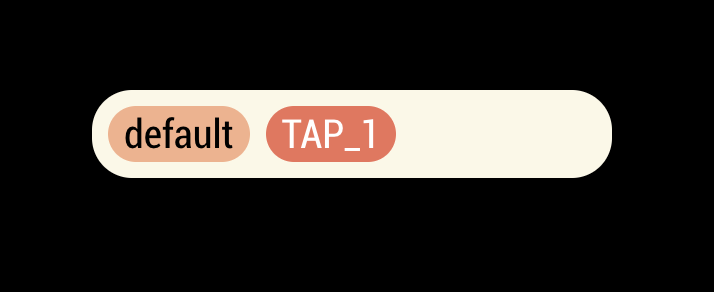
Screenshot
Features
- Multi-fingers supported. (If your touchpanel or touchframe would support.)
- Available gestures :
TAP,PRESS,SWIPE_UP/DOWN/LEFT/RIGHT,MOVE_UP/DOWN/LEFT/RIGHT,ROTATE_CW/CCW,PINCH_IN/OUT.- Example :
TAP_1(tapping with 1 finger),SWIPE_LEFT_2(swiping left with 2 fingers),PINCH_IN_3(pinching-in with 3 fingers) - For
ROTATE_CWandROTATE_CCW, only 2 fingers are recognizable. (sorry, I’m not good at math.)
- Example :
- Available commands :
- Emitting custom notification
- Executing shell script/command directly
- Executing method of module(s)
- Usual JavaScript codes
- Different gestures and commands with
modeby condition. - Dynamic configuration : Other module easily add gestureCommand for itself by notification
[card:eouia/MMM-Touch]
-
Aha interesting Sean
Will be trying it with https://github.com/dvbit/Kinect-Mouse-Swipe-C-Module -
I need to upgrade the c code to at least catch two hands :-)
-
@dvbit intersting trial. this module can capture only one touch point also. I think u might need to emit “touch” events instead of “mouse” events.( but common onclick and onrelease event will be compatible)
-
@Sean Uhm .If I understand your touch plugin intercepts “tap” events in the OS.
If that is the case I have to find a way to simulate those in my C program.
Currently the program uses the X11 simulation functions to emit fake clicks and movement events
Is this the case?
It is really a pity that all kinect libraries of projects such as openni are really old as it is hard to find documentation. harder updated documentation.
Ideally the kinect would have a “Tuio” driver for X server so mecoming for all intent and purposes a multi touch device.
I have tried to revive that too before this was developed.
I will give it a new try. -
@dvbit
i used default touch events of browser.(IE and Safari doesn’t support but we are commonly use electron-chromium)
https://developer.mozilla.org/en-US/docs/Web/API/Touch_eventsI don’t know anything about kinnect library, so i don’t know whether your code can emit specific event. anyway if possible, it can be used together.
-
@Sean Ok. I think that then if it intercepts browser touch events it will be really possible.
Right now I am trying to compile tuiokinect :-)
That would add full multitouch air gestures… so would be really fantastic with your plugin ;-) -
@Sean Hi, I’d like to get this module working with a HyperPixel4 touchscreen. Unfortunately I obtain an error when changing modes that stops the module from working. Is this the correct place to post to obtain help?
Also, I have a degree in applied maths. Perhaps I can help with the rotation maths?
Many thanks. -
@undeterred
What kind of error did you meet? Post a issue on github repository with more detailed information. I’ll inspect. -
@Sean Thank you for sharing this great module.
I am not very good at programming, but playing around a little helped me understand.
However I am wondering if it is possible to create more buttons?
Is there a way to modify the code (if necessary just quick and dirty) or do you think I can run multiple instances at the same time?And one more question: is it possible to change the displayed name to an icon?
Thanks a lot.
Mr.Coffee -
I have just seen that Sean is not on duty anymore.
Anyway it seems like now I got it how the module works.
Great stuff. Thanks for sharing.But I still got two questions.
- If I enter some code in the section “onNotification” and restart the mirror, nothing happens. The monitor stays black. Not even an error in the config is mentioned. I tried the example code and even code written on my own. Both the same.
Do you have any idea what the reason might be? is it a bug or my fault? - I unterstood that I just define the mode and it is not important where to touch on the display as long it is my defined gesture.
What I would love to do, is have a floorplan on my mirror with my smart home connected. For example I would have 5 icons of bulbs, which should be turned on by pressing the icon.
Is it possible to modify the module in such a way? If I am right, it is not possible right now, because a gesture like pressing can only be used once.
Thanks a lot.
- If I enter some code in the section “onNotification” and restart the mirror, nothing happens. The monitor stays black. Not even an error in the config is mentioned. I tried the example code and even code written on my own. Both the same.
-
@MrCoffee Yes, Sean stepped away from MM for personal reasons a few months back. No one has taken over active support for this module. (he had like 70 modules)
-
@sdetweil
Maybe someone else uses the module with its “onNotification” option and might help out. -
@MrCoffee I don’t see a module of this name with his name
I see https://github.com/gfischershaw/MMM-Touch
and what is the question about onNotification?
when a notification is received, you can examine and optionally respond (somehow)
-
@sdetweil Yes that is the same module. Sean changed the ownership when he left: Seans modules
The onNotification function seems important to me. if I change to page two for example, the gestures can be defined in another way compared to page one.
My problem is, when I add the code and restart my mirror everthing stays black. usually if there is a bug in the config.js an error is mentioned. but in this case it just stays black.
If I uncomment the code everthing is fine again.
This even happens when i use the example code. Knowing that it wont do anything on my magic mirror, it should start anyway.
So i am wondering if there is a bug or if i am doing something wrong?
Do you use the module? -
@MrCoffee no… never seen it before…
how do you start MM
npm start
or pm2?if npm start , keyboard alt-spacebar, n to minimize
if pm2,
pm2 logs --lines=100if still nothing obvious, open the developers window, ctrl-shoft-i on the mirror keyboard,
select the tab labeled console and scroll up… errors are usually in red text -
-
@MrCoffee yeh, skip docker til you get it working…
-
@sdetweil I just tried ctrl-shift-i with a working mirror. On the tab console I could see a css error, but everything works.
Then i added the onNotification code. Still the same. no mirror starting, and on the console tab there is no error. it ends with “initializing MagicMirror”.
But nothing happens. -
@MrCoffee ok, then it must be back on the terminal window where i started MM
either there is a module missing
a syntax error
or some fatal problem in the front end (mmm-touch.js)

Hello! It looks like you're interested in this conversation, but you don't have an account yet.
Getting fed up of having to scroll through the same posts each visit? When you register for an account, you'll always come back to exactly where you were before, and choose to be notified of new replies (either via email, or push notification). You'll also be able to save bookmarks and upvote posts to show your appreciation to other community members.
With your input, this post could be even better 💗
Register Login