MagicMirror Forum
    • Recent
    • Tags
    • Unsolved
    • Solved
    • MagicMirror² Repository
    • Documentation
    • 3rd-Party-Modules
    • Donate
    • Discord
    • Register
    • Login
    A New Chapter for MagicMirror: The Community Takes the Lead
    Read the statement by Michael Teeuw here.

    Three module issues from a new user

    Scheduled Pinned Locked Moved Unsolved Troubleshooting
    27 Posts 6 Posters 10.1k Views 6 Watching
    Loading More Posts
    • Oldest to Newest
    • Newest to Oldest
    • Most Votes
    Reply
    • Reply as topic
    Log in to reply
    This topic has been deleted. Only users with topic management privileges can see it.
    • S Offline
      sdetweil @vilhelmr
      last edited by sdetweil

      @vilhelmr item 2, I changed the date cause today is in the past

      I cut/pasted that cal event into my test ics (I am US central time, UTC-5)
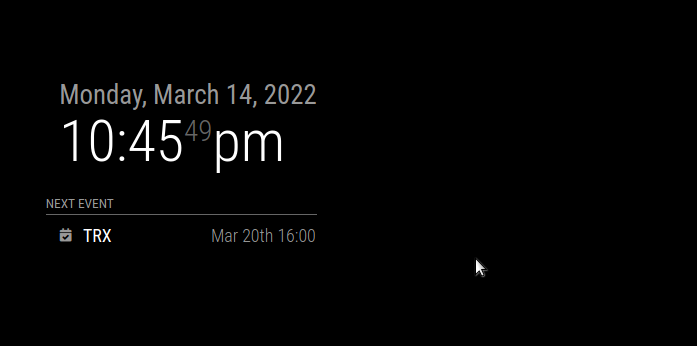
      Screenshot at 2022-03-14 22-45-49.png

      with my system date set to Copenhagen

      Sam

      How to add modules

      learning how to use browser developers window for css changes

      1 Reply Last reply Reply Quote 0
      • V Offline
        vilhelmr @sdetweil
        last edited by

        @sdetweil
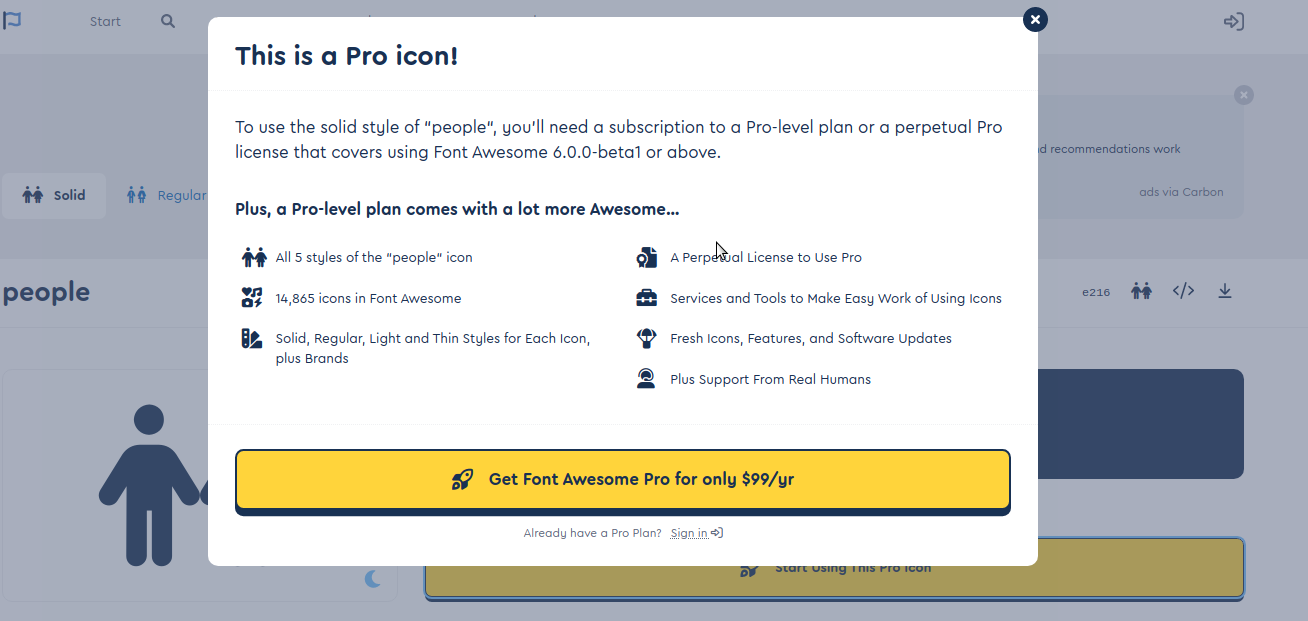
        Neither fa-solid fa-person-half-dress nor fa-brands fa-firefox-browser are showing up 😕. They’re both registered as free. Is there something else I should be aware of?

        The other issues I’ve learned to live with 🤷‍♂️, by not having sunrise/sunset and by using a different calendar-formatting.

        S 2 Replies Last reply Reply Quote 0
        • S Offline
          sdetweil @vilhelmr
          last edited by

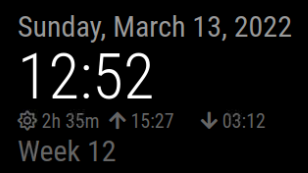
          @vilhelmr weather takes sunrise/set from the location you configured for weather…

          clock in utc+1, weather location in Austin TX
          for example

          Sam

          How to add modules

          learning how to use browser developers window for css changes

          1 Reply Last reply Reply Quote 0
          • S Offline
            sdetweil @vilhelmr
            last edited by sdetweil

            @vilhelmr for icons I would look in the developers window, ctrl-shift-i, console tab, for any errors.

            filter on calendar, by putting unique part of module name in filter field (cal for example)

            Sam

            How to add modules

            learning how to use browser developers window for css changes

            V 1 Reply Last reply Reply Quote 0
            • V Offline
              vildhjelm @sdetweil
              last edited by

              @sdetweil
              I managed to get unique icons for each calendar, through trial and error with font awesome. Not all “free” fonts are supported, I think “brands” aren’t.
              Do you know, if I can set icons that I’ve stored locally? There are a lot on the noun project that would be excellent :).

              S 2 Replies Last reply Reply Quote 0
              • S Offline
                sdetweil @vildhjelm
                last edited by

                @vildhjelm said in Three module issues from a new user:

                Do you know, if I can set icons that I’ve stored locally?

                i do not know myself, but I would think you could

                <img icon="68" src="/img/emoji/U263a.ico" alt=":-)" />
                

                the base for MM web server is MagicMirror, so

                src="/modules/{modulename}/{sub_folder}/{filename}"
                

                replace {} with the appropriate name, if any

                Sam

                How to add modules

                learning how to use browser developers window for css changes

                1 Reply Last reply Reply Quote 0
                • S Offline
                  sdetweil @vildhjelm
                  last edited by

                  @vildhjelm where u able to get this working?

                  Sam

                  How to add modules

                  learning how to use browser developers window for css changes

                  1 Reply Last reply Reply Quote 0
                  • S Offline
                    skyfall
                    last edited by

                    Hi all, was working on the same thing.

                    Some icons I wanted to use are in brands, and can’t figure out how to invoke it properly. Tried adding imports in fontawesome.css for it, but no go. Anyone know how/why brands wont work? They are considered free use.

                    S 1 Reply Last reply Reply Quote 0
                    • S Offline
                      sdetweil @skyfall
                      last edited by sdetweil

                      @skyfall I do not KNOW for sure… maybe they have to be downloaded separately?

                      see the last few posts here on getting separate fonts usable after download

                      https://forum.magicmirror.builders/topic/8758/change-fonts/6?_=1650986841007

                      Sam

                      How to add modules

                      learning how to use browser developers window for css changes

                      S 1 Reply Last reply Reply Quote 0
                      • S Offline
                        skyfall @sdetweil
                        last edited by

                        @sdetweil I don’t think so, I’ve been looking into it and it is included in all.min.css; that’s where the other ones get imported from. Maybe we’re not invoking it properly since the FA 4->6 upgrade that happened in January?

                        S 1 Reply Last reply Reply Quote 0
                        • S Offline
                          sdetweil @skyfall
                          last edited by sdetweil

                          @skyfall

                          maybe all you have to do is npm install the right stuff in the vendor folder

                          "dependencies": {
                          	"@fortawesome/fontawesome-free": "^6.1.1",
                          

                          and this is in the vendor/css/font-awesome.css

                          @import url(“…/node_modules/@fortawesome/fontawesome-free/css/all.min.css”);
                          @import url("…/node_modules/@fortawesome/fontawesome-free/css/v4-shims.min.

                          these files are in the folder

                          sam@sams:~/MagicMirror/vendor/node_modules/@fortawesome/fontawesome-free/css$ ls

                          all.css fontawesome.min.css svg-with-js.css v4-shims.min.css
                          all.min.css regular.css svg-with-js.min.css v5-font-face.css
                          brands.css regular.min.css v4-font-face.css v5-font-face.min.css
                          brands.min.css solid.css v4-font-face.min.css
                          fontawesome.css solid.min.css v4-shims.css

                          i looked up one of the items listed in brands, .fa-apple-pay
                          in all.css… and its there

                          Sam

                          How to add modules

                          learning how to use browser developers window for css changes

                          S 1 Reply Last reply Reply Quote 0
                          • S Offline
                            skyfall @sdetweil
                            last edited by

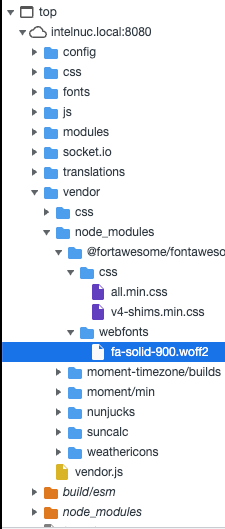
                            @sdetweil I think we’re on to something here. I’m embarassed but I did notice my dependencies were out of date. I was running FA 5.13.3. Reinstalled and reverified and now running 6.1.1. However, when invoking ‘canadian-maple-leaf’ for example, it’s now showing a broken icon symbol versus nothing!

                            Screen Shot 2022-04-28 at 17.11.45.png

                            Screen Shot 2022-04-28 at 17.11.51.png

                            I did also notice it isn’t loading the .woff2 file for the brands fonts, even though it is in the correct directory.

                            S 1 Reply Last reply Reply Quote 0
                            • S Offline
                              skyfall @skyfall
                              last edited by skyfall

                              I’ve figured it out!

                              Like the original post, I’m working with Calendar module. I wanted to understand why we could write, say symbol: “cloud” instead of having to declare the full “fas fa-fw fa-cloud” to invoke the symbol.

                              I went into /modules/default/calendar/calendar.js and noticed the following section of code:

                              const symbols = this.symbolsForEvent(event);
                                                              symbols.forEach((s, index) => {
                                                                      const symbol = document.createElement("span");
                                                                      symbol.className = "fas fa-fw fa-" + s;
                                                                      if (index > 0) {
                                                                              symbol.style.paddingLeft = "5px";
                                                                      }
                                                                      symbolWrapper.appendChild(symbol);
                                                              });
                                                              eventWrapper.appendChild(symbolWrapper);
                                                      } else if (this.config.timeFormat === "dateheaders") {
                                                              const blankCell = document.createElement("td");
                                                              blankCell.innerHTML = "&nbsp;&nbsp;&nbsp;";
                                                              eventWrapper.appendChild(blankCell);
                                                      }
                              

                              calendar.js is hardcoding the fas (solid) font family in, not allowing us to invoke a family like fab (brands). setting the line:

                              symbol.className = "fas fa-fw fa-" + s;
                              

                              to just:

                              symbol.className = s;
                              

                              forces us to redeclare every symbol in config.js from “cloud” to “fas fa-fw fa-cloud”, but we can now access all available FA icons.

                              And so, I get my leaf :)
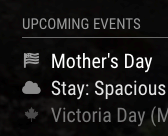
                              6f18f2a7-0b58-4f38-bcf8-994695134f0c-Screen Shot 2022-04-28 at 17.37.44.png Screen Shot 2022-04-28 at 17.37.44

                              S 2 Replies Last reply Reply Quote 1
                              • S Offline
                                sdetweil @skyfall
                                last edited by

                                @skyfall awesome

                                Sam

                                How to add modules

                                learning how to use browser developers window for css changes

                                1 Reply Last reply Reply Quote 0
                                • S Offline
                                  sdetweil @skyfall
                                  last edited by sdetweil

                                  @skyfall I think we could fix that with a little smarter code, and not break existing modules
                                  change

                                  symbol.className = "fas fa-fw fa-" + s;
                                  

                                  to

                                  // if requested symbol name starts with 'fa-' , get the substring after 'fa-' 
                                  // if  not, use as is
                                  symbol.className = "fas fa-fw fa-" +(s.startsWith('fa-')?s.slice(3):s);
                                  

                                  of course if the other icon names start with fa-, then u didn’t need any of this…

                                  can u provide an example of the branded icon name?

                                  Sam

                                  How to add modules

                                  learning how to use browser developers window for css changes

                                  1 Reply Last reply Reply Quote 0
                                  • S Offline
                                    skyfall
                                    last edited by

                                    I was using https://fontawesome.com/icons/canadian-maple-leaf?s=brands for example

                                    I was thinking about how to fix this without breaking too; could just be an else if statement checking to see if it starts with “fab” or “fal”, otherwise keeping the fas hardcode. Would let us declare other families and keep the shorthand for the default fas configuration.

                                    S luisestradaL 2 Replies Last reply Reply Quote 0
                                    • S Offline
                                      sdetweil @skyfall
                                      last edited by sdetweil

                                      @skyfall oh, I see you have to call out fa-brands

                                      hm…

                                      maybe if the specific string has more than 1 word

                                      like “fa-brands fa-iconname”

                                      then you use as is (full string)
                                      otherwise you use the default approach of appending the name to the ‘fa-’ already there

                                      // if there is a space in the name, 'collectionname iconname' use the string as is
                                      // for example "fa-brands fa-canadian-maple-leaf"
                                      // else use the current approach 
                                      symbol.className =(s.indexOf(' ')>0?s:( "fas fa-fw fa-" +s));
                                      

                                      this would let other prefix specific icons in, and not break old…

                                      Sam

                                      How to add modules

                                      learning how to use browser developers window for css changes

                                      luisestradaL 1 Reply Last reply Reply Quote 0
                                      • S Offline
                                        skyfall
                                        last edited by

                                        Yeah, there’s a few things to try and we can make it work without breaking default notation

                                        I think one thing to keep in mind is MM seems to refer to them as “fab” instead of fa-brands; not sure where that translation happens.

                                        I did see some of the commits from January that initially addresses this. I’m mobile right now so I don’t have the references, but it looked like this convention is used in more places than just calendar. Should be the same fix for all instances though.

                                        I’ll experiment with it a bit too when I sit down to look.

                                        1 Reply Last reply Reply Quote 0
                                        • luisestradaL Offline
                                          luisestrada @skyfall
                                          last edited by

                                          @skyfall I found this post exactly because of that icon, lol

                                          Have anyone made it work? changing fas to fal does the job for the Canadian maple leaf icon but breaks the others :(

                                          1 Reply Last reply Reply Quote 0
                                          • luisestradaL Offline
                                            luisestrada @sdetweil
                                            last edited by

                                            @sdetweil said in Three module issues from a new user:

                                            // if there is a space in the name, ‘collectionname iconname’ use the string as is
                                            // for example “fa-brands fa-canadian-maple-leaf”
                                            // else use the current approach
                                            symbol.className =(s.indexOf(’ ')>0?s:( “fas fa-fw fa-” +s));

                                            This works perfectly in calendar, however in the CX3 module it does not work, apparently spaces are not allowed

                                            kayakbabeK 1 Reply Last reply Reply Quote 0

                                            Hello! It looks like you're interested in this conversation, but you don't have an account yet.

                                            Getting fed up of having to scroll through the same posts each visit? When you register for an account, you'll always come back to exactly where you were before, and choose to be notified of new replies (either via email, or push notification). You'll also be able to save bookmarks and upvote posts to show your appreciation to other community members.

                                            With your input, this post could be even better 💗

                                            Register Login

                                            • 1
                                            • 2
                                            • 1 / 2
                                            • First post
                                              Last post
                                            Enjoying MagicMirror? Please consider a donation!
                                            MagicMirror created by Michael Teeuw.
                                            Forum managed by Sam, technical setup by Karsten.
                                            This forum is using NodeBB as its core | Contributors
                                            Contact | Privacy Policy