Read the statement by Michael Teeuw here.
Three module issues from a new user
-
Hi everyone,
I’m kind of new to MagicMirror, and have been spending the past five hours today setting up and configuring, googling whatever I couldn’t get to work etc., and I’m now left with three issues I can’t solve:
-
list itemOne:
 [link text](link url)
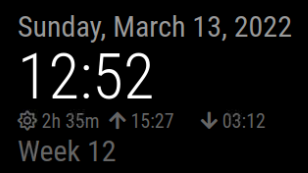
Times should be set correctly, as well as physical location, but still magicmirror insists that sunrise is at 15:27 and sunset is 03:12, neither of which are true. Sunrise is 6:30 and sunset is around 18:00 these days. -
list itemTwo:
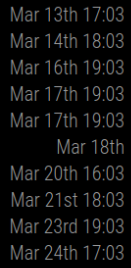
These events all start on the whole hour in my calendar, but here all start at three minutes past, and I’ve no idea why. -
list itemThree:
No photo, sorry, it revealed a lot from my calendar. But I’ve set symbols from font awesome in the calendar module, but of my four calendars, only one is getting the symbols. I haven’t been able to find much information about assigning symbols, so it’s hard for me to figure out what’s wrong.
Thank you, I hope some of you can help with any of my issues.
All the best,
Vilhelm -
-
@vildhjelm item 1
the clock takes info from the system setting for timezone
item 2, show me an entry from the ics file.
u can download it like this
curl -sL cal_url > somefile.txtthen edit somefile.txt
u can change any text you consider private, just leave the times alone
BEGIN:VEVENT
...
END:VEVENT
item 3
can u show the calendar config from config.js…
u can xxx out the urls, don’t change anything else.{ module:"calendar", . . . } -
@sdetweil
Thank you for replying 😊.Item 1: It’s set correctly though, to Copenhagen. It gets the time right, so it knows where it is (so to speak).
Item 2:
Here’s an example, because the full document was ~40 000 lines long:
BEGIN:VEVENT
DTEND;TZID=Europe/Copenhagen:20220314T165500
DTSTAMP:20220314T181224Z
DTSTART;TZID=Europe/Copenhagen:20220314T160000
LOCATION: removed
SEQUENCE:0
SUMMARY:TRX
TRANSP:OPAQUE
UID:0742E3B1-9CB7-413A-B849-2B7CE152932E
END:VEVENTItem 3:
The symbol only works for the first calendar, the horse-head.
{
symbol: “fa-solid fa-horse-head”,
url: “address”
},
{
symbol: “fa-solid fa-people”,
url: “address”
},
{
symbol: “fa-brands fa-firefox-browser”,
url: “address”
},
{
symbol: “fa-solid fa-church”,
url: “address”
},Thank you so much!
-
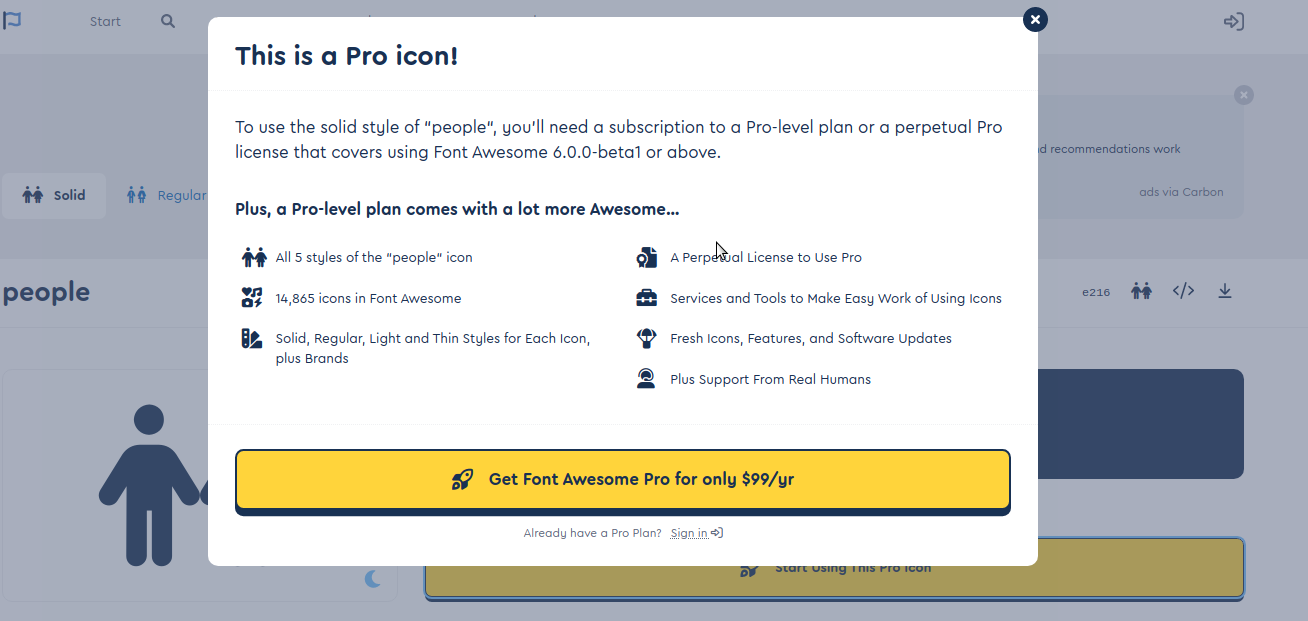
@vilhelmr item 3, “fa-people”
item 2
is that a repeating event, or lots of singles…
I see the correct time.
item 1, add the debug to the config to capture the log
logLevel: ["INFO", "LOG", "WARN", "ERROR","DEBUG"],and then npm start >somefile.txt
and ctrl-break after the MM screen and cal comes up…
u can send the file to me,. same userid at gmail.
-
@vilhelmr item 2, I changed the date cause today is in the past
I cut/pasted that cal event into my test ics (I am US central time, UTC-5)
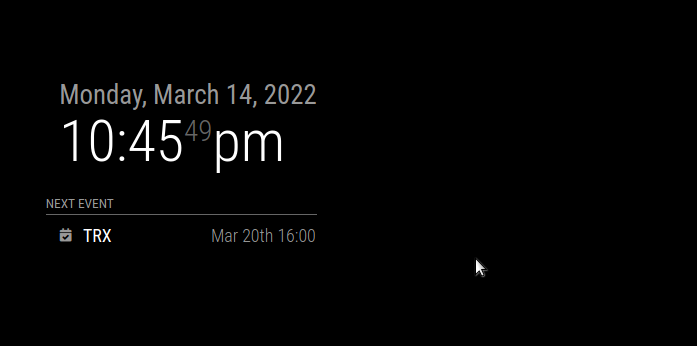
with my system date set to Copenhagen
-
@sdetweil
Neither fa-solid fa-person-half-dress nor fa-brands fa-firefox-browser are showing up 😕. They’re both registered as free. Is there something else I should be aware of?The other issues I’ve learned to live with 🤷♂️, by not having sunrise/sunset and by using a different calendar-formatting.
-
@vilhelmr weather takes sunrise/set from the location you configured for weather…
clock in utc+1, weather location in Austin TX
for example -
@vilhelmr for icons I would look in the developers window, ctrl-shift-i, console tab, for any errors.
filter on calendar, by putting unique part of module name in filter field (cal for example)
-
@sdetweil
I managed to get unique icons for each calendar, through trial and error with font awesome. Not all “free” fonts are supported, I think “brands” aren’t.
Do you know, if I can set icons that I’ve stored locally? There are a lot on the noun project that would be excellent :). -
@vildhjelm said in Three module issues from a new user:
Do you know, if I can set icons that I’ve stored locally?
i do not know myself, but I would think you could
<img icon="68" src="/img/emoji/U263a.ico" alt=":-)" />the base for MM web server is MagicMirror, so
src="/modules/{modulename}/{sub_folder}/{filename}"replace {} with the appropriate name, if any
-
@vildhjelm where u able to get this working?
-
Hi all, was working on the same thing.
Some icons I wanted to use are in brands, and can’t figure out how to invoke it properly. Tried adding imports in fontawesome.css for it, but no go. Anyone know how/why brands wont work? They are considered free use.
-
@skyfall I do not KNOW for sure… maybe they have to be downloaded separately?
see the last few posts here on getting separate fonts usable after download
https://forum.magicmirror.builders/topic/8758/change-fonts/6?_=1650986841007
-
@sdetweil I don’t think so, I’ve been looking into it and it is included in all.min.css; that’s where the other ones get imported from. Maybe we’re not invoking it properly since the FA 4->6 upgrade that happened in January?
-
maybe all you have to do is npm install the right stuff in the vendor folder
"dependencies": {
	"@fortawesome/fontawesome-free": "^6.1.1",
and this is in the vendor/css/font-awesome.css
@import url(“…/node_modules/@fortawesome/fontawesome-free/css/all.min.css”);
@import url("…/node_modules/@fortawesome/fontawesome-free/css/v4-shims.min.these files are in the folder
sam@sams:~/MagicMirror/vendor/node_modules/@fortawesome/fontawesome-free/css$ ls
all.css fontawesome.min.css svg-with-js.css v4-shims.min.css
all.min.css regular.css svg-with-js.min.css v5-font-face.css
brands.css regular.min.css v4-font-face.css v5-font-face.min.css
brands.min.css solid.css v4-font-face.min.css
fontawesome.css solid.min.css v4-shims.cssi looked up one of the items listed in brands, .fa-apple-pay
in all.css… and its there -
@sdetweil I think we’re on to something here. I’m embarassed but I did notice my dependencies were out of date. I was running FA 5.13.3. Reinstalled and reverified and now running 6.1.1. However, when invoking ‘canadian-maple-leaf’ for example, it’s now showing a broken icon symbol versus nothing!

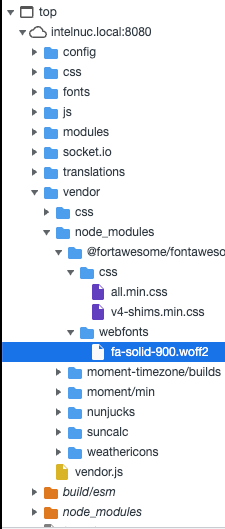
I did also notice it isn’t loading the .woff2 file for the brands fonts, even though it is in the correct directory.
-
I’ve figured it out!
Like the original post, I’m working with Calendar module. I wanted to understand why we could write, say symbol: “cloud” instead of having to declare the full “fas fa-fw fa-cloud” to invoke the symbol.
I went into /modules/default/calendar/calendar.js and noticed the following section of code:
const symbols = this.symbolsForEvent(event);
                                symbols.forEach((s, index) => {
                                        const symbol = document.createElement("span");
                                        symbol.className = "fas fa-fw fa-" + s;
                                        if (index > 0) {
                                                symbol.style.paddingLeft = "5px";
                                        }
                                        symbolWrapper.appendChild(symbol);
                                });
                                eventWrapper.appendChild(symbolWrapper);
                        } else if (this.config.timeFormat === "dateheaders") {
                                const blankCell = document.createElement("td");
                                blankCell.innerHTML = "   ";
                                eventWrapper.appendChild(blankCell);
                        }
calendar.js is hardcoding the fas (solid) font family in, not allowing us to invoke a family like fab (brands). setting the line:
symbol.className = "fas fa-fw fa-" + s;to just:
symbol.className = s;forces us to redeclare every symbol in config.js from “cloud” to “fas fa-fw fa-cloud”, but we can now access all available FA icons.
And so, I get my leaf :)
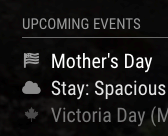 Screen Shot 2022-04-28 at 17.37.44
 -
@skyfall awesome
-
@skyfall I think we could fix that with a little smarter code, and not break existing modules
changesymbol.className = "fas fa-fw fa-" + s;to
// if requested symbol name starts with 'fa-' , get the substring after 'fa-'
// if  not, use as is
symbol.className = "fas fa-fw fa-" +(s.startsWith('fa-')?s.slice(3):s);
of course if the other icon names start with fa-, then u didn’t need any of this…
can u provide an example of the branded icon name?
-
I was using https://fontawesome.com/icons/canadian-maple-leaf?s=brands for example
I was thinking about how to fix this without breaking too; could just be an else if statement checking to see if it starts with “fab” or “fal”, otherwise keeping the fas hardcode. Would let us declare other families and keep the shorthand for the default fas configuration.

Hello! It looks like you're interested in this conversation, but you don't have an account yet.
Getting fed up of having to scroll through the same posts each visit? When you register for an account, you'll always come back to exactly where you were before, and choose to be notified of new replies (either via email, or push notification). You'll also be able to save bookmarks and upvote posts to show your appreciation to other community members.
With your input, this post could be even better 💗
Register Login