Read the statement by Michael Teeuw here.
MMM-Remote-Control Black Screen Help
-
Hi, New to all of this so please be kind…
I install MM2 on a raspberry pi 3. Everything works fine except for MMM-Remote -Control
No matter how I install the package or configure the config.js file I get a black screen. I have searched out and tried every possible fix online and nothing seems to work. I have installed other 3rd party addons with no problem whatsoever but this one will not work no matter what I do. I am not extremely adept at linux but I can get around ok…
this is my Config file
/* Magic Mirror Config Sample
*- By Michael Teeuw https://michaelteeuw.nl
- MIT Licensed.
- For more information on how you can configure this file
- See https://github.com/MichMich/MagicMirror#configuration
*/
var config = {
address: “0.0.0.0”, // Address to listen on, can be:
// - “localhost”, “127.0.0.1”, “::1” to listen on loopback interface
// - another specific IPv4/6 to listen on a specific interface
// - “0.0.0.0”, “::” to listen on any interface
// Default, when address config is left out or empty, is “localhost”
port: 8080,
basePath: “/”, // The URL path where MagicMirror is hosted. If you are using a Reverse proxy
// you must set the sub path here. basePath must end with a /
ipWhitelist: [], // Set [] to allow all IP addresses
// or add a specific IPv4 of 192.168.1.5 :
// [“127.0.0.1”, “::ffff:127.0.0.1”, “::1”, “::ffff:192.168.1.5”],
// or IPv4 range of 192.168.3.0 --> 192.168.3.15 use CIDR format :
// [“127.0.0.1”, “::ffff:127.0.0.1”, “::1”, “::ffff:192.168.3.0/28”],useHttps: false, // Support HTTPS or not, default "false" will use HTTP httpsPrivateKey: "", // HTTPS private key path, only require when useHttps is true httpsCertificate: "", // HTTPS Certificate path, only require when useHttps is true language: "en", zoom: 0.5, logLevel: ["INFO", "LOG", "WARN", "ERROR"], // Add "DEBUG" for even more logging timeFormat: 12, units: "imperial", // serverOnly: true/false/"local" , // local for armv6l processors, default // starts serveronly and then starts chrome browser // false, default for all NON-armv6l devices // true, force serveronly mode, because you want to.. no UI on this device modules: [ { module: "alert", }, { module: "updatenotification", position: "top_bar" }, { module: "clock", position: "top_left" }, { module: "calendar", header: "US Holidays", position: "top_left", config: { calendars: [ { symbol: "calendar-check", url: "webcal://www.calendarlabs.com/ical-calendar/ics/76/US_Holidays.ics" } ] } }, { module: "compliments", position: "lower_third" }, { module: "weather", position: "top_right", config: { location: "", locationID: "5128581", //ID from http://bulk.openweathermap.org/sample/city.list.json.gz; unzip the gz file and find your city appid: "YOUR_OPENWEATHER_API_KEY" } }, { module: "weatherforecast", position: "top_right", header: "Weather Forecast", config: { location: "New York", locationID: "5128581", //ID from http://bulk.openweathermap.org/sample/city.list.json.gz; unzip the gz file and find your city appid: "YOUR_OPENWEATHER_API_KEY" } }, { module: "newsfeed", position: "bottom_bar", config: { feeds: [ { title: "New York Times", url: "https://rss.nytimes.com/services/xml/rss/nyt/HomePage.xml" } ], showSourceTitle: true, showPublishDate: true, broadcastNewsFeeds: true, broadcastNewsUpdates: true } }, { module: 'MMM-Remote-Control', //position: 'bottom_right', // Valid positions: 'top_right', 'top_left', 'bottom_right', 'bottom_left' */ config: { customCommand: {}, // Optional, See "Using Custom Commands" below showModuleApiMenu: true, // Optional, Enable the Module Controls menu secureEndpoints: true, // Optional, See API/README.md // uncomment any of the lines below if you're gonna use it // customMenu: "custom_menu.json", // Optional, See "Custom Menu Items" below // apiKey: "", // Optional, See API/README.md for details // classes: {} // Optional, See "Custom Classes" below } } ]};
/*************** DO NOT EDIT THE LINE BELOW ***************/
if (typeof module !== “undefined”) {module.exports = config;}…
If I remove the MMM-Remote-Control Module, everything works fine…
If I add any other apps… it works fine…
I load this one… DOAAny help would be appreciated as this is a birthday gift and I would like to remotely change the compliments from my phone for my girlfriend…
Thanks -
-
@sdetweil I tried that a bunch of times and it didn’t fix the problem
-
-
@mikelewis1971 also tried --> chmod -R 777 MMM-Remote-Control/
Have no idea what that would do but the poster said it had something to do with a security issue… didn’t fix -
@sdetweil
This is the output after I run the log…logs --lines=50
[TAILING] Tailing last 50 lines for [all] processes (change the value with --lines option)
/home/pi/.pm2/pm2.log last 50 lines:
PM2 | 2022-06-19T11:43:47: PM2 log: App [MagicMirror:0] online
PM2 | 2022-06-19T11:43:59: PM2 log: Stopping app:MagicMirror id:0
PM2 | 2022-06-19T11:43:59: PM2 log: App [MagicMirror:0] exited with code [0] via signal [SIGINT]
PM2 | 2022-06-19T11:43:59: PM2 log: pid=1573 msg=process killed
PM2 | 2022-06-19T11:43:59: PM2 log: App [MagicMirror:0] starting in -fork mode-
PM2 | 2022-06-19T11:43:59: PM2 log: App [MagicMirror:0] online
PM2 | 2022-06-19T11:59:01: PM2 log: Change detected on path config/config.js for app MagicMirror - restarting
PM2 | 2022-06-19T11:59:01: PM2 log: Stopping app:MagicMirror id:0
PM2 | 2022-06-19T11:59:02: PM2 log: pid=1639 msg=failed to kill - retrying in 100ms
PM2 | 2022-06-19T11:59:02: PM2 log: App [MagicMirror:0] exited with code [0] via signal [SIGINT]
PM2 | 2022-06-19T11:59:02: PM2 log: pid=1639 msg=process killed
PM2 | 2022-06-19T11:59:02: PM2 log: App [MagicMirror:0] starting in -fork mode-
PM2 | 2022-06-19T11:59:02: PM2 log: App [MagicMirror:0] online
PM2 | 2022-06-19T11:59:19: PM2 log: Stopping app:MagicMirror id:0
PM2 | 2022-06-19T11:59:20: PM2 log: pid=1830 msg=failed to kill - retrying in 100ms
PM2 | 2022-06-19T11:59:20: PM2 log: App [MagicMirror:0] exited with code [0] via signal [SIGINT]
PM2 | 2022-06-19T11:59:20: PM2 log: pid=1830 msg=process killed
PM2 | 2022-06-19T11:59:20: PM2 log: App [MagicMirror:0] starting in -fork mode-
PM2 | 2022-06-19T11:59:20: PM2 log: App [MagicMirror:0] online
PM2 | 2022-06-19T12:02:55: PM2 log: Stopping app:MagicMirror id:0
PM2 | 2022-06-19T12:02:55: PM2 log: pid=1950 msg=failed to kill - retrying in 100ms
PM2 | 2022-06-19T12:02:55: PM2 log: App [MagicMirror:0] exited with code [0] via signal [SIGINT]
PM2 | 2022-06-19T12:02:55: PM2 log: pid=1950 msg=process killed
PM2 | 2022-06-19T12:02:55: PM2 log: App [MagicMirror:0] starting in -fork mode-
PM2 | 2022-06-19T12:02:55: PM2 log: App [MagicMirror:0] online
PM2 | 2022-06-19T12:10:36: PM2 log: Change detected on path config/config.js for app MagicMirror - restarting
PM2 | 2022-06-19T12:10:36: PM2 log: Stopping app:MagicMirror id:0
PM2 | 2022-06-19T12:10:36: PM2 log: pid=2088 msg=failed to kill - retrying in 100ms
PM2 | 2022-06-19T12:10:36: PM2 log: App [MagicMirror:0] exited with code [0] via signal [SIGINT]
PM2 | 2022-06-19T12:10:36: PM2 log: pid=2088 msg=process killed
PM2 | 2022-06-19T12:10:36: PM2 log: App [MagicMirror:0] starting in -fork mode-
PM2 | 2022-06-19T12:10:36: PM2 log: App [MagicMirror:0] online
PM2 | 2022-06-19T12:10:50: PM2 log: Stopping app:MagicMirror id:0
PM2 | 2022-06-19T12:10:51: PM2 log: pid=2221 msg=failed to kill - retrying in 100ms
PM2 | 2022-06-19T12:10:51: PM2 log: App [MagicMirror:0] exited with code [0] via signal [SIGINT]
PM2 | 2022-06-19T12:10:51: PM2 log: pid=2221 msg=process killed
PM2 | 2022-06-19T12:10:51: PM2 log: App [MagicMirror:0] starting in -fork mode-
PM2 | 2022-06-19T12:10:51: PM2 log: App [MagicMirror:0] online
PM2 | 2022-06-19T12:12:47: PM2 log: Change detected on path config/config.js for app MagicMirror - restarting
PM2 | 2022-06-19T12:12:47: PM2 log: Stopping app:MagicMirror id:0
PM2 | 2022-06-19T12:12:47: PM2 log: pid=2308 msg=failed to kill - retrying in 100ms
PM2 | 2022-06-19T12:12:47: PM2 log: App [MagicMirror:0] exited with code [0] via signal [SIGINT]
PM2 | 2022-06-19T12:12:47: PM2 log: pid=2308 msg=process killed
PM2 | 2022-06-19T12:12:47: PM2 log: App [MagicMirror:0] starting in -fork mode-
PM2 | 2022-06-19T12:12:47: PM2 log: App [MagicMirror:0] online
PM2 | 2022-06-19T12:12:58: PM2 log: Stopping app:MagicMirror id:0
PM2 | 2022-06-19T12:12:59: PM2 log: App [MagicMirror:0] exited with code [0] via signal [SIGINT]
PM2 | 2022-06-19T12:12:59: PM2 log: pid=2466 msg=process killed
PM2 | 2022-06-19T12:12:59: PM2 log: App [MagicMirror:0] starting in -fork mode-
PM2 | 2022-06-19T12:12:59: PM2 log: App [MagicMirror:0] online/home/pi/.pm2/logs/MagicMirror-error.log last 50 lines:
0|MagicMir | - /home/pi/MagicMirror/js/electron.js
0|MagicMir | - /home/pi/MagicMirror/node_modules/electron/dist/resources/default_app.asar/main.js
0|MagicMir | -
0|MagicMir | at Module._resolveFilename (internal/modules/cjs/loader.js:798:15)
0|MagicMir | at Function…/lib/common/reset-search-paths.ts.Module._resolveFilename (electron/js2c/browser_init.js:7718:16)
0|MagicMir | at Function.Module._resolveFilename (/home/pi/MagicMirror/node_modules/module-alias/index.js:49:29)
0|MagicMir | at Module._load (internal/modules/cjs/loader.js:691:27)
0|MagicMir | at Function.Module._load (electron/js2c/asar.js:748:26)
0|MagicMir | at Module.require (internal/modules/cjs/loader.js:853:19)
0|MagicMir | at require (internal/modules/cjs/helpers.js:74:18)
0|MagicMir | at Object. (/home/pi/MagicMirror/modules/MMM-Remote-Control/scripts/download_modules.js:15:15)
0|MagicMir | at Module._compile (internal/modules/cjs/loader.js:968:30)
0|MagicMir | at Object.Module._extensions…js (internal/modules/cjs/loader.js:986:10) {
0|MagicMir | code: ‘MODULE_NOT_FOUND’,
0|MagicMir | requireStack: [
0|MagicMir | ‘/home/pi/MagicMirror/modules/MMM-Remote-Control/scripts/download_modules.js’,
0|MagicMir | ‘/home/pi/MagicMirror/modules/MMM-Remote-Control/node_helper.js’,
0|MagicMir | ‘/home/pi/MagicMirror/js/app.js’,
0|MagicMir | ‘/home/pi/MagicMirror/js/electron.js’,
0|MagicMir | ‘/home/pi/MagicMirror/node_modules/electron/dist/resources/default_app.asar/main.js’,
0|MagicMir | undefined
0|MagicMir | ]
0|MagicMir | }
0|MagicMir | [19.06.2022 12:03.08.034] [ERROR] MagicMirror will not quit, but it might be a good idea to check why this happened. Maybe no internet connection?
0|MagicMir | [19.06.2022 12:03.08.035] [ERROR] If you think this really is an issue, please open an issue on GitHub: https://github.com/MichMich/MagicMirror/issues
0|MagicMir | [19.06.2022 12:03.08.052] [ERROR] Whoops! There was an uncaught exception…
0|MagicMir | [19.06.2022 12:03.08.056] [ERROR] Error: listen EADDRINUSE: address already in use 0.0.0.0:8080
0|MagicMir | at Server.setupListenHandle [as _listen2] (net.js:1300:14)
0|MagicMir | at listenInCluster (net.js:1348:12)
0|MagicMir | at doListen (net.js:1487:7)
0|MagicMir | at processTicksAndRejections (internal/process/task_queues.js:81:21) {
0|MagicMir | code: ‘EADDRINUSE’,
0|MagicMir | errno: ‘EADDRINUSE’,
0|MagicMir | syscall: ‘listen’,
0|MagicMir | address: ‘0.0.0.0’,
0|MagicMir | port: 8080
0|MagicMir | }
0|MagicMir | [19.06.2022 12:03.08.059] [ERROR] MagicMirror will not quit, but it might be a good idea to check why this happened. Maybe no internet connection?
0|MagicMir | [19.06.2022 12:03.08.060] [ERROR] If you think this really is an issue, please open an issue on GitHub: https://github.com/MichMich/MagicMirror/issues
0|MagicMir | [19.06.2022 12:03.08.527] [WARN] (electron) The default value of app.allowRendererProcessReuse is deprecated, it is currently “false”. It will change to be “true” in Electron 9. For more information please check https://github.com/electron/electron/issues/18397
0|MagicMir | ./run-start.sh: line 41: [: too many arguments
0|MagicMir | [19.06.2022 12:10.50.502] [WARN] You’re using a full whitelist configuration to allow for all IPs
0|MagicMir | [19.06.2022 12:10.51.186] [WARN] (electron) The default value of app.allowRendererProcessReuse is deprecated, it is currently “false”. It will change to be “true” in Electron 9. For more information please check https://github.com/electron/electron/issues/18397
0|MagicMir | ./run-start.sh: line 41: [: too many arguments
0|MagicMir | [19.06.2022 12:11.03.205] [WARN] You’re using a full whitelist configuration to allow for all IPs
0|MagicMir | [19.06.2022 12:11.03.865] [WARN] (electron) The default value of app.allowRendererProcessReuse is deprecated, it is currently “false”. It will change to be “true” in Electron 9. For more information please check https://github.com/electron/electron/issues/18397
0|MagicMir | ./run-start.sh: line 41: [: too many arguments
0|MagicMir | ./run-start.sh: line 41: [: too many arguments
0|MagicMir | [19.06.2022 12:13.10.971] [WARN] You’re using a full whitelist configuration to allow for all IPs
0|MagicMir | [19.06.2022 12:13.11.505] [WARN] (electron) The default value of app.allowRendererProcessReuse is deprecated, it is currently “false”. It will change to be “true” in Electron 9. For more information please check https://github.com/electron/electron/issues/18397/home/pi/.pm2/logs/MagicMirror-out.log last 50 lines:
0|MagicMir | [19.06.2022 12:11.03.193] [LOG] Starting server on port 8080 …
0|MagicMir | [19.06.2022 12:11.03.220] [LOG] Server started …
0|MagicMir | [19.06.2022 12:11.03.223] [LOG] Connecting socket for: updatenotification
0|MagicMir | [19.06.2022 12:11.03.226] [LOG] Connecting socket for: calendar
0|MagicMir | [19.06.2022 12:11.03.228] [LOG] Starting node helper for: calendar
0|MagicMir | [19.06.2022 12:11.03.230] [LOG] Connecting socket for: newsfeed
0|MagicMir | [19.06.2022 12:11.03.232] [LOG] Starting node helper for: newsfeed
0|MagicMir | [19.06.2022 12:11.03.234] [LOG] Sockets connected & modules started …
0|MagicMir | [19.06.2022 12:11.03.772] [LOG] Launching application.
0|MagicMir | [19.06.2022 12:11.07.802] [LOG] Create new calendar fetcher for url: http://www.calendarlabs.com/ical-calendar/ics/76/US_Holidays.ics - Interval: 300000
0|MagicMir | [19.06.2022 12:11.07.856] [LOG] Create new news fetcher for url: https://rss.nytimes.com/services/xml/rss/nyt/HomePage.xml - Interval: 300000
0|MagicMir | [19.06.2022 12:11.08.634] [INFO] Newsfeed-Fetcher: Broadcasting 32 items.
0|MagicMir | [19.06.2022 12:11.08.890] [INFO] Calendar-Fetcher: Broadcasting 5 events.
0|MagicMir |
0|MagicMir | > magicmirror@2.14.0 start
0|MagicMir | > ./run-start.sh $1
0|MagicMir |
0|MagicMir |
0|MagicMir | > magicmirror@2.14.0 start
0|MagicMir | > ./run-start.sh $1
0|MagicMir |
0|MagicMir | [19.06.2022 12:13.09.752] [LOG] Starting MagicMirror: v2.14.0
0|MagicMir | [19.06.2022 12:13.09.760] [LOG] Loading config …
0|MagicMir | [19.06.2022 12:13.09.772] [LOG] Loading module helpers …
0|MagicMir | [19.06.2022 12:13.09.777] [LOG] No helper found for module: alert.
0|MagicMir | [19.06.2022 12:13.10.045] [LOG] Initializing new module helper …
0|MagicMir | [19.06.2022 12:13.10.048] [LOG] Module helper loaded: updatenotification
0|MagicMir | [19.06.2022 12:13.10.052] [LOG] No helper found for module: clock.
0|MagicMir | [19.06.2022 12:13.10.777] [LOG] Initializing new module helper …
0|MagicMir | [19.06.2022 12:13.10.779] [LOG] Module helper loaded: calendar
0|MagicMir | [19.06.2022 12:13.10.782] [LOG] No helper found for module: compliments.
0|MagicMir | [19.06.2022 12:13.10.785] [LOG] No helper found for module: weather.
0|MagicMir | [19.06.2022 12:13.10.825] [LOG] Initializing new module helper …
0|MagicMir | [19.06.2022 12:13.10.827] [LOG] Module helper loaded: newsfeed
0|MagicMir | [19.06.2022 12:13.10.829] [LOG] All module helpers loaded.
0|MagicMir | [19.06.2022 12:13.10.959] [LOG] Starting server on port 8080 …
0|MagicMir | [19.06.2022 12:13.10.982] [LOG] Server started …
0|MagicMir | [19.06.2022 12:13.10.985] [LOG] Connecting socket for: updatenotification
0|MagicMir | [19.06.2022 12:13.10.987] [LOG] Connecting socket for: calendar
0|MagicMir | [19.06.2022 12:13.10.989] [LOG] Starting node helper for: calendar
0|MagicMir | [19.06.2022 12:13.10.990] [LOG] Connecting socket for: newsfeed
0|MagicMir | [19.06.2022 12:13.10.992] [LOG] Starting node helper for: newsfeed
0|MagicMir | [19.06.2022 12:13.10.994] [LOG] Sockets connected & modules started …
0|MagicMir | [19.06.2022 12:13.11.444] [LOG] Launching application.
0|MagicMir | [19.06.2022 12:13.14.795] [LOG] Create new calendar fetcher for url: http://www.calendarlabs.com/ical-calendar/ics/76/US_Holidays.ics - Interval: 300000
0|MagicMir | [19.06.2022 12:13.14.888] [LOG] Create new news fetcher for url: https://rss.nytimes.com/services/xml/rss/nyt/HomePage.xml - Interval: 300000
0|MagicMir | [19.06.2022 12:13.15.673] [INFO] Newsfeed-Fetcher: Broadcasting 32 items.
0|MagicMir | [19.06.2022 12:13.16.026] [INFO] Calendar-Fetcher: Broadcasting 5 events.
0|MagicMir | [19.06.2022 12:18.16.451] [INFO] Newsfeed-Fetcher: Broadcasting 32 items.
0|MagicMir | [19.06.2022 12:18.16.890] [INFO] Calendar-Fetcher: Broadcasting 5 events. -
@mikelewis1971 said in MMM-Remote-Control Black Screen Help:
MODULE_NOT_FOUND
same problem
did u do npm install in the module folder?
message info u need is a little further up in the pm2 output
pm2 logs --lines=100
-
@sdetweil Actually I just solved it by updating the installation…
git pull && npm install --only=prod --omit=dev
I had to:
git reset --hard
because I had made changes to the files and didn’t know how to commit them but after I did the pull and install and then readded the line in the config file it worked perfectly! Not exactly sure what the problem was but that did the trick :)
-
@mikelewis1971 what installation?
never change our files unless u know what you are doing… next mm update on July 1
-
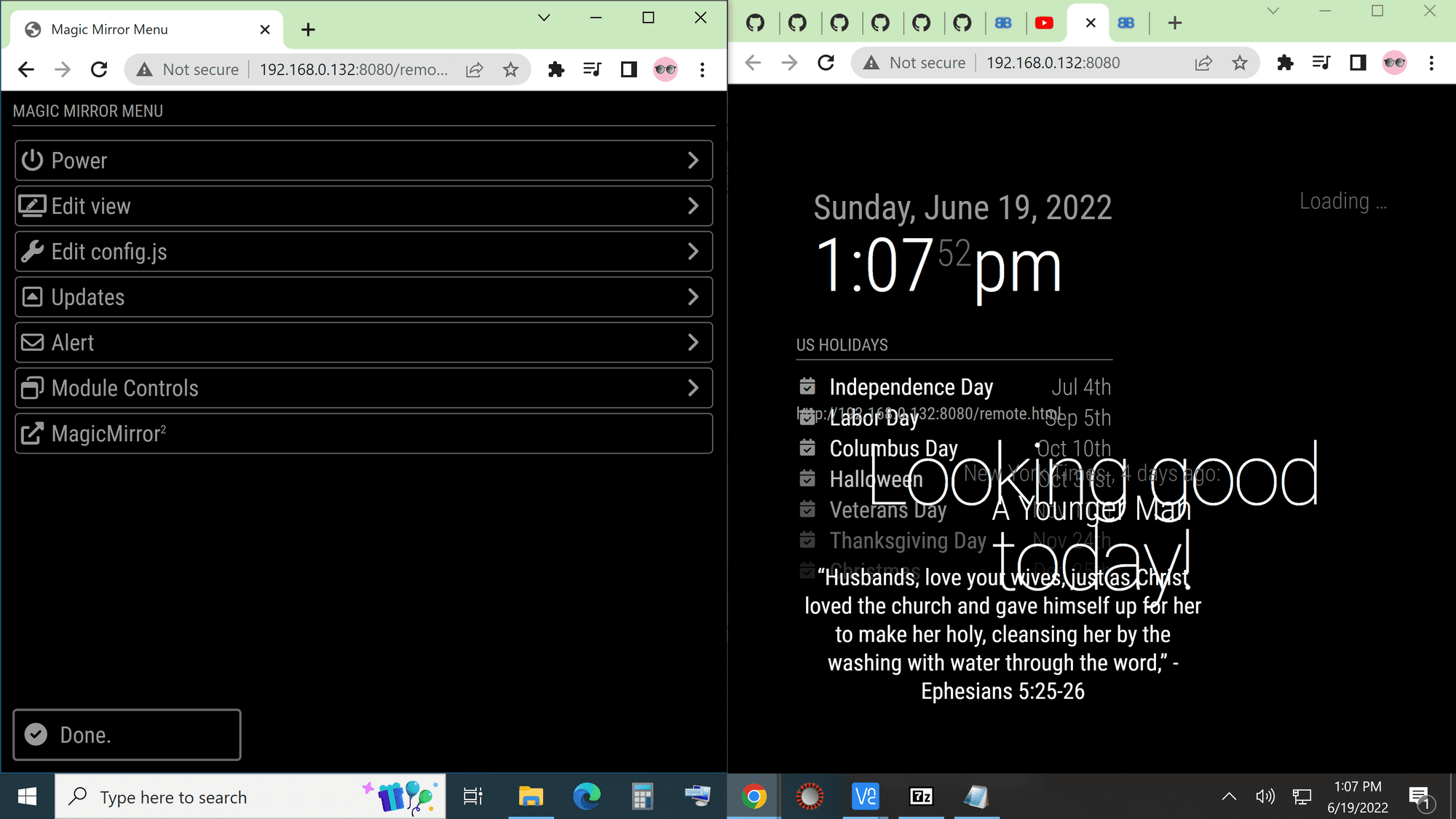
@mikelewis1971 LOL… I’ve no idea… I just tried to update the files and it wouldn’t let me so I did that reset…
I’ve no idea what it’s doing so I can’t really explain but it’s working so YAY!
-
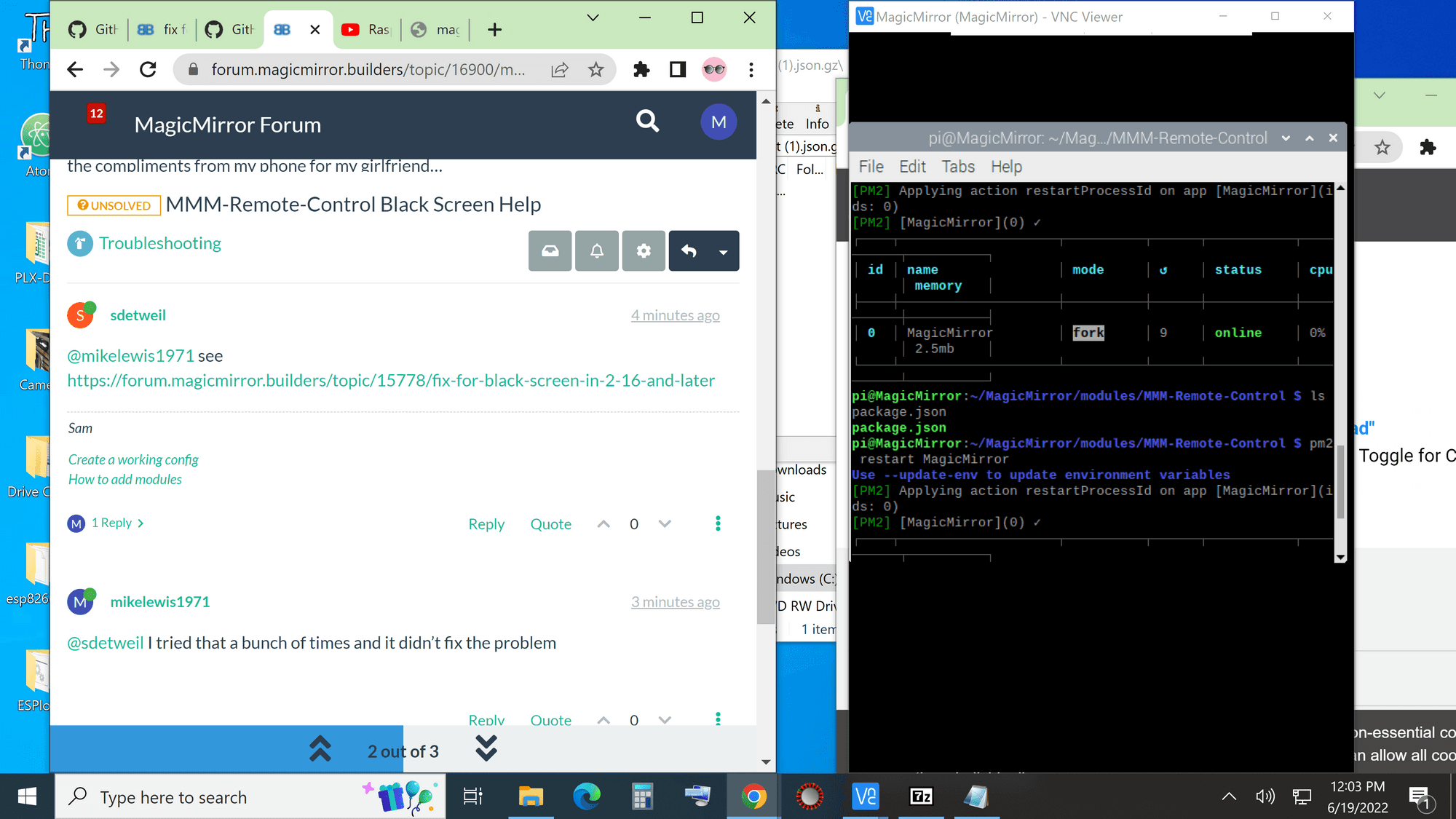
@mikelewis1971 what folder were you in when u did the git pull?
Hello! It looks like you're interested in this conversation, but you don't have an account yet.
Getting fed up of having to scroll through the same posts each visit? When you register for an account, you'll always come back to exactly where you were before, and choose to be notified of new replies (either via email, or push notification). You'll also be able to save bookmarks and upvote posts to show your appreciation to other community members.
With your input, this post could be even better 💗
Register Login