MagicMirror Forum
    • Recent
    • Tags
    • Unsolved
    • Solved
    • MagicMirror² Repository
    • Documentation
    • 3rd-Party-Modules
    • Donate
    • Discord
    • Register
    • Login
    A New Chapter for MagicMirror: The Community Takes the Lead
    Read the statement by Michael Teeuw here.

    modules

    Scheduled Pinned Locked Moved Solved Troubleshooting
    23 Posts 2 Posters 7.0k Views 2 Watching
    Loading More Posts
    • Oldest to Newest
    • Newest to Oldest
    • Most Votes
    Reply
    • Reply as topic
    Log in to reply
    This topic has been deleted. Only users with topic management privileges can see it.
    • S Do not disturb
      sdetweil @pat59
      last edited by

      @pat59 ok. it tells u the problem and how to work around it. did u do that?

      Sam

      How to add modules

      learning how to use browser developers window for css changes

      P 1 Reply Last reply Reply Quote 0
      • P Offline
        pat59 @sdetweil
        last edited by

        @sdetweil Hello and thank you for your feedback.
        no nothing do I can not understand what I have to do sorry thank you

        S 1 Reply Last reply Reply Quote 0
        • S Do not disturb
          sdetweil @pat59
          last edited by

          @pat59

          : Error: The provided keyfile does not define a valid
          redirect URI. There must be at least one redirect URI defined, and this sample
          assumes it redirects to ‘http://localhost:3000/oauth2callback’. Please edit
          your keyfile, and add a ‘redirect_uris’ section. For example:
          
          “redirect_uris”: [
          “http://localhost:3000/oauth2callback”
          ]
          

          the keyfile is the thing u downloaded from google

          Sam

          How to add modules

          learning how to use browser developers window for css changes

          1 Reply Last reply Reply Quote 0
          • P Offline
            pat59
            last edited by

            yes, I did download a file that I renamed credential.js and placed in the googlePhotos module of the magicmirror.
            that’s good what you’re talking about thank you

            S 1 Reply Last reply Reply Quote 0
            • S Do not disturb
              sdetweil @pat59
              last edited by

              @pat59 did u edit the file and add the missing info?

              if u do not understand the English text, translate it into your native language

              Sam

              How to add modules

              learning how to use browser developers window for css changes

              1 Reply Last reply Reply Quote 0
              • P Offline
                pat59
                last edited by

                no, I haven’t changed anything. Simply downloaded client ID and client secret code then placed in the googlephotos module.
                I will try to find by searching and come back to you if I do not find I thank you in advance thank you my friend

                1 Reply Last reply Reply Quote 0
                • P Offline
                  pat59
                  last edited by

                  I understand that it is necessary to modify the credential.js key by adding redirect_uris but I do not see where the site is.
                  {“installed”:{“client_id”:“315406544684-crlbfk6kon4bel61nkcpj59dt6s352dm.apps.googleusercontent.com”,“project_id”:“magicmirror-376414”,“auth_uri”:“https://accounts.google.com/o/oauth2 /auth”,“token_uri”:“https://oauth2.googleapis.com/token",“auth_provider_x509_cert_url”:“https://www.googleapis.com/oauth2/v1/certs”,“client_secret”:"GOCSPX -nqP06oYf_sZqPBlPJEw_hceNZhy2”}}

                  S 1 Reply Last reply Reply Quote 0
                  • S Do not disturb
                    sdetweil @pat59
                    last edited by

                    @pat59 yes, YOU have to add it along side the others

                    or go back to Google and add it there and download again

                    Sam

                    How to add modules

                    learning how to use browser developers window for css changes

                    1 Reply Last reply Reply Quote 0
                    • P Offline
                      pat59
                      last edited by

                      Good morning
                      ok I will look at this during the day, I would say thank you again for your patience.
                      thank you my friend

                      1 Reply Last reply Reply Quote 0
                      • P Offline
                        pat59
                        last edited by

                        Good morning .
                        does the location of the https://localhost redirect uri have a specific place in the API key, thank you
                        Cordially

                        S 1 Reply Last reply Reply Quote 0
                        • S Do not disturb
                          sdetweil @pat59
                          last edited by

                          @pat59 not specific. but I recommend you go back to the Google console and add it there, and download the file again

                          Sam

                          How to add modules

                          learning how to use browser developers window for css changes

                          1 Reply Last reply Reply Quote 0
                          • P Offline
                            pat59
                            last edited by

                            Hello my friend
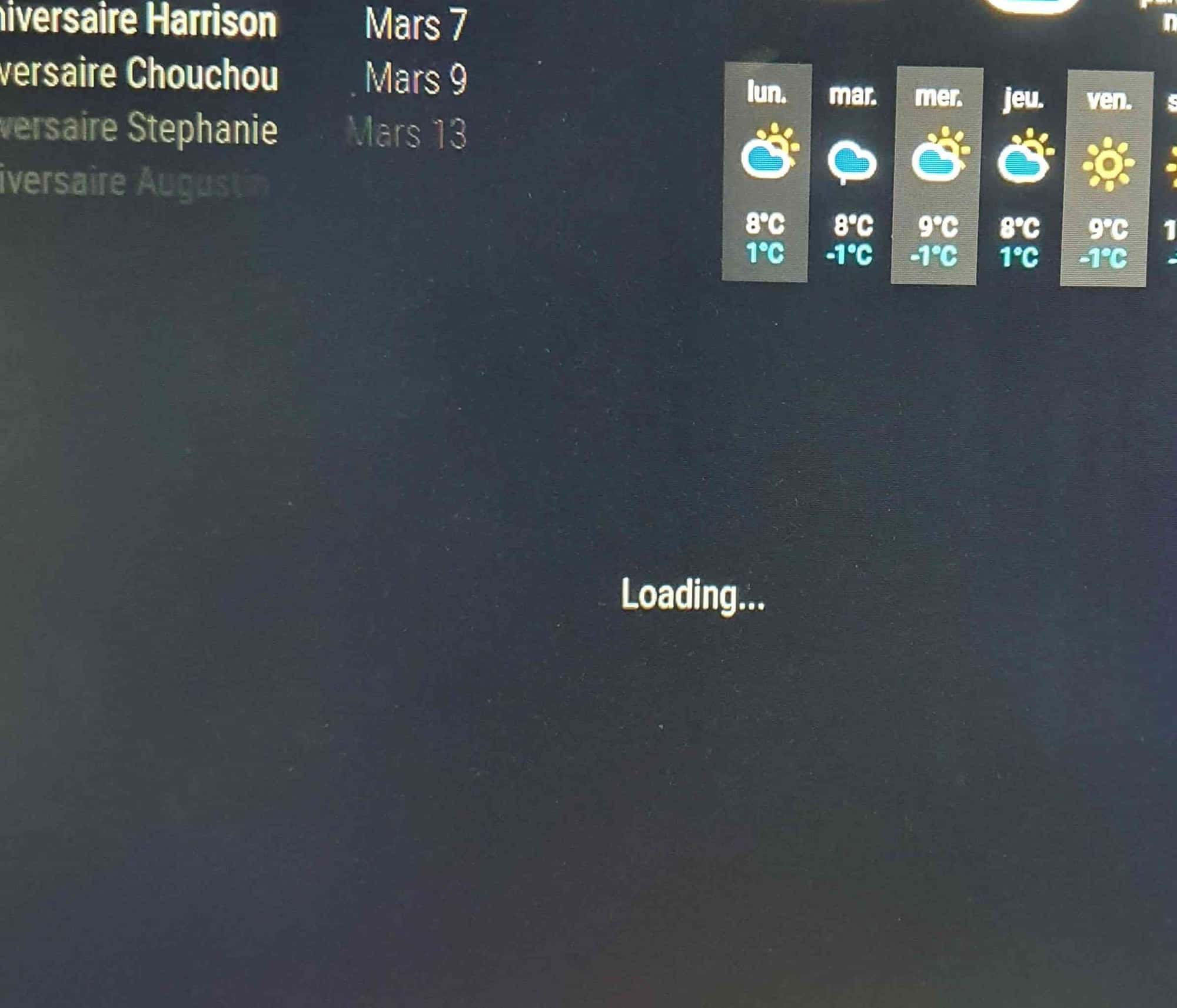
                            I returned to the googe console I managed to move on to the next stage, I copied the module in config.js I placed a photo in the album, it downloaded but nothing happened, it was looking for loading, what to do, thank you.
                            I did shift control. I went to console, nothing written in red20230206_101813.jpg
                            S 1 Reply Last reply Reply Quote 0
                            • S Do not disturb
                              sdetweil @pat59
                              last edited by

                              @pat59 you need to look at the output of npm start, or use pm2 logs --lines=nnn
                              nnn is some number bigger than 15

                              did u run the auth program after you fixed the credential file?

                              Sam

                              How to add modules

                              learning how to use browser developers window for css changes

                              1 Reply Last reply Reply Quote 0
                              • P Offline
                                pat59
                                last edited by

                                Good morning
                                good here everything works thanking you for your help and your patience. Thank you again my friend

                                1 Reply Last reply Reply Quote 0

                                Hello! It looks like you're interested in this conversation, but you don't have an account yet.

                                Getting fed up of having to scroll through the same posts each visit? When you register for an account, you'll always come back to exactly where you were before, and choose to be notified of new replies (either via email, or push notification). You'll also be able to save bookmarks and upvote posts to show your appreciation to other community members.

                                With your input, this post could be even better 💗

                                Register Login

                                • 1
                                • 2
                                • 1 / 2
                                • First post
                                  Last post
                                Enjoying MagicMirror? Please consider a donation!
                                MagicMirror created by Michael Teeuw.
                                Forum managed by Sam, technical setup by Karsten.
                                This forum is using NodeBB as its core | Contributors
                                Contact | Privacy Policy