Read the statement by Michael Teeuw here.
Show calendar based on IP Address accessed
-
Hi,
I am trying to provide different calendar for each client based on the IP address they access from. Please advise me where to edit the stock calendar module. I am thinking of adding accessIP under each calendar entry in the config file to enable this.
Any help will be useful
-
@Spinster so, you would have to change calendar.js and only send requests to get calendar data for the matching calendar configs here, at the call to addCalendar
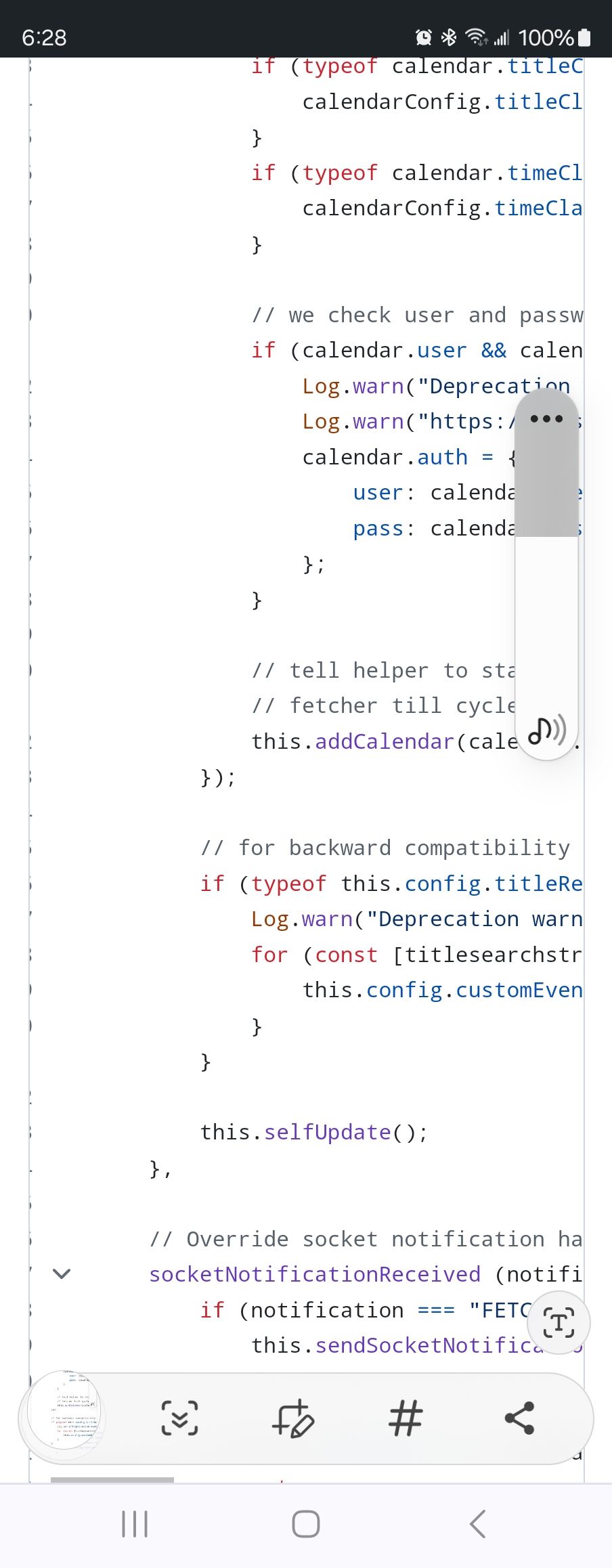
the code already checks to see if the data was for this instance
-
Hi @sdetweil ,
Thank you for your hint, can you please suggest how to get the client’s IP within this function call?
Also, I tried adding some log message before the add calendar call, I could not see it in the log, am I doing something wrong? Please correct me. -
@Spinster this component of the module runs in the browser, so you would have to open the developers window, ctrl-shift-i, and select the console tab
you can also install a module that sends those to the console log. mmm-logging for example.
for the ip address you will need to create a couple things, as you can only get this from a server side http request
u need a socketnotification to the node helper to get the server ip address
then you create an express api service at the server to call and get the client ip address from the request infothe socketnotification in the node helper doesn’t have that info
-
@Spinster you could sidestep the 1st part by examining the url of this page in calendar.js to get the server it was loaded from
https://ui.dev/get-current-url-javascriptyou can use the developers window sources tab to debug that code
-
@Spinster you could add this service as a separate module, with no content to show
or have a hidden div w the ip address and be able to synchronous search the dom for it
document.getElementsbyId()… maybe
-
@Spinster
Depending on the environment and which modules you want to display on the screen, it may vary, but… If you don’t have many clients (less than 10) and your server has sufficient capacity, it might be better to provide each client with a dedicated server instance with a different port number. For example, Client 1 - Port 8081, Client 2 - Port 8082, … If there are 10 clients, run 10 MM servers.
You just need to setup config.js of each client-server pair for your purpose.There’s no need to modify the source code, and you also don’t need to allocate fixed IP addresses for each client through router settings or WLAN settings of clients. Usually, in home or office environments, DHCP is common, so this would be a simpler approach.
-
@sdetweil I understand about the log. Thank you.
Regarding the IP address, I am very new to javascript hence trying to get my head around it. Being a C programmer, certain things in JavaScript is still a distant for me. Hope to understand soon.
Just in case if you have some time, a simple code from you would help me. Please.
-
@MMRIZE I understand, Ideally I would like to avoid opening multiple ports and use a common config to serve clients based on their IP. In fact, though DHCP is used by my home server, I have only assigned the IP address to reservations, hence static IP within my home network is not a problem.
Please suggest a simple code to use a specific calendar based on IP address of the client.
-
@Spinster
I’m out of my test PC, so I can’t show atm. (Maybe tomorrow possible, if you couldn’t success until that time)
You can add custom config attribute map-like objectcalendarMapin your config.jsmodule: "calendar", position: "top_left", config: { calendarMap: { "192.168.178.100": ["calendar1", "calendar2"], "192.168.178.101": ["calebdar1", "calendar3"], }, calendars: [ { url: " … ", name: "calendar1", }, …In
calendar.jsaround line 176, whenCALENDAR_EVENTSnotification coming, you can filter the payload(array of events) of that notification by checkingcalendarNameof each event is matched tothis.config.calendarMap.Sorry I can’t show the real code now. Maybe some hours later I may be able to. Anyway concept would be like this.
-
@MMRIZE Great, You have given me an idea, will wait for your code. Please share when possible.
-
@Spinster
Ah I suddenly remember that getting Internal IP with only JavaScript on client browseris hard.
Hmmm another approach might be needed. -
@MMRIZE that is why you need the express api call…
I would make a separate module that has ip in div, not shown, but w id
then call in calendar is document.get…
compare, your way or on cal entries
more synchronous… -
@sdetweil
Yes. I thought a small module with node_helper that could return clients’ ip as a result of REST api call from calendar module. -
@MMRIZE and that module calls its own rest call publishes the address in its getDom() result, with id= on div
and then cal module can use synchronous document.getElementsById()
to get that value.
-
so the little module is
https://github.com/sdetweil/getip
and it does correctly return the ip address of the client… tested from 4 different systems to the same MM…
see later post for final solution
-
-
I tried your code, but find that once I include getip module in config.js, I am not seeing any output for calendar. Is this the expected output. Without getip module, I find that client_ip = document.getElementById("getip is returning null.Please advice
-
@Spinstersee later post
-
@Spinster
By the way, which client are you using? Electron? Or Browser?
Hello! It looks like you're interested in this conversation, but you don't have an account yet.
Getting fed up of having to scroll through the same posts each visit? When you register for an account, you'll always come back to exactly where you were before, and choose to be notified of new replies (either via email, or push notification). You'll also be able to save bookmarks and upvote posts to show your appreciation to other community members.
With your input, this post could be even better 💗
Register Login