Read the statement by Michael Teeuw here.
Highlight current day in calendar
-
Hello.
I use the MMM-MonthlyCalendar module and I try to highlight the current day in the calendar. The developer said that that should come from the default calendar, but unfortunately no further help.
Can someone point me in the right direction to have the background of the current day in the calendar colored in white? -
@rvnbrg ok, he provides css that targets ‘today’
.MMM-MonthlyCalendar .today {
  background-color: rgba(192, 192, 192, 0.2);
}
so, just add that to custom.css and change the color
-
-
@sdetweil xavier@raspberrypi:~/MagicMirror/modules/MMM-MonthlyCalendar $ git remote -v
origin https://github.com/kolbyjack/MMM-MonthlyCalendar.git (fetch)
origin https://github.com/kolbyjack/MMM-MonthlyCalendar.git (push)
xavier@raspberrypi:~/MagicMirror/modules/MMM-MonthlyCalendar $ -
@sdetweil I am on the current latest version.
-
@rvnbrg ok, he provides css that targets ‘today’
.MMM-MonthlyCalendar .today {
  background-color: rgba(192, 192, 192, 0.2);
}
so, just add that to custom.css and change the color
-
@sdetweil omg it worked! Thank you very much!
-
S sdetweil has marked this topic as solved on
-
@sdetweil I did so and it worked the first day(s) but today and Yesterday the background was gone. I checked the custom css and all lines are still present. Did I do something wrong? Or does it have to do something with the weekend days?
-
@rvnbrg I do not know. I would have to look at the content to see if the classes were applied
see here how to look at the content
https://forum.magicmirror.builders/post/90135 -
@sdetweil today I noticed that I do see the highlighted background when I open Magic Mirror on my phone’s web browser, but not on the mirror itself. A bit strange isn’t it?
-
@rvnbrg if you refresh the MagicMirror screen, if you have a keyboard hit ctrl-r
or restart MagicMirror -
@sdetweil i tried that multiple times
-
@rvnbrg did you use the developer window to look at the styles?
-
@sdetweil my raspberry 3 a+ is a bit too slow to navigate through the dev screen. That’s why I checked via my laptop’s chrome browser. But there is the background of today highlighted as expected.
Side question: If I replace my rb 3a+ with a rb 4. Can I get everything working as it is now by just changing the sd card?
-
@rvnbrg generally yes, moving the sd card is ok.
now the newer bookworm built on pi4 or 5 probably won’t run on older pi3
-
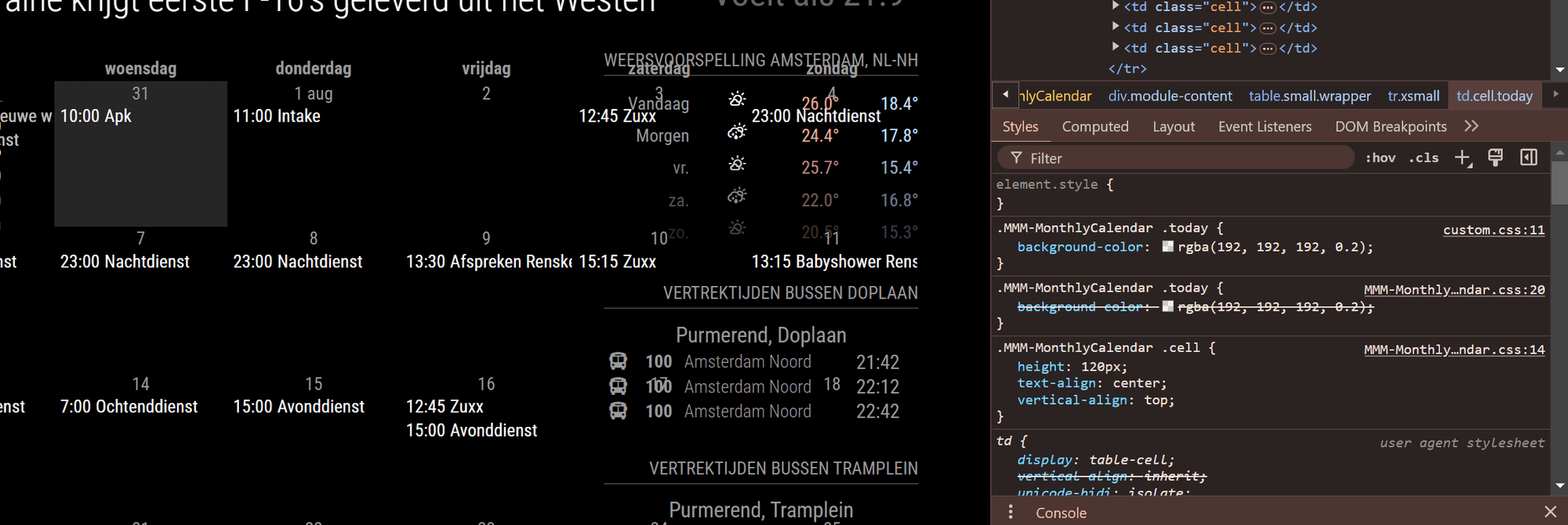
This is what I see when I check at my desktop browser.
Would it be any different on the raspberry? -
@rvnbrg should not be
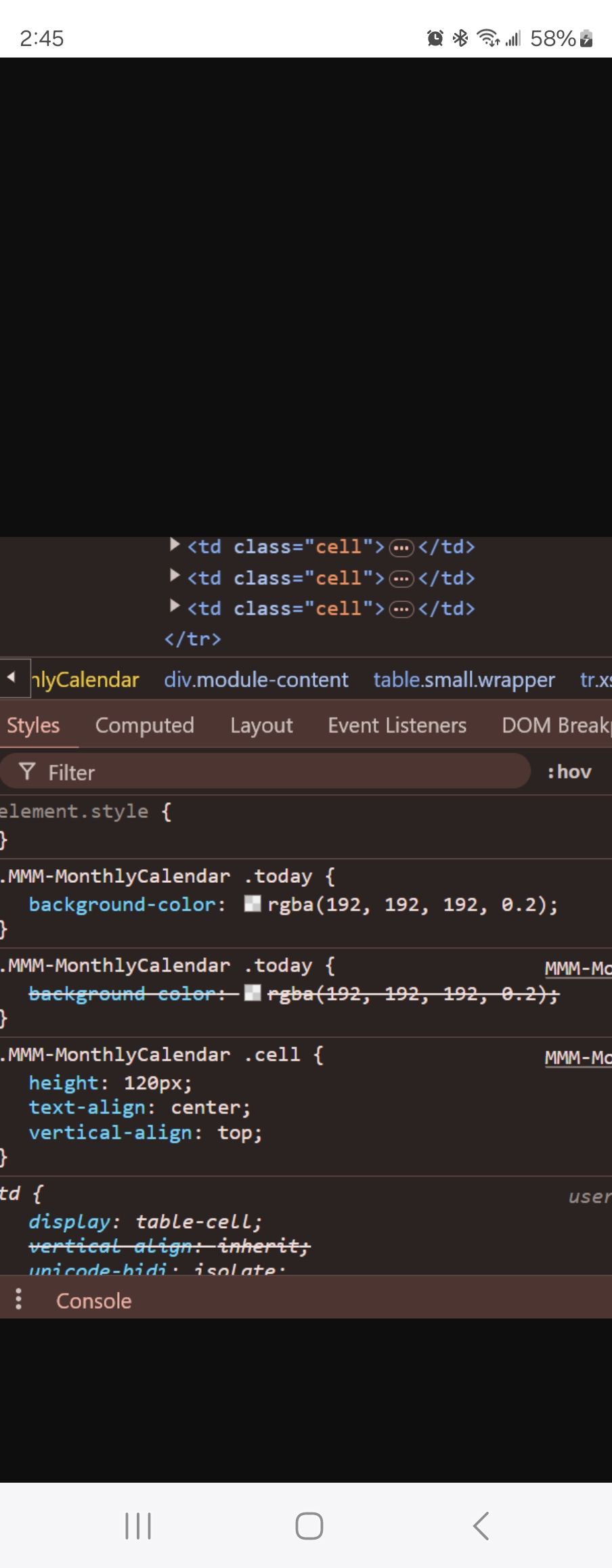
that is your custom.css overriding the module css.
unless the date is set wrong on the system.
the styles are done in the browser. -
@sdetweil I am currently out of ideas.
My time zone settings are correct, the displayed time is correct.
With the help of ChatGPT I tried al kind of things like adding classes to the module js file. but to no avail. I am currently on a fresh installed module and where your first tip got it working it is now not working at all. (Only works on my laptop on localhost:8080) -
@sdetweil i now reinstalled the whole mirror and still cannot get it to work on the mirror. The Dev tools on the mirror are exactly the same as on the windows laptop.
-
@rvnbrg but it shows on weekdays? Or not at all anymore?
Is the screen contrast misadjusted?
You can edit the color in the dev tools top window
If you select that element you can enter the background color in the upper right window -
@sdetweil Sir, you did it once again. I tried editing the alpha channel from “0.2” to “0,5” and all worked out.
Thank you very much for all the support and your patience since the beginning of my MM journey! :)
Hello! It looks like you're interested in this conversation, but you don't have an account yet.
Getting fed up of having to scroll through the same posts each visit? When you register for an account, you'll always come back to exactly where you were before, and choose to be notified of new replies (either via email, or push notification). You'll also be able to save bookmarks and upvote posts to show your appreciation to other community members.
With your input, this post could be even better 💗
Register Login