MagicMirror Forum
    • Recent
    • Tags
    • Unsolved
    • Solved
    • MagicMirror² Repository
    • Documentation
    • 3rd-Party-Modules
    • Donate
    • Discord
    • Register
    • Login
    A New Chapter for MagicMirror: The Community Takes the Lead
    Read the statement by Michael Teeuw here.

    MMM-Chores - Manage and keep track of your household Chores

    Scheduled Pinned Locked Moved Utilities
    100 Posts 17 Posters 25.0k Views 18 Watching
    Loading More Posts
    • Oldest to Newest
    • Newest to Oldest
    • Most Votes
    Reply
    • Reply as topic
    Log in to reply
    This topic has been deleted. Only users with topic management privileges can see it.
    • htilburgsH Offline
      htilburgs @PierreGode
      last edited by

      @PierreGode said in MMM-Chores - Manage and keep track of your household Chores:

      @htilburgs
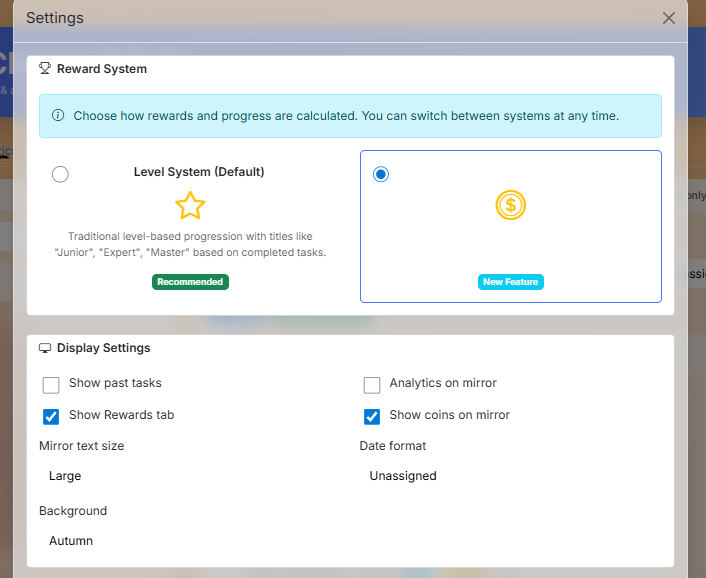
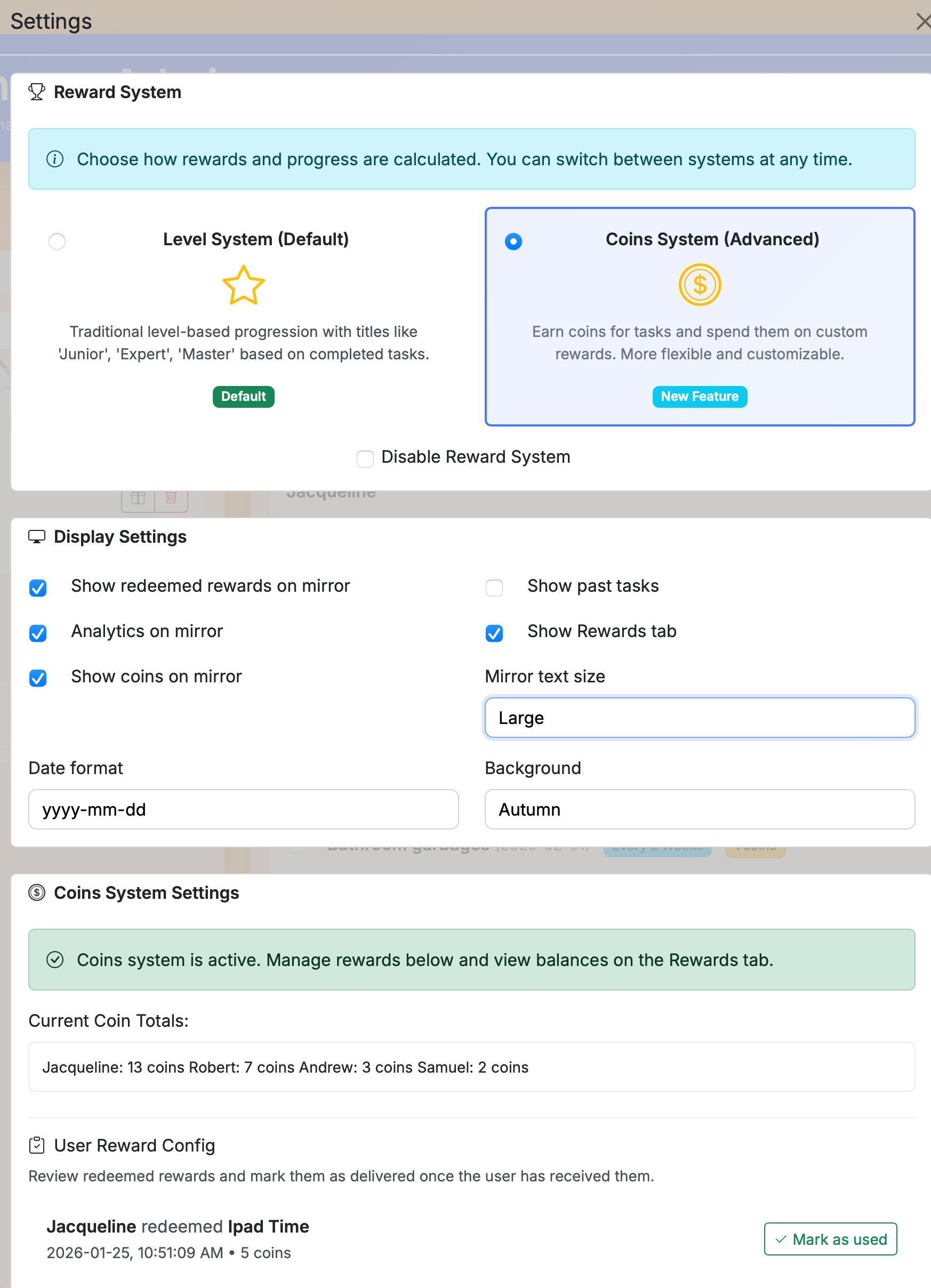
      You can set it in the web in config page > Display Settings > Date format > Unassigned > Save

      I’m sorry for this late reaction. I’ll try this tomorrow (monday) when I have access to my mirror. Currently not at home. I let you Guys know the results.

      (still trying to learn JS, but not afraid to ask and AI is my best friend) ☺

      1 Reply Last reply Reply Quote 1
      • htilburgsH Offline
        htilburgs @PierreGode
        last edited by

        @PierreGode
        Tested and works. Thanks!

        (still trying to learn JS, but not afraid to ask and AI is my best friend) ☺

        1 Reply Last reply Reply Quote 0
        • J Offline
          jtillinghast
          last edited by sdetweil

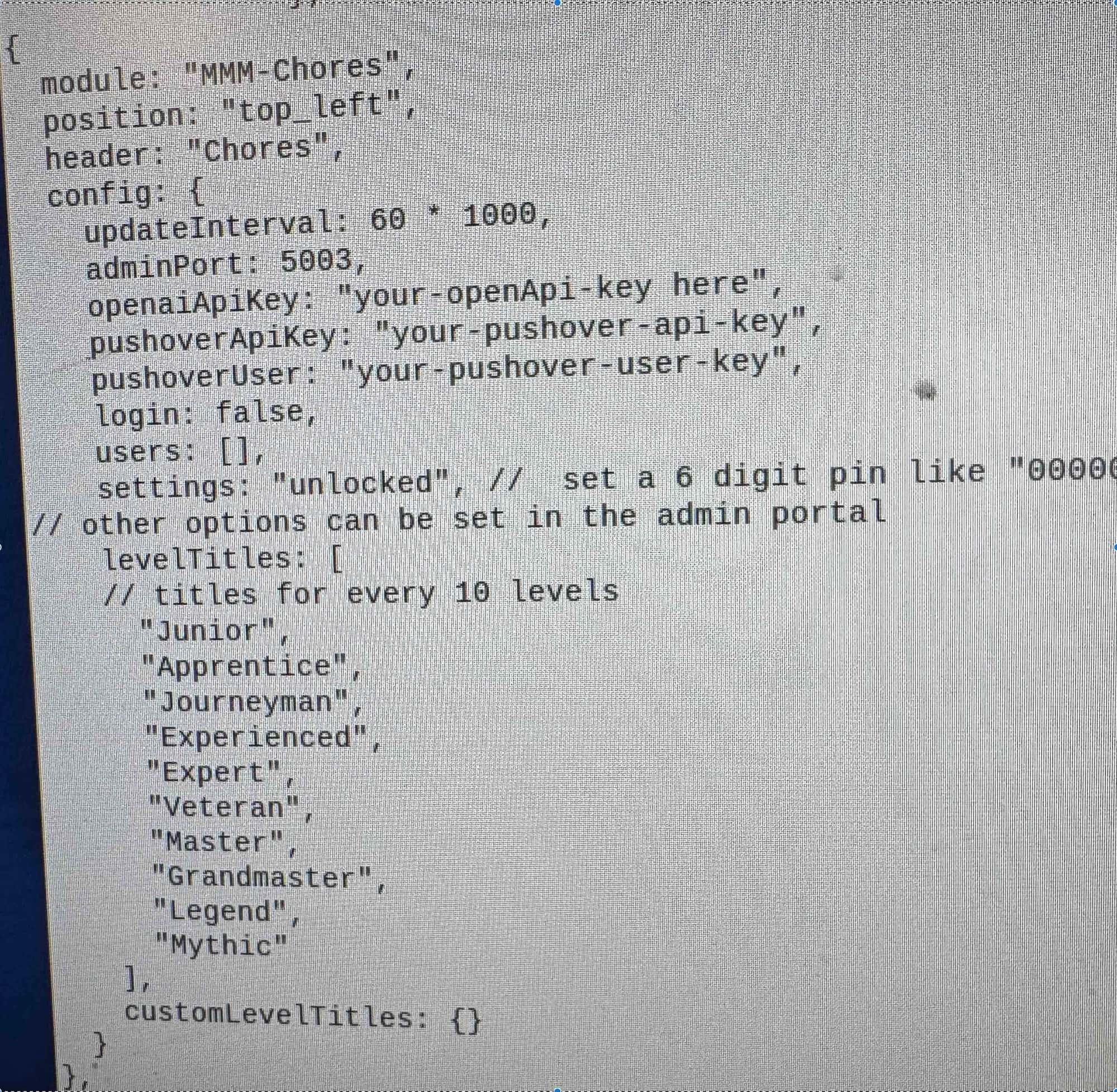
          Hey all-- I’m trying to get MMM-Chores working, but no matter what I do, the module shows up in the mirror as “No tasks to show (emoji).” I have populated the list with tasks, and confirmed that they appear in the data.json file. And I can reach the admin panel for Chores, so I know the server is running. Relevant codeblock from config.js:

          {
          					module: "MMM-Chores",
          					position: "bottom_left",
          					classes: "overview",
          					header: "Chores",
          					config: {
          						updateInterval: 60 * 1000,
          						adminPort: 5003,
              					settings: "unlocked",
          						dateFormatting: "",
          						login: false,
          						users: [{ username: "dad", password: "", permission: "read" }],
          					}
          				}
          

          I’m sure it’s something simple, so I appreciate your help! TIA.

          PierreGodeP 1 Reply Last reply Reply Quote 0
          • PierreGodeP Offline
            PierreGode Module Developer @jtillinghast
            last edited by

            @jtillinghast
            What does the command pm2 logs give you?

            J 1 Reply Last reply Reply Quote 0
            • J Offline
              jtillinghast @PierreGode
              last edited by

              @PierreGode And of course, today it works for seemingly no other reason. I don’t believe I have touched anything in the module or the config since it wasn’t working, but now it looks good! I will continue to monitor. Thanks.

              1 Reply Last reply Reply Quote 0
              • J Offline
                jtillinghast
                last edited by

                Question: Is it possible to set the config in some way to only show chores for one person? I’m using MMM-Pages to give each kid their own dashboard, for example, and I’m wondering if the page could just show the chores for that one person.

                S 1 Reply Last reply Reply Quote 0
                • S Offline
                  sdetweil @jtillinghast
                  last edited by

                  @jtillinghast and then you need multiple instances in config.js

                  Sam

                  How to add modules

                  learning how to use browser developers window for css changes

                  J 1 Reply Last reply Reply Quote 0
                  • J Offline
                    jtillinghast @sdetweil
                    last edited by

                    @sdetweil Sure-- I have the multiple instances, but I’m just not sure what to put into the config to filter each instance down.

                    S 1 Reply Last reply Reply Quote 0
                    • S Offline
                      sdetweil @jtillinghast
                      last edited by

                      @jtillinghast ok, takes a little extra coding for multiple instances. Just making sure that is handled too

                      Sam

                      How to add modules

                      learning how to use browser developers window for css changes

                      J 1 Reply Last reply Reply Quote 0
                      • J Offline
                        jtillinghast @sdetweil
                        last edited by

                        @sdetweil Can you say more about the extra coding? I created multiple instances, and assigned them to the unique pages via the class. Is there more unique configuration that needs to get handled?

                        S 1 Reply Last reply Reply Quote 0
                        • 1
                        • 2
                        • 3
                        • 4
                        • 5
                        • 6
                        • 7
                        • 8
                        • 9
                        • 10
                        • 6 / 10
                        • First post
                          Last post
                        Enjoying MagicMirror? Please consider a donation!
                        MagicMirror created by Michael Teeuw.
                        Forum managed by Sam, technical setup by Karsten.
                        This forum is using NodeBB as its core | Contributors
                        Contact | Privacy Policy