A New Chapter for MagicMirror: The Community Takes the Lead
Read the statement by Michael Teeuw here.
Read the statement by Michael Teeuw here.
MMM-Remote-Control

-
hey guys…
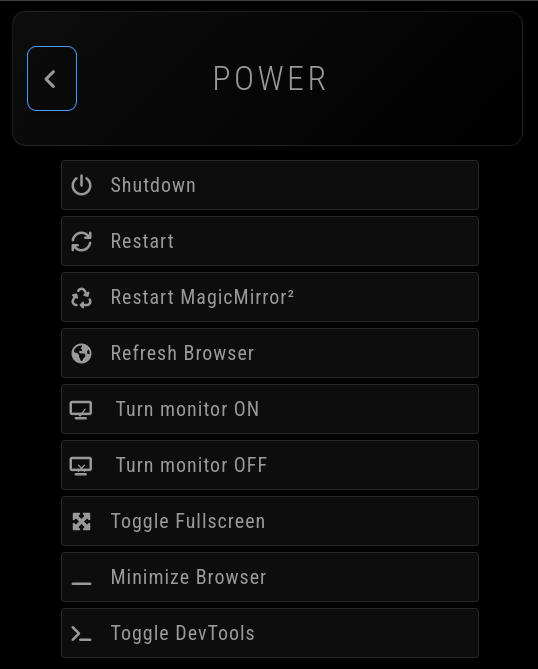
having some issues using the shutdown/reboot commands…they throw this error, even though I have the API key in the config
{“success”:false,“message”:“Forbidden: API Key Not Provided!”}
here’s the config
{ module: 'MMM-Remote-Control', // position: 'bottom_left', // Required to show URL/QR code on mirror // you can hide this module afterwards from the remote control itself config: { showModuleApiMenu: true, secureEndpoints: true, apiKey: "111111111-2222-3333-4444-555555555555", customCommand: { monitorOnCommand: 'loginctl unlock-session 1', monitorOffCommand: 'loginctl lock-session 1', shutdownCommand: 'systemctl poweroff', rebootCommand: 'systemctl reboot', // Optional, See "Using Custom Commands" below }, } }, -
said in MMM-Remote-Control:
hey guys…
having some issues using the shutdown/reboot commands…they throw this error, even though I have the API key in the config
{“success”:false,“message”:“Forbidden: API Key Not Provided!”}
here’s the config
            {
                    module: 'MMM-Remote-Control',
                    // position: 'bottom_left', // Required to show URL/QR code on mirror
                    // you can hide this module afterwards from the remote control itself
                    config: {
                            showModuleApiMenu: true,
                            secureEndpoints: true,
                            apiKey: "111111111-2222-3333-4444-555555555555",
                            customCommand: {
                                            monitorOnCommand: 'loginctl unlock-session 1',
                                            monitorOffCommand: 'loginctl lock-session 1',
                                            shutdownCommand: 'systemctl poweroff',
                                            rebootCommand: 'systemctl reboot',  // Optional, See "Using Custom Commands" below
                                            },

            }
            },
i figure it out…had to append the apiKey at the end of the url for all commands
http://192.168.1.5:8888/api/command/rebootCommand?apiKey=111111111-2222-33333-4444
