Read the statement by Michael Teeuw here.
Swap 2 modules on loading 1 module
-
Currently my mirror is full with the needed apps. I like to swap out one module on load of an other module.
For example:
Left under is Module A. When I start a number on Spotify my module MMM-OnSpotify pops up (as expected) but it goes over Module A that is already in the Left under corner.Question:
Is there a way that let Module A temporary disappear, until MMM-OnSpotify disappears after stopping playing music on Spotify?Default situation:
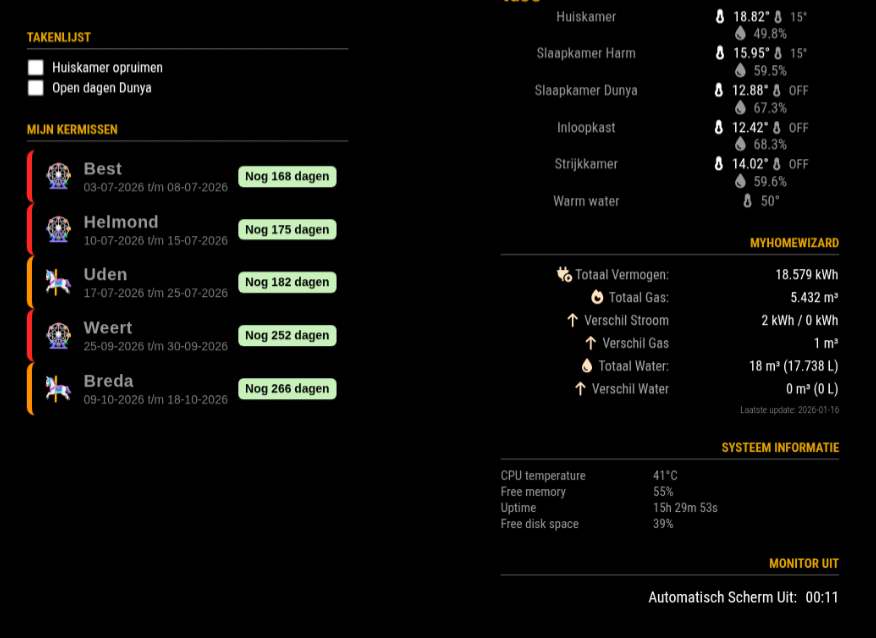
Situation with listening to Spotify:
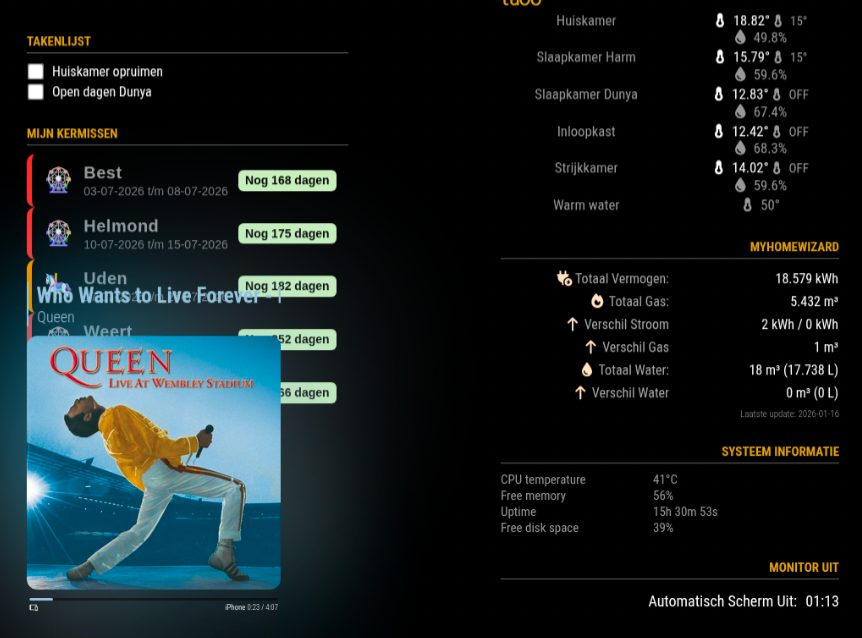
-
@htilburgs I’m not aware of any module that provides this kind of orchestration.
You can do it manually with mmm-remote control (hide module)Some people use MMM-pages to separate overlap
Maybe
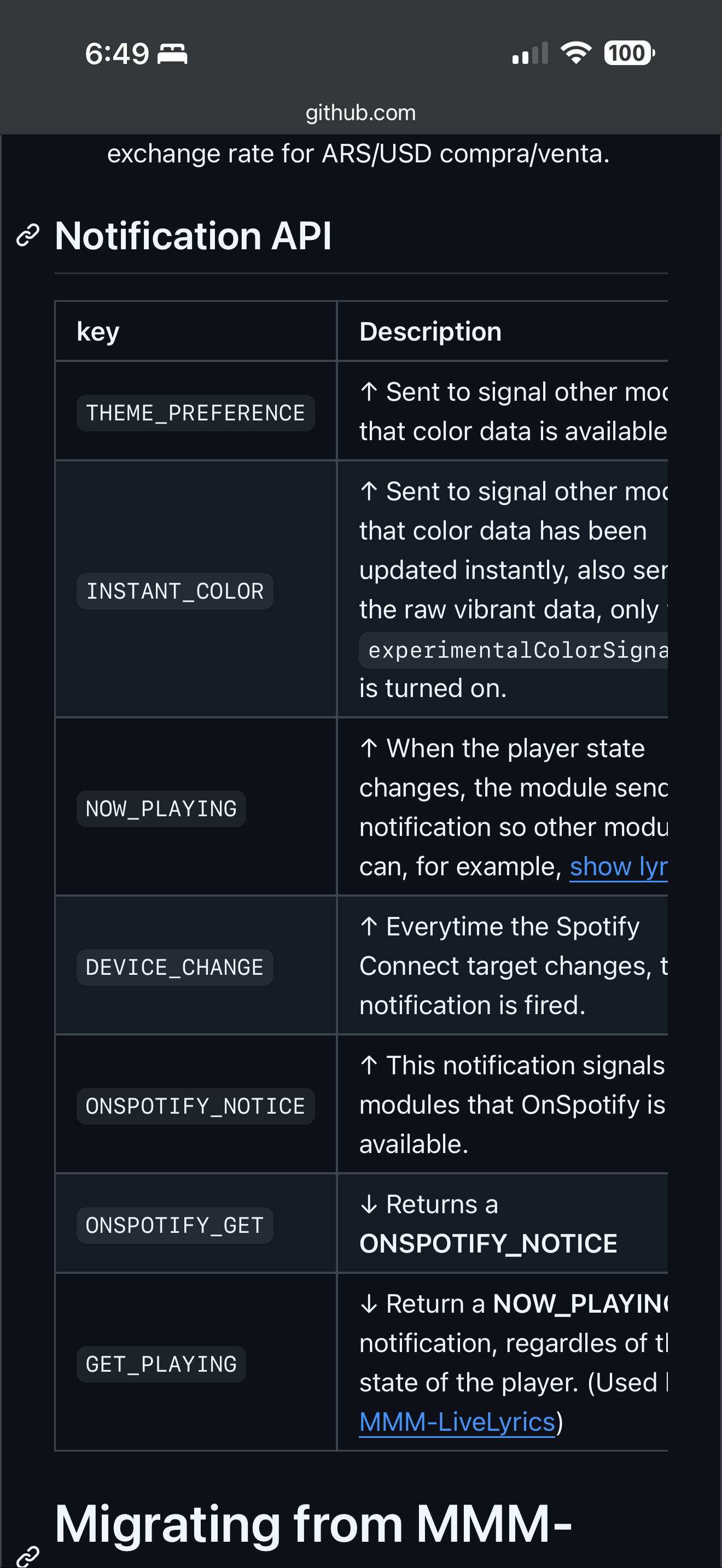
https://github.com/MMRIZE/MMM-NotificationTriggerBut I don’t know if the on Spotify signals it’s appearance/disappearance
You might be able to use the Now-Playing notification
-
@sdetweil I Will give both of them a look and let see what I come up with. Thanks for the reply.
-
@htilburgs I second MMM-Pages, its useful. The config takes a little getting used to. You’ll need to add classes to modules to specify which page the they land on.
-
@ArnoldoB if you use the classes approach vs the module name approach . I could never remember the module name approach , always looking up and down, and figuring how to configure for multiple instances of the same module
I like to use the classname “all_pages” for fixed, makes more sense

Hello! It looks like you're interested in this conversation, but you don't have an account yet.
Getting fed up of having to scroll through the same posts each visit? When you register for an account, you'll always come back to exactly where you were before, and choose to be notified of new replies (either via email, or push notification). You'll also be able to save bookmarks and upvote posts to show your appreciation to other community members.
With your input, this post could be even better 💗
Register Login