Read the statement by Michael Teeuw here.
Default Weather Module Stuck on loading.
-
Hello, my default weather module quit working after updating to the latest MagicMirror version (2.34.0). it was a few versions behind, so I am imagining that something changed in the request that I am missing in the config but I cannot seem to track down what it might be. The API request is getting a 401 error, and using the api key itself in my browser I am able to retrieve the information, but something in the module request is causing an error I believe.
My current config (a bit of a mess as I have been trying to troubleshoot for awhile)
			module: 'weather',
			position: 'top_right',
			config: {
				weatherEndpoint: '/weather',
				apiVersion: '2.5',
				weatherProvider: 'openweathermap',
				locationID: '5946768',
				apiKey: 'xxxxxx',
				//lat: 53.5462,
				//long: -113.4937,
				roundTemp: true,
				degreeLabel: true,
				colored: true,
				fade: false
this returns an error "GET https://api.openweathermap.org/data/2.5/weather?id=5946768&units=metric&lang=en&APPID=xxxx 401 (unauthorized)
In the few days prior to updating, the forecast was also showing the days as a string (01/10/26) rather than the day of the week as it had been doing previous. This is what prompted me to update to the latest version of MM in the first place.
-
-
my default weather module quit working as well, however my weatherEndpoint is Openmeteo. Is that one also relying on api calls as well and that’s why it stopped working?
-
@fnmuffinman no. I haven’t seen any limits on that provider
Weather is done all in browser
Open the browser developers window
ctrl-shift-i
Select the console tab
Put weath in the filter fieldShow the messages
-
@flyedge also, using the new v3 api settings
The location is specified using lat/lon (not long)
And the only weather types are current and forecast
And endpoint would not be needed, but if provided needs to be ‘/onecall’See
https://docs.magicmirror.builders/modules/weather.html#configuration-options -
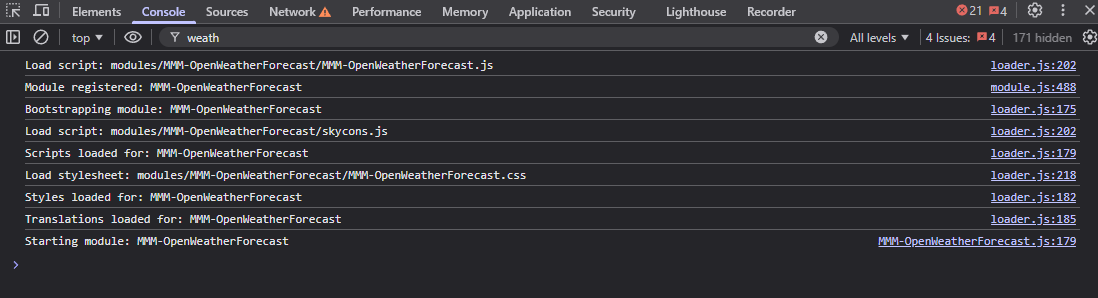
@sdetweil so after messing around and trying out a new module (might change my problem here) but seems it still won’t load. I am still pretty green at troubleshooting modules so excuse my lack of knowledge here. I have a screenshot of the spot you asked but for the new module:
-
@fnmuffinman which module are you using
git remote -v
In the module folder
Tom’s is v3 api only
The original is v2.5 only
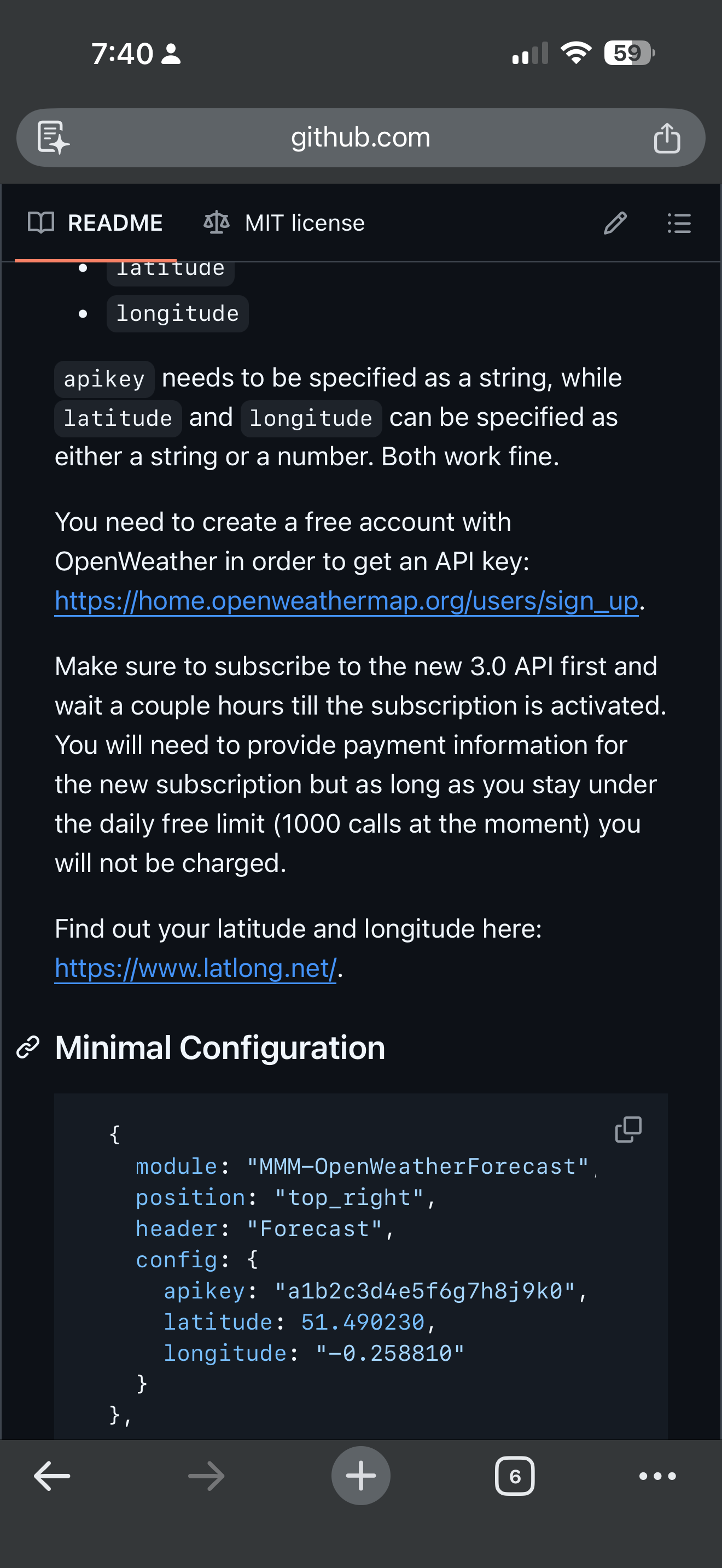
From Toms version readme
-
@fnmuffinman these modules use a helper so debug info is where you npm start , IF the author presents logging
-
@sdetweil alrighty so I got a bit further after a bit more testing and digging into the pm2 logs so here is where I am at.
I am using this module: https://github.com/Tom-Hirschberger/MMM-OpenWeatherForecast
Here is a screenshot of the current error I am seeing in the dev tools
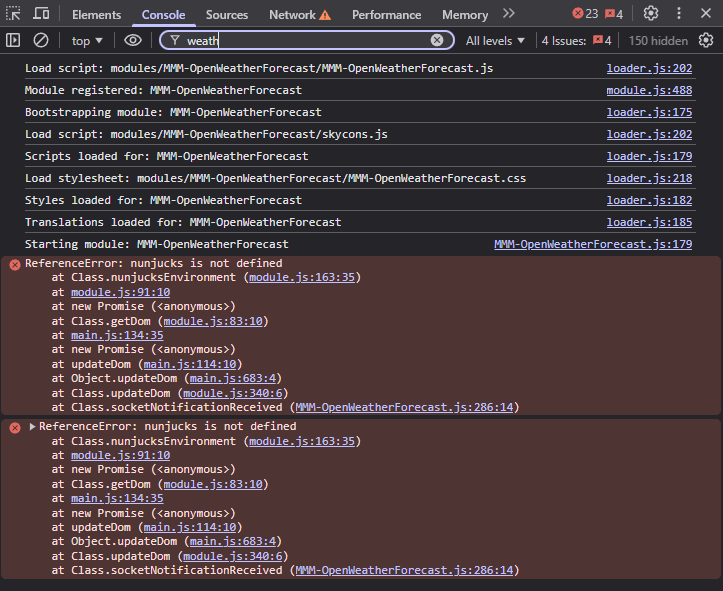
I was seeing a 401 Unauthorized error for a bit but figured out the 3.0 API call thing. I did test the URL from the website with my lat and long with the API key it works. I no longer see those errors in my pm2 logs on the mirror. Here is a screenshot of my current config in the config.js as well
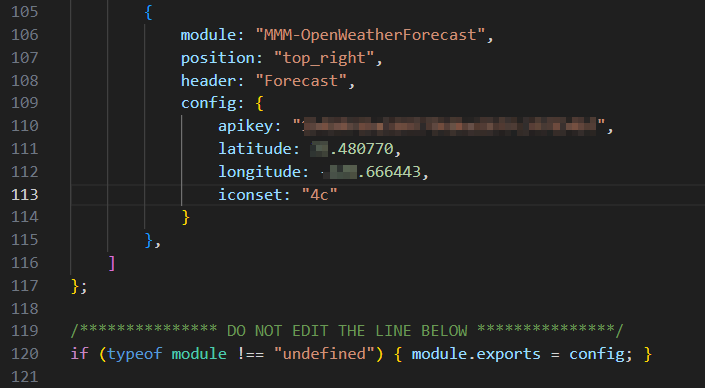
Sorry didn’t want to dox or give my api key :) also as further troubleshooting, here is a screenshot of the api.openweathermap.org URL to show it does work
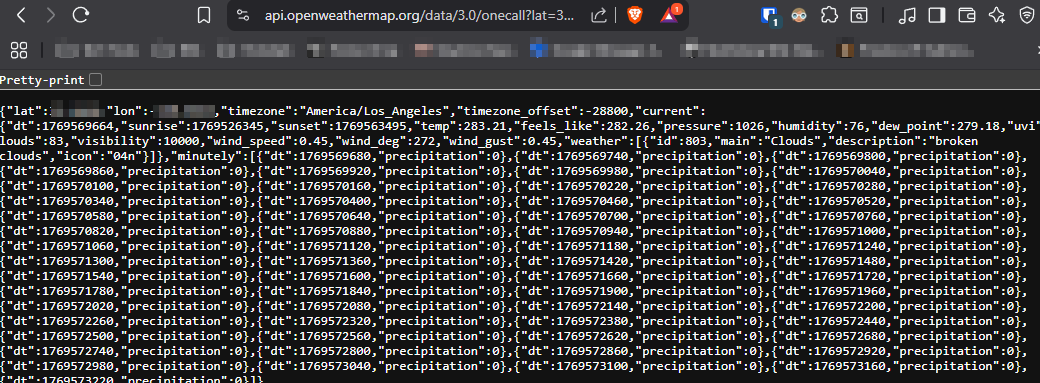
appreciate the help! my first time truly digging into why a module isn’t working. I have alot more respect for coders lol
-
@fnmuffinman did you do the npm install in the module folder?
