Read the statement by Michael Teeuw here.
Switch Months - MMM-CalendarExt3 -
-
I’ve made quite a progress to code my MagicMirror the way I want it to work, but I’m hitting a wall right now and need help.
I’m trying to make a simple navigation for MMM-CalendarExt3 where PageUp and PageDown would switch to next and previous months.
I use those buttons because I’ll be using a usb clicker that has those 2 buttons.
I have no issues with the clicker itself, it works on the Raspberry Pi and show the proper input on websites like key-event-viewer.
So far I’v tried with MMM-KeyBindings, but the only notification MM is recievinge is MMM-KeyBinding sent “KEY PRESS” no matter the button I press, even on a regular keyboard (not all button works thought, mostly arrows, enter, space etc… but not PageUp and PageDown).
I can enable evdev to listen to my clicker and in the terminal, when magic mirror is running with KeyBindings, I can see “KEY_104 pressed” and "KEY_109 pressed " when I use the clicker on path /dev/input/event0
But in my code, no matter what I put, it only sends MMM-KeyBindings sent “KEY PRESS”
Here is what my code would look like
{
module: “MMM-KeyBindings”,
config: {
enableKeyboard: true,
evdev: {
enabled: true,
eventPath: “/dev/input/event0”
},
keyBindings: [
{ key: “KEY_104”, notification: “CALENDAR_NEXT” },
{ key: “KEY_109”, notification: “CALENDAR_PREV” }
]
}
},
(I tried with “PageUp” and “KEY_PAGEUP”. That last one is what I get with evtest on input 0)After 2 days, I decided to check a new avenue with MMM-Remote-Control.
I managed to get further (kind of) and managed to get the right notification sent to the calendar throught curl commands and the API. Not sure yet how to make the clicker input commands throught, but the issue here lies in the actual notifications right now.
I wanted to use CX3_MOVE_CALENDAR, but it did not do anything. It is deprecated and not working at all, but the deprecated CX3_SET_DATE does work, but it’ll be kind of hard to use it as it goes to a specific date.
Tried with CX3_SET_CONFIG but this also seems to not change the month, no matther what monthIndex I send with it.
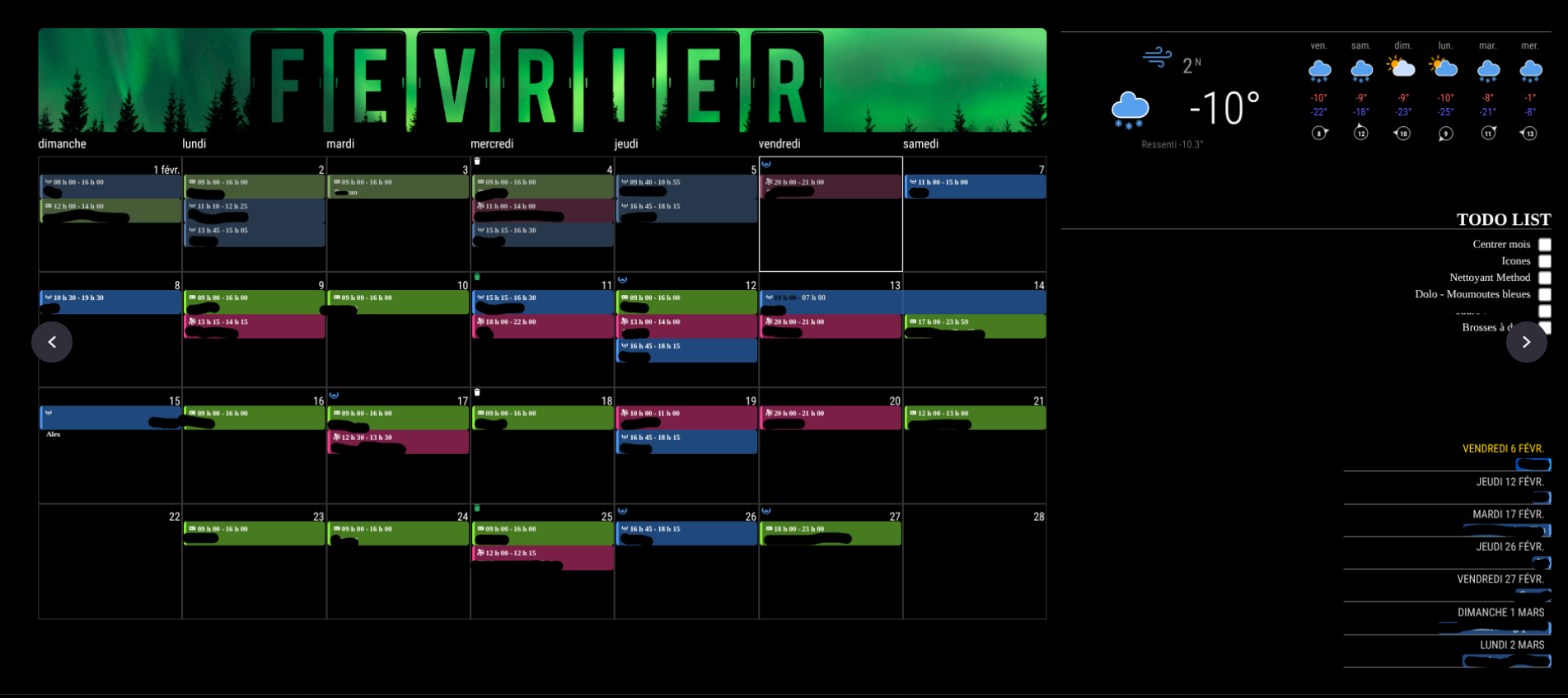
I’m quite confused right now on the best approach. As of reference, my MM currently look like this and it’s the calandar on the left I’d like to be able to flip from month to month.
-
@Getinthegames did you do this part of the setup
If you are not using a Fire Stick Remote: You may need to adjust the key assignments above to match your remote. See Remote Setup for how to run evtest and display the key names for your remote/device.I think you need this section of the keybindings config
actions: [
  {
    key: "Home",
    state: "KEY_LONGPRESSED",
    instance: "SERVER",
    mode: "DEFAULT",
    notification: "REMOTE_ACTION",
    payload: { action: "MONITORTOGGLE" }
  },
  {
    key: "ArrowLeft",
    state: "KEY_LONGPRESSED",
    notification: "CAROUSEL_PREVIOUS"
  },
  {
    key: "ArrowRight",
    state: "KEY_LONGPRESSED",
    notification: "CAROUSEL_NEXT"
  },
  {
    key: "Return",
    state: "KEY_LONGPRESSED",
    changeMode: "DEFAULT"
  }
],
I think KeyMap only changes the name
-
@Getinthegames I would use mmm-pages and put the two months on different pages. (Two instances of Ext3)
And use the page next/back notifications to pages. You can disable the timed page rotationI have three instances w different months (monthIndex=0/1/2)
-
@sdetweil Good idea. I guess I can do X pages, all with an incremental monthIndex for the next few months.
I’ll see if that reponds well.I guess KeyBindings is out of question for that as it does not fix the issue. I will try programming something to translate my clicker input in actual Remote-Control command thru their API.
-
@Getinthegames you could still use key binding to send the pages notifications
-
@sdetweil My issue with KeyBindings is no matter what I program… clicker or regular keyboard is that it does not seem to register the key and trigger the desired notification.
Notification Viewer only show “KEYPRESS” on the MagicMirror while looking at the terminal it does show KeyBindings capturing KEY_104 and KEY_109 from the clicker, but nothing from an actual keyboard.
-
@Getinthegames did you do this part of the setup
If you are not using a Fire Stick Remote: You may need to adjust the key assignments above to match your remote. See Remote Setup for how to run evtest and display the key names for your remote/device.I think you need this section of the keybindings config
actions: [
  {
    key: "Home",
    state: "KEY_LONGPRESSED",
    instance: "SERVER",
    mode: "DEFAULT",
    notification: "REMOTE_ACTION",
    payload: { action: "MONITORTOGGLE" }
  },
  {
    key: "ArrowLeft",
    state: "KEY_LONGPRESSED",
    notification: "CAROUSEL_PREVIOUS"
  },
  {
    key: "ArrowRight",
    state: "KEY_LONGPRESSED",
    notification: "CAROUSEL_NEXT"
  },
  {
    key: "Return",
    state: "KEY_LONGPRESSED",
    changeMode: "DEFAULT"
  }
],
I think KeyMap only changes the name
-
G Getinthegames has marked this topic as solved on
-
@sdetweil I can’t believe I overlooked that detail.
Thanks it works now. 🤯
-
@Getinthegames awesome!!! thanks for the feedback
Hello! It looks like you're interested in this conversation, but you don't have an account yet.
Getting fed up of having to scroll through the same posts each visit? When you register for an account, you'll always come back to exactly where you were before, and choose to be notified of new replies (either via email, or push notification). You'll also be able to save bookmarks and upvote posts to show your appreciation to other community members.
With your input, this post could be even better 💗
Register Login