Read the statement by Michael Teeuw here.
MMM-MirrorMirrorOnTheWall installation issue
-
Re: Mirror mirror on the wall alexa skill
@joanaz Hi there i am stuck at the testing of the Alexa skill part.
I did follow the instruction step by step and to the T (great documentation work y the way … wow thank you) and when i got the the testing part and inputting “on the wall” on the Alexa Developer Console all i get is “There was a problem with requested skills response” and on the “json output” window all i get is “null”.
I tried to backtrack my steps and see where i might have made a mistake and i cant seem to find where!!Where should i start troubleshooting any ideas?? All help will be greatly appreciated
Thank you
Denis -
Hey @richland007 The installation is hard :) had the same problems with it. Did you changed your aws iot username or is it MirrorMirror? Did you changed anything?Or whats the name standing infront of your cert files?
-
@havannasurf @joanaz Ok what AwS IoT username are you referring to and where??
My Lambda function is called MMotW when i try to test the Lamda function i get these errors for logs
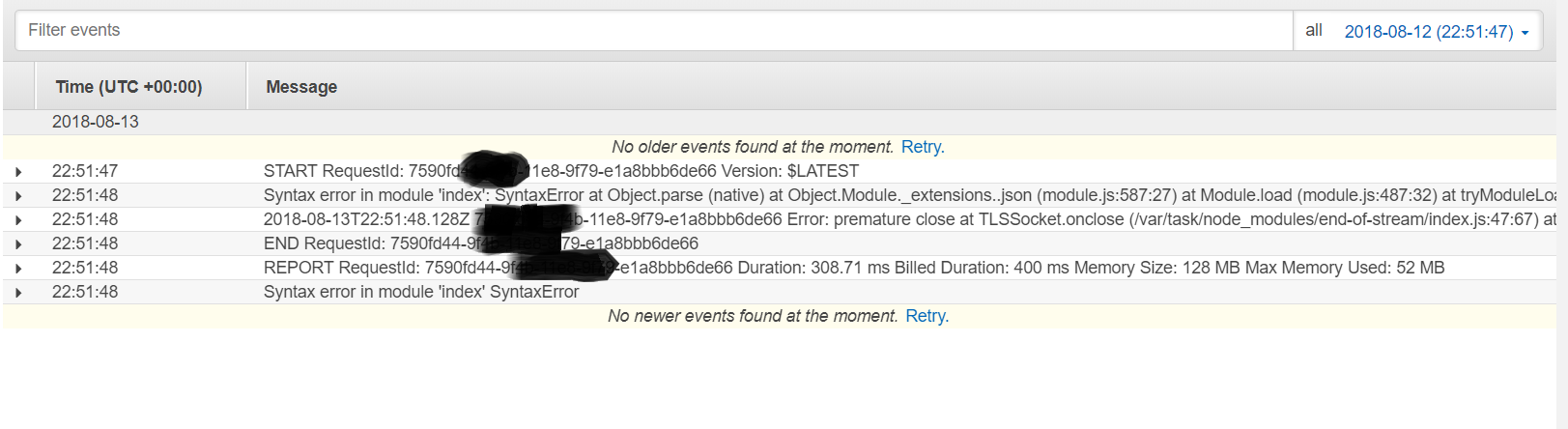
I followed all the instructions to the T so i used the exact same names as per instructions …i did not change anything that was not written there in the instructions …was i was supposed to change any?
What names in cert files are we talking about?
Here is what my certs and src insides look like :)
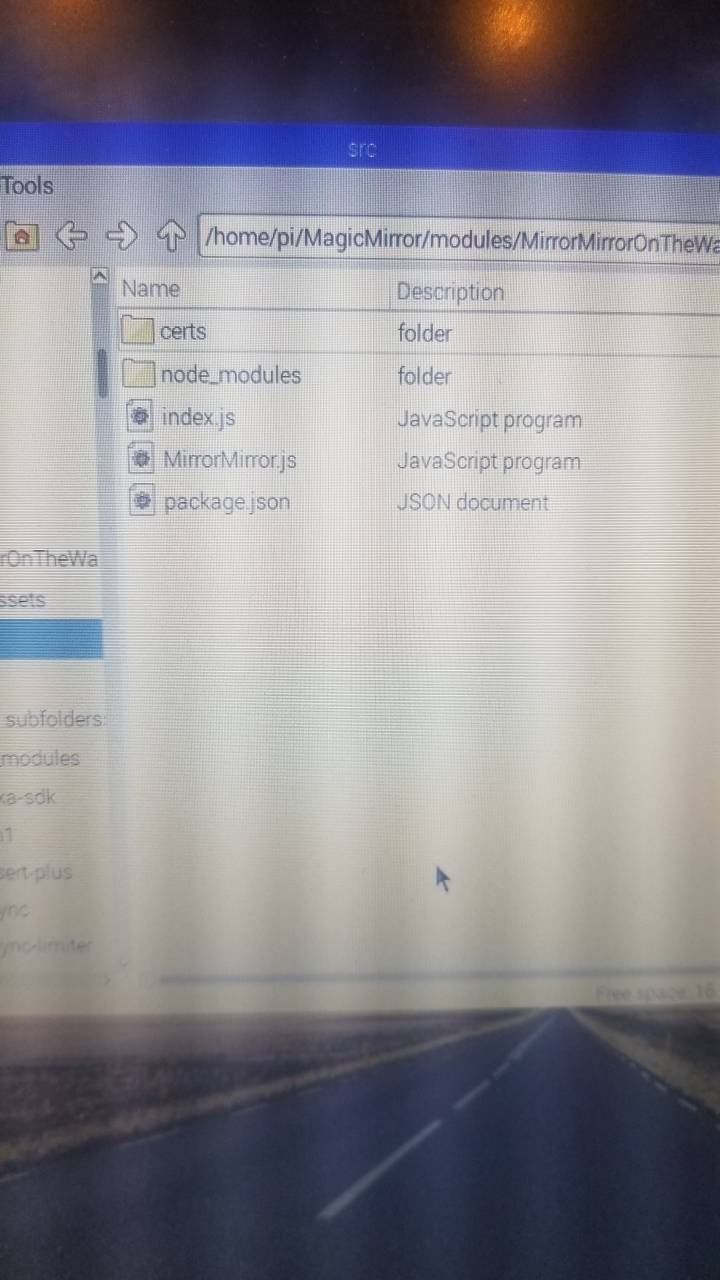
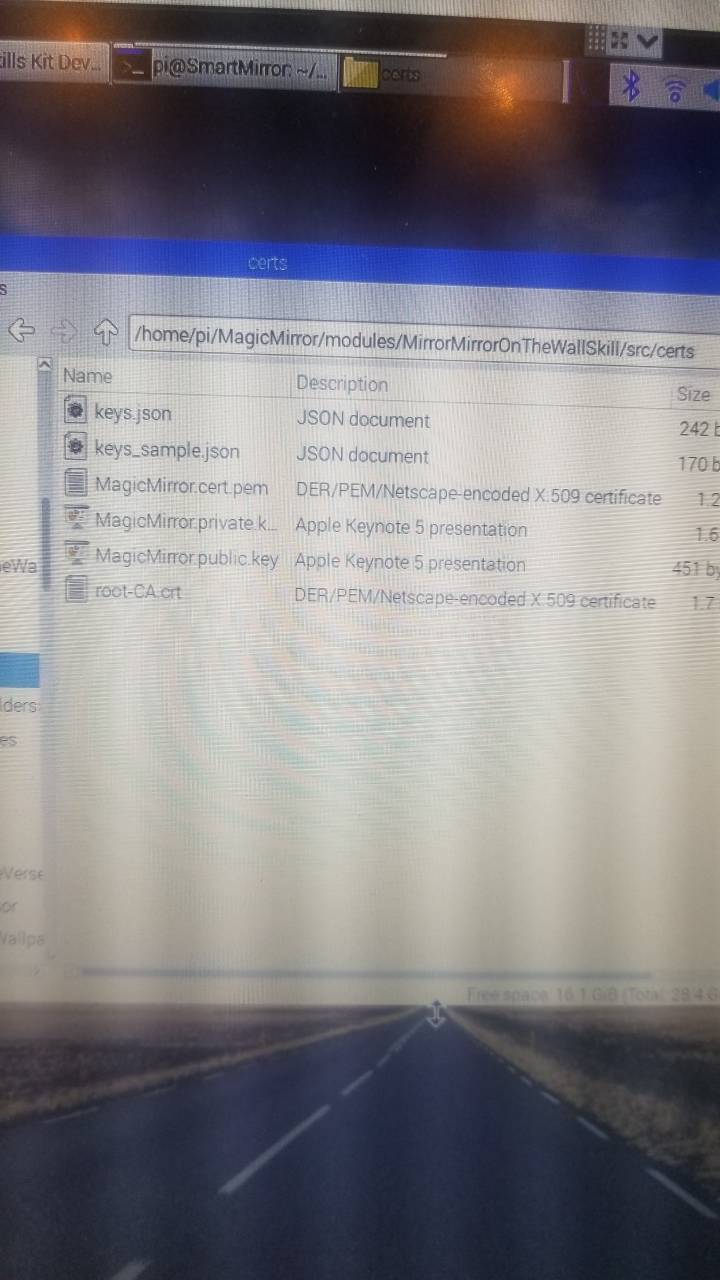
Let get this done :)
Denis
-
Anyone that got this module figured out and wokring please help me
Denis -
Im also trying to get this to work. I have come that far that I can test the skill.
so when I type “on the wall” in the test, I get “what can I do for you my queen”
but if I then ask like “find video of how to make slime” it just tells me there is a problem with the skill. BUT, if I check the logs at clodwatch I can actually se that its looking for slime on youtube and find the videos, but then nothing on my mirror.
-
@OceanK OK so how did you get to that point??? i have tried to install it from scratch 2 times but still no luck …when i test the skill i get null for response on the right (please check out the above pics) … Do you test the Lamda function does it give you any errors (before communicating with Alexa, just Lamda by itself with its test button not the skill) cause my Lamda does not compile and i dont know where am i making the mistake??
Here is my question do you put the node_modules folder inside the certs folder or outside of it just on the src folder?? …before you zip it into Archive is what i am talking about !!
Lets keep talking i am sure by bouncing off ideas of each other we will get it
Denis -
@richland007 Hey!
I will try write down all the steps I did and post it for you. How can I test the lamda function? could you direct me on howto? and I will post the log here aswell. -
Here is the test button on AWS Lamda ( i have read that a lot of people get errors here i don’t know why but then it works for them at the Alexa test just like yours did)
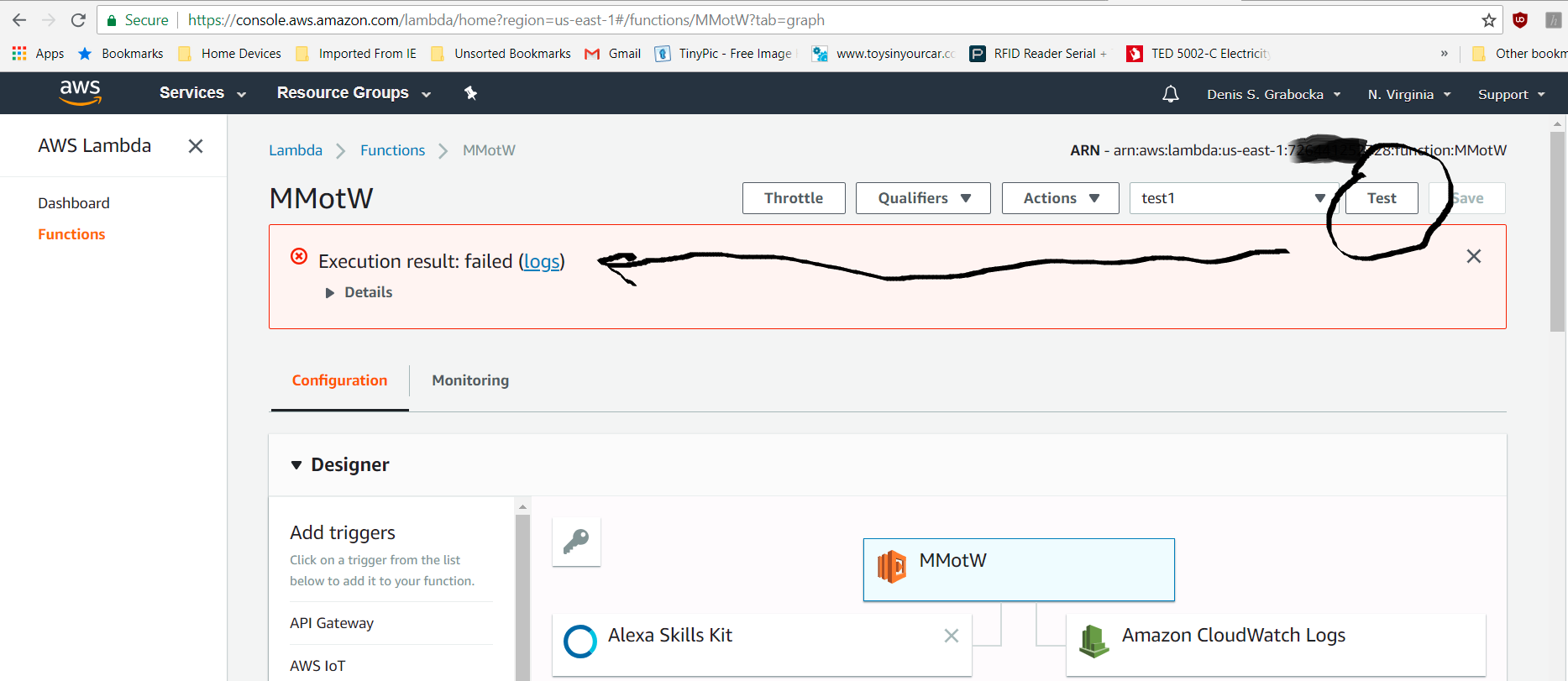
And here is the error that i get which seems to come form the “…/src/node_modules/aws-iot-device-sdk/device” file … so something on the index file on the aws-iot-device-sdk inside node_modules its what its not liking
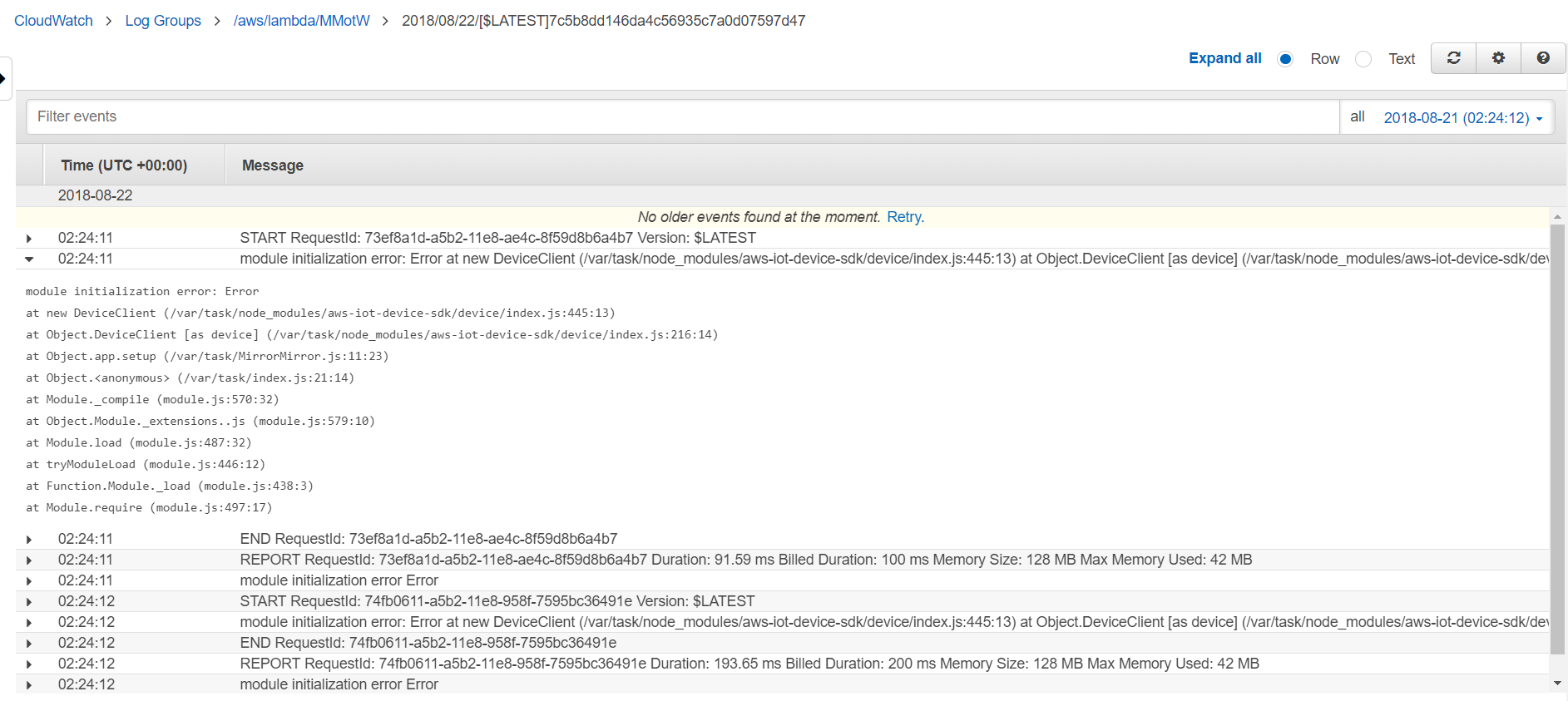
I don’t get it what i am doing wrong i am following the steps exactly …please show me how you did it
Denis -
Yes I will make a list and tell step by step. I can see the Test buttom but witch test did you create ?
There are allot of different one to choose from when you create the test button. Please tell witch and I will try.
regards K
-
@oceank I may be doing something wrong but i just clicked on create test even and entered a name and clicked test and that’s what i got …maybe i had to select something different but i doubt it cause i am trying to redo it again with something common from the list like Hello World and it is still giving me the same results
Denis -
Hey!
OK so I have figuerd out some parts. If I make a test in the lamda and choose “Alexa start session”
I get a nice green log, So that means the alexa skill is fine However when I try some other test for the lamda itself I get an error like you.:
{
“version”: “1.0”,
“response”: {
“shouldEndSession”: false,
“outputSpeech”: {
“type”: “SSML”,
“ssml”: “ Hello my Queen, what can I do for you? ”
},
“reprompt”: {
“outputSpeech”: {
“type”: “SSML”,
“ssml”: “ I can show you text and images, if you give me commands like ‘say you are the fairest of them all’ or ‘find Snow White’. I can also open or close a magic mirror module, if you say commands like ‘open compliments’, or ‘close weather forecast’. What can I do for you, my Queen? ”
}
},
“card”: {
“type”: “Simple”,
“title”: “Hello”,
“content”: “Hello my Queen, what can I do for you? I can show you text and images, if you give me commands like ‘say you are the fairest of them all’ or ‘find Snow White’. I can also open or close a magic mirror module, if you say commands like ‘open compliments’, or ‘close weather forecast’. What can I do for you, my Queen?”
}
},
“sessionAttributes”: {},
“userAgent”: “ask-nodejs/1.0.25 Node/v6.10.3”
}lambda test:
at AlexaRequestEmitter.HandleLambdaEvent (/var/task/node_modules/alexa-sdk/lib/alexa.js:112:38)
at AlexaRequestEmitter.value (/var/task/node_modules/alexa-sdk/lib/alexa.js:100:31)
at exports.handler (/var/task/index.js:37:11) -
This post is deleted! -
OK so I have narrowed it down to the lamda function. The lamda it not working, something wrong with index file.
I have no idea how to correct it
-
Well on my end i cant even get to the point you that your are at. Even if i try to test with “Alexa start Session” i get the same error as before so my problem is with aws-iot-device-sdk inside node_modules and for this i need your help how to get to the same spot where my test on Alexa side will turn on “Hello my queen…” and not null.
How can you send me the step by step on what you did and where did you differ from the instructions on @joanaz site or maybe a copy of the node_modules aws-iot-device-sdk i don’t know…and than we will try to get the rest figured out
Denis -
OK so lets try it out! I will explain my steps here:
- Taspberry pi model 3b+
- stretch OS
I began with a fresh OS install and then installed the magicmirror with the curl script. Configured all the basics for the mirror. So thats with that.
- I cloned the https://github.com/joanaz/MMM-MirrorMirrorOnTheWall into the magic mirrors modules
Then I cd into that folder and ran NPM install
- Then cloned the https://github.com/joanaz/MirrorMirrorOnTheWallSkill into the magic mirrors modules folder
I then cd into that folder and into the src folder and there ran npm install
so far so good.
I noticed that the node_modules got vissible in the MirrorMirrorOnTheWallSkill after the npm install(src folder) just like joanaz guide told us to do.
then follow joanaz: https://joanaz.github.io/MirrorMirrorOnTheWallSkill/#1-setup-an-aws-iot-device
after running that script for the connection in step 1 of joanaz tutorial,
Copy all your credential files, then go to your local copy of this repo, and paste them inside the certs folder (which is inside the src folder)those files goes into the MirrorMirrorOnTheWallSkill in the src/certs
in the certs folder cp keys_sample.json keys.json and insert in the keys.json your credentials for youtube and google.
then cd into the src folder for the MirrorMirrorOnTheWallSkill and zip everything inside src folder
go to step 2 in joanaz guide for making the lamda and follow that and upload the zip
last step is to Copy the ARN from the top right to be used later in the Alexa Skill Setup (just where you created the lamda function)
step 4 in joanaz guide tells us to create the Alexa skill. follow that guide
Invocation - as in the guide “on the wall”
json editor (that template Interaction model, is within the MirrorMirrorOnTheWallSkill somewhere speech I cant remember right now but you will see it) just copy and paste itinterfaces - here I picked the “display”
endpoint here you need the ARN copied from earlier steps.
save the model and then build it.after that you should be able to test it and it should say “yes my Queen etc”
step 9 in joanaz guide tell us to copy the alexa skill id and insert into the index.js witch is in the MirrorMirrorOnTheWallSkill
After that you have to rezip those files in the src folder in the module: MirrorMirrorOnTheWallSkill just like before and upload it to lambda function.
BUT before you rezip you have to edit /src/MirrorMirror.js (inside the
MirrorMirrorOnTheWallSkill,)and paste your hostid: witch you will fet from the:
when thats done rezip it again and upload to lambda.
-
this part here I dont get:
MirrorMirror.js in this folder, and again, replace the keyPath, certPath, and caPath to your own.
keyPath: __dirname + “/certs/MagicMirror.private.key”,
certPath: __dirname + “/certs/MagicMirror.cert.pem”,
caPath: __dirname + “/certs/root-CA.crt”,should we delete the __dirname + and then enter our path?
-
I do’not think so …as long your exact copy of cert, private key and CA certificate files are with those exact names…meaning MagicMirror and you have them saved in that actual working directory where that file MagicMirror.js is than it ads those files automatically.
other than that the MagicMirror.js will through an error for the “___dirname+” part.I think…or wait on a second note… if you remove the anything after the keyPath: (and the other 2) and hard code the actual path to the files should work as well and will be a safer bet actually, so do that
Denis -
Ok so i was reading your steps and i basically did exactly the same thing and followed @joanaz instruction but with one exception!!! … are you absolutely sure that “node_modules” folder gets created by “npm install” inside the “src” folder on the “MirrorMirrorOnTheWallSkill” ??? …OR… did “node_modules” get created when you run “start.sh” on the IoT procedure and than copy that over to the “src” folder???
Do we only copy the 4 certificate files from the IoT part only or everything in that folder over to the “src” ???
Denis
-
@OceanK Ok major major development on my end i got it to work …sort of LOL :) …meaning when i am on Magic Mirror and its doing its thing displaying the modules i can call Alexa ask her to start “on the wall” the mirror replies back with How can i Help you my Queen but when i ask to display a text or anything it says there was a problem with your skills response. Why is that???
D
-
@richland007 Thais is EXACTLY! where I am =)
I have to check this in the weekend from scratch!
I think there is something wrong with the lamda.
displaying what modules? sounds like you have come further than me?

Hello! It looks like you're interested in this conversation, but you don't have an account yet.
Getting fed up of having to scroll through the same posts each visit? When you register for an account, you'll always come back to exactly where you were before, and choose to be notified of new replies (either via email, or push notification). You'll also be able to save bookmarks and upvote posts to show your appreciation to other community members.
With your input, this post could be even better 💗
Register Login