Hi everyone!
I wanted to share something that came from my own frustration developing MagicMirror modules.
For years, testing a module meant either setting up a full MagicMirror installation (overkill for just iterating on one module), or developing blind and hoping it works when you finally deploy.
I built MagicMirror Module Sandbox to change that. It’s a lightweight dev tool that spins up a local testing environment for your module in seconds — no full MagicMirror install, no Docker, just your module and a browser window.
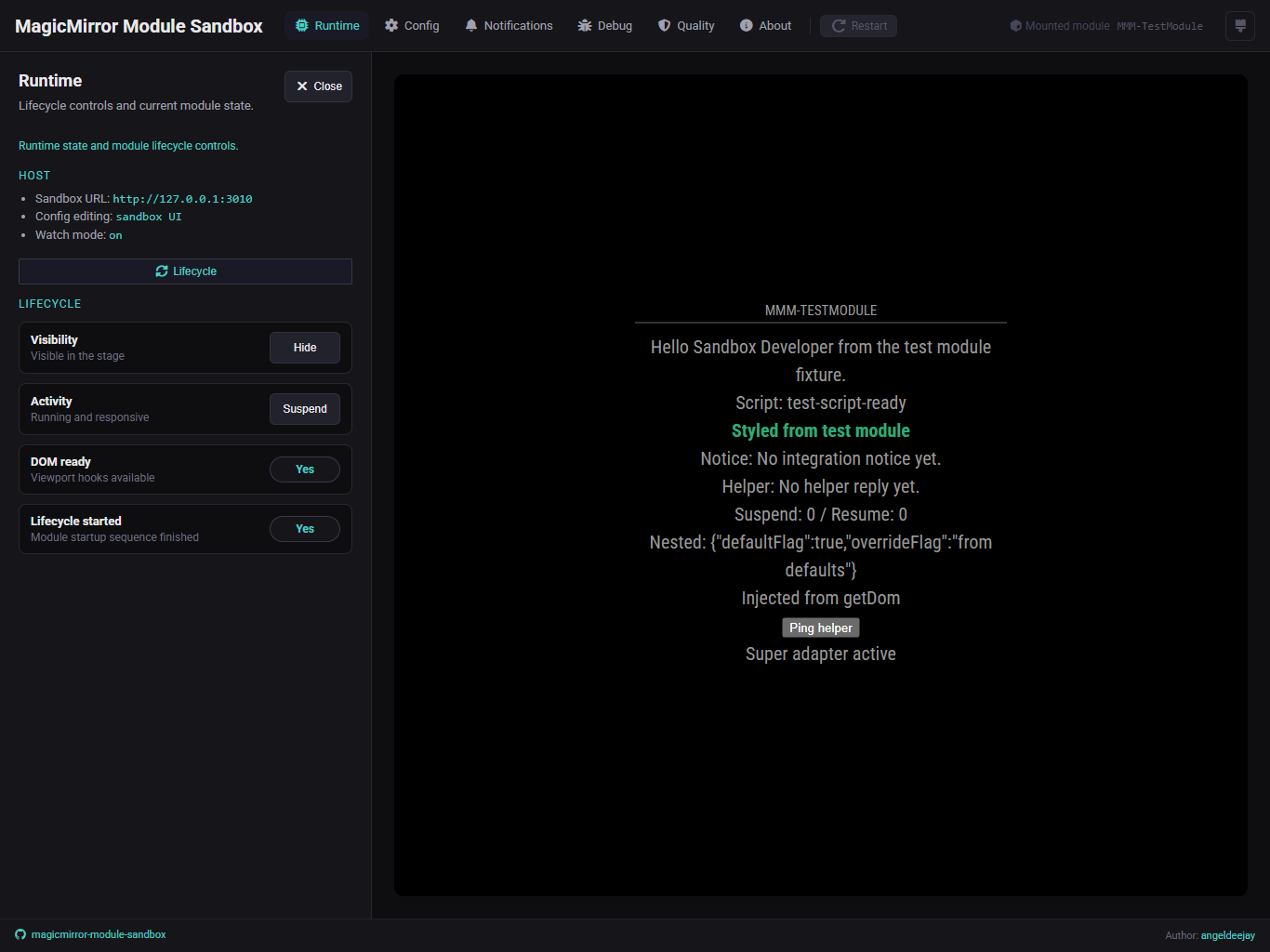
What you get:
- 🚀 Zero setup — Run
npx @angeldeejay/magicmirror-module-sandboxfrom inside your module folder and you’re done - ⚡ Live reload — Changes to your config or module files reload instantly
- 🎛️ Visual config editor — Edit your module’s config through a browser UI instead of hand-editing JSON
- 🔄 Full MagicMirror lifecycle — Simulates start(), notificationReceived(), updateDom(), and all real lifecycle hooks
- 🔌 Real node_helper.js support — Socket.io communication works exactly like production
- 🐛 Debug panel — Inspect both helper logs (server-side) and browser console in one place
- 📡 Notifications inspector — Send frontend notifications, monitor socket traffic in real time
- ✅ Module quality check — Quick analysis against MagicMirror’s third-party module standards
How to use it:
One-off test (no install needed)
npx @angeldeejay/magicmirror-module-sandbox
Then open http://localhost:3010 and start hacking.
Works great for:
- Rapid iteration while developing
- Validating config changes before deploying to your Pi
- Testing in CI pipelines (Playwright integration test support included)
- Debugging why a module behaves differently on the actual MagicMirror
GitHub: https://github.com/angeldeejay/magicmirror-module-sandbox
npm: https://www.npmjs.com/package/@angeldeejay/magicmirror-module-sandbox
This is v1.1.0, tested across real third-party modules. Stable and ready to use.
If you’re a module developer, I’d love to hear what you think — open issues if something doesn’t behave as expected, or let me know what you’d like to see next.