omg… I’m so screwed up
My ignorantness makes me cry…'ㅠ I don’t know why there was a mistake
Thank you @sdetweil You’re awesome!
omg… I’m so screwed up
My ignorantness makes me cry…'ㅠ I don’t know why there was a mistake
Thank you @sdetweil You’re awesome!
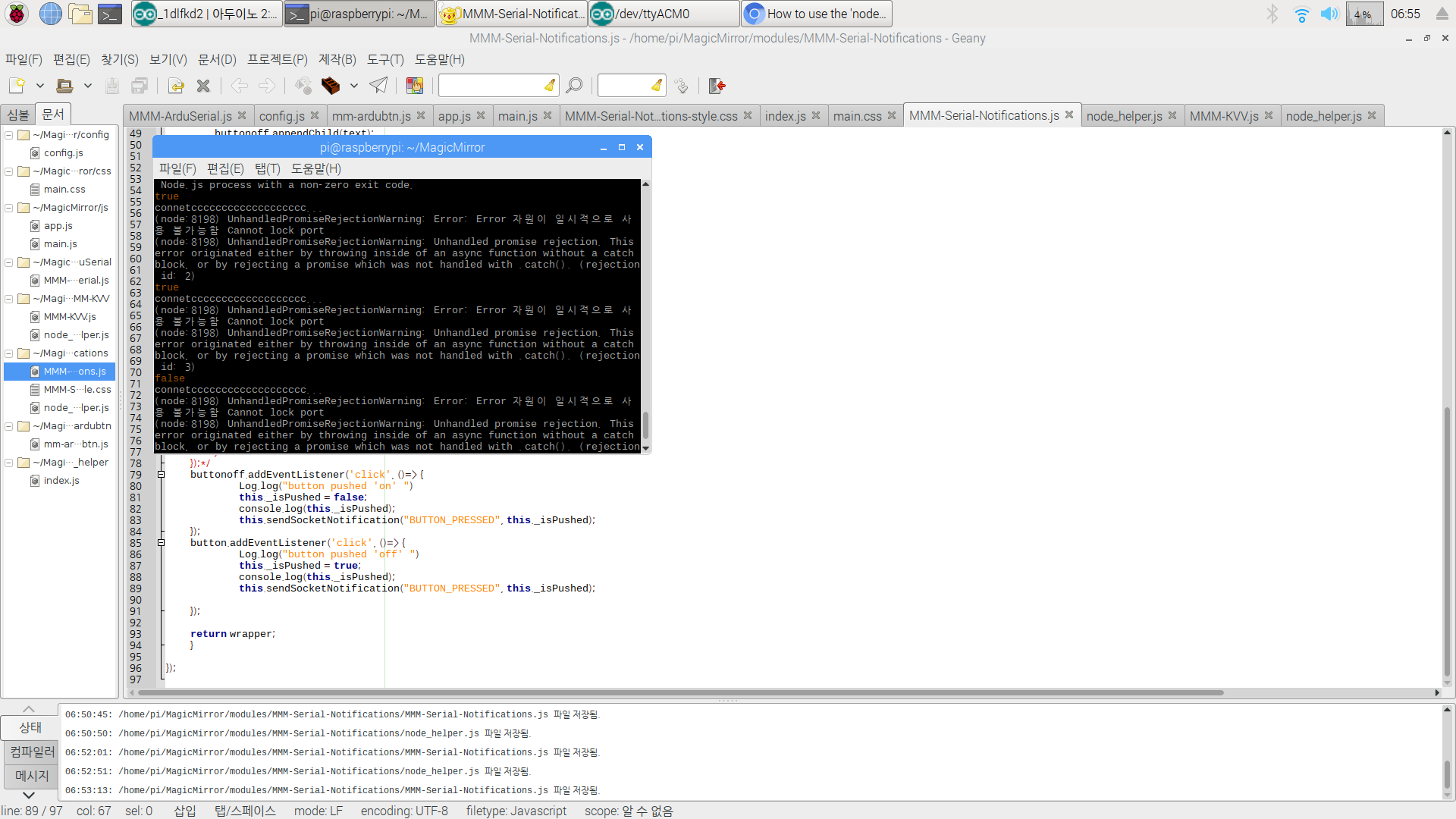
._isPushed was sent
but there was an error… im really sad
    else if(notification ==='BUTTON_PRESSED')
    {
      this._isPushed = payload;
      console.log(payload);
‘false’ is displayed in the terminal window
._isPushed is passed to node_helper, but I think that the changed value is not sent when the button is pressed.
Please advise…:folded_hands_light_skin_tone: :folded_hands_light_skin_tone: :folded_hands_light_skin_tone:
If this is solved, it’s really a success.:flexed_biceps_light_skin_tone:
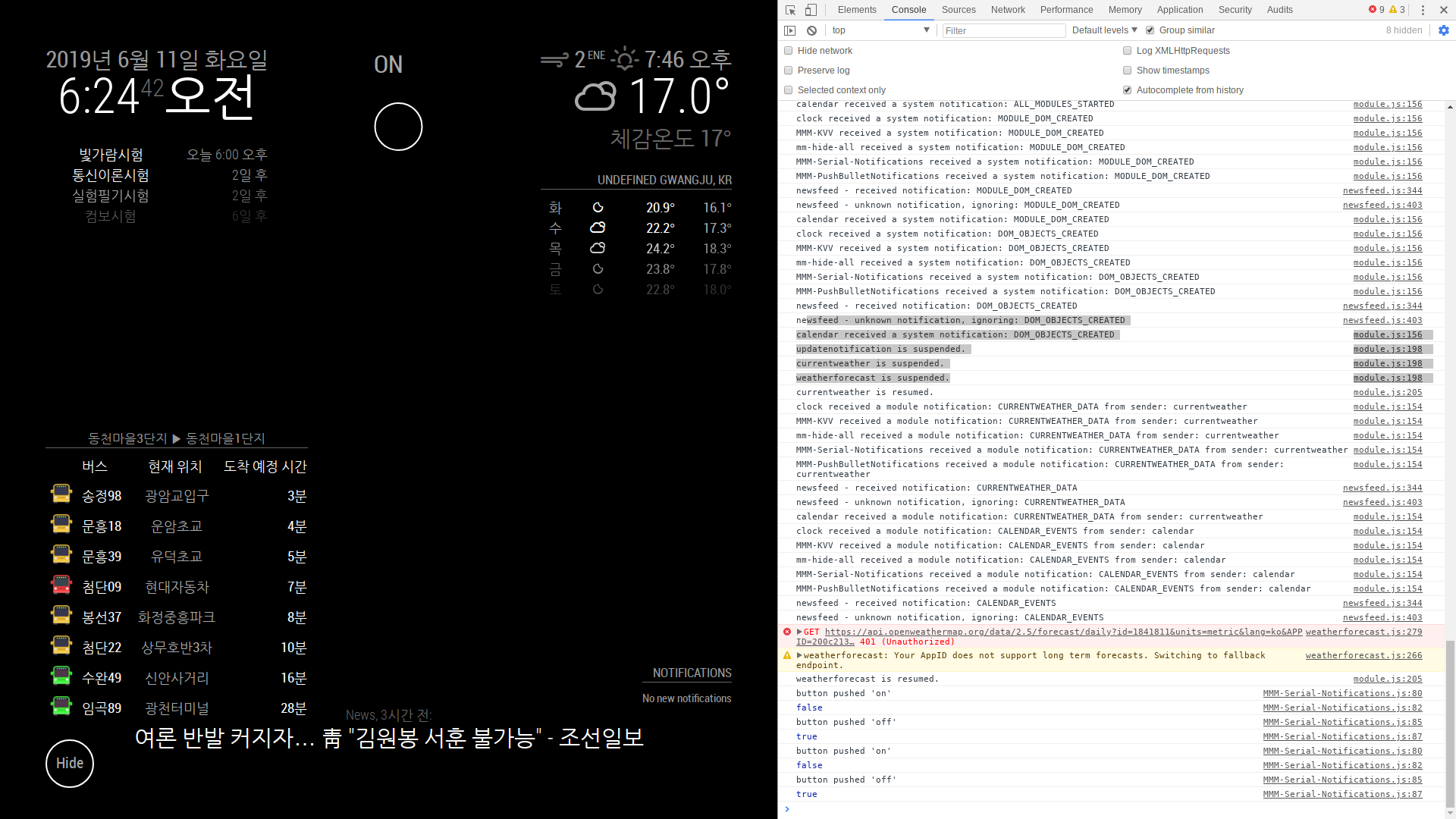
false, true works with two button in module
It seems that the value can not be sent to the node_helper
why?
	buttonoff.addEventListener('click', ()=> {
			Log.log("button pushed 'on'")
   			this._isPushed = false;
			console.log(this._isPushed);
   	});
	button.addEventListener('click', ()=> {
			Log.log("button pushed 'off' ")
   			this._isPushed = true;
			console.log(this._isPushed);
   	});
this is module
serialport.write(this._isPushed==true? '1' : '0');
this is node_helper
socketNotificationReceived: function (notification, payload) {

    if (notification === 'CONFIG') {
      const self = this;
      self.config = payload;
    }
    else if(notification ==='BUTTON_PRESSED')
    {
      this._isPushed = payload;
    var serialport = new Serialport('/dev/ttyACM0', {
		baudRate: 9600
		});
Is that right? I’m really sorry for you.
const NodeHelper = require('node_helper')
const Serialport = require("serialport");

module.exports = NodeHelper.create({

  start: function () {
  },

  socketNotificationReceived: function (notification, payload) {

    if (notification === 'CONFIG') {
      const self = this;
      self.config = payload;
    }
    else if(notification ==='BUTTON_PRESSED')
    {
    var serialport = new Serialport('/dev/ttyACM0', {
		baudRate: 9600
		});

    var led = 0;

      serialport.open(function () {
        console.log('connect...');
        serialport.on('data', function(data) { // 아두이노로부터 전달된 데이터
          console.log('data received: ' + data);
        });

        if(this._isPushed==false)
        {
          serialport.write("0");
        }
        else if(this._isPushed==true)
        {
          serialport.write("1");
        }
      });
    }
  },
})
Thank you very much…!!! Overlay is not important.
It was working as you told me.
Currently, node_helper sets the following, but serial.write does not work. May I ask you one last time?
I’m really desperate:folded_hands_light_skin_tone: :folded_hands_light_skin_tone: :folded_hands_light_skin_tone: :folded_hands_light_skin_tone:
https://github.com/nhpunch/sohard
I uploaded the Arduino code.
int led = 13;

void setup() {
  Serial.begin(9600);
  pinMode(led, OUTPUT);
  Serial.println(“hello”);
}

void loop() {
  static int incomingValue = 0; // nodeJS에서 보낸값

  if ( Serial.available() > 0 ) { // 뭔가 입력값이 있다면
    incomingValue = Serial.read();
    Serial.println(incomingValue);
  }

  if ( incomingValue == 49 ) { // 값이 ‘1’ 이면
  digitalWrite(13, HIGH); // LED를 켠다.
  }
  if ( incomingValue == 48 ) { // 값이 ‘0’ 이면
  digitalWrite(13, LOW); // LED를 끈다.
  }
  deayl(2000);
}
https://github.com/nhpunch/sohard
I created ‘is_Pushed’ and tried to work by repeating false, true when the button was pressed
I’m doing what you said, but I do not know how to send it to the node_helper when the button is pressed.
I’m so sorry.
I was really grateful and ran the sample code.
But I do not know what to send as a module to do what I want.
Can you help me with my module and node_helper?
Thank you very much for your reply.
You said that hardware and modules did not communicate, but communication is possible.
  serialport.open(function () {
        console.log('connect...');
        serialport.on('data', function(data) { // 아두이노로부터 전달된 데이터
          console.log('data received: ' + data);
        });

        setInterval( function() { // 2초마다 아두이노에게 문자열을 전송하는 예
          led = !led;
          serialport.write(led==true ? "1" : "0", function(err, result){
            if(err){
             console.log(err);
            }
          });
        }, 5000);
      });
In this code, it is possible to send a string to Arduino
What I’m wondering is how to do sendSocketNotification ().
I referenced https://github.com/MichMich/MagicMirror/tree/master/modules but did not understand
Please let me know how to send it. Then I will be very thankful:folded_hands_light_skin_tone:
const NodeHelper = require('node_helper')
const Serialport = require("serialport");

module.exports = NodeHelper.create({

  start: function () {
  },

  socketNotificationReceived: function (notification, payload) {
    const self = this

    if (notification === 'CONFIG') {
      self.config = payload

    var serialport = new Serialport('/dev/ttyACM0', {
		baudRate: 9600
		});

    var led = 0;

      serialport.open(function () {
        console.log('connect...');
        serialport.on('data', function(data) { // 아두이노로부터 전달된 데이터
          console.log('data received: ' + data);
        });

        setInterval( function() { // 2초마다 아두이노에게 문자열을 전송하는 예
          led = !led;
          serialport.write(led==true ? "1" : "0", function(err, result){
            if(err){
             console.log(err);
            }
          });
        }, 5000);
      });
    }
  },
})
this is node_helper
Module.register('MMM-Serial-Notifications', {
  defaults: {
  },

  getScripts: function() {
		return ["modules/MMM-Serial-Notifications/js/jquery.js"];
	},
	getStyles: function() {
		return ["mm-MMM-Serial-Notifications-style.css"];
	},
  start: function () {
    Log.info("Starting module: " + this.name);
    this.sendSocketNotification('CONFIG', this.config)
  },
  socketNotificationReceived: function (notification, payload) {
	this.sendNotification(notification, payload)

  },

	getDom: function() {
		var wrapper = document.createElement("div");
		var button = document.createElement("div");
		var text = document.createElement("span");
		var overlay = document.createElement("div");
		var hidden = true;

		overlay.className = "paint-it-black";
		button.className = "hide-toggle";
		button.appendChild(text);
		text.innerHTML = "ON";

		var led = 0;
    wrapper.appendChild(button);
		wrapper.appendChild(overlay);$(button).on("click", function(){
			if(hidden){
				$(overlay).fadeIn(1000);
				$(button).fadeTo(1000, 0.3);
				$(text).html('OFF');
				hidden = false;
				serialport.write('0');
			}else{
				$(overlay).fadeOut(1000);
				$(button).fadeTo(1000, 1);
				$(text).html('ON');
				hidden = true;
				serialport.write('1');
			}
		});
		return wrapper;
	}
});
this is module
I want to send ‘1’, ‘0’ to Arduino by pressing the button
Now the node_helper is communicating in setInterval
but, can not use serialport.write in a module
How do I use the serialport in the module?
Or, how do I create a button event in the node_helper?
I am a very beginner. Please let me know. :disappointed_but_relieved_face: