Hi all
maybe I’ve missed something, but did someone find the solution? If so, can describe setp-by-step how to do it?
thanks
 Z
Offline
Z
Offline
Hi all
maybe I’ve missed something, but did someone find the solution? If so, can describe setp-by-step how to do it?
thanks
@sdetweil done, but nothing changed - still “loading”
hmm, some pics doesn’t upload, so “loading” 
and list of keys 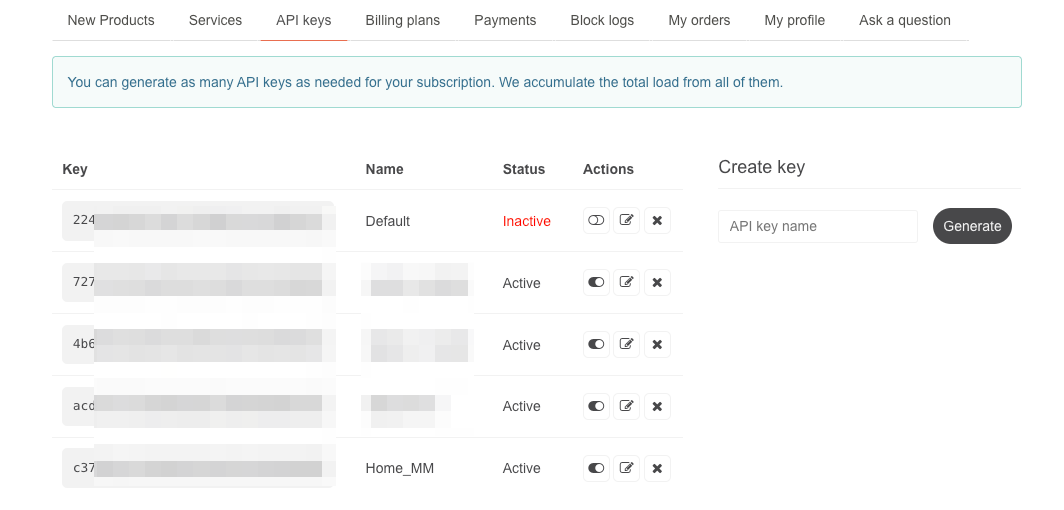
Dears
I tried to find simple way to solve the problem, but Search returns tons of posts and I’ve no clue, whichone is the correct. I know, that there is change in API, so - what I’ve did:
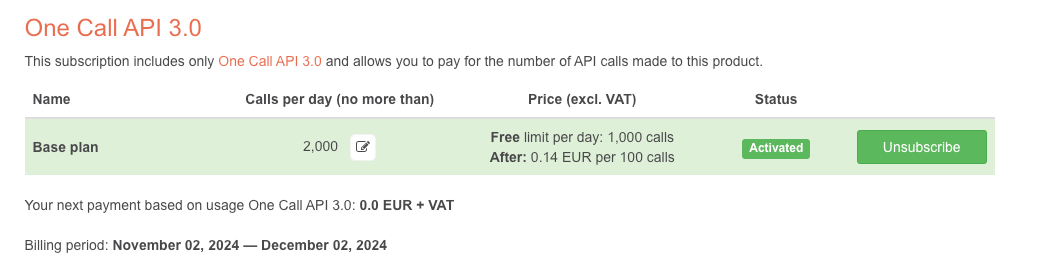 so new API associated with card
 module: "MMM-OpenWeatherForecast",
position: "top_right",
//header: "Forecast",
config: {
apiBaseURL: "https://api.openweathermap.org/data/3.0/onecall?",
apikey: "api_key", //Home_MM Api
latitude: 50.757690, //number works here
longitude: 15.033640, //so does a string
iconset: "5c",
language: "cz",
colored: true,
concise: true,
weatherEndpoint: '/onecall',
apiVersion: '3.0',
//requestDelay: "2000",
showFeelsLikeTemp: true
}
},
3) I've generated new key

but MM just "loading" 
questions:
do you see any error in Code?
How do I find, if the new key is 3.0 or old (in the list of keys)?
Thanks and sorry fo english
ZHi all
can anyhone help me please? I want to not show at all items from my calendar
excludedEvents: [ {filterBy: ‘Meeting’, caseSensitive: false} ],
the questions - how to hide “meeting” and also “one2one” and also “lunchtime”?
thanks
Zdeněk
HI
please, I need help to choose and correct setup MM for display let say 5 icl (of 5 meeting rooms) as a timetable. Cause LCD will be in landscape mode, make sense to have rows and calendars and columns as a timeslots. Somehing like this
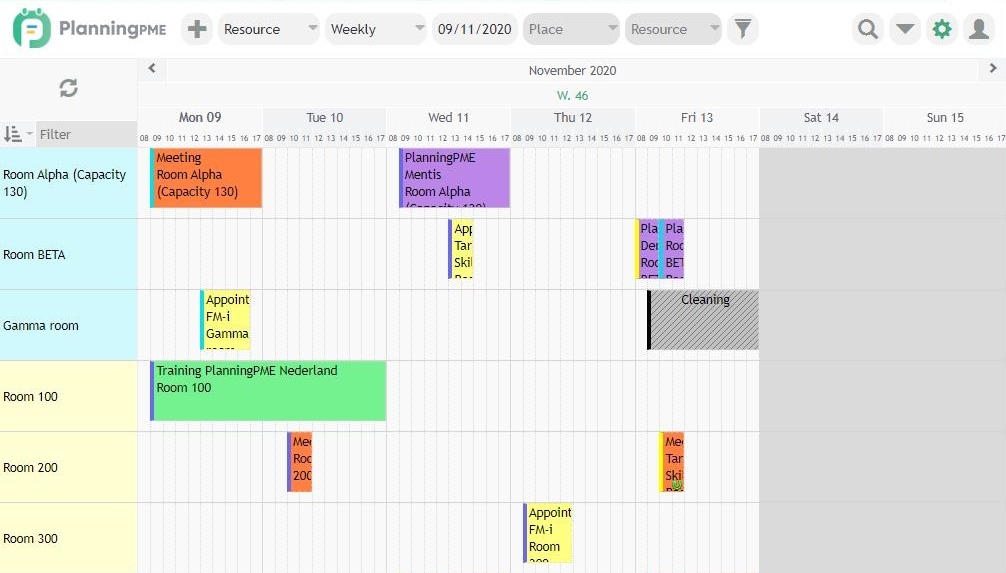 , but just for actual day
and I would ike to have “full screen view” of agenda, maye with clocks
The task is to show in one place occupancy of all meeting rooms for today
thanks for help
Zdeněk
Hi, I’m trying to get it run, but for uknown reason says “loading”. I’ve the Refreshtoken. In first run Access token was generated and written to token.json.
on my iPhone I can see status of Tesla, location, battery… so the car seems to be OK.
thanks
Zdeněk
@sdetweil - solved, found a utitlizy to read ext4 in Win, thanks
Hi all
I made a mistake, I ran “pm2 start mm” command from “module” folder. And since than, command and also autostart stopped working. Any idea how to solve it please?
thanks, Zdeněk
Hi all
how can I (on Mac or Windows) read content of SD card removed from RPi with MM installation? When I put into Mac or Win, I can see only BOOT partition
Thanks
Zdeněk
@stephanvdplas said in Bathroom mirror:
Amazing. Just few questions:
thanks
@sum2023 said in Magic Dashboard & Whiteboard:
MMM-CalendarExt3
amazing - u did something with CSS? Or how did u get agenda view (MMM-CalendarExt3) over all width of screen?
thanks
Dears
Even I’ve
showDeviceColums: true,
in config.js, each device is on own row, means no columns. Just in one config I’ve
showInNewRow: true,
so, I shoudl see only 2 rows
any idea, what I did wrong?
thanks
Zdeněk
Dears
even I’ve
showDeviceColums: true,
in Config, the result is still only one column. Any idea? thanks
@erchenger great job, thanks. I’ve tried, but I’ve there just text
UNDEFINED
___________________________________
and that’s all. I’ve followed instructions, so installed, npm, generated key and just move it to to_left
any idea? thanks
Zdeněk
Hi all
since about week ago just this module stopped updateing. It’s visible on the mirror, but there is 0 for BTC and other currencies and also graph is just flat line
I did
git pull
in the module folder
but nothing changed. A did’t make any changes in config file for months…
Any idea? thanks, Zdeněk