@mykle1 said in MMM-SimpleLogo remove/disable title of module:
text: “”,
@Mykle1 perfect, thanks
Zdeněk
 Z
Offline
Z
Offline
@mykle1 said in MMM-SimpleLogo remove/disable title of module:
text: “”,
@Mykle1 perfect, thanks
Zdeněk
Hi all
is there way, how to disable name of module? And have there just a logo?
Thanks, Zdeněk
@ianperrin great job, thx. But I would like to ask for 2 things:
 	       {
      		module: 'MMM-NetworkScanner',
        	position: 'bottom_right',
        	config: {
            		devices: [
	                    	//{ macAddress: "00:11:32:43:cd:da", name: "Mobile", icon: "apple"},
				{ ipAddress: "xxx.yyy.zzz.001", name: "D", icon: "server"},
				{ ipAddress: "xxx.yyy.zzz.002", name: "K", icon: "child"},
				{ ipAddress: "xxx.yyy.zzz.003", name: "Z", icon: "apple"},
				{ ipAddress: "xxx.yyy.zzz.004", name: "G", icon: "apple"},
				{ ipAddress: "xxx.yyy.zzz.005", name: "M", icon: "apple"},
				{ ipAddress: "xxx.yyy.zzz.006", name: "A", icon: "bug"},
				{ ipAddress: "xxx.yyy.zzz.007", name: "M", icon: "apple"},
                	],
            		showUnknown: false,
			//debug: false,
            		showOffline: true,
            		keepAlive: 300,
            		updateInterval: 30,
            		//residents: [],
			showLastSeen: true,
 	                //occupiedCMD: {notification: 'REMOTE_ACTION', payload: {action: 'MONITORON'}},
            		//vacantCMD  : {notification: 'REMOTE_ACTION', payload: {action: 'MONITOROFF'}},
 			}
    	      },
and on my MM is just an icon + name. (In custom.css I just change the color of online/offline devices, but shouldn’t be the problem)
thanks
Zdeněk
@E3V3A thx. At the moment I’ve there 32 GB card. And for sure, after I’ll finalize the layout of my Mirror, I’ll do a clone of the SD card :-)
Zdeněk
@spooke sure u can. I’ve wooden frame as well. I bought this https://www.obchodprodilnu.cz/paska-montazni-pozinkovana-1071.html (sure u can buy it in hobby market for about 5 Euro or somthing like that), cut the piece as the width of your frame (u can use 2 pliers and bow few times) use 2 screws to mount to back side fo frame (use the whole in the metal plate), use 2 screws into the wall and “hang” it like a picture… it works - I can send my pic… Instead of wall-screws u can use hooks…
@bhepler thank 4 for answer…
finally, I took 32 GB, start from the very begin… I found a way, how to install in Virtualbox on my Mac Ubuntu and mount old SD card, so I can get copy of MM folder. So now, I’ve almost done, just some modules need to get work, but the main modules are working
thanks
Re: No free space on SD-card
my problem si back. But now it’s worse - Raspberry doesn’t boot at all - freeze in different time…GUI doesn’t start. I’ve the SD in my Mac and there is no space. I deleted old modules… What else I can delete? I can’t access folders like “root”, or delete files in /var/logs probably cause of access restrictions. Is there way, how to boot MM to CLI by pressing any key-combination?
thanks
Zdeněk
@overflOw11 excelent job. Is is possible to use HEX code of colour or just defined string?
one more thing - hot change aligment? 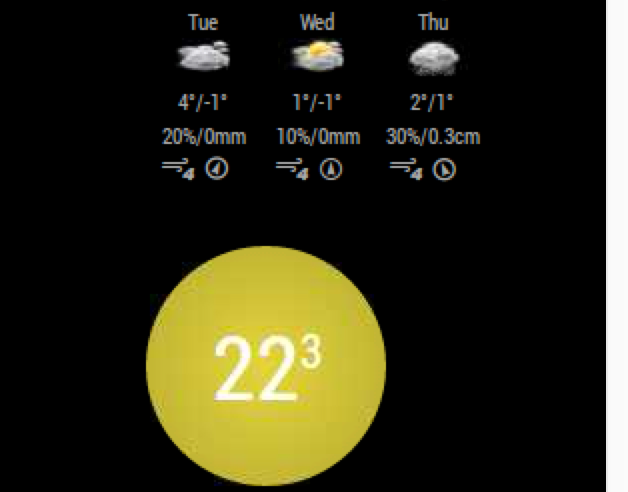
as you can see, I’ve itn the right coloumn of screen and would be nice to have it aligned to center, or to right
thanks, Zdeněk
@overflOw11 great. For me will be great, easy change color, also easy change of size of the circle, the align (seems to be to left, but I’ve it on the right side of screen) and definitely more infos. For example, I’ve the Thermostat in “away” state. Would be nice to see it on MM. Now I can see actual temp and state of thermostat, but without any idea, what shoudl be … for example-actual is 19 Celsius, Thermostat is off, but it’s ok, cause based on Schedule, temp should be not lower than 17 Celsius.
I plan to buy and install Netatmo valves - do you plan to develop module also for this?
but it’s great, thanks
Zdeněk
@overflOw11 cool, thanks. even it seems the refresh token is as the same as previous, it works. Just some questions
but that’s great, thanks
Zdeněk
that’s great idea, thanks. Thank you for your your job. But for some reason, it doesn’t work for me. The error is
Failed to load resource: the server https://api.netatmo.com/api/getthermostatsdata?access_token=xxxxxxxxxxxxxx|yyyyyyyyyy responded with a status of 403 (Forbidden)
I’ve run curl --data "grant_type=password&client_id=MY_ID&client_secret=MY_SECRET&username=MY_LOGIN&password=MY_PASS" "https://api.netatmo.com/oauth2/token"
and get
{"access_token":"ACCESS_TOKEN","expires_in":10800,"expire_in":10800,"scope":["read_station"],"refresh_token":"REFRESH_TOKEN"}
But the ACCESS_TOKEN from what I’ve get is not the same as the access_token from the error message.
my config:
{
     		 module: 'MMM-Netatmo-Thermostat',
        	 position: 'top_right',
     		 config: {
			   clientId: "CLIENT_ID",
			   clientSecret: "CLIENT_SECRET",
			   refreshToken: "REFRESH|TOKEN",
			   updateInterval: 600000
           		 },
     		},
What I did wrong? I’ve copied/pasted all tokens, so typo-error shouldn’t be the problem
thanks
Zdeněk
why is there “space” (blank character) after the name of symbol? Did you try instead of bell to use another symbol? BTW, is there (in the screenshot) any item from “https://calendar.google.com/blahblahblah” calendar at all?
same here. 2 calendars, maxitems set to 15 in module conf so in total I want to have 15, but since new version, I’ve 15 from both, so 30 in total. I’ve to define maxItems to each calendar in its conf :-(
Hi all
After update to latest version of MM i’ve problem with Default Module: Calendar. In config of the module I’ve
maximumEntries: 15,
and I’ve 2 calendars. These two calendars have no “maximumEntries” definition, so should be used the defeault one. Until now it works perfect - calendars were show “mixed” based on the date and the maximum was 15 entries. but now, there are 15 entries from the 1st calendar and 15 entries from 2nd calendar. How to get it works to show just 15 entries?
thanks
Zdeněk
@petero-dk said in MMM-NokiaHealth (Withings):
oh, I’ve got it. So there is actually no way to display it permanently?
and is there way, how to change the scale? or zoom? I mean, to see graph from 0 to 100 kilos doesn’t give detailed info. Let imagine, your weight is 80 kilos and you know, it can be from 70 to 90 and you want to see just this range…
thanky
@petero-dk thx, but now I’m confused even more. I did the trick with a=set and after start MM I can see the graph (there was somehting like “Values for…” but I’ve of course named ppl in the device) and small graph (need to resize, cause I can identify that the weight is between 50 and 100 kilos - this not enough to monitor the weight differences). Anyway, the graph after few secs disappeard and doesn’t start anymore. I tried restart MM (not the whole RP). So it’s not the same - in the DEV I can see values, no error, but on the screen no graph.
btw, great job - everyone, who is able own module is for me like magic-man
Zdeněk
still doesn’t work for me. I’ve tried new Raspberry pi 3, clean install of NOOB, installed MM, updated everything. Installed just few modules (Simple logo and MMM-WunderGround) and Nokia. It connects to server, get the data, but just not to create the graph. as you can see,  , div is created, and in Dev console is no error and in seleted DIV are located data
Of course I ran npm install after installation of module Nokia.
thanks for help, Zdeněk