Read the statement by Michael Teeuw here.
MMM-Imageslideshow - centering upright images
-
When displaying upright (portrait) pictures, using position: ‘fullscreen_below’, in the module configuaration, pictures always appear on the left hand side of the screen.
Is there any way of making them appear in the centre, but still below the other modules? -
@Bobrae i had to do that on code, for my updated MMM-ImagesPhotos,
https://github.com/sdetweil/MMM-ImagesPhotos
don’t know how to detect image size to correct via css directly
-
@Bobrae
I use this in my custom.css file to move MMM-ImagesPhotos down below the Date and Time on my mirror..MMM-ImagesPhotos { Margin-top: 35px; }``` You can adjust that to what ever instead of 35 px I use. I have one module (MMM-Bored) that I use 420px as my top margin. It just takes some time to find the perfect placement to center. -
@plainbroke he wants to move vertical pics to the center of the screen. only vertical pics
-
@sdetweil
Oh well, He is out of luck then, right? -
@plainbroke I don’t know how to do that w css.
I do it in code for my version ofMMM-ImagesPhotos
but maybe
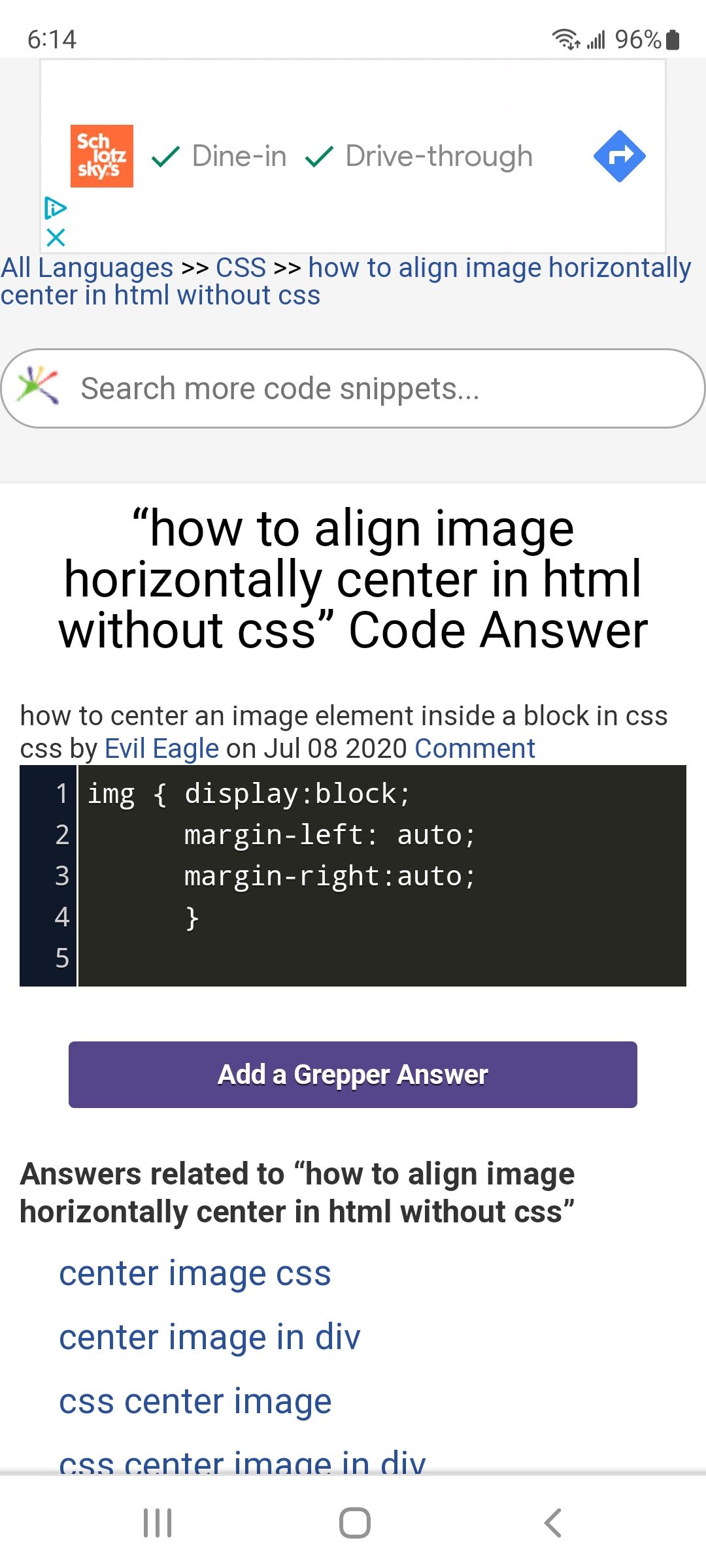
it says without css, then gives a css only answer
so in custom.css
.MMM-ImagesSlideshow  img {
     display: block;
     margin-left: auto;
     matgin-right: auto;
}
this will center both kinds of images, portrait and landscape
-
@sdetweil
I run pretty much all modules middle_center so they all center up pretty well for me. up and down is my only adjustments usually. I have had to adjust the left or right margin a few times but most everything centers on its own pretty well using the middle_center postion when setting them up… So I am absolutely of no help to him…

Hello! It looks like you're interested in this conversation, but you don't have an account yet.
Getting fed up of having to scroll through the same posts each visit? When you register for an account, you'll always come back to exactly where you were before, and choose to be notified of new replies (either via email, or push notification). You'll also be able to save bookmarks and upvote posts to show your appreciation to other community members.
With your input, this post could be even better 💗
Register Login