Read the statement by Michael Teeuw here.
Problem installing new module (beginner), CalendarEXT3 not displaying
-
@MMRIZE You got mail! Yes, I do have Google Calendar. And it’s all brand new for me. No old event.
-
@Manino
I tested URL you sent me. (Green is that one. I hope this will not be too privacy things.)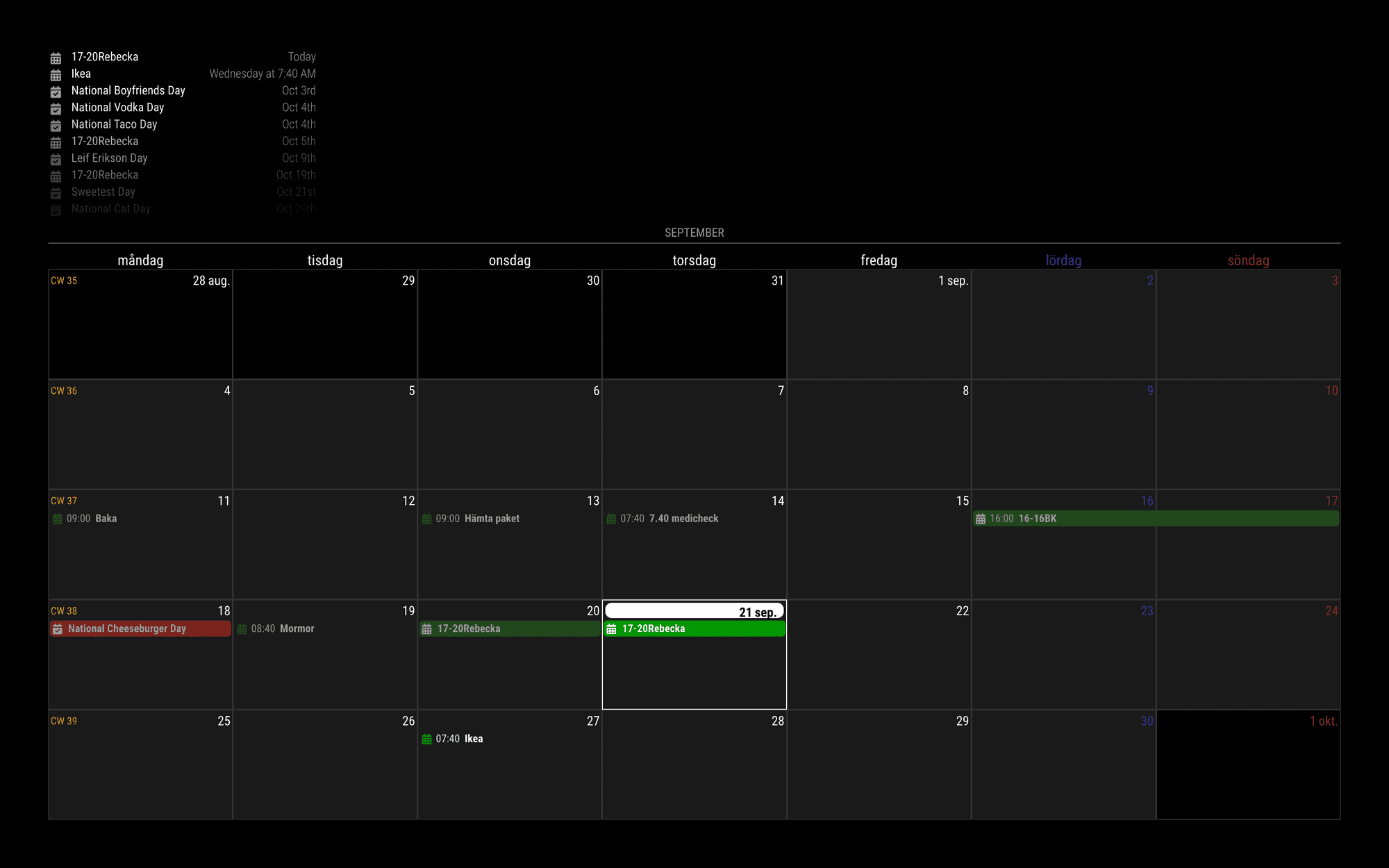
{ module: "MMM-CalendarExt3", position: "bottom_bar", config: { mode: 'month', locale: 'sv-SE', } }, { module: "calendar", position: "top_left", config: { broadcastPastEvents: true, calendars: [ { symbol: "calendar-check", url: "https://ics.calendarlabs.com/709/45a0bb64/Fun_Holidays.ics", color: "red", }, { url: "https://calendar.google.com/calendar/ical/7a9...4/basic.ics", // <- Your real iCAL URL color: "green", }, ] } }, -
@MMRIZE No pivacy things, its ok thank you.
Glad to see it works for you, in that way there is’nt anything wrong with my google calendar. I appreciate you took your time and look it up!
I did copy paste your config into mine and sorry to say but it did’nt work. Then i get back to my own config again but that does’nt work either.
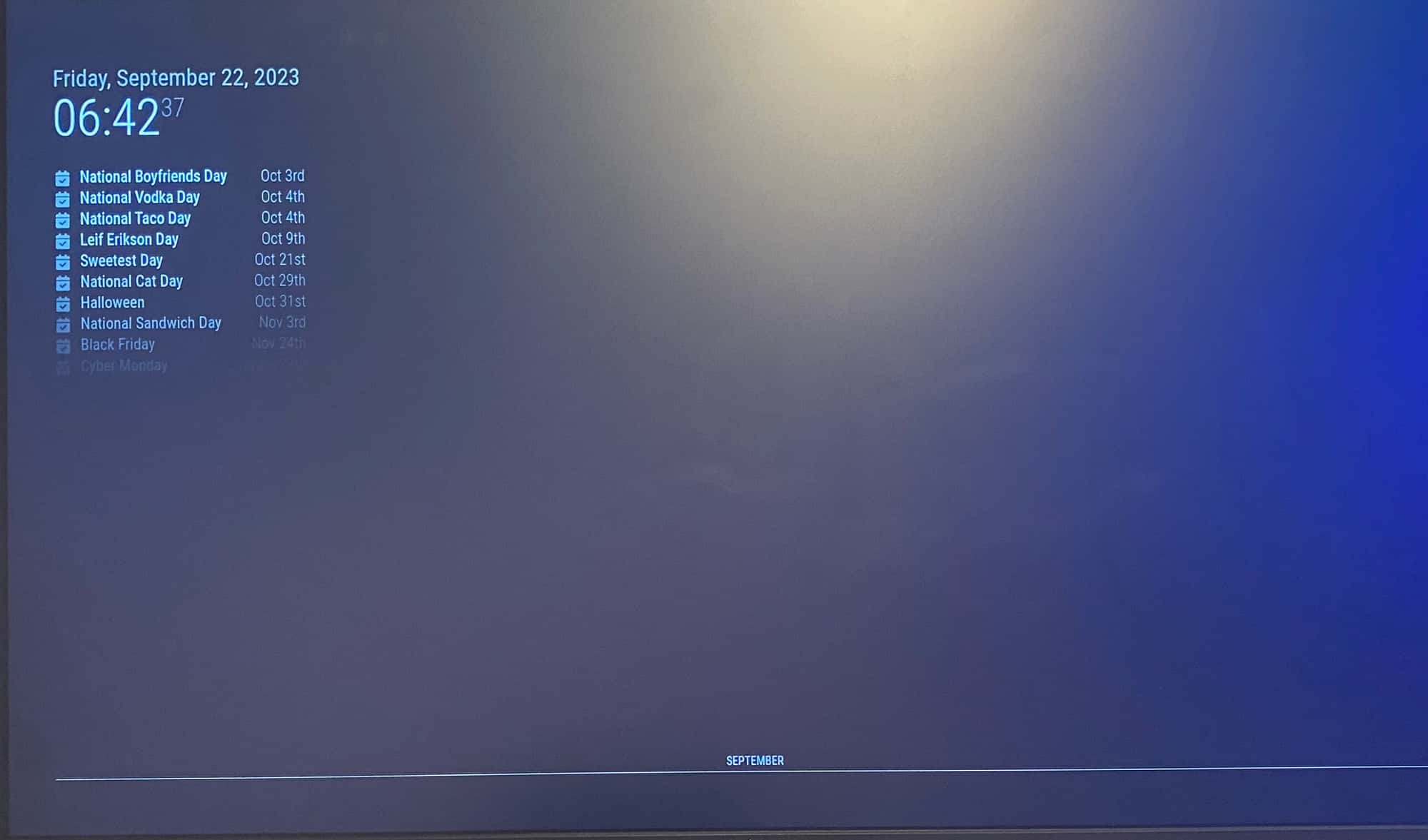
You can see I get the calendar into the default one. But the month is all empty. And I have to choose “lower_third” becuase on “bottom_bar” september is drowning, I can hardly see it then. Something is really wrong. Maybe I have to start from the beginning again. I mean, it works for you so something is really wrong over here.
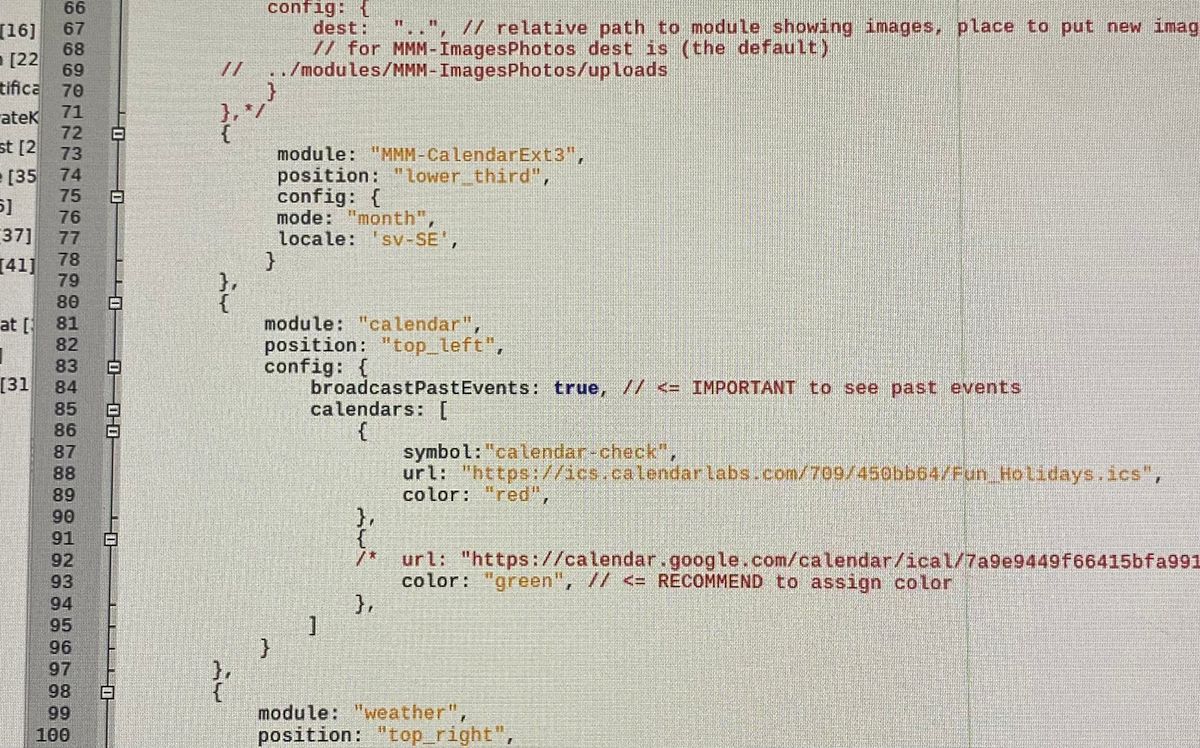
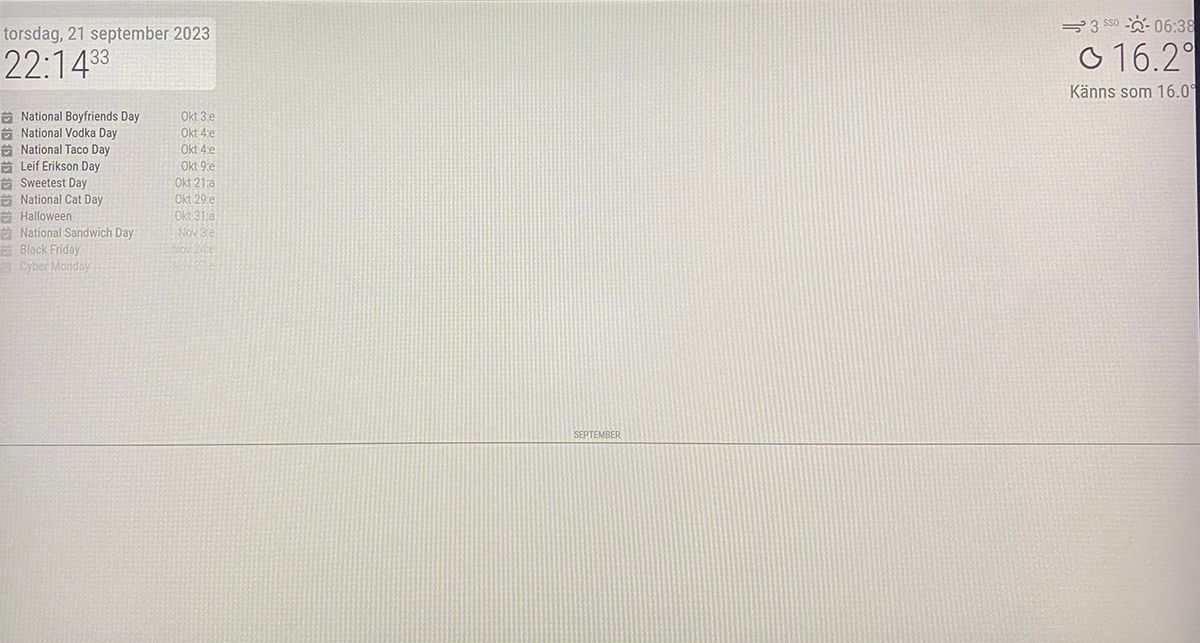
-
@MMRIZE this one is from an all brand new installation of the MM and EXT3. I did end the installation with the ”npm install”. Copy paste your config into mine and got this. I’am clearly doing something wrong but I can’t undestand what to do different.
-
@Manino
Let’s test things.- Remove all other modules except
calendarandMMM-CalendarExt3then run again.
1-1) If no issue; Some of other modules might make interference.
1-2) Still happens; Run MM as dev mode (npm run start:dev) => This will show front-end dev console and there might be some useful console log. (or you can populate dev-console on MM with Ctrl+Shift+i or equivalent shortcut keys by your system) - Just in case, the first rendering takes time so wait a while after running it.
- Remove all other modules except
-
@MMRIZE Can you see something? I takes time for my posts to be accepted but now I have an all band new installation of the MM and the EXT3.
I did comment out(?) all the default models except the calendar. Correct? Still got the same view as above (my latest post), except the clock and date.
manino@raspberrypi:~ $ cd MagicMirror
manino@raspberrypi:~/MagicMirror $ npm run start:devmagicmirror@2.24.0 start:dev
DISPLAY=“${DISPLAY:=:0}” ./node_modules/.bin/electron js/electron.js dev[22.09.2023 09:26.03.030] [LOG] Starting MagicMirror: v2.24.0
[22.09.2023 09:26.03.044] [LOG] Loading config …
[22.09.2023 09:26.03.053] [DEBUG] config template file not exists, no envsubst
[22.09.2023 09:26.03.067] [LOG] Loading module helpers …
[22.09.2023 09:26.03.070] [LOG] No helper found for module: MMM-CalendarExt3.
[22.09.2023 09:26.03.620] [LOG] Initializing new module helper …
[22.09.2023 09:26.03.621] [LOG] Module helper loaded: calendar
[22.09.2023 09:26.03.622] [LOG] All module helpers loaded.
[22.09.2023 09:26.03.640] [LOG] Starting server on port 8080 …
[22.09.2023 09:26.04.084] [ERROR] Whoops! There was an uncaught exception…
[22.09.2023 09:26.04.097] [ERROR] Error: listen EADDRINUSE: address already in use ::1:8080
at Server.setupListenHandle [as _listen2] (node:net:1740:16)
at listenInCluster (node:net:1788:12)
at GetAddrInfoReqWrap.doListen [as callback] (node:net:1937:7)
at GetAddrInfoReqWrap.onlookup [as oncomplete] (node:dns:110:8) {
code: ‘EADDRINUSE’,
errno: -98,
syscall: ‘listen’,
address: ‘::1’,
port: 8080
}
[22.09.2023 09:26.04.098] [ERROR] MagicMirror² will not quit, but it might be a good idea to check why this happened. Maybe no internet connection?
[22.09.2023 09:26.04.098] [ERROR] If you think this really is an issue, please open an issue on GitHub: https://github.com/MichMich/MagicMirror/issues
MESA-LOADER: failed to retrieve device information
MESA-LOADER: failed to retrieve device information
MESA-LOADER: failed to retrieve device information -
@Manino
You need to stop “pm2” first before try dev mode. This error means just you are executing mm twice(one from pm2 and one from npm run start:dev). That error is not related with your original issue. -
-
@MMRIZE @sdetweil Oh, tnx! This is what I got. Have no idea if this is correct either. Thanks for your patience.
manino@raspberrypi:~ $ cd MagicMirror manino@raspberrypi:~/MagicMirror $ pm2 stop all [PM2] Applying action stopProcessId on app [all](ids: [ 0 ]) [PM2] [MagicMirror](0) ✓ ┌────┬────────────────────┬──────────┬──────┬───────────┬──────────┬──────────┐ │ id │ name │ mode │ ↺ │ status │ cpu │ memory │ ├────┼────────────────────┼──────────┼──────┼───────────┼──────────┼──────────┤ │ 0 │ MagicMirror │ fork │ 0 │ stopped │ 0% │ 0b │ └────┴────────────────────┴──────────┴──────┴───────────┴──────────┴──────────┘ manino@raspberrypi:~/MagicMirror $ npm start > magicmirror@2.24.0 start > DISPLAY="${DISPLAY:=:0}" ./node_modules/.bin/electron js/electron.js [22.09.2023 21:59.20.958] [LOG] Starting MagicMirror: v2.24.0 [22.09.2023 21:59.20.971] [LOG] Loading config ... [22.09.2023 21:59.20.980] [DEBUG] config template file not exists, no envsubst [22.09.2023 21:59.20.989] [LOG] Loading module helpers ... [22.09.2023 21:59.20.997] [LOG] No helper found for module: MMM-CalendarExt3. [22.09.2023 21:59.21.413] [LOG] Initializing new module helper ... [22.09.2023 21:59.21.414] [LOG] Module helper loaded: calendar [22.09.2023 21:59.21.415] [LOG] All module helpers loaded. [22.09.2023 21:59.21.436] [LOG] Starting server on port 8080 ... [22.09.2023 21:59.21.866] [LOG] Server started ... [22.09.2023 21:59.21.869] [LOG] Connecting socket for: calendar [22.09.2023 21:59.21.870] [LOG] Starting node helper for: calendar [22.09.2023 21:59.21.872] [LOG] Sockets connected & modules started ... [22.09.2023 21:59.21.950] [LOG] Launching application. MESA-LOADER: failed to retrieve device information MESA-LOADER: failed to retrieve device information MESA-LOADER: failed to retrieve device information ../../buildtools/third_party/libc++/trunk/include/vector:1471: assertion __n < size() failed: vector[] index out of bounds[1602:0922/215923.760165:ERROR:gpu_process_host.cc(954)] GPU process exited unexpectedly: exit_code=6 MESA-LOADER: failed to retrieve device information MESA-LOADER: failed to retrieve device information MESA-LOADER: failed to retrieve device information ../../buildtools/third_party/libc++/trunk/include/vector:1471: assertion __n < size() failed: vector[] index out of bounds[1602:0922/215924.743937:ERROR:gpu_process_host.cc(954)] GPU process exited unexpectedly: exit_code=6 MESA-LOADER: failed to retrieve device information MESA-LOADER: failed to retrieve device information MESA-LOADER: failed to retrieve device information ../../buildtools/third_party/libc++/trunk/include/vector:1471: assertion __n < size() failed: vector[] index out of bounds[1602:0922/215925.960665:ERROR:gpu_process_host.cc(954)] GPU process exited unexpectedly: exit_code=6 [22.09.2023 21:59.25.999] [LOG] Create new calendarfetcher for url: https://ics.calendarlabs.com/709/45a0bb64/Fun_Holidays.ics - Interval: 3600000 [22.09.2023 21:59.26.871] [INFO] Calendar-Fetcher: Broadcasting 59 events. [1645:0922/215926.898550:ERROR:command_buffer_proxy_impl.cc(128)] ContextResult::kTransientFailure: Failed to send GpuControl.CreateCommandBuffer. ^C/home/manino/MagicMirror/node_modules/electron/dist/electron exited with signal SIGINT -
-
@Manino do this
export ELECTRON_DISABLE_GPU=1
npm start
if that works, the add
export ELECTRON_DISABLE_GPU=1in the ~/MagicMirror/installers/mm.sh
on a new line before the line with npm start
-
@sdetweil @MMRIZE Sry did post before writing all text…
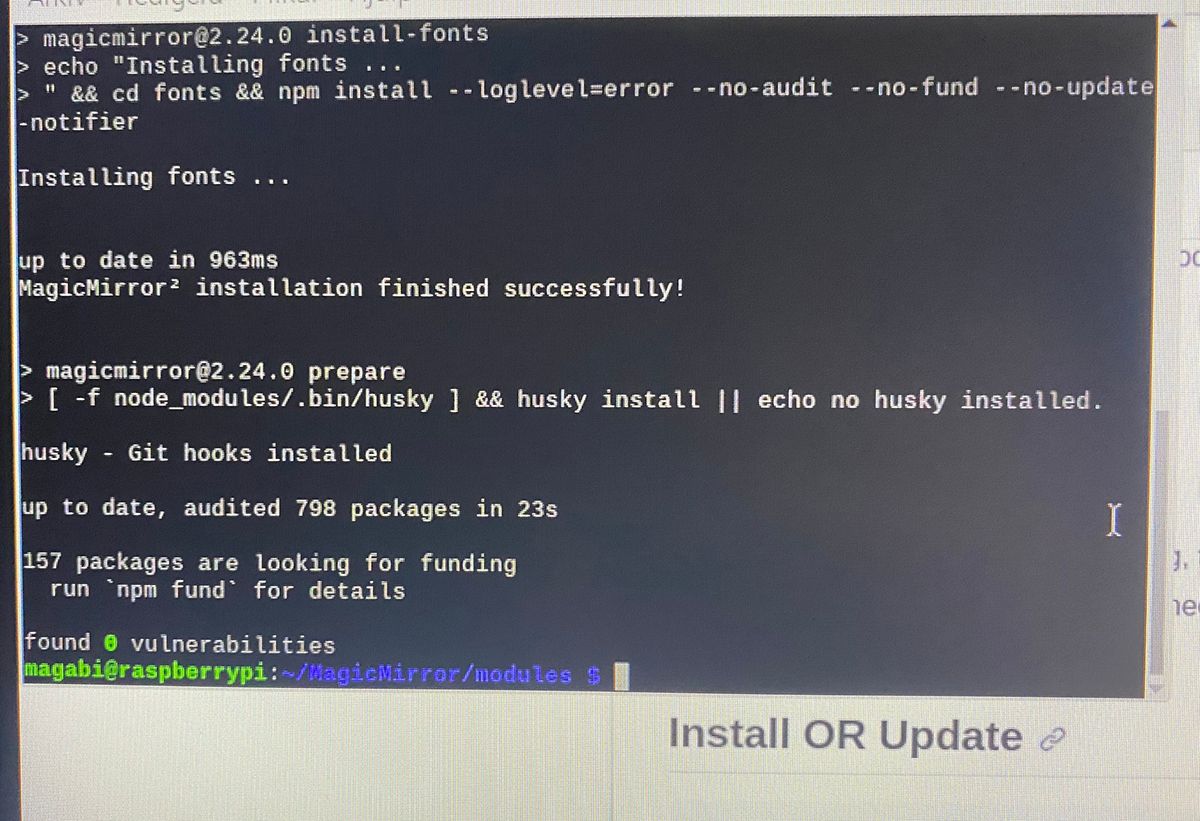
I did try your thing @sdetweil but I could’nt get it right. Then I did the Install of the MM for 15 times or something, try different installation every time, change language and tested everything, and then one time I try this extra thing below. I am sure iv’e tried it before but that time it did’nt work. I don’t know why but now I have it.
Every time I do the installation of the MM (after imager), I do got an error in the text. But the MM start running anyway. Maybe that’s the problem?
Anyway this thing did work:
“When some submodule seems not installed and updated properly, try this.”
cd ~/MagicMirror/modules/MMM-CalendarExt3
git submodule update --init --recursive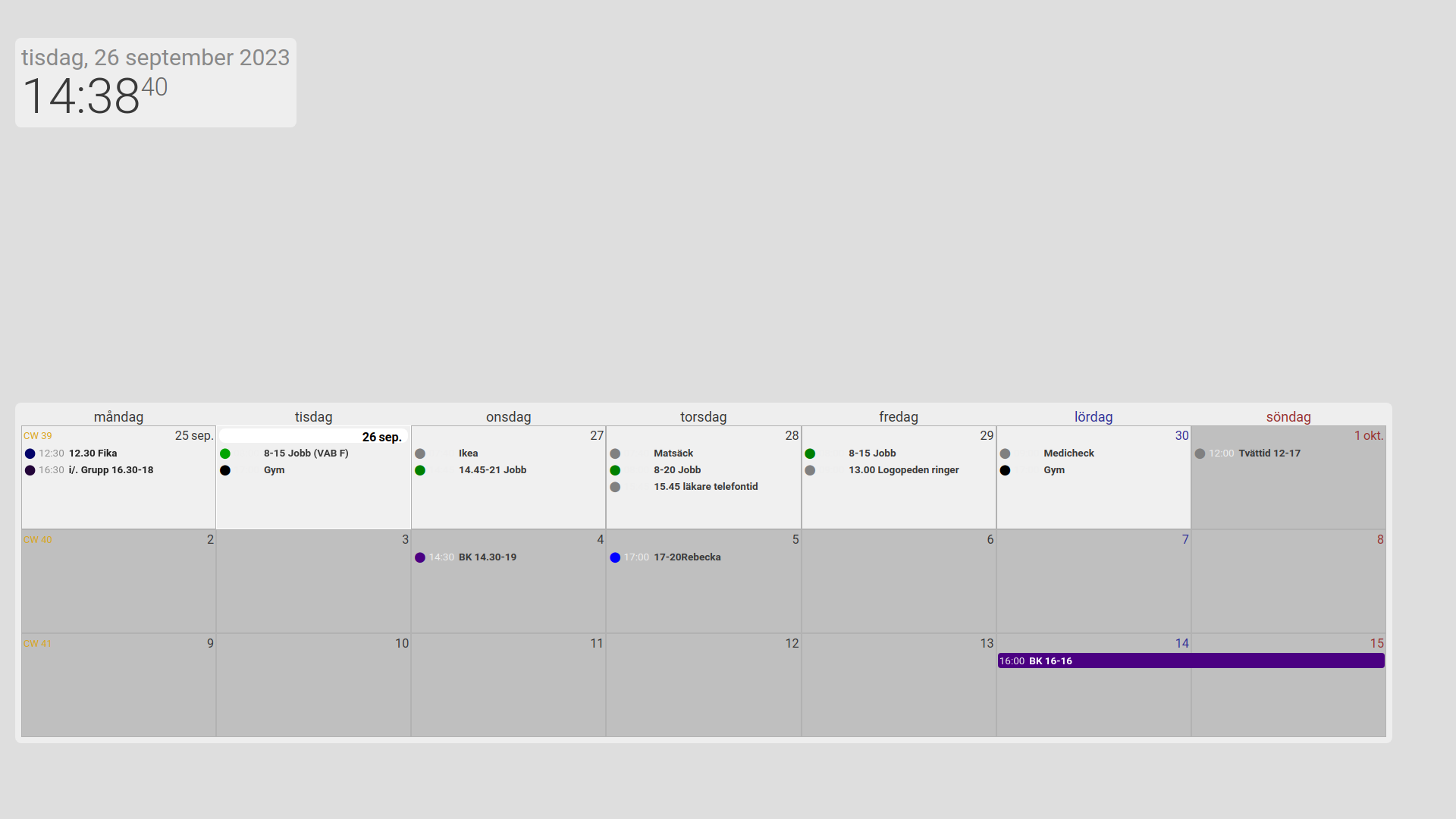
-
@Manino the question is, WHY did it not get installed properly…
the install instructions
npm install
in the module folder SHOULD have done the work already…
-
@sdetweil This is exactly what I did.
In the terminal I wrote cd MagicMirror/modules
then wrote git clone https://github.com/MMRIZE/MMM-CalendarExt3
after that, I wrote npm installSometimes, I did get an error says I had to do npm audit fix. I did got it the last time and now as I said it’s working. But I don’t see that as a problem. Some of the times I did not got that, and it did not work anyway.
Then I did wrote git submodule update --init --recursive
even do the guide says needless (I did test with and without), don’t know if there was any difference.But this should work or?
-
@Manino said in Problem installing new module (beginner), CalendarEXT3 not displaying:
after that, I wrote npm install
after the git clone you do
cd MMM-CalendarExt3to position prompt with proper current directory
then issue
npm installthen npm install runs and looks at package.json which has a postinstall step
"postinstall": "git submodule update --init --recursive",SO, IF you were in the correct folder, then this command would have been issued here …
same as you did manually… SO, that implies you did NOT use the cd command
I see the instructions also do not have that …
cd ~/MagicMirror/modules
git clone https://github.com/MMRIZE/MMM-CalendarExt3
cd MMM-CalendarExt3  # missing <-----------
npm install
git submodule update --init --recursive
so that explains it…
in general, if the module instructions say npm install
you MUST manually position the terminal window in the module folder first… regardless if the instructions tell you or not…@MMRIZE u need to fix readme
-
@sdetweil
Thanks. I’ll do it right now.I am so sorry that all the ppl have that issue due to wrong instructions.
-
-
J JackHammer325 referenced this topic on
Hello! It looks like you're interested in this conversation, but you don't have an account yet.
Getting fed up of having to scroll through the same posts each visit? When you register for an account, you'll always come back to exactly where you were before, and choose to be notified of new replies (either via email, or push notification). You'll also be able to save bookmarks and upvote posts to show your appreciation to other community members.
With your input, this post could be even better 💗
Register Login