Read the statement by Michael Teeuw here.
MMM-CalendarExt3 Formatting questions follow-up
-
Re: MMM-CalendarExt3 Formatting questions
I added this code:
.CX3 .event .headline.useSymbol .symbol {
  display: none;
}
(from the above discussion) to custom.css in ~/MagicMirror/css and it had no effect – I still see the colored dot. I’m hoping to remove it and just apply the color to the text instead since I have limited horizontal width and don’t want to waste it on a dot. Is there something I’m missing?
And, as a follow-up, I think I saw something about coloring the text so I will do more research there but it would be nifty to have an option of something like “textColor: true” which would apply the color to the text. Not sure if I’m making sense though.
Lastly, I’m trying to figure out how to get the time to be just “08:30” (for 8:30 am) or “22:15” (for 10:15pm) and am not having much luck.
-
So I don’t know what I was smoking, but I couldn’t find anything about changing event text colors. What I’d like to do is, instead of having a blue dot with white text saying “Piano Lesson”, I’d like no dot and “Piano Lesson” in blue text.
-
@UncleRoger said in MMM-CalendarExt3 Formatting questions follow-up:
Re: MMM-CalendarExt3 Formatting questions
I added this code:.CX3 .event .headline.useSymbol .symbol { display: none; }(from the above discussion) to custom.css in ~/MagicMirror/css and it had no effect – I still see the colored dot.
I had set useSymbol to false in config.js and that was preventing this css from being applied. When I removed that from the module config, the dot disappeared as it should.
And, as a follow-up, I think I saw something about coloring the text so I will do more research there but it would be nifty to have an option of something like “textColor: true” which would apply the color to the text. Not sure if I’m making sense though.
I found what I had seen previously and this is what worked:
.CX3 .calendar_<calendar>      {
  color: <color>;
}
where is the value assigned to the “name:” option of the calendar in the default calendar module. So, if you have this entry in config.js in :
{ // Family Calendar
        name:                   "Family",
        url:                    "https://calendar.google.com/calendar/ical/blahblahblah",
        broadcastPastEvents:    true,
        color:                  "#05C3DD",
},
in the calendars array of the default calendar module definition, then the CSS to change the text color in CX3 for that calendar would be:
.CX3 .calendar_Family      {
  color: #05C3DD;
}
Lastly, I’m trying to figure out how to get the time to be just “08:30” (for 8:30 am) or “22:15” (for 10:15pm) and am not having much luck.
I figured this one out with a little help from ChatGPT:
eventTimeOptions: { hour: '2-digit', minute: '2-digit', hour12: false },Not sure if that’s the best way to do it, but it seems to work.
The final result looks like this:
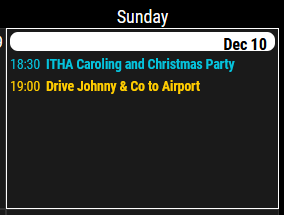
That’s viewing it on a landscape monitor but it will eventually end up on one in portrait mode, hence the need to eliminate the dot and shorten the time.
(Just trying to document this in case someone else is looking for the same answers.)
-
@UncleRoger All your solutions are perfect. Good job.
-
Thanks! Now I just have to find 6 different colors that are readable, plus 3 more related to 3 of those that are also readable. 8^)
(Family calendar, me, the wife, 3 kids, and their 3 schools. sigh Sometimes I wish I was a mantis shrimp.)
-
@UncleRoger
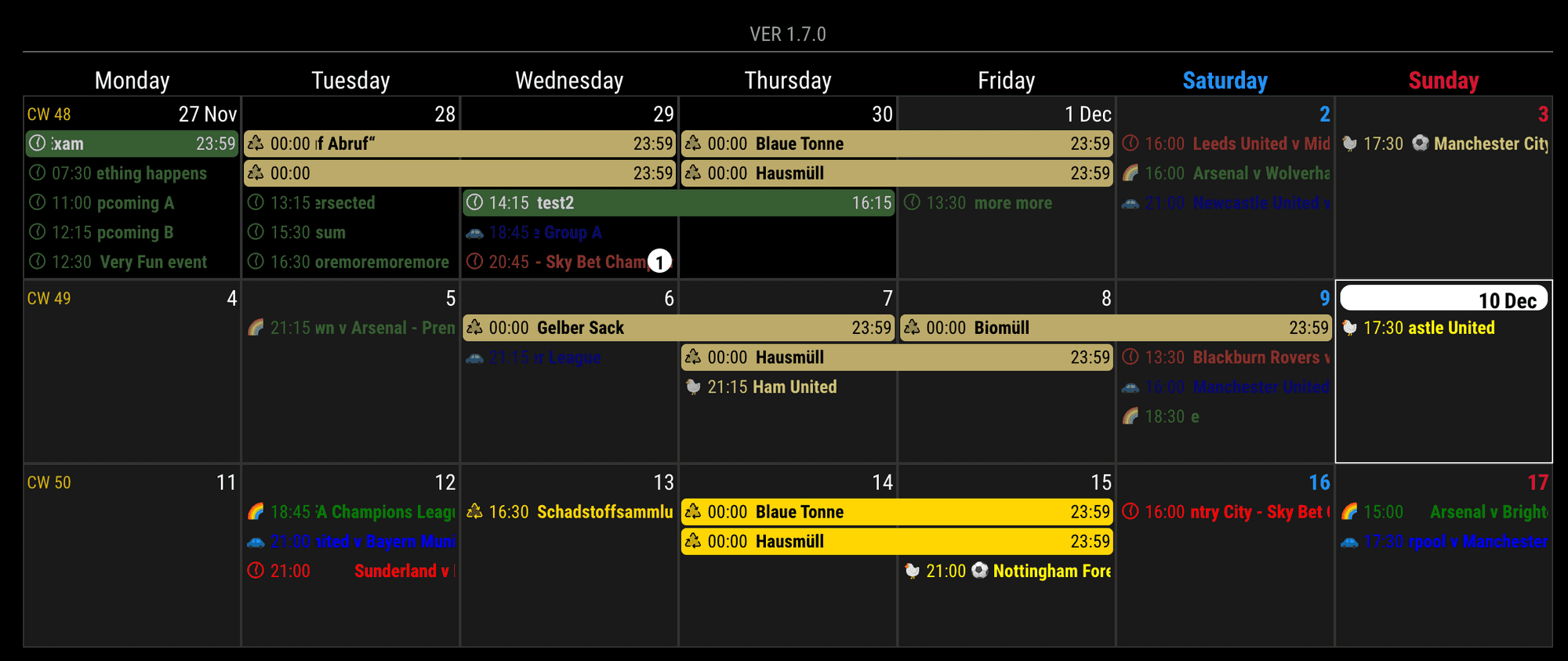
There would be a simpler solution, but your approach is not bad..CX3 .singleday.event { color: var(--calendarColor); }To use this approach; you should assign
colorto the calendars of the default calendar module.
-
@MMRIZE said in MMM-CalendarExt3 Formatting questions follow-up:
@UncleRoger
There would be a simpler solution, but your approach is not bad..CX3 .singleday.event { color: var(--calendarColor); }To use this approach; you should assign
colorto the calendars of the default calendar module.Ooh, that’s perfect! Thanks! Much better, I think, to do as much setup in the config.js file as possible and, for this, to define everything about a calendar together (name, key, color, etc.).
One more question – I’ve noticed that multi-day events show a starting and ending time which is okay, but it’s also doing that for all-day events. That is, if it marked as “all-day”, it shows a start time of 00:00 and an end time of 23:59.

Is there any way to turn off the times for all-day multi-day events (or all multi-day events)?Thanks!
-
@UncleRoger
You can use this;.CX3 .event.fullday.multiday .headline .time { display:none; }(I’ll add this to the next update to be the default.)

Hello! It looks like you're interested in this conversation, but you don't have an account yet.
Getting fed up of having to scroll through the same posts each visit? When you register for an account, you'll always come back to exactly where you were before, and choose to be notified of new replies (either via email, or push notification). You'll also be able to save bookmarks and upvote posts to show your appreciation to other community members.
With your input, this post could be even better 💗
Register Login