Read the statement by Michael Teeuw here.
MMM-CalendarExt3 formatting help
-
So I am trying to get two things to happen:
- the end times to not display on my long events
- the dots/icons to go away on short events so there’s more room for text
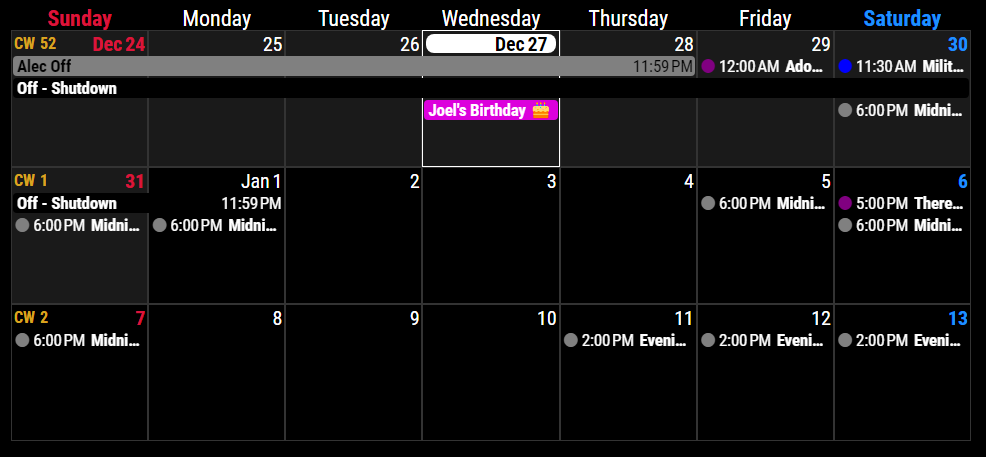
I have icons off and end times off within both the native calendar module AND CX3 module. I don’t know what to do now!
{ module: "calendar", header: "Family Calendar", hiddenOnStartup: "true", position: "top_left", config: { broadcastPastEvents: true, displaySymbol: false, showEnd: false, fetchInterval: 300000, calendars: [ { url: "https://.ics", name: "family_cal", color: "purple" }, { url: "https://.ics", name: "alecwork_cal", color: "gray" }, { url: "https://.ics", name: "alec_cal", color: "blue" }, { url: "https://.ics", name: "days_off", color: "black" } ] } }, { module: "MMM-CalendarExt3", position: "bottom_bar", config: { mode: "week", useSymbol: false, showMore: true, refreshInterval: "305000", weekIndex: "0", instanceId: "basicCalendar", fontSize: "22px", maxEventLines: 5, firstDayOfWeek: 7, calendarSet: ['family_cal', 'alecwork_cal', 'alec_cal', 'days_off'], } }, -
/* in your module config in config.js */
...
useSymbol: false,
...
/* custom.css */ .CX3 .event.multiday:not(.continueToNextWeek) .headline .endTime { display: none; } .CX3 .event.singleday .headline:not(.useSymbol)::before, .CX3 .event.singleday .headline.useSymbol .symbol.noSymbol::before { display: none; }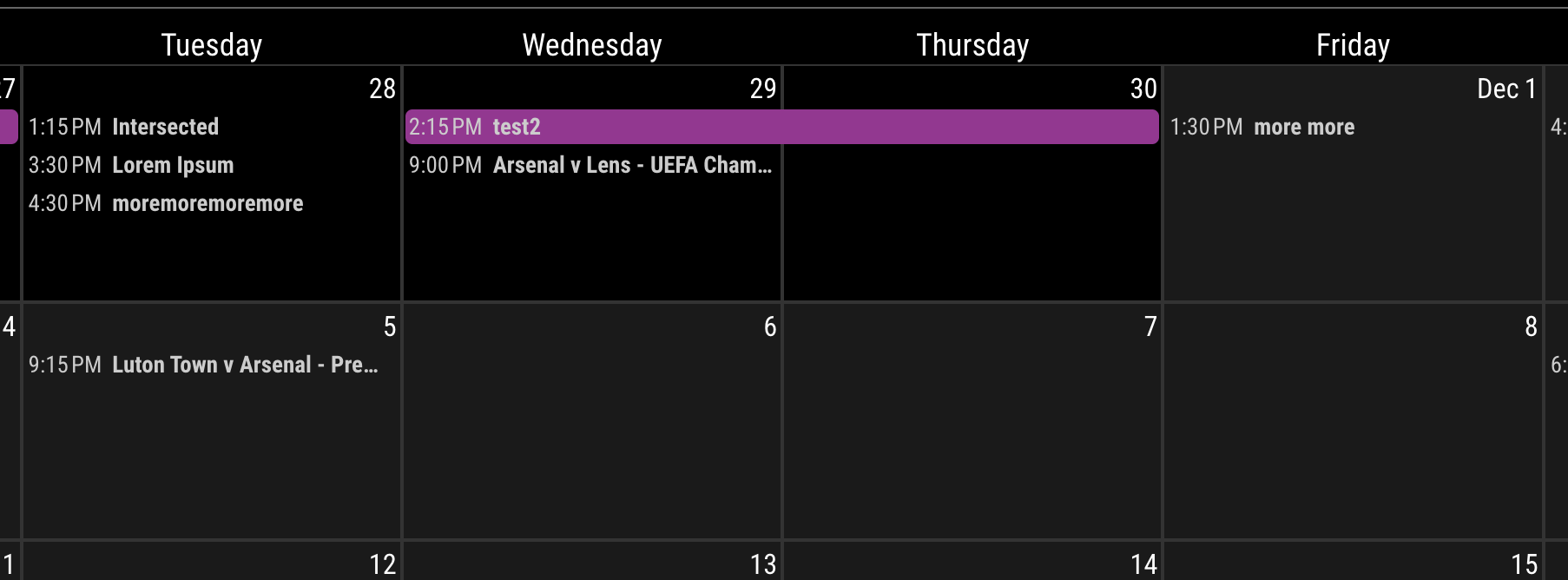
By the way, 1080w is too narrow for this kind of view… (with 0 margin, 1080px / 7 = 154px => only for 10~20 chars could be displayed in one cell.)
-
@MMRIZE I haven’t done anything with custom css. Do I make a copy of the sample file and just add this text in? I tried doing that to alter the cell heights but nothing I changed did anything.
-
@MMRIZE I also already have
…
useSymbol: false,
…
in my config file. I have the command for both default calendar and CX3.
And I know it’s very narrow - which is why I’m trying to maximize the space for the text and remove the symbol. I’m just not sure how to get the css file working.
-
@angeliKITTYx
Rename custom.css.example to custom.css then add my above codes into it. -
@MMRIZE that worked! weird - the css the module author offered didn’t work.
Thanks!
Is there an easy way to make the font color match the calendar color? Right now all my timed events are written white for every calendar. I didn’t realize the calendar color setting only applied to “all day” events and the symbols. -
-
@MMRIZE
How do I remove the time from the calendar? I’m using your CX3 Agenda to the right with the calendar in the middle; I would like to just have the time on the agenda. I managed to get symbols removed thanks to your (old) post, but cannot figure out the right combination of config.js and custom.css code to get rid of the start times.
Hello! It looks like you're interested in this conversation, but you don't have an account yet.
Getting fed up of having to scroll through the same posts each visit? When you register for an account, you'll always come back to exactly where you were before, and choose to be notified of new replies (either via email, or push notification). You'll also be able to save bookmarks and upvote posts to show your appreciation to other community members.
With your input, this post could be even better 💗
Register Login