Read the statement by Michael Teeuw here.
MMM-todoist dosent hide with this Option
-
HI,
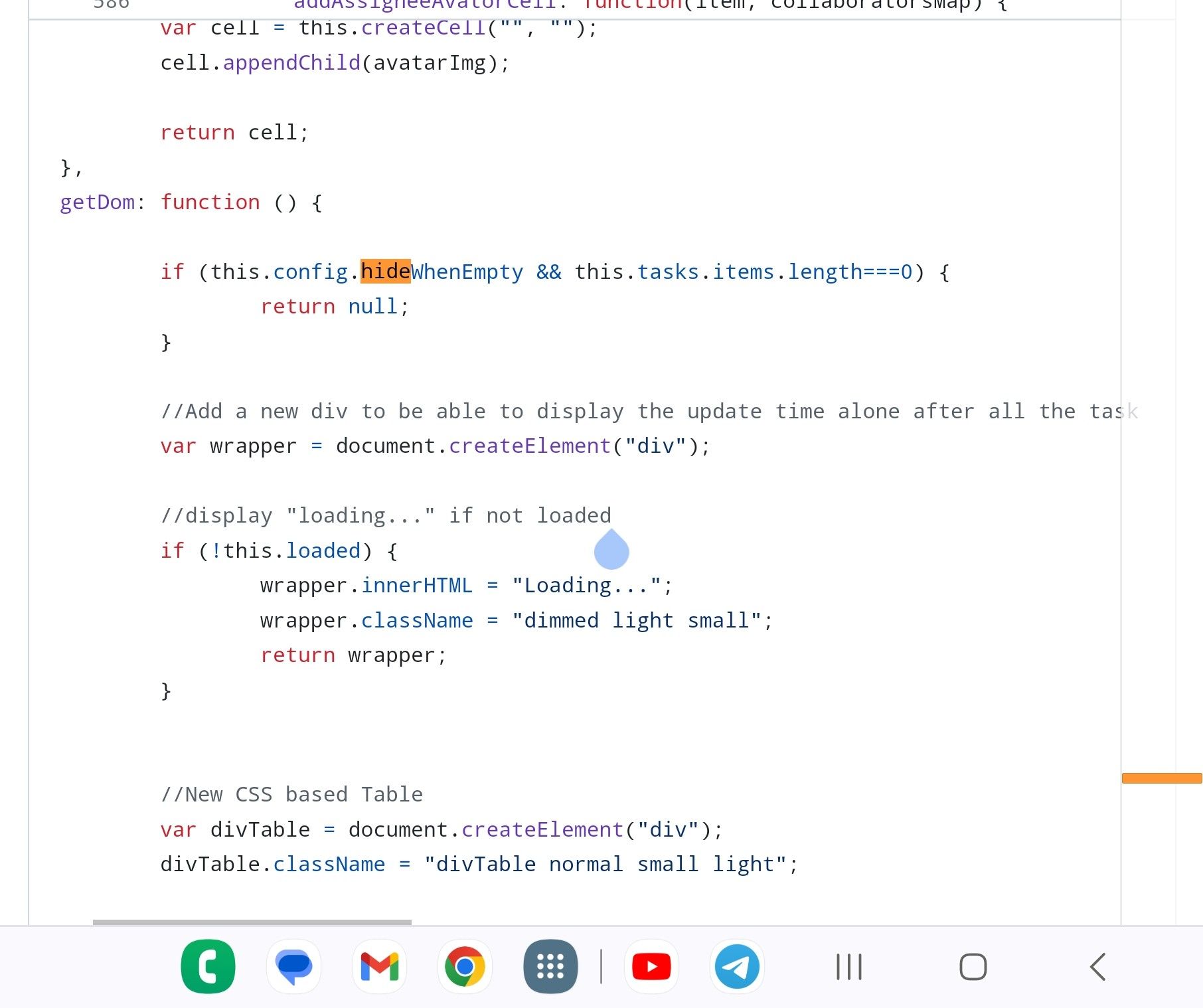
i set the hideWhenEmpty to true but it still display the header and the borderline. I had a look at the code and there I saw nothing about defaults with hideWhenEmpty. I saw in the code there is a getDom function but this dosent work.
someone know about that?
thanks
-
@fischi87 I looked at code and it uses that property, incorrectly in my opinion
-
-
@fischi87 no… getDom() should ALWAYS return something
getDom: function () { //Add a new div to be able to display the update time alone after all the task var wrapper = document.createElement("div"); //display "loading..." if not loaded if (!this.loaded) { wrapper.innerHTML = "Loading..."; wrapper.className = "dimmed light small"; return wrapper; } // moved to here and changed return if (this.config.hideWhenEmpty && this.tasks.items.length === 0) { return wrapper; } -
I think this don’t work because I see still the header. it es possible to display a empty wrapper?
-
@fischi87 header is different its not hidden.
do, could do self.hide()
I was returning an empty div -
u can explain me how it works with self.hide()? where I have to write it down and so on?
-
@fischi87 add the one line, this.hide() shown below
// moved to here and changed return if (this.config.hideWhenEmpty && this.tasks.items.length === 0) { this.hide() // added hide to hide header too return wrapper; } -
It works thanks Sam
Hello! It looks like you're interested in this conversation, but you don't have an account yet.
Getting fed up of having to scroll through the same posts each visit? When you register for an account, you'll always come back to exactly where you were before, and choose to be notified of new replies (either via email, or push notification). You'll also be able to save bookmarks and upvote posts to show your appreciation to other community members.
With your input, this post could be even better 💗
Register Login