MagicMirror Forum
    • Recent
    • Tags
    • Unsolved
    • Solved
    • MagicMirror² Repository
    • Documentation
    • 3rd-Party-Modules
    • Donate
    • Discord
    • Register
    • Login
    A New Chapter for MagicMirror: The Community Takes the Lead
    Read the statement by Michael Teeuw here.

    Set 1280 x 720 resolution RPi Bookworm

    Scheduled Pinned Locked Moved Hardware
    9 Posts 2 Posters 2.1k Views 2 Watching
    Loading More Posts
    • Oldest to Newest
    • Newest to Oldest
    • Most Votes
    Reply
    • Reply as topic
    Log in to reply
    This topic has been deleted. Only users with topic management privileges can see it.
    • F Offline
      frits.erasmus
      last edited by

      I have an old Sinoteq TV measuring 5780mm x 3250mm screen

      The closest resolution I get in the options is 1024 x 728. This causes images to show stretched
      I am running MagicMirror on it showing images

      How can I set the resolution to 1280 x 720?

      VERSION_ID=“12”
      VERSION=“12 (bookworm)”

      I tried editing the “/boot/firmware/cmdline.txt” file and added

      “video=HDMI-A-1:1280x720 vc4.force_hotplug=1” in that file.

      When the RPi starts up the TV echoes res = 1280X720 and the splash screen perspective is correct.
      As the Magic Mirror starts the same popup from the TV appears with Res = 1024x768 and when my image shows on screen, they are stretched (I am also viewing the screen with VNC and that perspective is correct)

      Is there a place in MM2 where I can set the resolution to 1280x720?

      Thanking any pointers in advance

      Frits

      S 1 Reply Last reply Reply Quote 0
      • S Offline
        sdetweil @frits.erasmus
        last edited by sdetweil

        @frits-erasmus you can try adding

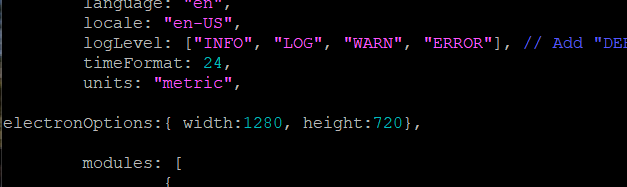
        electronOptions:{ width:1280, height:720}, 
        

        in config.js, before the line

        modules: [
        

        Sam

        How to add modules

        learning how to use browser developers window for css changes

        F 1 Reply Last reply Reply Quote 0
        • F Offline
          frits.erasmus @sdetweil
          last edited by

          @sdetweil

          Thanks sdetwell, but that did not do the trick.

          Just want to make sure this is what you suggested I do?

          BTW: I have the TV vertical so I tried w1280 h720 and w720h1280 and neither made any difference

          :-(
          99d0d0b0-9d9c-4c4b-9ea2-a8f5458b69e1-image.png

          S 1 Reply Last reply Reply Quote 0
          • S Offline
            sdetweil @frits.erasmus
            last edited by sdetweil

            @frits-erasmus ok, you didn’t say vertical
            let try this. electron might have saved something

            stop MagicMirror

            cd ~
            rm -rf  .config/Electron
            

            edit typo note dot in front of config

            then start MagicMirror again w config set to
            height:1280, width :720

            Sam

            How to add modules

            learning how to use browser developers window for css changes

            1 Reply Last reply Reply Quote 0
            • F Offline
              frits.erasmus
              last edited by

              @sdetweil said in Set 1280 x 720 resolution RPi Bookworm:

              rm -rf .config/Electron

              Sorry sdetweil ,

              That did not make any difference.

              :-(

              S 1 Reply Last reply Reply Quote 0
              • S Offline
                sdetweil @frits.erasmus
                last edited by sdetweil

                @frits-erasmus bummer that all I’ve got for potential solutions

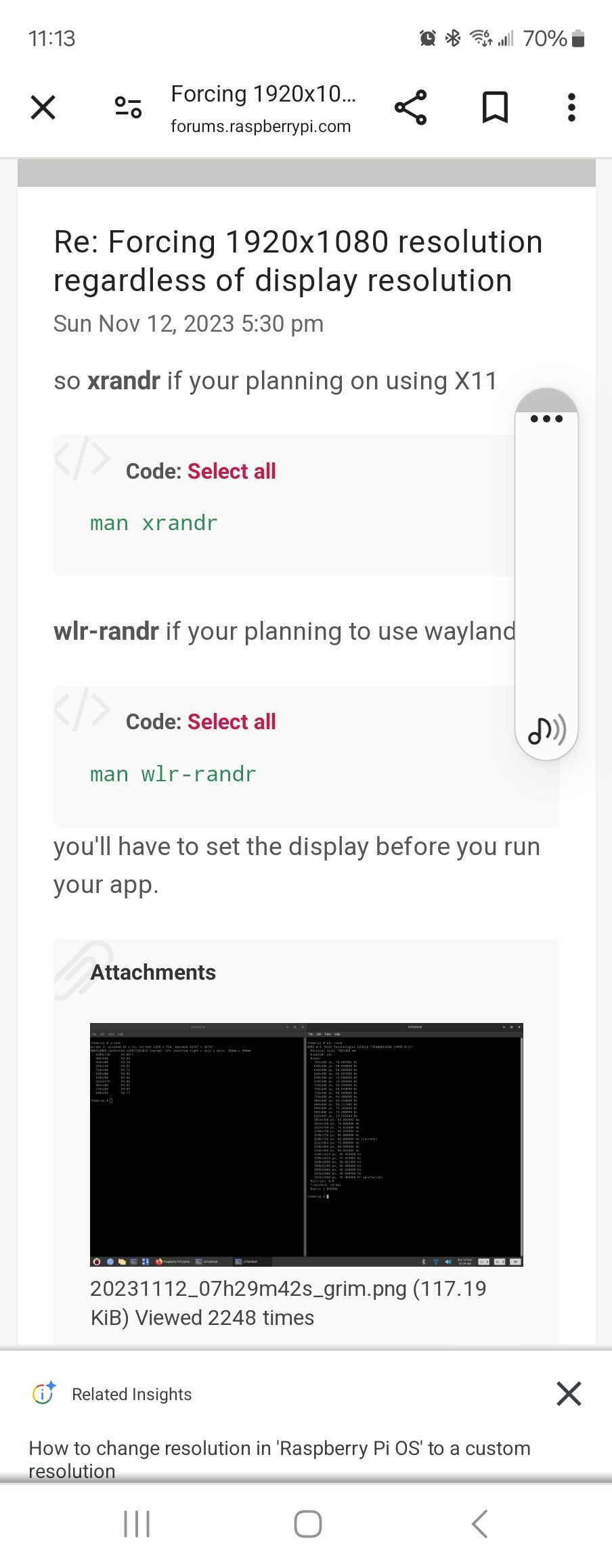
                I found this
                1000025927.jpg

                so lookup the wlr-randr command

                man wlr-randr
                or
                wlr-randr --help

                and I guess you would set it in the script that launches MagicMirror

                Sam

                How to add modules

                learning how to use browser developers window for css changes

                1 Reply Last reply Reply Quote 0
                • F Offline
                  frits.erasmus
                  last edited by

                  Thank you so much.

                  I will try that tomm,

                  Thanks for your feers anyway.

                  1 Reply Last reply Reply Quote 0
                  • F Offline
                    frits.erasmus
                    last edited by

                    Am am giving up!!!

                    I am just going to buy a screen that conforms to the Raspbian software

                    Thanks for all the help

                    1 Reply Last reply Reply Quote 0
                    • F Offline
                      frits.erasmus
                      last edited by

                      Thanks for trying to help me, but I have given up now.

                      I will just buy a monitor that conforms with standard RPI Raspbian OS

                      1 Reply Last reply Reply Quote 0

                      Hello! It looks like you're interested in this conversation, but you don't have an account yet.

                      Getting fed up of having to scroll through the same posts each visit? When you register for an account, you'll always come back to exactly where you were before, and choose to be notified of new replies (either via email, or push notification). You'll also be able to save bookmarks and upvote posts to show your appreciation to other community members.

                      With your input, this post could be even better 💗

                      Register Login

                      • 1 / 1
                      • First post
                        Last post
                      Enjoying MagicMirror? Please consider a donation!
                      MagicMirror created by Michael Teeuw.
                      Forum managed by Sam, technical setup by Karsten.
                      This forum is using NodeBB as its core | Contributors
                      Contact | Privacy Policy