Read the statement by Michael Teeuw here.
Problems with "MMM-MyBMW"
-
Hi all,
i am trying to get “MMM-MYBMW” to work.
But i think, i forgot to install some additional modules
The error message looks like[2024-06-14 15:46:46.534] [ERROR] bimmer_connected error: Traceback (most recent call last): File ".../MagicMirror/modules/MMM-MyBMW/getMyBMWData.py", line 6, in <module> from bimmer_connected.account import MyBMWAccount ModuleNotFoundError: No module named 'bimmer_connected'Can please somebody help me?
Thx a lot
-
@Vauxdvihl did you see this in the module doc?
Requirements
A working python 3 distribution with pip is required before the installation.did you do
npm installper the modile instructions?
-
@sdetweil I don’t know how I checked solution and don’t know how to uncheck it
-
@sdetweil
Yes i did
But i did not find anything ni the docs with regards to pythonI installed it again
warni@raspberrypi:~/MagicMirror/modules/MMM-MyBMW $ npm install > MMM-MyBMW@1.0.0 preinstall > echo 'Installing Python Dependencies...' && pip install -r requirements.txt --no-warn-script-location Installing Python Dependencies... error: externally-managed-environment × This environment is externally managed ╰─> To install Python packages system-wide, try apt install python3-xyz, where xyz is the package you are trying to install. If you wish to install a non-Debian-packaged Python package, create a virtual environment using python3 -m venv path/to/venv. Then use path/to/venv/bin/python and path/to/venv/bin/pip. Make sure you have python3-full installed. For more information visit http://rptl.io/venv note: If you believe this is a mistake, please contact your Python installation or OS distribution provider. You can override this, at the risk of breaking your Python installation or OS, by passing --break-system-packages. hint: See PEP 668 for the detailed specification. npm ERR! code 1 npm ERR! path /.../MagicMirror/modules/MMM-MyBMW npm ERR! command failed npm ERR! command sh -c echo 'Installing Python Dependencies...' && pip install -r requirements.txt --no-warn-script-location npm ERR! A complete log of this run can be found in: npm ERR! /.../.npm/_logs/2024-06-14T14_33_26_887Z-debug-0.log ... I think the installation did not work -
@Vauxdvihl yes, you do mot have python setup like the author assumes
from the doc
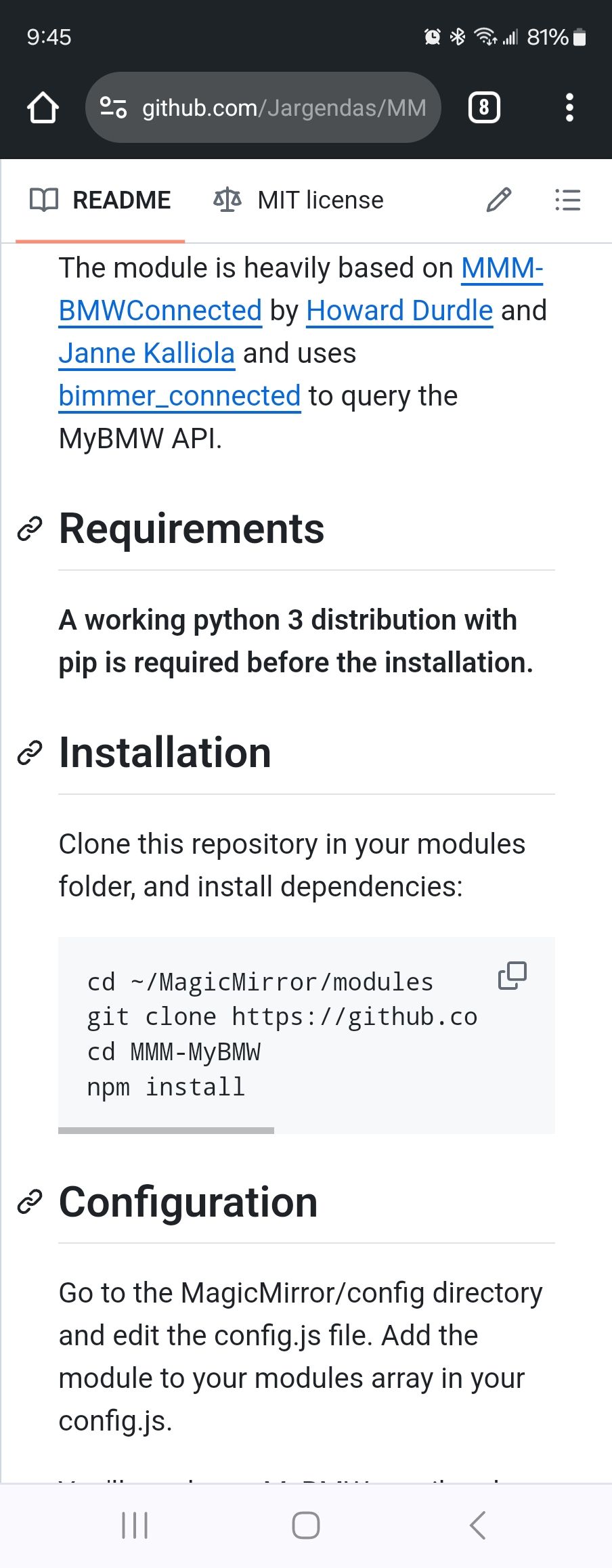
and he doesn’t say but requires that you be running under some python virtual environment
-
...@raspberrypi:~ $ python --version
Python 3.11.2
Python is available
But the installation errors (npm install) remains the same -
@Vauxdvihl yes, the messages say about apt install or venv
I think the author needs to fix this. please open an issue on the module github page to engage the author.
-
 K karsten13 has marked this topic as unsolved on
Hello! It looks like you're interested in this conversation, but you don't have an account yet.
Getting fed up of having to scroll through the same posts each visit? When you register for an account, you'll always come back to exactly where you were before, and choose to be notified of new replies (either via email, or push notification). You'll also be able to save bookmarks and upvote posts to show your appreciation to other community members.
With your input, this post could be even better 💗
Register Login