Read the statement by Michael Teeuw here.
enhancing Text Readability on Bright Wallpapers: Adding Background Textures or Boxes with CSS?
-
How can I add a texture behind the module to ensure readability against bright wallpapers? I’m using the Unsplash module, which offers many attractive wallpapers, but I often have to choose the darkest ones for the white text to be visible. Can this be achieved through CSS? Do I need to write CSS for each module individually, or is there a way to automatically add a texture or box behind every module?
-
@Socrates there is no way currently to deal with this problem. i want it too.
you can provide a background for a module in css, but it will be above the background. and the more opaque it is the more it obscures the background and starts to make MagicMirror screen like a bunch of post-it notes
my background is pictures, so constantly changing
-
@Socrates maybe invert
https://developer.mozilla.org/en-US/docs/Web/CSS/filter-function/inverti dont know if its live or at draw time assuming a stable background
mixed blend mode sounds better
https://css-tricks.com/reverse-text-color-mix-blend-mode/ -
@sdetweil said in nhancing Text Readability on Bright Wallpapers: Adding Background Textures or Boxes with CSS?:
@Socrates maybe invert
https://developer.mozilla.org/en-US/docs/Web/CSS/filter-function/inverti dont know if its live or at draw time assuming a stable background
mixed blend mode sounds better
https://css-tricks.com/reverse-text-color-mix-blend-mode/Hello and Good Evening Sam, thanks for looking into my posts and helping with your valuable tips as always.
I found something that might interest you too.
Check out
MMM-Glassy module.
https://github.com/bugsounet/MMM-GlassyI was able to achieve this. In this module u dont need to add css layers for each module, they will automatically show up in all the modules u have. Infact you can add exceptions to which u dont want the mmm-glassy module wrap around the module.
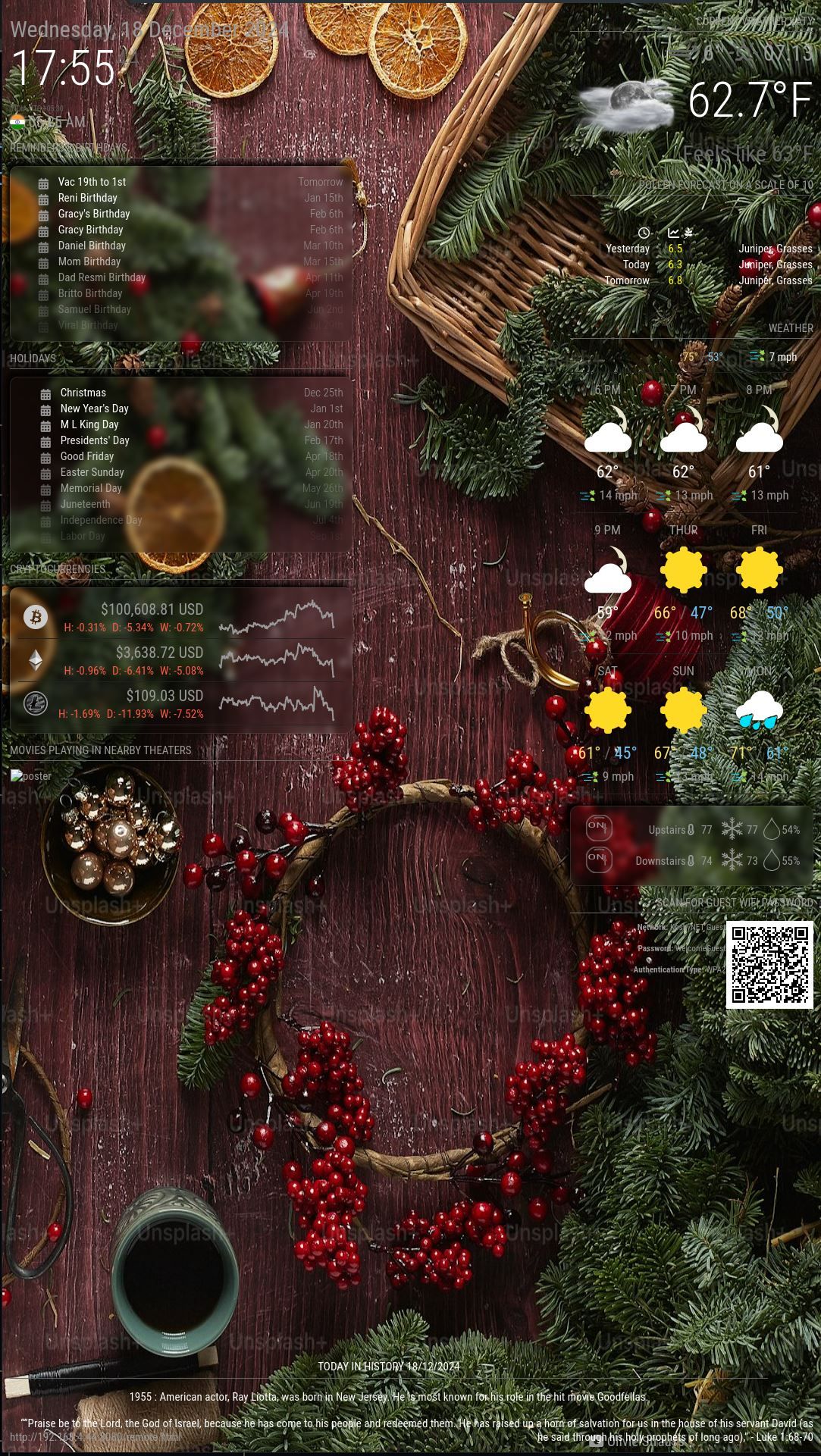
This is how i did it.
{ module: "MMM-Glassy", disabled: false, config: { debug: false, ignoreModules: ["MMM-Worldclock","MMM-Remote-Control","MMM-OpenmapWeather","MMM-OpenWeatherMapForecast","MMM-Mov> modulePadding: "10px", moduleRadius: "10px", moduleShadow: "5px", moduleBackgroundRGB: "0,0,0", moduleBackgroundOpacity: "15%", moduleBorderRGB: "255,255,255", moduleBorderOpacity: "10%", moduleShadowOffsetX: "-5px", moduleShadowOffsetY: "-5px", moduleShadowBlur: "8px", moduleShadowColor: "black", moduleBlur: "5px", moduleSpacing: "15px", mirrorMargin: "10px", mirrorBackground: false, mirrorBackgroundOnSuspend: true } }, -
@Socrates ok, don’t see the effect and don’t know what glassy means
-
I will further tweak the look of the layer so to make it look smart and classy
-
Look at the calendar items on the left hand side of the screenshot for reminders and appointments, and national holidays, also ecobee module. I just added the glassy effect on the items that are hard to read
-
@Socrates does that mean the blur box?
-
@sdetweil ok, this is my screen with pages enabled
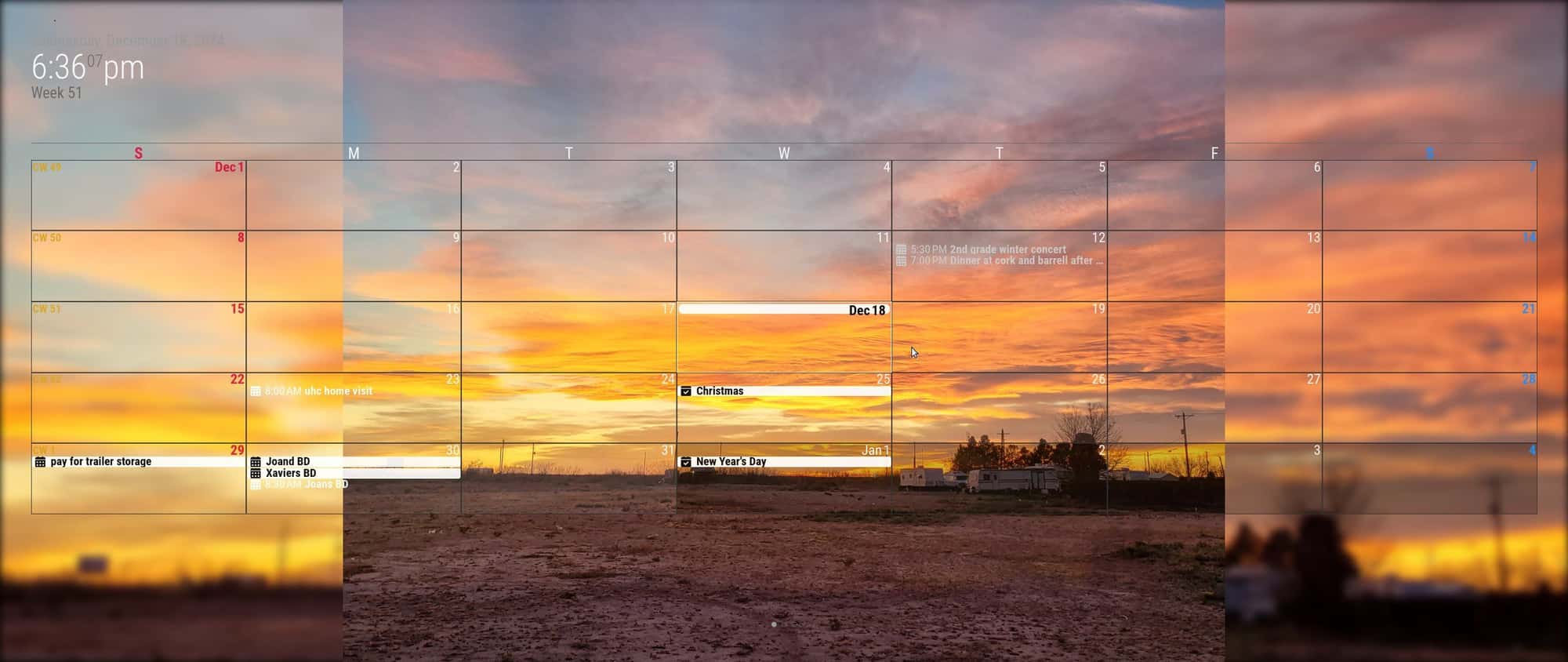
the date is completely washed out top left. above the time
using MMM-ImagesPhotos with blur(8) and fill
the unblurred section is the photo resized to keep aspect ratio consistent
(not cover or contain)
so it changes with every image -
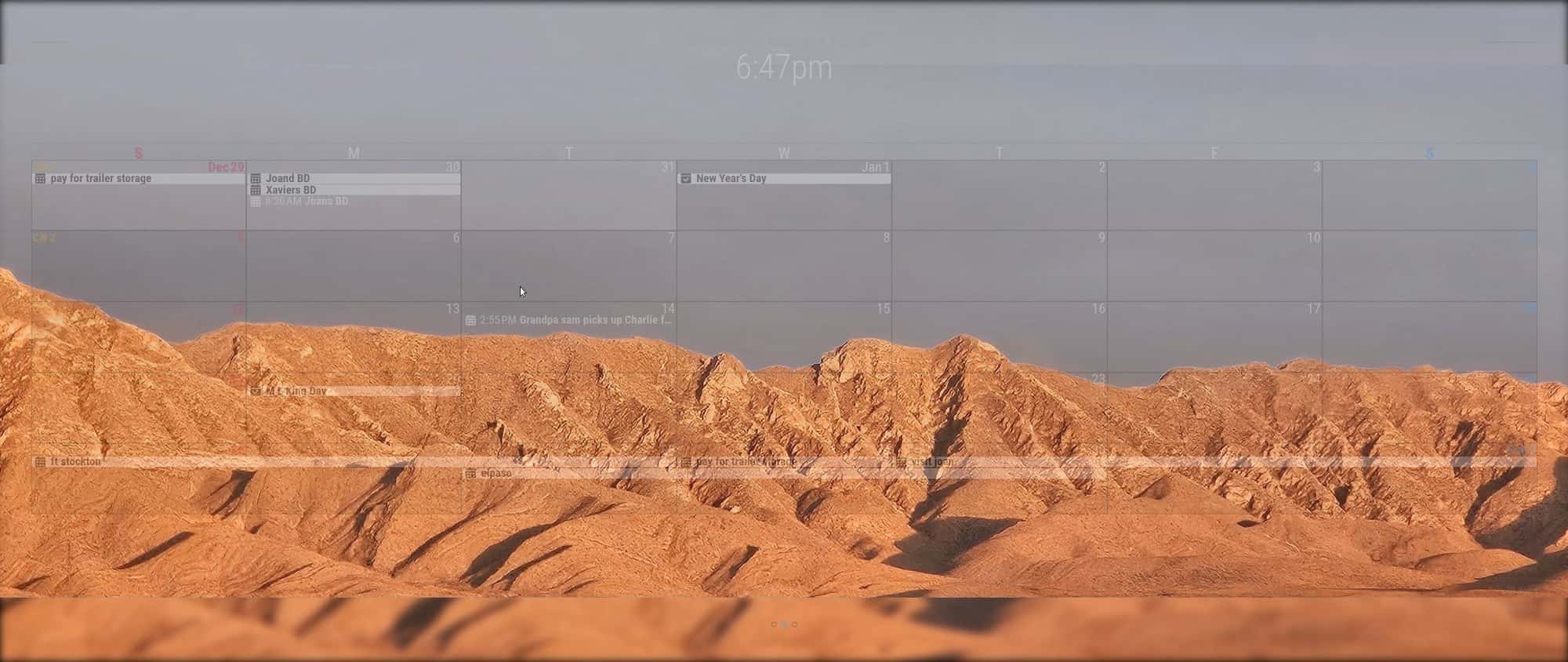
@Socrates sometimes the blur is top and bottom
Hello! It looks like you're interested in this conversation, but you don't have an account yet.
Getting fed up of having to scroll through the same posts each visit? When you register for an account, you'll always come back to exactly where you were before, and choose to be notified of new replies (either via email, or push notification). You'll also be able to save bookmarks and upvote posts to show your appreciation to other community members.
With your input, this post could be even better 💗
Register Login