Read the statement by Michael Teeuw here.
Troubleshooting Positions
-
@roaminMirror if you look at the messages from npm start you should see an error maybe
one of the ideas was to make the positions extendable/customizable…
currently you have to edit 5 files.SO, I added code to read the index.html file, which has the positions/regions used defined, in the server side where I can read a file
BUT I need to pass that info to the browser side code that checks it…
SO, I WRITE the list of positions to a file js/positions.jssomeone else reported that they got a permission denied on this write…
(cause they had used sudo to install MM… oops)
it also fails on synology nas drives under docker, if the storage is created by a synology user , and accessed from the docker user(1000)you can erase that file, js/positions.js
and it will be recreatedI added a new message to the next release about this permissions problem, instead of crashing
-
@roaminMirror Thank you for your reply. What are the 5 files that I will need to edit to have the positions be recoginized and allowed in the positions.js file? I found that editing it manually it will, as you mentioned, recreate itself in the original manner. I am assuming it is gathering it’s array from another location butI am not sure what file is creating that positions.js file with this const modulePositions=[“fullscreen_below”]e with the array .
The only position that is working is Fullscreen_Below for some reason. Sorry I am just not understanding.
-
@roaminMirror can you show me ~/MagicMirror/index.html
that is the file i read for the regionsit should not be changed unless you ate adding new regions
also post the contents of ~/MagicMirror/js/positions.js
-
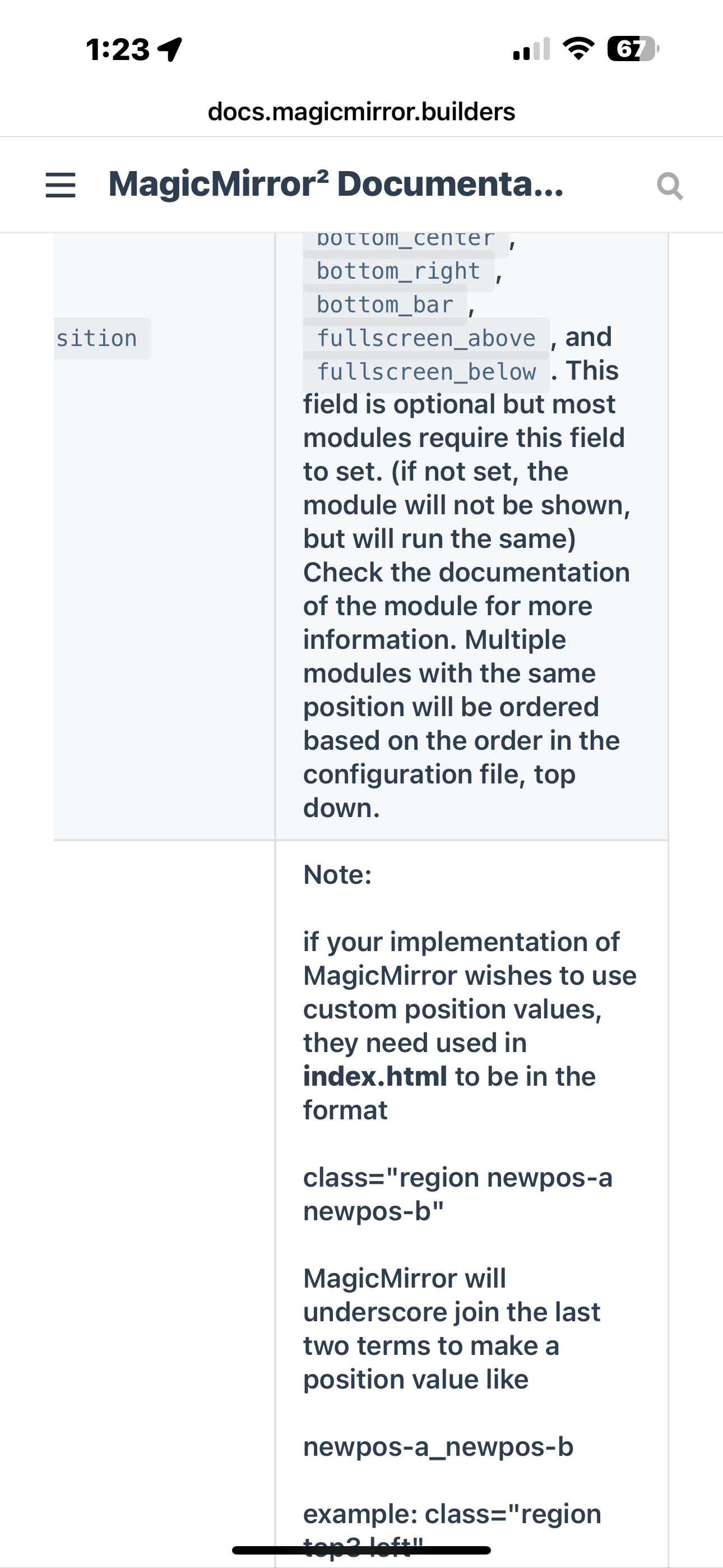
@roaminMirror see the doc on module position
see the note
-
I haven’t made any changes to the index.html file. The config.js is unchanged as well as the positions.js file.
<!doctype html> <html> <head> <title>MagicMirror²</title> <meta name="google" content="notranslate" /> <meta http-equiv="Content-type" content="text/html; charset=utf-8" /> <meta name="apple-mobile-web-app-capable" content="yes" /> <meta name="apple-mobile-web-app-status-bar-style" content="black" /> <meta name="format-detection" content="telephone=no" /> <meta name="mobile-web-app-capable" content="yes" /> <link rel="icon" href="data:;base64,iVBORw0KGgo=" /> <link rel="stylesheet" type="text/css" href="css/main.css" /> <link rel="stylesheet" type="text/css" href="fonts/roboto.css" /> <link rel="stylesheet" type="text/css" href="vendor/node_modules/animate.css/animate.min.css" /> <!-- custom.css is loaded by the loader.js to make sure it's loaded after the module css files. --> <script type="text/javascript"> window.mmVersion = "#VERSION#"; </script> </head> <body> <div class="region fullscreen below"><div class="container"></div></div> <div class="region top bar"> <div class="container"></div> <div class="top_bar"><div class="container"></div></div> <div class="region top center"><div class="container"><clock /></div></div> <div class="region top right"><div class="container"></div></div> </div> <div class="region upper third"><div class="container"></div></div> <div class="region middle center"><div class="container"></div></div> <div class="region lower third"> <div class="container"><br /></div> </div> <div class="region bottom bar"> <div class="container"></div> <div class="region bottom left"><div class="container"></div></div> <div class="region bottom center"><div class="container"></div></div> <div class="region bottom right"><div class="container"></div></div> </div> <div class="region fullscreen above"><div class="container"></div></div> <script type="text/javascript" src="socket.io/socket.io.js"></script> <script type="text/javascript" src="vendor/node_modules/nunjucks/browser/nunjucks.min.js"></script> <script type="text/javascript" src="js/defaults.js"></script> <script type="text/javascript" src="#CONFIG_FILE#"></script> <script type="text/javascript" src="vendor/vendor.js"></script> <script type="text/javascript" src="modules/default/defaultmodules.js"></script> <script type="text/javascript" src="modules/default/utils.js"></script> <script type="text/javascript" src="js/logger.js"></script> <script type="text/javascript" src="translations/translations.js"></script> <script type="text/javascript" src="js/translator.js"></script> <script type="text/javascript" src="js/class.js"></script> <script type="text/javascript" src="js/module.js"></script> <script type="text/javascript" src="js/loader.js"></script> <script type="text/javascript" src="js/socketclient.js"></script> <script type="text/javascript" src="js/animateCSS.js"></script> <script type="text/javascript" src="js/positions.js"></script> <script type="text/javascript" src="js/main.js"></script> </body> </html> 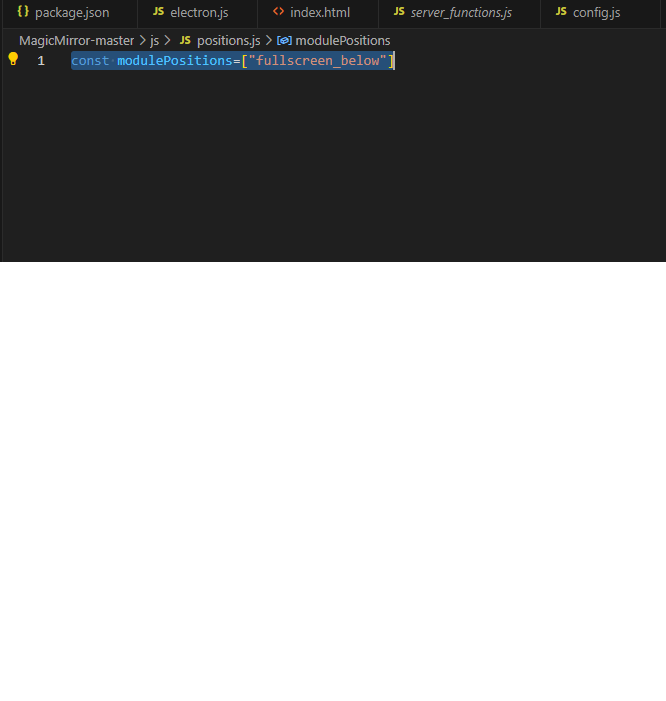 -
@roaminMirror cant attach files, only their text as a paste
-
@roaminMirror are you running on Windows?
-
Yes I am running on windows for the time being until I am ready to move it to a RPI.
The positions.js file is
const modulePositions=["fullscreen_below"]If I attempt to change it and then start the server with npm run start it will revert back to the above code.
-
@roaminMirror interesting… I don’t see this problem on windows…
anyhow
edit js/utils.js
at the end is the functiongetModulePositions () { // if not already discovered if (modulePositions.length === 0) { // get the lines of the index.html const lines = fs.readFileSync(indexFileName).toString().split(os.EOL);change that last line to
const lines = fs.readFileSync(indexFileName).toString().split('\n'); -
@roaminMirror I was able to recreate this on windows…
opened issue #3662 and submitted fix #3663
change to ‘\n’ as I proposed -
That was what was needed! Thank you for helping out with that!
-
R roaminMirror has marked this topic as solved on
-
@roaminMirror great… fixed in next release (Wednesday)
Hello! It looks like you're interested in this conversation, but you don't have an account yet.
Getting fed up of having to scroll through the same posts each visit? When you register for an account, you'll always come back to exactly where you were before, and choose to be notified of new replies (either via email, or push notification). You'll also be able to save bookmarks and upvote posts to show your appreciation to other community members.
With your input, this post could be even better 💗
Register Login