MagicMirror Forum
    • Recent
    • Tags
    • Unsolved
    • Solved
    • MagicMirror² Repository
    • Documentation
    • 3rd-Party-Modules
    • Donate
    • Discord
    • Register
    • Login
    A New Chapter for MagicMirror: The Community Takes the Lead
    Read the statement by Michael Teeuw here.

    MM with Docker

    Scheduled Pinned Locked Moved Forum
    16 Posts 4 Posters 3.3k Views 4 Watching
    Loading More Posts
    • Oldest to Newest
    • Newest to Oldest
    • Most Votes
    Reply
    • Reply as topic
    Log in to reply
    This topic has been deleted. Only users with topic management privileges can see it.
    • R Offline
      RonR
      last edited by

      Hi, I’m trying to get MM to run on Docker. Right now I’m practicing on my laptop. I have Docker installed and working and have been through the start of their tutorial. I’m trying to figure out how to download the image from https://github.com/khassel/magicmirror which appears to be the best one of the list I found. I tried Docker pull and got an error: invalid reference format. I cloned the image to my computer and tried to run build but it failed because of no dockerfile. I haven’t the least idea what base image it would use or any dependencies needed.

      I’m new fairly new to MM and want to put it on an RPI5 with a 256Gb SSD, planning on running as ServerOnly, so I want to use docker to be able to do something beside run MM like maybe a small NAS. I know I’m pushing my envelope but at my age, 79, I’m not sure how much envelope I have left.

      Any helpful hints are greatly appreciated.

      Ron R

      S 2 Replies Last reply Reply Quote 0
      • S Offline
        sdetweil @RonR
        last edited by sdetweil

        @RonR see the doc?

        https://khassel.gitlab.io/magicmirror/installation/#installation-of-this-repository
        I’m 74 so you can do it!!..

        run the install script and then let docker compose do all the image/container work

        I am running a synology NAS with MM (and a bunch of other things) in docker

        Sam

        How to add modules

        learning how to use browser developers window for css changes

        1 Reply Last reply Reply Quote 0
        • S Offline
          sdetweil @RonR
          last edited by

          @RonR and once MagicMirror on docker is running, to ease the troubles of installing and configuring,
          If you install one module, do my Mmm-Config

          It will allow you to install and configure MagicMirror and modules without editing config.js or dealing worth the docker complexities

          Sam

          How to add modules

          learning how to use browser developers window for css changes

          R 4 Replies Last reply Reply Quote 0
          • R Offline
            RonR @sdetweil
            last edited by

            @sdetweil Sam, Thanks for the pointer. I looked for the instructions but missed them some how. Tried to install a different image yesterday but it crashed with missing files. I’ll let you know how this works out for me. I’m practicing right now before I try to do it on my RPI5.

            1 Reply Last reply Reply Quote 1
            • R Offline
              RonR @sdetweil
              last edited by

              @sdetweil Sam, I saw your module yesterday while browsing the 3rd party modules list. I will definitely take download your module. Thanks.

              1 Reply Last reply Reply Quote 0
              • R Offline
                RonR @sdetweil
                last edited by

                @sdetweil Sam, It is working WOW. :) Now the question is can I move the modules I have on the old system over to this one and modifiy the config file? I’m going to install your config module also.

                Ron

                S S 2 Replies Last reply Reply Quote 0
                • S Offline
                  schlomm @RonR
                  last edited by

                  @RonR Generally speaking yes, but I would suggest to redownload / clone your modules to have the most-up-to-date version. Apart from this you also need to run the corresponding npm install for each of your modules…

                  R 1 Reply Last reply Reply Quote 0
                  • S Offline
                    sdetweil @RonR
                    last edited by sdetweil

                    @RonR you can move the config file.

                    the modules are a little tougher under docker.
                    the git clone and npm install for each needs to be done from INSIDE the docker container

                    ssh to your docker host (my synology nas, your pi)

                    then

                    docker exec -it mm bash 
                    

                    to get to the commandline inside the container

                    then cd modules

                    then do the normal git clone/cd/npm install cycle for each module
                    then exit to leave the container, and
                    cd ~/magicmirror/run
                    docker compose restart mm

                    add MMM-Config on this whole process (clone/cd/npm install)
                    then you won’t have to do this again

                    also have to update the run/compose.yaml
                    to add the extra ports for MMM-Config (see the readme)

                    Sam

                    How to add modules

                    learning how to use browser developers window for css changes

                    1 Reply Last reply Reply Quote 1
                    • R Offline
                      RonR @sdetweil
                      last edited by

                      @sdetweil Sam, I installed your config module but it does not display on the screen. I tried moving it to the bottom-right but no difference. I tried to reinstall it w/ npm install, no help.

                      This is the portion of the config.js for MMM-config. I added the restart entry because I wanted it to restart after an change to the file.
                      {
                      module:“MMM-Config”,
                      position:“bottom_right”,
                      // the QR code (if requested) will appear here
                      config:{
                      restart:“docker”,
                      }
                      {,

                      As far as I know I have followed all the directions.

                      S 1 Reply Last reply Reply Quote 0
                      • S Offline
                        sdetweil @RonR
                        last edited by

                        @RonR

                        from the doc on parms

                        showQR	OPTIONAL	false	Show a QR code on the MM screen to allow quick access to the configuration form
                        ===>	Otherwise, use a browser to open http://MM_IP_Address:MM_Port/configure
                        

                        only the QR code is displayed on the UI

                        the module installer is at

                        http://MM_IP_Address:MM_Port/installer
                        

                        Sam

                        How to add modules

                        learning how to use browser developers window for css changes

                        R 1 Reply Last reply Reply Quote 0
                        • R Offline
                          RonR @schlomm
                          last edited by

                          @schlomm Thanks, I understand, download new module files.

                          Ron R

                          1 Reply Last reply Reply Quote 0
                          • R Offline
                            RonR @sdetweil
                            last edited by

                            @sdetweil Sam, I can’t believe how simple it was and I just over looked it in the docs. Thanks for being so patient with me.

                            S O 2 Replies Last reply Reply Quote 0
                            • S Offline
                              sdetweil @RonR
                              last edited by

                              @RonR you weren’t looking there, no biggie…

                              but your experience tells me I need to make it more clear…
                              will update the doc…

                              Sam

                              How to add modules

                              learning how to use browser developers window for css changes

                              S 1 Reply Last reply Reply Quote 1
                              • S Offline
                                sdetweil @sdetweil
                                last edited by sdetweil

                                I added this section to the doc
                                after the parms and before the 1st screenshot
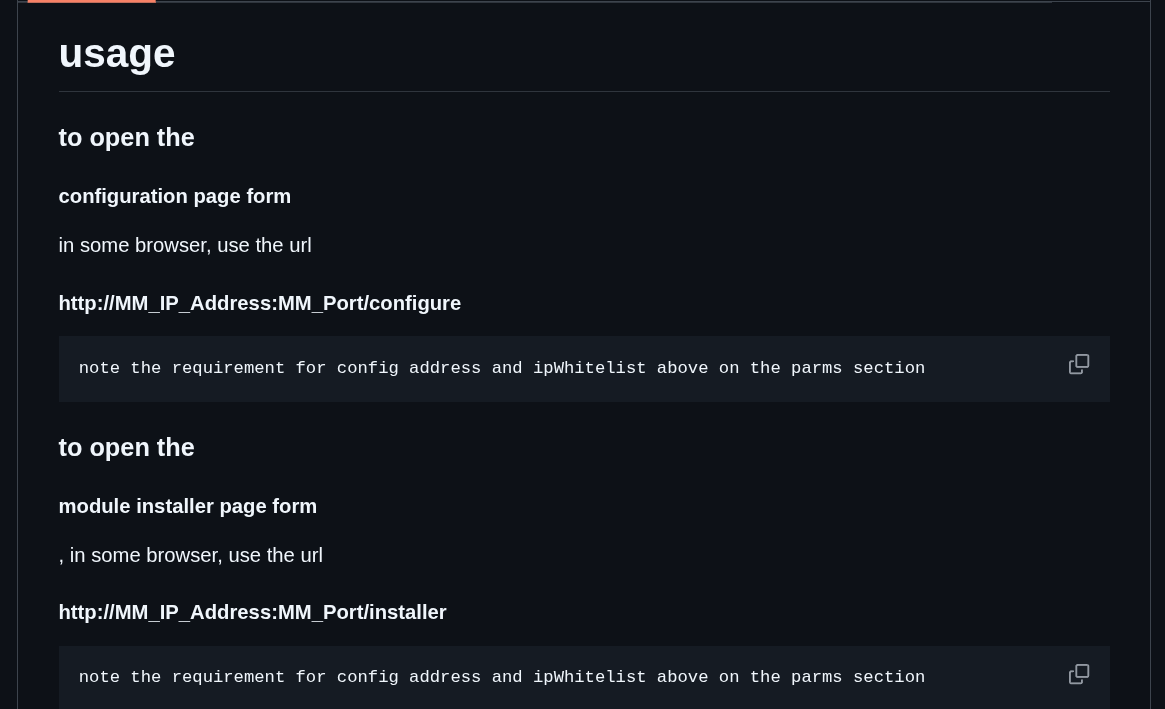
                                Screenshot at 2025-10-21 18-45-31.png

                                Sam

                                How to add modules

                                learning how to use browser developers window for css changes

                                1 Reply Last reply Reply Quote 1
                                • O Offline
                                  OrangeMirror @RonR
                                  last edited by

                                  @RonR hello. I did the same a while back and @sdetweil 's help and contribution is great!

                                  I was trying to run two different MMs in two containers. The 2nd one was always seeing the same configs as the first(or something like that) even though though I was able to configure two different ports, one for each, but wasn’t able to run two different screen layouts.

                                  This is what docker spooked be able to enable. Multiple parallel setups, then you just run a series of screens in kiosk mode and you can display the same setup on multiple locations and screens.

                                  Maybe I’ll try again. I pasted about it here, and Sam did try to help. I gave up on it.

                                  S 1 Reply Last reply Reply Quote 0
                                  • S Offline
                                    sdetweil @OrangeMirror
                                    last edited by sdetweil

                                    @OrangeMirror the current docker setup will only work for multiple instances

                                    IF

                                    you use the MM_CONFIG_FILE environment variable to run instances off different config files,
                                    or
                                    the MM_PORT env variable to override the port if using the same config.js

                                    all the files will come from the ONE folder tree ~/magicmirror

                                    so this means you would have to setup multiple entries in the compose.yaml to launch multiple instances (with the different config parms)

                                    You have to change the container name too

                                    this is because all the DATA used by the container is external (on docker host filesystem) and not IN the container

                                    an example NOT using docker, but same idea here
                                    https://docs.magicmirror.builders/configuration/introduction.html#advanced-configuration-and-frequently-asked-how-to-configure-examples

                                    Sam

                                    How to add modules

                                    learning how to use browser developers window for css changes

                                    1 Reply Last reply Reply Quote 0

                                    Hello! It looks like you're interested in this conversation, but you don't have an account yet.

                                    Getting fed up of having to scroll through the same posts each visit? When you register for an account, you'll always come back to exactly where you were before, and choose to be notified of new replies (either via email, or push notification). You'll also be able to save bookmarks and upvote posts to show your appreciation to other community members.

                                    With your input, this post could be even better 💗

                                    Register Login

                                    • 1 / 1
                                    • First post
                                      Last post
                                    Enjoying MagicMirror? Please consider a donation!
                                    MagicMirror created by Michael Teeuw.
                                    Forum managed by Sam, technical setup by Karsten.
                                    This forum is using NodeBB as its core | Contributors
                                    Contact | Privacy Policy