MagicMirror Forum
    • Recent
    • Tags
    • Unsolved
    • Solved
    • MagicMirror² Repository
    • Documentation
    • 3rd-Party-Modules
    • Donate
    • Discord
    • Register
    • Login
    A New Chapter for MagicMirror: The Community Takes the Lead
    Read the statement by Michael Teeuw here.

    "pm2 start mm.sh" results in "node: bad option: --run"

    Scheduled Pinned Locked Moved Solved Troubleshooting
    4 Posts 2 Posters 968 Views 2 Watching
    Loading More Posts
    • Oldest to Newest
    • Newest to Oldest
    • Most Votes
    Reply
    • Reply as topic
    Log in to reply
    This topic has been deleted. Only users with topic management privileges can see it.
    • C Offline
      cyclonej
      last edited by cyclonej

      My MM that I built last December died. I don’t know why. When booting up, screen would stay black, seemingly not booting into the OS. So I am starting again from scratch. I was able to extract the config.js from the previous SD card.

      I am at the step where I am setting up pm2 - https://docs.magicmirror.builders/configuration/autostart.html

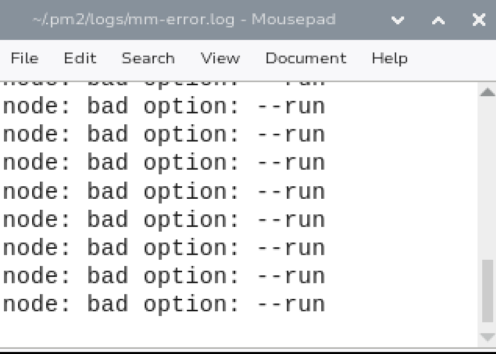
      pm2 will not launch the MM display. After executing pm2 start mm.sh, the MM display does not appear, although it shows status online. In /.pm2/logs/mm-error.log, I am seeing node: bad option: --run many times.
      c5838ae1-6297-4295-9a79-111fecabeeb0-image.png
      68c505cc-517e-40d3-8df1-f29a8be283a6-image.png

      When I execute node --run start, the MM display appears as normal.

      node -v returns v25.1.0
      npm -v returns 11.6.2
      nvm -v returns 0.40.3
      pm2 -v returns 6.0.13

      S C 2 Replies Last reply Reply Quote 0
      • S Offline
        sdetweil @cyclonej
        last edited by

        @cyclonej we only support node 22.18.0

        Can you try to down level

        sudo npm install -g n
        sudo n 22.18.0
        hash -r
        node -v
        \# if node 22 then
        cd ~/MagicMirror 
        rm -rf node_modules
        npm install
        

        The try pm2 stop all
        pm2 start x

        X is the name/number of the row shown in
        pm2 status

        Pm2 is started as a daemon at boot
        It might take a reboot

        Sam

        How to add modules

        learning how to use browser developers window for css changes

        1 Reply Last reply Reply Quote 0
        • C Offline
          cyclonej @cyclonej
          last edited by

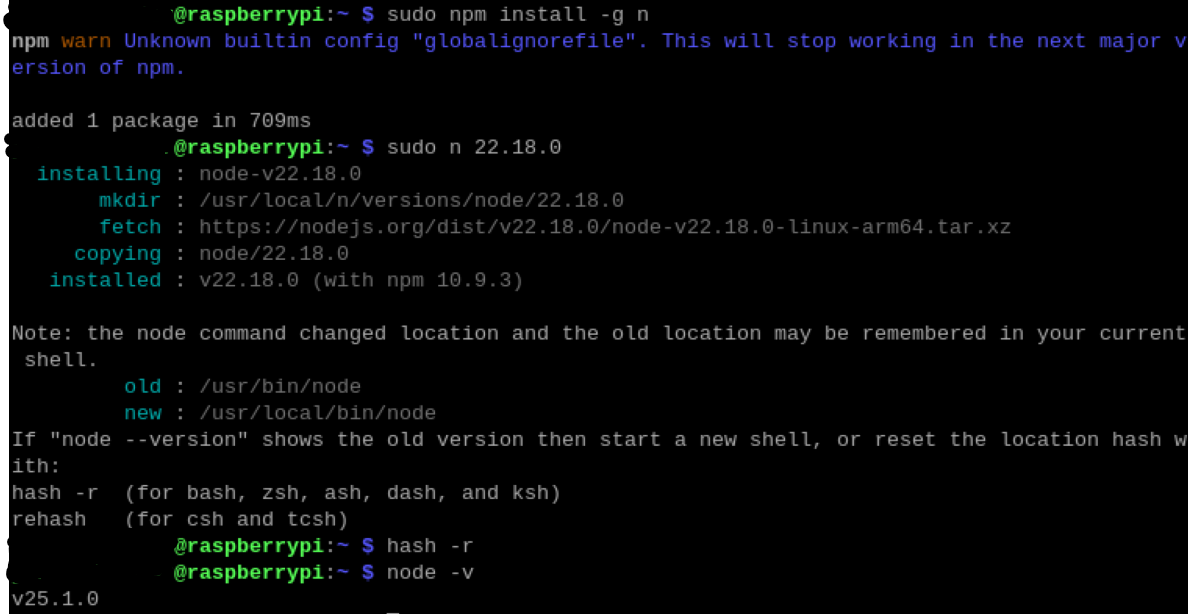
          What if node is still 25?

          ad2dfdfa-d604-4d8d-b0c5-b9e216768cb7-image.png

          C 1 Reply Last reply Reply Quote 0
          • C Offline
            cyclonej @cyclonej
            last edited by

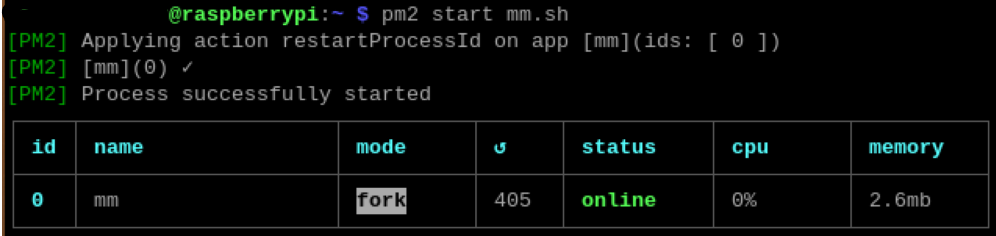
            nevermind. now pm2 start mm works!

            i dont know what those commands did, but it worked

            1 Reply Last reply Reply Quote 0
            • S sdetweil has marked this topic as solved on

            Hello! It looks like you're interested in this conversation, but you don't have an account yet.

            Getting fed up of having to scroll through the same posts each visit? When you register for an account, you'll always come back to exactly where you were before, and choose to be notified of new replies (either via email, or push notification). You'll also be able to save bookmarks and upvote posts to show your appreciation to other community members.

            With your input, this post could be even better 💗

            Register Login

            • 1 / 1
            • First post
              Last post
            Enjoying MagicMirror? Please consider a donation!
            MagicMirror created by Michael Teeuw.
            Forum managed by Sam, technical setup by Karsten.
            This forum is using NodeBB as its core | Contributors
            Contact | Privacy Policy