Read the statement by Michael Teeuw here.
Calendar Module not working as expected
-
Hi,
I’m still quite new to MagicMirror and I found a problem I cannot seem to solve, despite reading the documentation (and forum).
I’d like my calendar to show the upcoming holidays with the Month and Day format (DD MMM), for example Easter should be “5 Apr”.
I added to the
config.jsthe relative lines as stated in the documentation (dateFormat…), but there’s no visible change on the screen where I keep seeing “Apr 5°”: I tried both with “DD MMM” and “D MMM” (I even tried “GG MMM” since in italian Day is Giorno) but the display keeps always showing the same thing.Here’s my config.js (I’m using the Thunderbird .ics calendar because it was the only one I could find online with italian holidays, I might change it in the future).
module: "calendar",
                        header: "Giorni festivi",
                        position: "top_left",
                        config: {
                                timeFormat: "absolute",
                                dateFormat: "DD MMM",
                                fullDayEventDayFormat: "DD MMM",
                                calendars: [
                                        {
                                                fetchInterval: 7 * 24 * 60 * 60 * 1000,
                                                maximumEntries: 5,
                                                symbol: "calendar-check",
                                                url: "https://www.thunderbird.net/media/caldata/autogen/Itali>
                                        }
                                ]
                        }
The only other thing I changed in the config.js is language / locale
language: "it",
locale: "it-IT",
The output was and is always the same, despite having added those lines.
What am I doing wrong? How to fix it?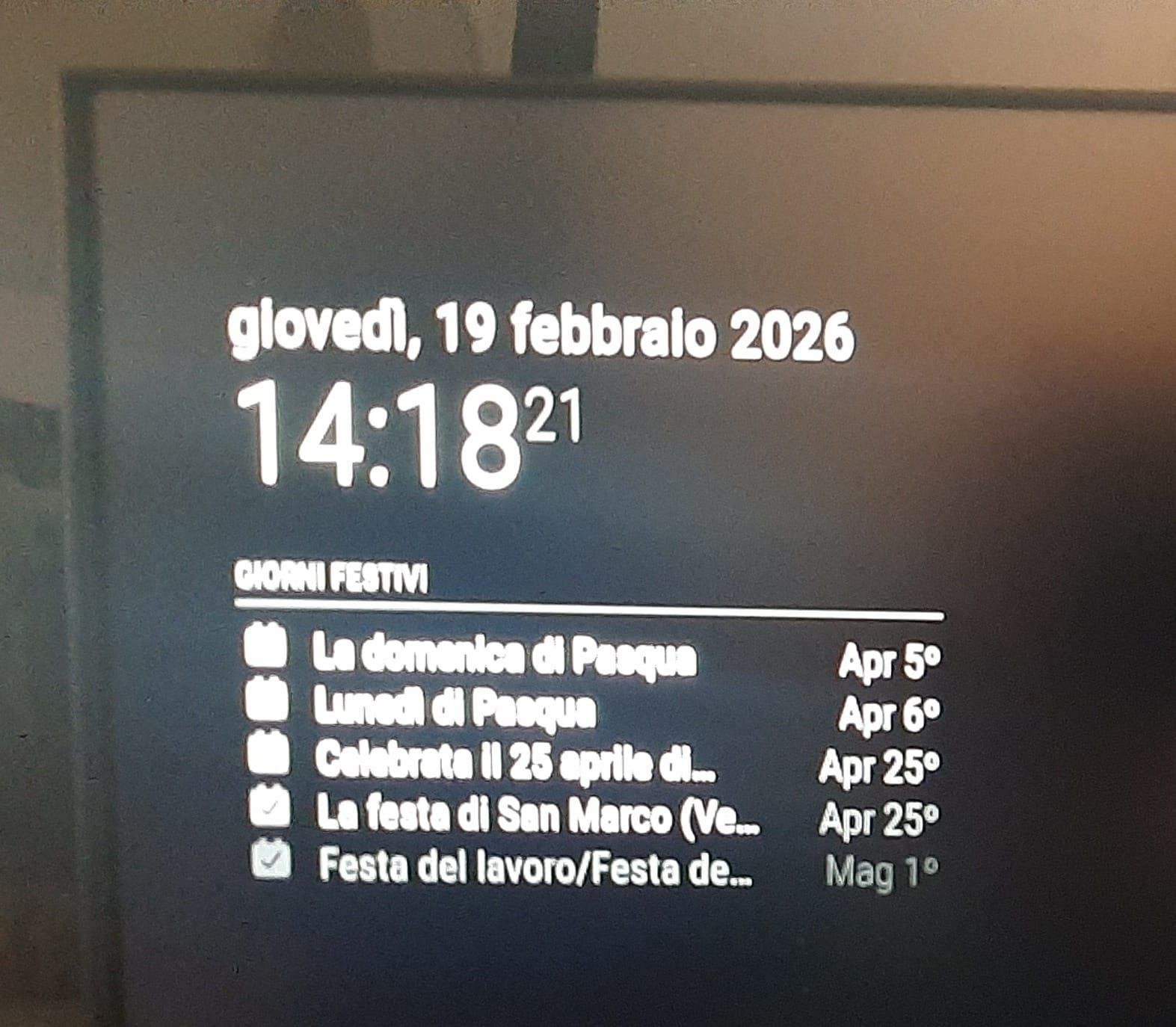
Thank you in advance
-
@sdetweil Hi, thank you for the help.
I tried adding
urgency:0, getRelative:0but that didn’t work.So this weekend I started testing things a bit and I noticed that, despite changing the format (I tried many variations DD MMM. D MMM…) there was no change in the actual display and that got me suspicious:
it was like the config wasn’t considered or parsed at all.So I went to edit
calendar.jsin~/MagicMirror/modules/default/calendar:
inside there was a dateFormat and, changing that, I fixed my issue.So for anyone wanting to change the date format, that’s a possibility.
Thanks again
-
@Gherry the doc says you need two more config parm’s,
urgency and getRelative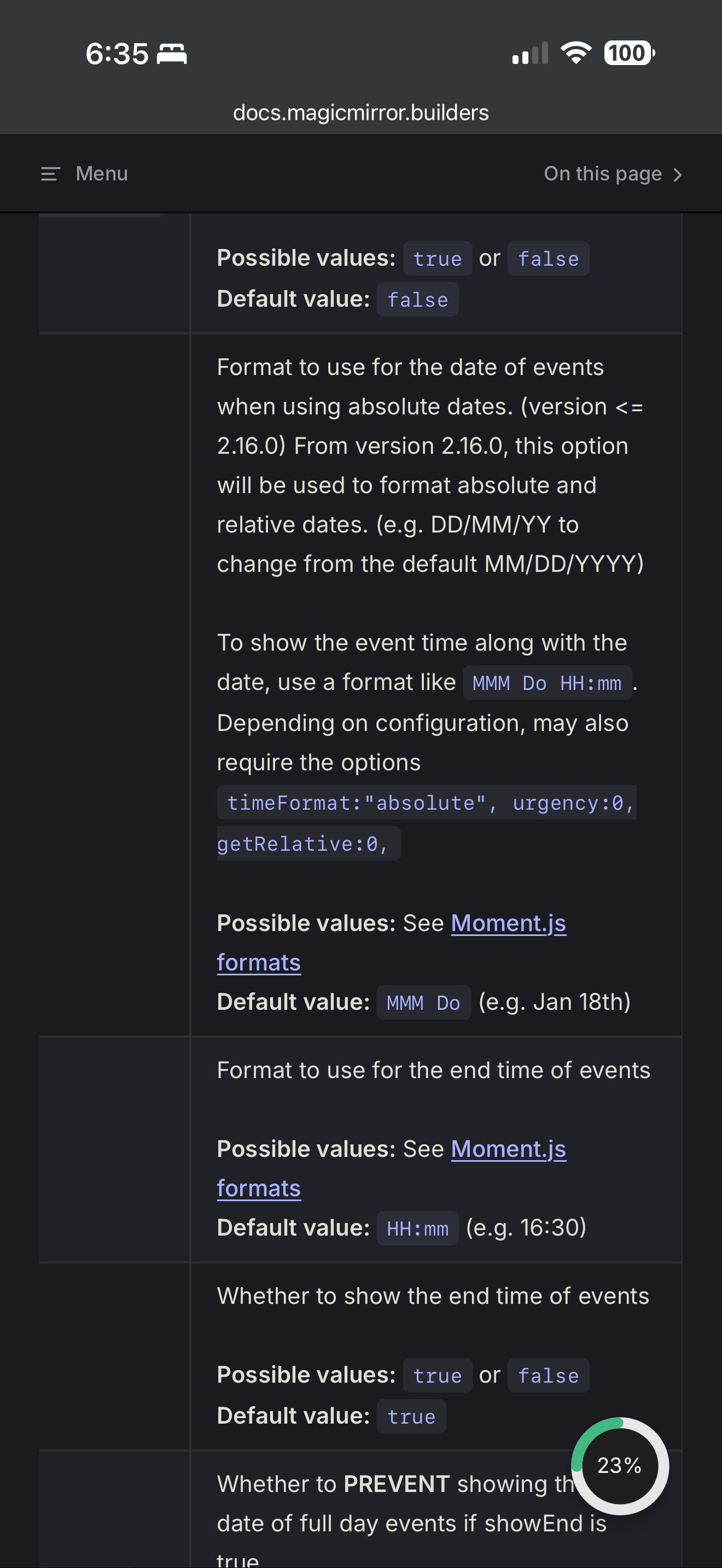
-
@sdetweil Hi, thank you for the help.
I tried adding
urgency:0, getRelative:0but that didn’t work.So this weekend I started testing things a bit and I noticed that, despite changing the format (I tried many variations DD MMM. D MMM…) there was no change in the actual display and that got me suspicious:
it was like the config wasn’t considered or parsed at all.So I went to edit
calendar.jsin~/MagicMirror/modules/default/calendar:
inside there was a dateFormat and, changing that, I fixed my issue.So for anyone wanting to change the date format, that’s a possibility.
Thanks again
-
@Gherry very interesting !
I have not seen a replacement value not be used before.
-
G Gherry has marked this topic as solved on
Hello! It looks like you're interested in this conversation, but you don't have an account yet.
Getting fed up of having to scroll through the same posts each visit? When you register for an account, you'll always come back to exactly where you were before, and choose to be notified of new replies (either via email, or push notification). You'll also be able to save bookmarks and upvote posts to show your appreciation to other community members.
With your input, this post could be even better 💗
Register Login